 KDP Author Studio
How to Format a Book for Amazon KDP: Margins, Gutter, Spine, and Bleed with Exact Measurements
Team at KDP Author StudioWritten with AI assistance14 min readIn summary
- Amazon KDP does not ask for "one book": it asks for three distinct files — the interior PDF, the full cover PDF (back cover + spine + front cover on a single sheet), and, if you want a Kindle version, the EPUB.
- The error that causes the most returns is the gutter (the inner margin next to the binding): it is not fixed, it grows with the number of pages, from 0.375" up to 150 pages to 0.875" above 700.
- The spine is calculated, not estimated: pages × paper factor (0.0025"/page in black and white on cream paper). And KDP only allows text on the spine starting from 79 pages.
- The cover has 0.125" of bleed on all four sides and you must leave a free area of about 2"×1.2" in the lower right corner of the back cover for the barcode.
- KDP Author Studio, the AIsToHire app for writing and publishing books, generates those three files with the measurements applied and runs a checker before you upload anything. What it does not do: upload it for you, because KDP does not have a public publishing API.
There is a specific moment when many people abandon their book, and it is not chapter three: it is the day the manuscript is finished and they discover that Amazon does not accept a nice .docx, but rather a PDF with very specific measurements that no one has explained to them. This article gathers those measurements, with the exact figures and formulas, so you can format your book without opening InDesign. At the end, you will see how KDP Author Studio, the AIsToHire tool for creating books ready for Amazon KDP, applies all this automatically.
All technical figures correspond to the printing specifications of Amazon KDP, review of September 2026 (the verified knowledge base used by the app). Amazon updates them without notice: if a measurement is critical for your book, confirm it in the official KDP help before printing.

Amazon KDP asks for three files, not one
To publish a paperback book and on Kindle you need three separate files: the interior PDF (just the pages, without cover), the full cover PDF on a single sheet that includes back cover, spine, and front cover, and the EPUB for the Kindle edition. These are three files with three different sets of rules, and the common mistake is to treat them as if they were the same document exported three times.
| File | What it contains | Own rules |
|---|---|---|
| Interior PDF | Title page, legal page, index, chapters, interior back cover | No bleed (except bleed images), embedded fonts, margins with variable gutter, images at 300 DPI |
| Cover PDF | Back cover + spine + front cover on a single sheet | 0.125" bleed on all 4 sides, 300 DPI, spine calculated by pages, free area for barcode |
| EPUB | The same text, reflowable for Kindle | No fixed pagination, navigable index, resized images, declared metadata and language |
The page size (trim) is chosen before formatting, not after
The trim is the physical size of the printed book and conditions everything else: how many pages it has, how large the spine is, and what margins you need. Changing it when the book is already written forces a complete re-pagination, so it is advisable to decide it at the beginning according to the genre.
| Trim | Measurements | Common use | Words per page (11 pt body) |
|---|---|---|---|
| 6x9" | 15.2 × 22.9 cm | Non-fiction, business, guides | ~300 |
| 5x8" | 12.7 × 20.3 cm | Novel, pocket fiction | ~250 |
| 5.5x8.5" | 14.0 × 21.6 cm | Memoirs, literary fiction | ~270 |
| 7x10" | 17.8 × 25.4 cm | Manuals, educational books | ~380 |
| 8.5x8.5" | 21.6 × 21.6 cm | Illustrated children's | ~330 |
| 8.5x11" | 21.6 × 27.9 cm | Coloring books, workbooks | ~450 |
That last column is what allows you to estimate the thickness of the book before writing it. A business book of 45,000 words in 6x9" runs around 150 pages of body, plus the frontmatter.
And two hard limits: minimum 24 pages in paperback and maximum 828 pages in black and white (around 600 in color). Below 24 the book cannot be bound; above the maximum, it must be split into volumes or switched to different paper.
The gutter is the margin that almost everyone skips
The gutter (medianil in KDP documentation) is the inner margin next to the binding, and it is not the same as the outer margin. The thicker the book, the more the binding "eats" into it when opened, so KDP requires a larger gutter as the number of pages increases. If you format with symmetrical margins of 2 cm and your book has 400 pages, the text will be lost in the spine and KDP will return it to you.
| Book Pages | Minimum Gutter |
|---|---|
| Up to 150 | 0.375" (9.5 mm) |
| From 151 to 300 | 0.5" (12.7 mm) |
| From 301 to 500 | 0.625" (15.9 mm) |
| From 501 to 700 | 0.75" (19.1 mm) |
| More than 700 | 0.875" (22.2 mm) |
The outer margin (and the top and bottom) has its own minimum: 0.25" (6.4 mm), with 0.375" (9.5 mm) recommended if there is no bleed.
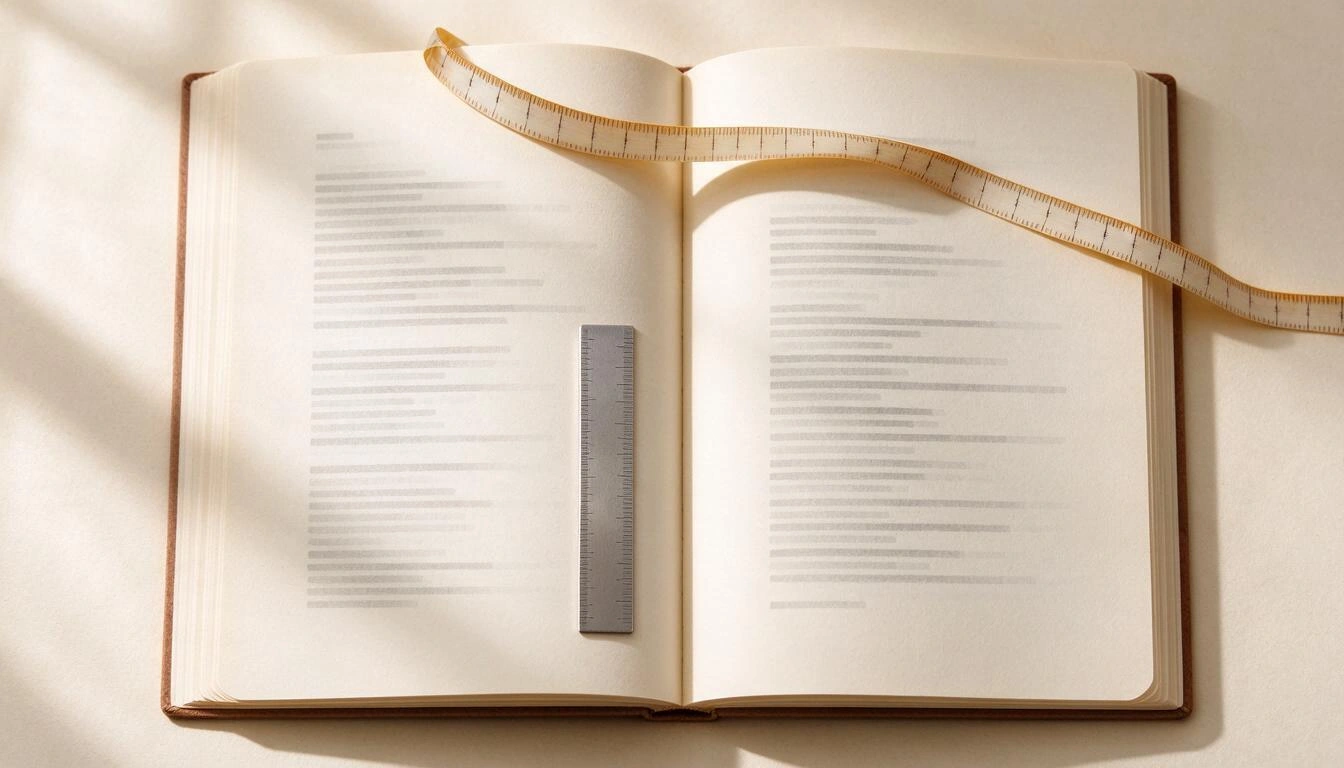
Here’s a trap that isn’t in any guide: the gutter depends on the pages, but the number of pages depends on the margins. It’s circular. The clean way to solve it is to set the margin based on an estimate of pages before pagination and use symmetrical margins equal to that gutter: this way you comply on the inner side and have excess on the outer side, and the layout doesn’t change depending on whether the page is even or odd. This is exactly what the KDP Author Studio PDF engine does before its two rendering passes.
How the spine of a book is calculated in KDP (exact formula)
The width of the spine is number of pages × paper factor. It does not depend on the trim or the font: only on how many sheets there are and what paper you have chosen. These are the official KDP factors (revised September 2026):
| Paper Type | Inches per Page | Spine of a 250-page Book |
|---|---|---|
| Black and white, cream paper | 0.0025" | 0.625" (15.9 mm) |
| Black and white, white paper | 0.002252" | 0.563" (14.3 mm) |
| Standard color | 0.002252" | 0.563" (14.3 mm) |
| Premium color | 0.002347" | 0.587" (14.9 mm) |
With that, you can already calculate the full sheet for the cover. For a 6x9" book, 250 pages, and cream paper in black and white:
Width  = (6" x 2) + spine 0.625" + bleed (0.125" x 2) = 12.875"
Height = 9" + bleed (0.125" x 2)                     = 9.25"
Two warnings that cost a reprint:
- Text on the spine only from 79 pages. Below that, KDP does not allow it: the spine is too narrow and the cutting tolerance would eat it.
- The spine changes if the content changes. Adding a chapter can add 8 pages, move the spine 0.02" and misalign a cover you already had approved. The calculation must be redone with the actual page count of the final PDF, not the estimated one.
The cover goes in a single PDF, with bleed and a prohibited area
The paperback cover is not two images: it is a single sheet that is printed and folded. From left to right, it contains the back cover, spine, and front cover, with 0.125" of additional bleed on each side (top, bottom, left, and right) that is then trimmed. All at 300 DPI.
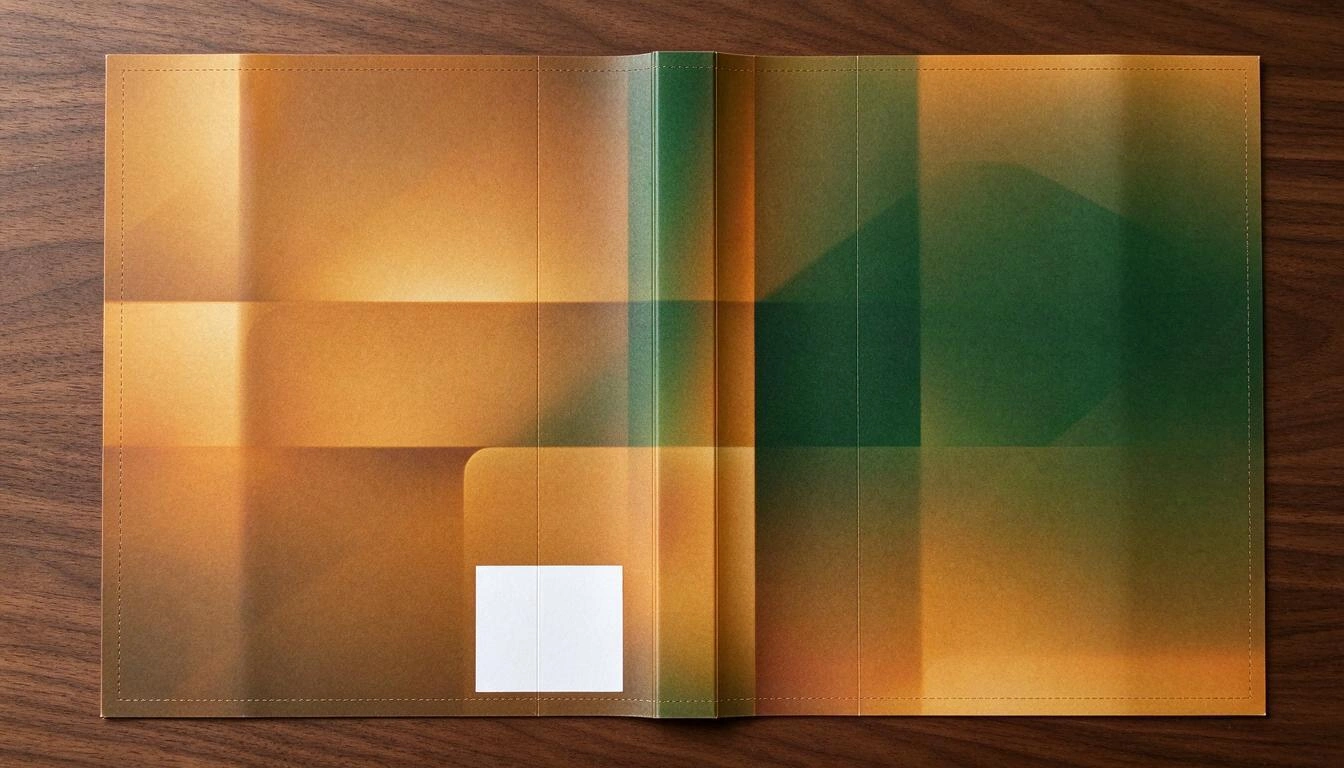
The "prohibited area" is the lower right corner of the back cover: Amazon prints the barcode there and needs about 2" × 1.2" free, preferably on a light and smooth background. If your design puts the synopsis text or part of an illustration there, the barcode will print over it.
Five layout mistakes that get your book returned
These are the mistakes that most often force you to re-upload the interior, in order of frequency according to the problems detected by the app verifier:
- Insufficient gutter for the number of pages (the number one error, see the table above).
- Images below 300 DPI at printed size. The calculation is: width of the text box in inches × 300. In 6x9" with 250 pages, the box measures about 4.75", so an image at full width needs ≥ 1,425 px. A screenshot of 800 px will look pixelated on paper even if it looks perfect on screen.
- Fonts not embedded. If the PDF references a font instead of including it, the printer substitutes it and the pagination shifts. You must export with embedded fonts, and use licensed fonts that allow it.
- Index without real page numbers. An index with numbers guessed is useless on paper. The correct numbers can only be known after pagination, so the document must be rendered twice: once to know where each chapter falls, and another to print the index with those numbers.
- Uploading an old PDF. You correct three chapters, export the cover, and end up uploading the interior from two weeks ago. The spine no longer matches the pages and the cover comes out misaligned.
Yes, you must declare AI-generated content (and it's good to know how much)
Since Amazon introduced the question in the publishing form, KDP requires you to declare if the book contains AI-generated content, distinguishing between "AI-generated" content (text, images, or translations created by a model, even if you edit them later) and "AI-assisted" content (ideas, corrections, suggestions). Declaring it does not prevent publication; hiding it could cost you your account. There is also a limit of 3 new books per day per account, and the review after publishing usually takes up to 72 hours, during which the book is blocked for changes.
The practical problem is that, after three months of co-writing with a model, no one knows what percentage of their book is theirs. KDP Author Studio counts it while you write: it separately records the words generated, those edited by you from generated text, and those written by hand, with the real origin of each block, not with a probabilistic detector. It fills out a declaration like "contains AI-generated content: text and images, reviewed and edited by the author (approx. X % assisted, Y % edited, Z % own)" that you can copy to the form.
This is information about the requirements published by Amazon, not legal advice. KDP policies change; the responsibility for the declaration is always the author's.
What KDP Author Studio does in this process and what you continue to do
The app covers the range from manuscript to valid files, and it is honest about its limit: it does not publish for you, because KDP does not offer a public publishing API. The upload is manual, always.
| Step | The app does it | You do it |
|---|---|---|
| Write the chapters | Generates, continues, or expands with the context of all previous chapters, the Codex of characters and places, and your voice profile | You decide, correct, and edit in the editor |
| Format the interior | PDF with bleed by number of pages, title page, legal page, index with real numbers in two passes, headers, and padding to the minimum of 24 pages | You choose trim, paper, typography (5 licensed) and layout theme (6) |
| Cover | Calculates the spine, assembles the complete sheet with bleed and free area for the barcode; generates the image with AI or uses the one you upload | You approve the design and the back cover text |
| Kindle | EPUB 3 with navigable index and accessibility metadata | — |
| Amazon listing | Proposes 7 keywords (max. 50 characters each, warning about penalized terms like "free" or "bestseller"), categories, description of up to 4,000 characters, and biography | You review and decide |
| Before uploading | Checker with about twenty checks: empty chapters, out-of-range pages, margins, text on the spine, cover and back cover, keywords, categories, description, legal page, index, image resolution, alternative text, and outdated exports | You correct what it marks |
| Publish on KDP | Gathers all fields in the order of the form, with the AI declaration pre-filled and a checklist | You copy, upload the files, and publish at kdp.amazon.com |
What the app does not do, to put it bluntly: it does not upload anything to Amazon, does not search the internet (market analysis and research come from the model's knowledge and are marked as estimates), does not generate audiobooks, does not include a plagiarism detector, and does not allow co-authorship with comments. The cost estimates for printing and royalties it shows are indicative and do not replace the KDP calculator.
Quick checklist before hitting "Publish"
- Trim and paper decided and do not change again.
- Interior exported after the last text change (otherwise, the spine will lie).
- Correct bleed for the real page count of the PDF, not the estimated.
- Spine recalculated with those pages; no text on the spine if there are fewer than 79.
- Cover on a single sheet, with 0.125" bleed and the corner of the barcode clean.
- Interior images with enough width for 300 DPI at their printed size.
- Legal page and index included; index with real page numbers.
- 7 keywords, 2-3 categories, and description below 4,000 characters.
- AI content declaration prepared and honest.
- KDP previewer reviewed from start to finish, not just the first pages.
Frequently Asked Questions
Why does Amazon KDP reject my interior PDF?
In the vast majority of cases for three reasons: the margins do not respect the gutter corresponding to the number of pages, the PDF does not have embedded fonts, or the document size does not exactly match the trim chosen in the form. The KDP previewer points out the specific page where the problem is; start there before redoing anything.
How do I calculate my book's spine if I still don't know how many pages it has?
You can't: the spine is pages × paper factor, so you need the final count. What you can do is make an estimate to keep moving forward (words ÷ words per page of your trim) and recalculate the spine with the actual count from the already generated interior PDF, before exporting the cover. It's the correct order: interior first, cover second.
Can I format the book in Word and upload it as is?
You can export to PDF from Word and upload it, but you will have to manually set the page size, the mirror margins with the correct gutter, the alternate headers, the index with page fields, and the font embedding. It works for simple books; as soon as there are images, a two-level index or more than 300 pages, that’s where it breaks.
What margins should I use for a 6x9 book?
It depends on the pages, not on the trim. For a 6x9" with fewer than 150 pages: gutter 0.375" and outer 0.375". From 151 to 300 pages, gutter 0.5". From 301 to 500, 0.625". A safe shortcut is to use symmetrical margins equal to the required gutter: you comply on the inside and have plenty on the outside.
Do I have to tell Amazon that I used AI to write the book?
Yes. KDP specifically asks about AI-generated content when publishing and you must answer truthfully, distinguishing generated content from merely assisted content. Declaring it does not block publication or penalize the book; failing to declare it can lead to account closure. The responsibility for that declaration lies with the author.
Are the EPUB and PDF the same book? Do I have to upload both?
They are two distinct editions of the same title: the PDF (interior + cover) is for the printed paperback and the EPUB is for Kindle. It is not mandatory to publish both, but it is common, because they are two linked listings on Amazon. The EPUB does not have fixed pagination or margins: the text adjusts to the reader's device.
Does KDP Author Studio upload the book to Amazon for me?
No, and it is good to know this before starting: Amazon KDP does not have a public publishing API, so no tool can automatically upload the book. What the app does is leave you with the three downloaded files and a screen with all the fields of the form in the same order that KDP requests, so you just have to copy them.
What is the minimum number of pages a book must have in KDP?
24 pages in paperback. If your content does not reach that, the PDF is filled with blank pages at the end until the minimum and even number is reached, but it is a patch: a 24-page book with half of it blank is noticeable, and it will be returned on Amazon.
KDP Author Studio, in one sentence
KDP Author Studio is the app from AIsToHire that writes your book chapter by chapter with AI and generates the interior PDF with KDP's margins and gutter, the complete cover PDF with the spine already calculated, and the EPUB 3 for Kindle, in addition to providing you with a checker with about twenty checks before uploading anything. It is available at aistohire.com/kdp-author-studio-create-books-amazon-kdp-ai-136. You upload to Amazon yourself, because KDP does not allow otherwise; all of the above is no longer your problem.
Write your book and download the three files required by Amazon KDP —interior PDF, cover PDF with calculated spine, and EPUB— without opening a formatting program. Create your free account at KDP Author Studio and start with your book's table of contents.
Write your book and download the three files required by Amazon KDP —interior PDF, cover PDF with calculated spine, and EPUB— without opening a formatting program. Create your free account at KDP Author Studio and start with your book's table of contents.Keep reading
View all articles →
Declaring AI on Amazon KDP: What You Need to Check in 2026 (and What Not to)

Why Your Car Insurance Increased in 2026: Average Premium of €1,412 and Historic Record

Discussing via WhatsApp or talking in person: what science says about couple conflicts through messages
