 Vault
Is it safe to store passwords in the browser? What really protects you and where to store them best
Team at VaultWritten with AI assistance19 min readIn summary
- Storing passwords in the browser protects you from having your hard drive stolen, not from a program that is already running with your user: Chromium's own security FAQ excludes local attackers with access to your account from its threat model.
- Cloud synchronization in Firefox and iCloud Keychain is indeed end-to-end encrypted; Chrome's is only so if you enable a separate passphrase. The weak point, in all three cases, is the local copy on the device.
- The App-Bound Encryption that Chrome introduced in version 127 (July 30, 2024) raised the bar on Windows, but in the following months, ways to circumvent it were published and infostealers regained access.
- A zero-knowledge manager changes the equation: the key is derived on your device, the server only stores unreadable blocks, and the content is locked only after a few minutes of inactivity.
- Vault, the mini-app from AIsToHire, does exactly that with PBKDF2-SHA256 with 310,000 iterations and AES-256-GCM. In exchange, it has no key recovery, no autofill, and no biometrics: this article precisely states what it does and what it does not.
If you've made it this far searching for "is it safe to store passwords in the browser", it's most likely that you already have thirty or forty saved in Chrome, Firefox, or Safari and have begun to doubt. The honest answer is neither "yes" nor "no": it depends on what you want to protect against what. This article explains where each browser stores your passwords, what is needed to read them, what changed in 2024, and how a manager with end-to-end encryption like Vault, the encrypted password manager from AIsToHire stands out.
Everything stated here about Vault has been verified against its code and data model, and there is an entire section dedicated to what it does not do. An article about security that only tells the good half is not useful for making any decisions.
Is it safe to store passwords in the browser?
It is safe against theft of the powered-off device and against a curious person who opens the file manually, but it is unsafe against any program running with your own user. Browsers encrypt the password database with a key that the system automatically provides to processes of that user: there is no additional secret that the attacker has to guess. That is the essential difference with a manager that requires a master key.
In other words: the browser protects the file, not the content while you are inside your session. Google explicitly acknowledges this in the Chromium security FAQ, where local attacks (someone or something already executing code in your account) are excluded from the browser's threat model.
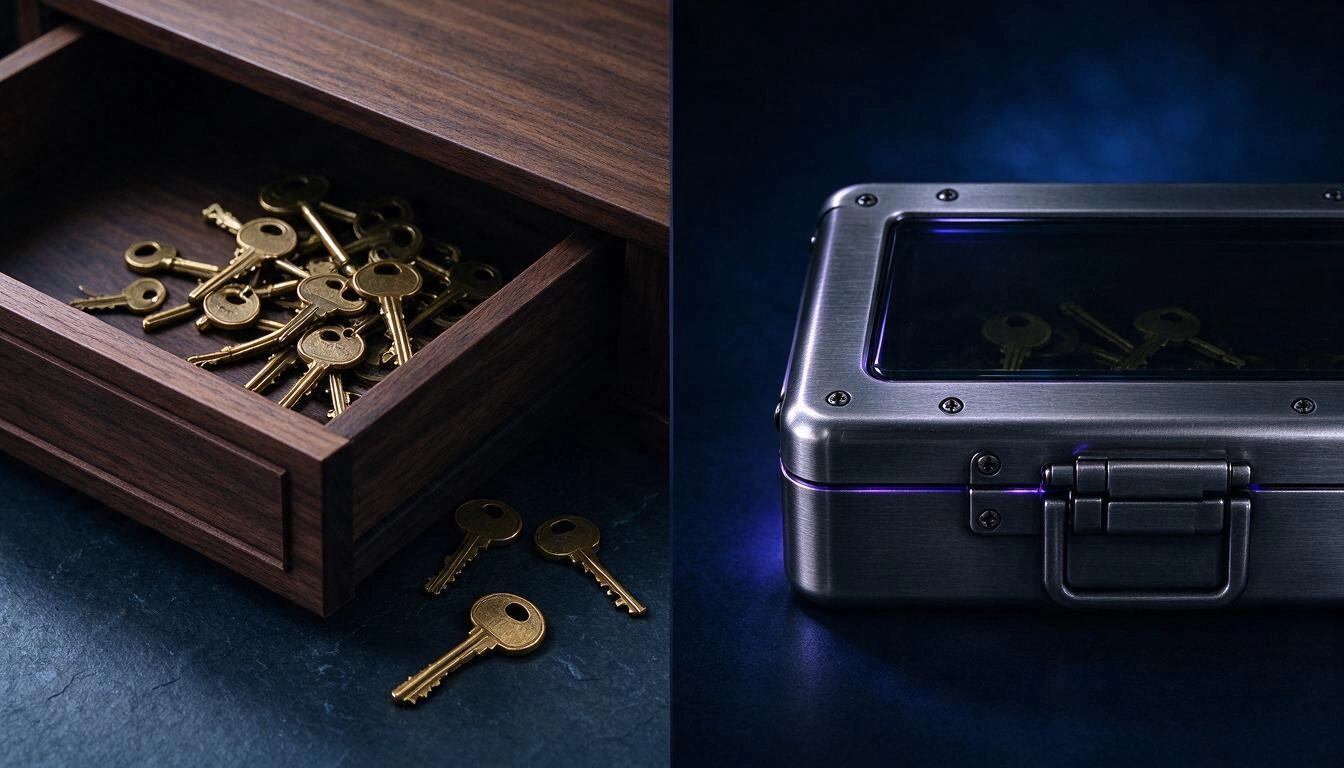
The image summarizes the two philosophies. On the left, the keys are in a drawer: closed when you are not there, open as soon as you are. On the right, the keys are inside a box that remains closed even if the drawer is open, because the combination does not live in either the drawer or the box.
Each browser stores passwords in a different place, and they do not protect the same things
The three major browsers use different mechanisms, and one of them (Safari with the Keychain) protects quite a bit better than the other two. This table summarizes where each storage lives and what an attacker needs to read it.
| Browser | Where it stores passwords | What it protects with | What an attacker needs |
|---|---|---|---|
| Chrome / Edge (Windows) | SQLite file Login Data in the profile | Key in Local State, protected with user's DPAPI + App-Bound Encryption since 2024 | Execute code with your user on that machine |
| Chrome (macOS) | Login Data in the profile | Key stored in the system Keychain | Your open session or the Keychain password |
| Chrome (Linux) | Login Data in the profile | libsecret / KWallet if there is a keyring; if not, known internal key | Access to the profile; without a keyring, not much more |
| Firefox | logins.json + key4.db in the profile | Local key in key4.db; real encryption only if you enable the Primary Password (disabled by default) | Copy two files from the profile |
| Safari (macOS/iOS) | System Keychain / iCloud Keychain | Device-bound encryption, unlock code, and Secure Enclave; the iCloud Keychain is end-to-end according to Apple's platform security guide | Unlock the device |
Two practical readings of the table:
- Firefox without a Primary Password is the most fragile case. There are well-known free tools (like
firefox_decrypt) that readlogins.jsonusingkey4.db, without any additional secret. If you use Firefox and do not have the Primary Password enabled, enable it today in Settings → Privacy and security. - Safari is, out of the box, the toughest of the three, because the Keychain is tied to device unlocking and hardware. It is not a tie between browsers.
Regarding synchronization, it is important to be fair, as there is a lot of confusion: Firefox Sync and iCloud Keychain are end-to-end by design, and Chrome's synchronization is only so if you enable a personal passphrase in the synchronization settings. That is to say: the problem with browsers is not in the cloud, it is in the local copy and that there is no lock protecting the content while your session is open.
Chrome's app-bound encryption raised the bar in 2024, but didn't close the door
Chrome 127, released on July 30, 2024, debuted on Windows the App-Bound Encryption: a privileged service that ties decryption to the application's identity, so another program running with your same user can no longer request the key without more. Google announced it starting with cookies and declared its intention to extend it to passwords and payment data.
It was a real improvement and it should be acknowledged. It's also important to note the end: in the following months, several techniques were published to bypass the mechanism and the most active infostealer families regained the ability to read the data. The race is still open.
The conclusion is not "Chrome is bad". It is that a vault whose secret is guarded by the operating system depends on the operating system winning every round. A vault whose secret is in your head does not depend on that.
The real risk has a name: infostealer and reused passwords
The threat that today empties password vaults is not sophisticated cryptanalysis: it is a credential-stealing program (infostealer) that arrives in a pirated installer, a crack, or an attachment, runs with your user, and copies the browser profile files. After that, those credentials are sold in batches and feed access to other services where the victim reused passwords.
The data that best dimensions the problem is published by Verizon in its Data Breach Investigations Report 2024 (May 2024): the use of stolen credentials appears in 31% of all breaches analyzed in the past ten years. It is not just one technique among many; it is the dominant entry point.
And from there comes the most profitable rule of all home security:
A different password for each service turns a leak into an isolated incident. A reused password turns it into a chain.
The problem is that no one remembers forty different passwords. That’s why the useful question is not "Do I trust the browser?", but "Where do I store them so I can use a different one on each site?".
What "zero-knowledge" means and how it shows
Zero-knowledge means that encryption and decryption occur on your device, with a key derived from a master key that is never sent to the server. The server stores encrypted blocks and the public parameters needed to derive the key, but it has —nor can obtain— anything readable. If someone copies the entire database, they take noise.

This table compares what each actor sees in the three scenarios:
| What there is | Browser (local vault) | Browser synchronization | Zero-knowledge manager like Vault |
|---|---|---|---|
| Who has the decryption key | The operating system, for your user | The provider, except E2E (iCloud, Firefox Sync, Chrome with passphrase) | Only you: derived from your master key in the browser |
| What the server sees | Not applicable | Encrypted data; metadata according to provider | iv + ciphertext, type of input and dates |
| What happens if the database is stolen | Not applicable | Depends on the model | AES-256-GCM blocks unreadable without your key |
| What happens if a program runs with your user | Can read the vault | Can read the local vault | Only if the vault is unlocked at that moment |
| Is there inactivity lock | No | No | Yes, configurable |
| Can access be recovered if you forget the secret | Yes (it's your session) | Yes (provider account) | No, by design |
That last row is the real price of the model, and it must be understood before starting: there is no "I forgot my master key" button. If there is no one who can read your data, there is also no one who can return it to you.
What the LastPass case of 2022 taught about parameters, not about the model
In December 2022, LastPass confirmed that an attacker had copied a backup with customer vaults. The zero-knowledge model held up essentially —the sensitive fields remained encrypted—, but the incident left two lessons that apply to any manager.
The first: unencrypted metadata also informs. In those vaults, the URLs of the sites traveled in clear, allowing profiling of the victim even if their passwords were not read. The second: derivation parameters matter as much as the algorithm. Many old accounts retained iteration counts well below the default value of the time (100,100), which greatly cheapens a dictionary attack on the master key.
From this comes the criterion with which you should judge any manager, including Vault: ask what algorithm, how many iterations, and what remains unencrypted. If the answer is not published, it is an answer.
This is how Vault encrypts what you store, step by step
Vault derives an AES-256-GCM key from your master key using PBKDF2-SHA256 and 310,000 iterations, encrypts each entry separately in the browser, and sends only the iv + ciphertext pair to the server. The master key is not stored anywhere: it lives in memory while the vault is unlocked and disappears when locked, when the timer expires, or when the page is reloaded.
These are the exact parameters, so you can compare them with those of any other manager:
| Parameter | Value in Vault | Reference |
|---|---|---|
| Key derivation | PBKDF2-HMAC-SHA256 | NIST SP 800-63B (rev. 3, 2017) requires a minimum of 10,000 iterations |
| Iterations | 310,000 | 31 times the NIST minimum; the figure that OWASP recommended before raising it to 600,000 |
| Salt | 16 random bytes per vault | crypto.getRandomValues from the browser |
| Encryption | AES-256-GCM | Authenticated encryption: detects data tampering, NIST SP 800-38D |
| IV | 12 random bytes (96 bits) per entry | Recommended size in NIST SP 800-38D for GCM |
| Key in memory | Marked as non-exportable in WebCrypto | The browser itself prevents extracting the key material |
| Key verification | A fixed encrypted witness is decrypted when creating the vault | The server never validates the key: it does not know it |
Two nuances of honesty about that table, because they are the kind of thing a brochure skips:
- 310,000 iterations are above the regulatory minimum and below the current OWASP recommendation (600,000) for PBKDF2-HMAC-SHA256. As a public reference, Bitwarden raised its default value to 600,000 in 2023 and 1Password documents 650,000 in its security design, although the latter also adds a local secret key.
- Vault does not use Argon2id, which is what the literature recommends today when available. It uses PBKDF2 because it is what WebCrypto offers natively in the browser.
What reaches the server for each entry is literally this:
{
  "id": 4817,
  "type": "login",
  "iv": "sT9xPq2mVr4kZ1bA",
  "ciphertext": "9sHl2+Dq7fN0u...A8fK==",
  "createdAt": "2026-10-20T09:14:22.000Z",
  "updatedAt": "2026-10-20T09:14:22.000Z"
}
The type field (login or note) is sent in clear on purpose, to be able to display the icon and the list without decrypting anything. The title, URL, username, password, and notes are inside the ciphertext.
What you can store in Vault and what it does when you leave your phone on the table
Vault stores two types of entries —logins (title, URL, username, password, and notes) and secure notes (title and text)— and it locks itself after the minutes of inactivity you set, between 1 and 120, with 5 by default.
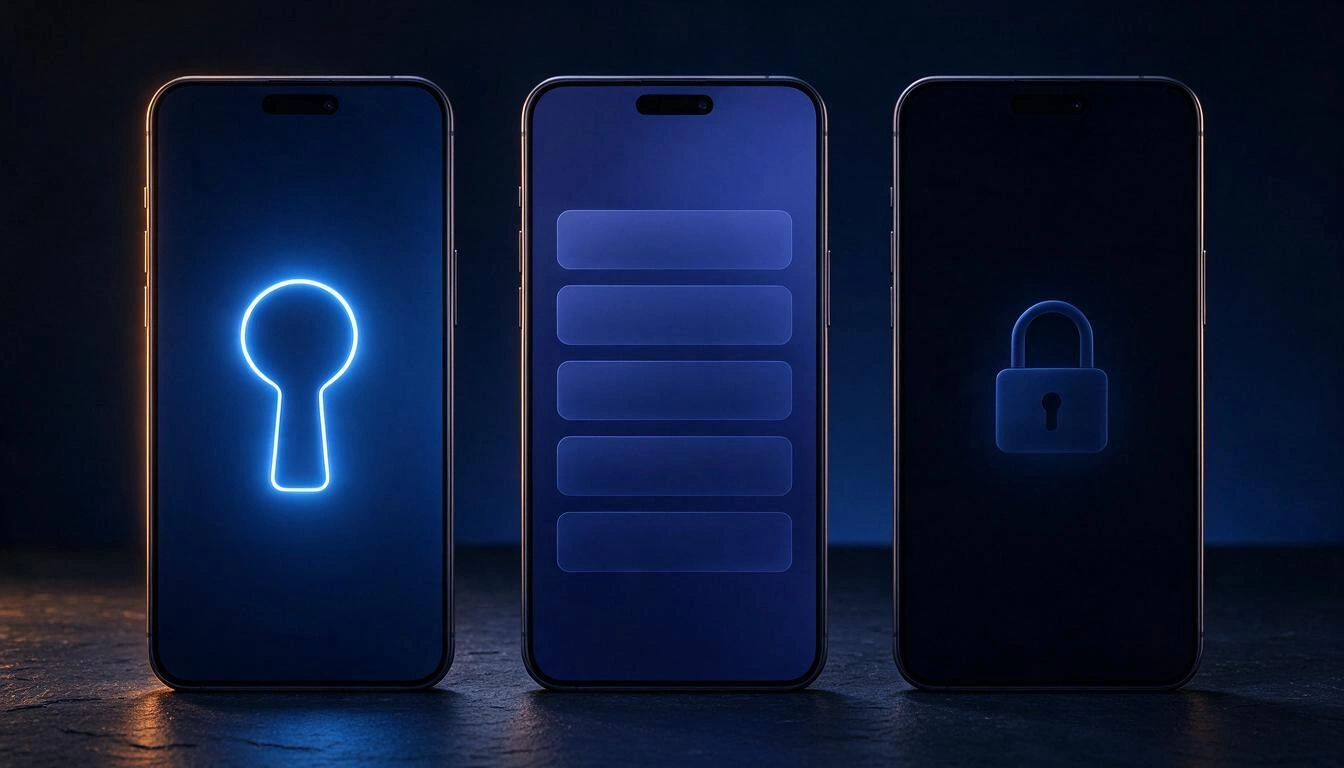
What you find inside, verified in the app:
- Password generator of 20 characters with uppercase, lowercase, digits, and 25 symbols, using the browser's cryptographic generator. There are about 6.2 × 10³⁸ possible combinations (≈ 129 bits): no dictionary list reaches there.
- Strength meter from 0 to 4 while typing, both in the master key and in the passwords you store.
- Copy with automatic clipboard deletion after 30 seconds, so a copied password does not remain waiting for the next app to read the clipboard.
- Show / hide the password in the detail and open the URL of the login in a new tab.
- Instant search by title, URL, and username, which filters on your device over already decrypted entries.
- Manual lock with a button, in addition to the automatic one.
- Direct link to an entry: copies a link that carries only the numeric identifier. Without the master key, that link shows absolutely nothing.
- The timer resets with your activity (taps, keyboard, scroll), so it doesn't log you out in the middle of a form.
The automatic lock is the feature that is most noticeable in day-to-day use and that the browser does not have: five minutes after leaving your phone on the table, your passwords become unreadable blocks again even if the session remains open.
What Vault DOES NOT do, and why it's good to know before you start
Vault is an encrypted storage, not a security suite. This is what it does not have today, said plainly so no one arrives expecting it:
- Does not recover your master key. If you forget it, the content is unrecoverable: there is no backup, no security question, no support that can do anything. It is the direct consequence of the model, not a negligence.
- Does not automatically fill out forms on websites: there is no browser extension or autocomplete. You copy and paste.
- Does not have biometric unlocking: you enter by typing the master key.
- Does not generate or store two-step verification codes (TOTP).
- Does not check if your passwords appear in known leaks.
- Does not import or export CSV files from the browser or another manager: entries are created by hand.
- Does not allow sharing entries with another person nor does it have team vaults.
- Does not work offline: encrypted entries are downloaded from the server when unlocking.
- Does not keep a history of previous passwords, folders, tags, or favorites.
- Does not protect an already compromised device. If a keylogger is running on your machine, it will see your master key when you type it. No manager—neither Vault nor any other—solves that; keeping the device clean does.
And one more limit, of a general type: Vault is an encrypted storage tool, not a security certification or a compliance judgment. If you handle third-party data subject to legal obligations, that assessment corresponds to your advisor, not to an app.
How to choose a master key that withstands an offline attack
The best master key is not a twisted password of eight characters: it is four or five random words, chosen at random and not by you. They are easier to remember and much more expensive to break, because what makes an attack costly is not the rarity of the symbols but the number of combinations.
To see it with numbers, this is the order of magnitude of a brute-force attack against PBKDF2-SHA256 with 310,000 iterations. It assumes a rate of about 21,000 attempts per second on a high-end GPU—the order that public benchmarks of hashcat yield for PBKDF2-HMAC-SHA256 when scaled to 310,000 iterations—and counts the average time, that is, half of the search space:
| Master Key | Combinations | Entropy | 1 GPU | 100 GPUs |
|---|---|---|---|---|
| 3 random words (list of 7,776) | 4.7 × 10¹⁴ | 38.8 bits | ~355 years | ~3.5 years |
| 4 random words | 3.7 × 10¹⁵ | 51.7 bits | ~2,760 years | ~28 years |
| 5 random words | 2.8 × 10¹⁹ | 64.6 bits | ~21 million years | ~214,000 years |
| 8 characters chosen by a person | — | much lower than theoretical | hours or days | minutes |
The last row is the important one. An eight-character password with uppercase, number, and symbol has on paper the same entropy as four random words, but people do not choose randomly: we choose proper names, years, and final exclamations, and dictionaries with mutation rules exploit precisely that. This is explained by NIST itself in Appendix A of SP 800-63B, which for the same reason discourages mandatory composition rules and periodic expirations.
Practical rules for the Vault master key:
- Four words minimum, five if you can. Choose them with dice or with a generator, not from your head.
- Do not use it anywhere else. It is the only password that must never be repeated.
- Write it down on paper and keep it where you store important documents. With a no-recovery model, paper in a locked drawer is a legitimate backup, not a heresy.
- Vault requires a minimum of 8 characters, but that is a technical floor, not a recommendation. Aim for 20 or more.
- Test it the same day by closing and reopening the vault a couple of times, before adding forty accounts inside.
How to transfer your passwords from the browser to Vault without getting tangled
Vault does not import CSV files, so migration is manual. This, which sounds inconvenient, becomes the only time in your life when you will really review your accounts. Do it in batches, in seven steps:
- Pull out the list of what you have. In Chrome,
chrome://password-manager/passwords; in Firefox,about:logins; in Safari, Settings → Passwords. You will see how many there are and how many are repeated. - Sort by criticality, not alphabetically. Main email first (it is the account that recovers all the others), then banking, then the rest.
- Create your master key in Vault following the rules from the previous section and write it down on paper.
- Start with the ten critical accounts. For each one: log into the service, change the password to a new one generated with the Vault generator button, and save it as an access with its URL and username.
- Change the repeated ones first. If the same password is on five sites, those five are your real priority.
- Delete from the browser what you have already migrated and disable the offer to save passwords, to avoid ending up with two unsynchronized copies. Keeping half in each place is the worst of worlds.
- For those that are not accesses, save them as a secure note: Wi-Fi keys, safe PINs, backup codes for two-step verification.
If in one week you only migrate ten accounts, perfect. Ten accounts with a unique and encrypted password is already more than most people have.
Frequently Asked Questions
Is a password manager safer than the browser?
Yes, in the scenario that causes the most damage today: a program running with your user can read the browser's storage without any additional secret, while in a zero-knowledge manager it would also need your master key, which is not on the device or the server. The browser also does not have inactivity locking.
What happens if I forget the Vault master key?
You lose access to the content, without exception and with no possible recovery. There is no copy of the key on any server, so no one can reset it. That’s why the recommendation is to write it down on paper and keep it in a safe place before you start entering accounts.
Can Vault or AIsToHire see my passwords?
No. The encryption and decryption happen in your browser with a key derived from your master key, which is never sent. On the server, there is only an initialization vector, an encrypted block, the type of entry (access or note), and the creation and modification dates.
If your database gets hacked, can my passwords be seen?
Not in plain text. Whoever took the database would obtain encrypted blocks with AES-256-GCM, and to open them, they would need your master key, which is not there. What they would see are the metadata that travels unencrypted: how many entries you have, whether they are accesses or notes, and when you created or modified them.
Can I use Vault on mobile and computer with the same passwords?
Yes. The encrypted entries travel with your account, so from any device you enter the same master key and they are decrypted locally. What you need on each device is a connection and to enter the key: there is no offline mode.
Does Vault only autofill passwords on web pages?
No. There is no browser extension or autocomplete: you open the entry, copy the username or password, and paste it. What it does do is clear the clipboard 30 seconds after copying.
Do I need to delete saved passwords in Chrome?
It's advisable, but only as you migrate them. Keeping the same password saved in two different places multiplies the exposed surface and causes mismatches when you change it in one and not in the other. And if you continue to use the browser's saving for something, at least enable the sync password phrase in Chrome or the Primary Password in Firefox.
What happens if I close the tab without locking the vault?
The vault remains locked anyway. The derived key lives only in the page's memory: when you close or reload it, it disappears, and the next time you will have to write the master key again.
Is Vault free?
Vault is used from an AIsToHire account and the account is created for free, without installing anything: it works in the mobile or computer browser.
Where is Vault
Vault is the mini-app from AIsToHire that stores accesses and notes with end-to-end encryption: the key is derived in your browser with PBKDF2-SHA256 of 310,000 iterations, each entry is encrypted with AES-256-GCM, and the server only stores unreadable blocks. It is at Vault — End-to-end encrypted password manager.
It does not replace a clean device or two-step verification, and it does not recover your master key if you lose it. What it does do is ensure that your passwords are no longer in a drawer that opens just because your session is active.
Create your vault in Vault and store your first encrypted password in less than a minute: you choose the master key and it never leaves your device.
Create your vault in Vault and store your first encrypted password in less than a minute: you choose the master key and it never leaves your device.Keep reading
View all articles →
Your password manager's encrypted vault has been stolen: what to do, step by step

Why Your Car Insurance Increased in 2026: Average Premium of €1,412 and Historic Record

Discussing via WhatsApp or talking in person: what science says about couple conflicts through messages
