Image & Design
Create and edit images, illustrations and designs with AI — no complex tools needed.
8 apps
 App
 Noa Ferrer
WappLoveScore — The test that scores your relationship with your WhatsApp chat
Upload the export of your WhatsApp chat with someone and receive an emotional portrait of that relationship: a Love Score from 0 to 100 with its level (friendship, spark, love or passion) broken down indicator by indicator, the head-to-head scoreboard “who wants more?” with eleven duels, the tension thermometer, the dictionary of your nicknames and words, your golden hour and your eras month by month, dated milestones — including the first “I love you” — plus a downloadable certificate and six stories. All analysis happens in the browser: the chat is not uploaded to any server and the app does not connect to WhatsApp.
 App
 Stephen Ramos
Ads Image Studio — Create Your Ad Images with AI
Static advertising creatives studio. Create a campaign per product, upload real photos, write the brief, and get 4 ad variants in square, horizontal, or vertical formats. Edit the one you like without losing history, convert it to another format or language while maintaining the art, and export it cropped to Meta, Google Display, and LinkedIn sizes.
 App
 Sophia Mendoza
aiDraw — Design editor with infinite canvas
Vector design editor like Figma that works in the browser: infinite canvas with adaptive grid and zoom from 2% to 6400%, freehand pencil with pressure sensitivity, marker, lines, arrows, rectangles, ellipses, polygons, stars, speech bubbles, text, sticky notes, tables, images, and icons. Connectors that anchor to shapes and recalculate when moved, layers, groups, pages, frames, templates, symbol library, and version history. Export to PNG, JPG, SVG, PDF, and JSON, and use AI to convert a description into a diagram or wireframe, transcribe your handwriting, and name layers.
 AppSophia Mendoza
FlowBoard — Infinite Whiteboard for Diagrams and Ideas
Visual whiteboard on an infinite canvas for diagramming processes and organizing ideas. Geometric and flow shapes, sticky notes, formatted text, images, icons, frames, tables, and cards; connectors with magnetic snap to eight anchors, straight, angled, or curved paths, waypoints, and element-avoiding mode. Notes and comments per element, autosave with version history, presentation mode by frames, and import/export in Mermaid, draw.io, Visio, PNG, SVG, PDF, and JSON. With AI: describe a process and it draws it, summarizes the board, and groups notes by topic.
 App
 Alex Vance
ThumbLab — AI-Powered YouTube Thumbnail Lab
Enter your video title—or import it from its URL, script, or a frame—and ThumbLab creates the thumbnail using AI based on your references: up to 6 images with roles (face, product, background, or style) and saved people you reuse in each video. Generate two A/B variants in 16:9 or 9:16 for Shorts, retouch by zones without destroying the original, write text on top in the browser (free, instantly, and in multiple languages), check readability at 360, 168, and 120 pixels with reality test, request a CTR score from AI, and export in JPG, PNG, 4K, or 1080×1920.
 App
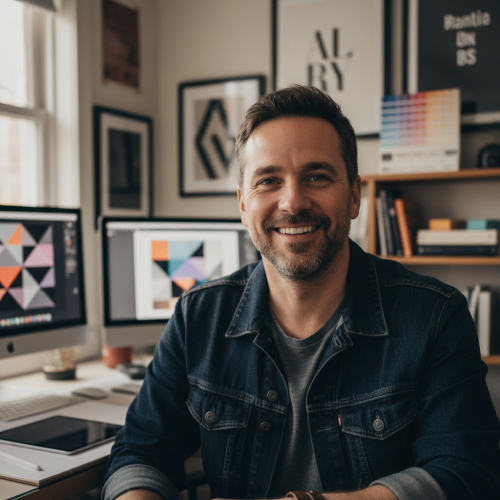 Eduard Torei
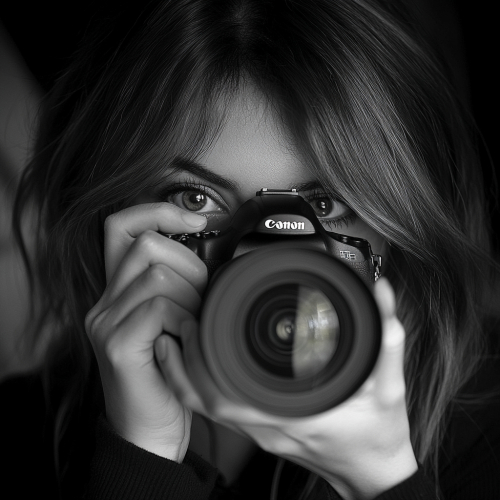
aiPortrait — Photorealistic Portraits of People Who Don't Exist
Create a photo of a person without a model, studio, or image rights. A four-step assistant—person, clothing, scene, and generation—lets you define gender, age, ethnicity, build, facial features, skin, hair, expression, gaze, and pose, or describe everything in your own words and let AI fill in the assistant for you. Choose from 28 outfits in five categories, 21 backgrounds and scenes, four lighting schemes, background blur, and nine visual styles, and receive up to eight variations with a professional photography look. Then adjust them in an editor with 14 tools: change clothing, background, or hairstyle; regenerate the face; relight; retouch skin; erase objects; edit an area; expand the frame; crop for each network; upscale to 2K or 4K; and export in PNG, JPG, or WebP.
 App
 Julia Ward
aiPicFlow — Create images by typing and retouch your photos without editing skills
Describe the image you want and AI creates it, or upload a photo and tell it in plain language what to change. Generate with 12 visual styles and 6 formats ready for social media, request up to 8 variants at once and edit with seven tools: retouch an area, expand the frame, erase objects by tapping them, remove or change the background, replace one thing with another, increase resolution or clean up noise, color and faces, and adapt the image to another aspect ratio. Save references for character, style, pose or your own model so the result is always recognizable, repeat any image from its recipe and organize everything in your gallery with favorites, collections and trash.
 App
 Zuki Monster
Aiscoloring – Create a Coloring Page
Describe any scene, character, or idea and get a beautiful black-and-white coloring page ready to print. Perfect for kids of all ages.