 aiWCAG
How to know if your website is accessible: the 6 mistakes that cause 96% of WCAG failures
Team at aiWCAGWritten with AI assistance21 min readIn summary
- 95.9% of the homepages of the million most visited websites in the world have automatically detectable WCAG failures, with an average of 56.1 errors per page (WebAIM Million, February 2026). It’s not your website: it’s almost the entire web.
- Six types of errors concentrate 96% of all detected failures: low contrast text (83.9% of homepages), images without alternative text (53.1%), form fields without labels (51%), empty links (46.3%), empty buttons (30.6%), and pages without declared language (13.5%).
- All six are automatable: a tool like axe-core can find them in minutes on the already rendered HTML. That’s where the work begins, and it’s the part that doesn’t need to be paid for manually.
- No automatic tool can tell you that "you comply": depending on how it’s counted, automation covers between 30% of WCAG criteria and 57% of actual issues. The keyboard, the meaning of alternative texts, subtitles, and reading order are judged by a person.
- Accessibility widgets or "overlays" do not solve this. In January 2025, the U.S. FTC ordered accessiBe to pay $1 million for claiming that its plugin made any website compliant with WCAG.
"Does my website comply with the accessibility law?" is the question typed into Google, but it doesn’t have a yes or no answer, and certainly no tool can give it to you. What can be answered today, in twenty minutes and without touching a line of code, is something else: what specific barriers your website currently has, where they are, and which ones are blocking a purchase. That’s the measurable part, and that’s where to start. aiWCAG, AIsToHire’s web accessibility tool, does exactly that: it opens your pages in a real Chromium browser, on mobile and desktop, and returns the detectable barriers ordered by the damage they do to your business — aiWCAG: web accessibility audit (WCAG and EAA).
This guide is what you need before hiring anything: the real data on how many websites fail and in what ways, how to find those failures in yours, which pages to audit, what no machine detects, and what European regulations say as of today. Without legal advice and without selling you a seal that no one can issue through software.
The short answer: you don’t know until you measure it, and it is measured in two layers
To know if your website is accessible, two distinct passes are needed. The automated pass reviews the already rendered code and finds structural errors in minutes: contrast, labels, accessible names, language, ARIA. The manual pass requires a person navigating solely with a keyboard and a screen reader, and it is the one that decides if someone can truly make a purchase. Starting with the automated pass is not cheating: it removes 96% of the errors that a tool can see, so that the human review focuses on what only a person can judge.
The order matters for a practical reason: a manual audit on a website full of automatable errors is money wasted. The auditor spends hours noting images without alt instead of testing the checkout with a keyboard. First the machine pass, then the person’s.
Six errors explain 96% of the web accessibility failures
The WebAIM Million report from February 2026, which automatically analyzes the million most visited homepages in the world, found 56,114,377 distinct errors, and 96% of them belong to only six categories. These are not exotic errors: they are the same six as always, and all six can be detected with an automated tool.
| Error | % of homepages | axe-core rule | WCAG criterion | What happens in practice |
|---|---|---|---|---|
| Low contrast text | 83.9% | color-contrast | 1.4.3 (AA) | Those with low vision or presbyopia, or who look at their phone in the sun, cannot read the price or the legal text |
| Images without alternative text | 53.1% | image-alt | 1.1.1 (A) | The screen reader announces "image" or the file name: the product photo does not exist |
| Form fields without labels | 51% | label | 1.3.1 / 4.1.2 (A) | The field is announced as "edit, blank": it is unclear whether it asks for the email or the postal code |
| Empty links | 46.3% | link-name | 2.4.4 / 4.1.2 (A) | The magnifying glass or cart icon is read as "link", with nothing else |
| Empty buttons | 30.6% | button-name | 4.1.2 (A) | An "Add to cart" made only with an icon is a button without a name: end of the purchase |
| Page without declared language | 13.5% | html-has-lang | 3.1.1 (A) | The screen reader reads your Spanish with English phonetics, making it incomprehensible |
Notice the criterion column: five of the six are level A, the most basic of the three defined by WCAG. We are not talking about refinements, but about the floor.
And the most uncomfortable data is the trend. The average number of errors per homepage rose from 51 in 2025 to 56.1 in 2026 (+10.1%), and the percentage of homepages with detectable failures increased from 94.8% to 95.9%, reversing the slow improvement of previous years. Meanwhile, the average homepage grew to 1,437 elements (+14.3% in just one year). The web is not getting fixed: it is becoming more complicated faster than it is being fixed.
Contrast is the number one failure and the cheapest to fix
It is present in 83.9% of the covers and is almost always fixed by changing a hexadecimal value in the stylesheet. The criterion 1.4.3 of the WCAG, level AA, requires a minimum contrast of 4.5:1 for normal text and 3:1 for large text (from 24 px, or 18.66 px if bold). Criterion 1.4.11 adds 3:1 for the borders of controls and graphics that convey information.
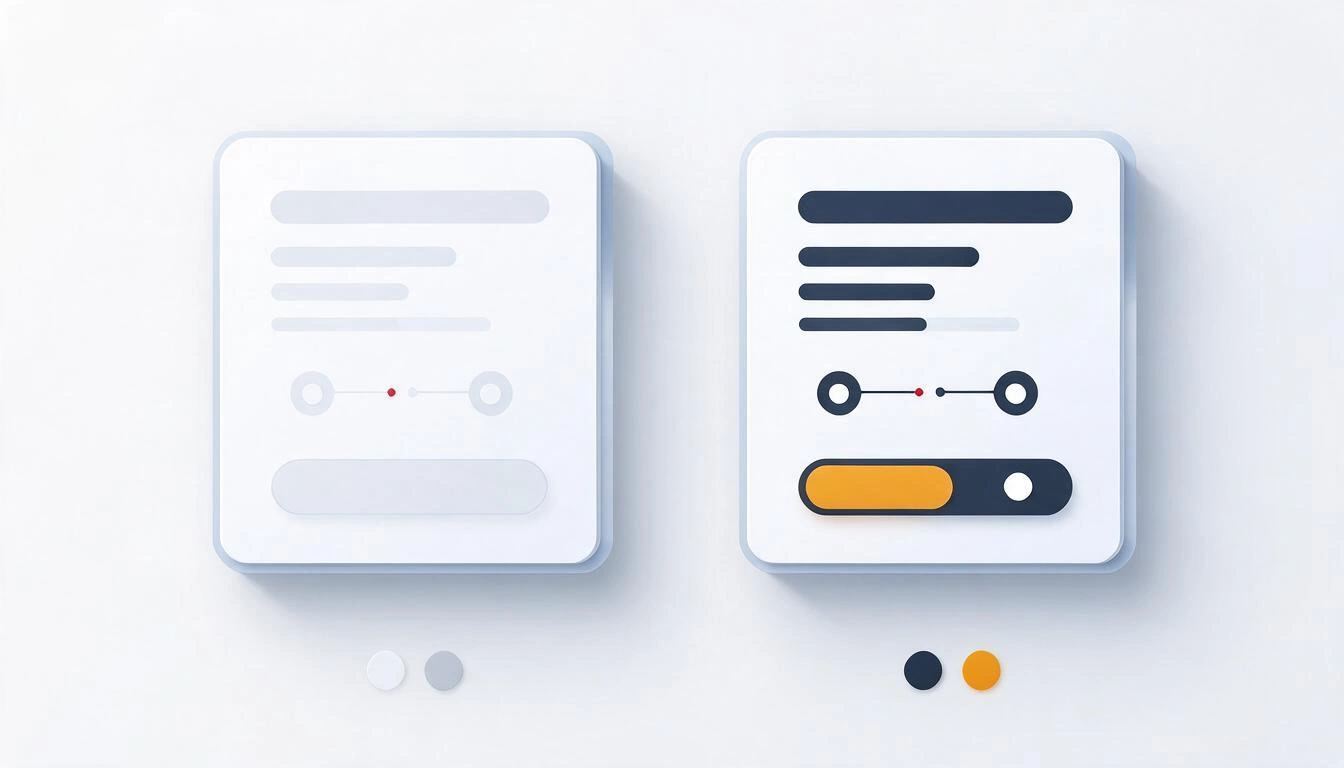
What’s interesting is how close the failures are. These are real ratios, calculated with the formula from the WCAG itself:
| Combination | Contrast Ratio | Does it pass AA for normal text? |
|---|---|---|
Gray #999999 on white | 2.85:1 | No |
Gray #AAAAAA on white | 2.32:1 | No |
Gray #777777 on white | 4.48:1 | No, by two hundredths |
Gray #767676 on white | 4.54:1 | Yes |
White on amber #F5A623 | 2.03:1 | No |
White on blue #0066CC | 5.57:1 | Yes |
The usual suspects in an online store are always the same four:
- The gray of secondary texts: strikethrough prices, sizes, "shipping included", the legal text in the footer.
- The placeholder of forms used as a label, which often disappears when typing.
- The text over a photo in the cover banner, which passes in the winter photo and fails in the summer one.
- The brand color in buttons. A corporate yellow or orange with white text on top rarely reaches 3:1, and that’s right where the buy button is.
The fourth case is the most painful, because no one wants to touch the brand color. The usual workaround is not to change it: it’s to put the text in black on amber instead of white, or to bold the typography until it fits into the large text category.
Audit the five pages of the money path, not the entire website
Tracking a complete site produces lists of thousands of errors that no one reads. The pass that works is the one for the conversion path: homepage, listing or category, product sheet, cart, and contact. If a barrier is on one of those five, it’s between your customer and your cash register. If it’s on the cookie notice on the "About Us" page, it can wait.
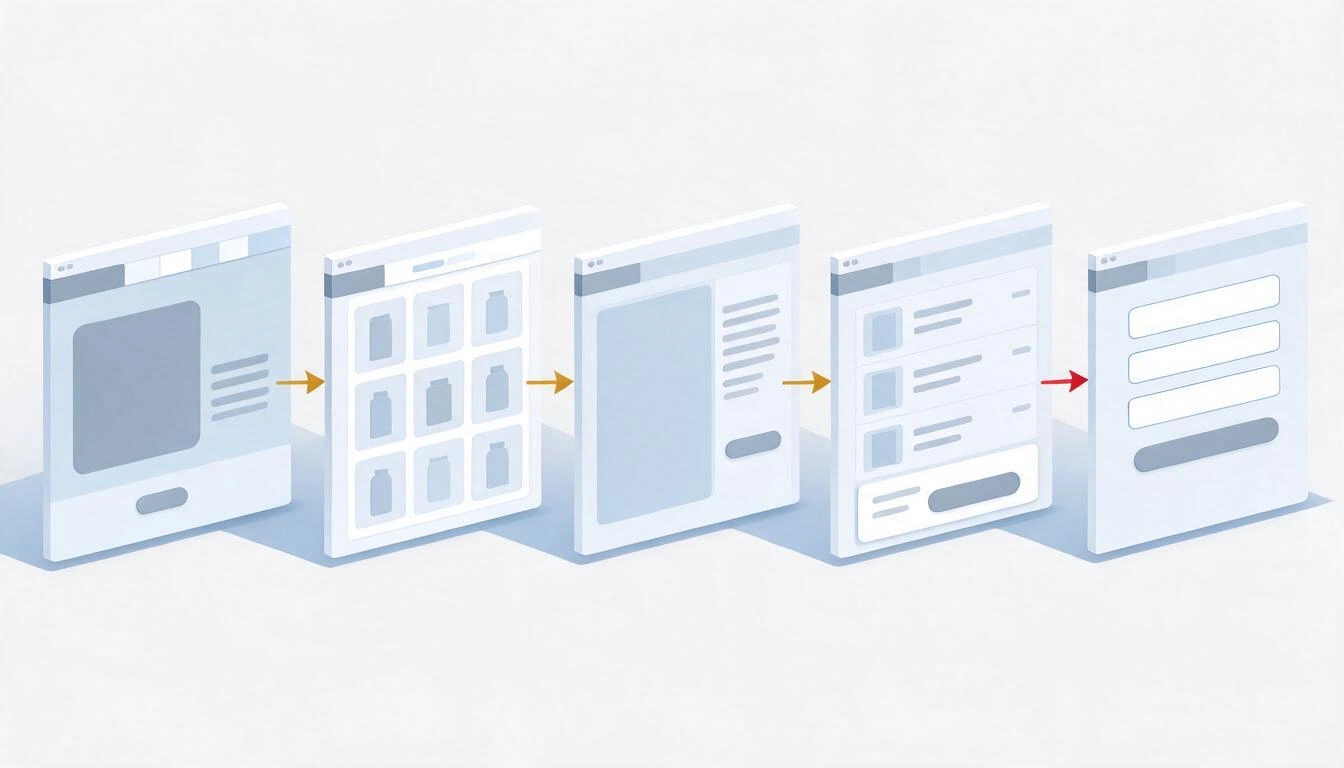
This is exactly the design decision of aiWCAG: up to five URLs per audit, chosen by you and labeled with their role (homepage, listing, product, cart, contact). If you don’t have them handy, the app reads your homepage and suggests up to four candidates by looking for typical linking patterns. The role of each page is not decorative: a failure in a button in the purchase area weighs more in prioritization than the same failure in the footer.
An honest warning: the checkout with logged-in session and the client area are excluded from any scan that doesn’t have your credentials, and aiWCAG does not enter areas behind login. Those screens need to be reviewed manually or with your developer inside.
How to audit the accessibility of your website step by step
Five steps, in this order. Doing them in reverse is the quickest way to spend money without fixing anything.
1. Choose the pages before launching anything
Note the five URLs of the purchase path. If you sell services and don’t have a cart, replace cart and product with the pricing page and the reservation or quote page. Don’t include the same template twice: two different product sheets will give you the same duplicated errors.
2. Run an automatic engine on mobile and desktop
This is what should not be negotiated: the same analysis, two screen sizes. The hamburger menu, tiny touch targets, and locked zoom only exist on mobile; the dropdown menu with submenus that can’t be reached with a keyboard only exists on desktop. aiWCAG runs each page twice, at 390×844 with double screen density and at 1366×768, and waits for the network to be still and scrolls to trigger lazy-load before analyzing.
3. Sort by damage, not by number of errors
Forty images without alternative text in a listing are one task, not forty. And a button without an accessible name in the cart is not the same as an empty link in the footer. aiWCAG groups findings by rule and component and sorts them with an explicit formula: severity (1 to 4, according to the impact assigned by axe) × scope (grows with the number of occurrences and adds if the failure is on multiple pages) × criticality of the site where the element lives (from 1 in the footer to 4.5 in a button or form in the purchase area). Each card shows you the reason for its weight, so you can discuss it.
4. Fix, mark, and re-audit
A report without statuses is a PDF that dies in a folder. Each finding needs to be able to be marked as fixed or discarded with a reason (false positive, third-party element you don’t control, not applicable, I consciously assume it). In aiWCAG, when you re-audit, the findings are matched by a stable identifier that does not depend on the position in the DOM: those that no longer appear are closed automatically, new ones are marked, and your discards are kept. From there comes the progress curve and the effort report with the timeline of what you’ve done and when.
5. Reserve the human review for what the machine cannot see
When the automatic list is green, assign the manual part. It will arrive at a website already cleaned of noise and the budget will go to what truly needs criteria.
The mobile fails where the desktop does not
Auditing only the desktop leaves out half of the problems, and in an online store, most of the traffic is mobile. There are criteria that can only be violated on a small screen, and WCAG 2.2 added one specifically: 2.5.8 Target Size (Minimum), Level AA, which requires at least 24×24 CSS pixels for any tappable control.
The three failures that appear only in the mobile viewport:
- Zoom blocked: a
<meta name="viewport">withuser-scalable=noormaximum-scale=1. Many templates use this for "aesthetic" reasons and it is a direct barrier for anyone who needs to zoom in. - Tiny touch targets: the close button of the banner, the carousel arrows, the quantity selector in the cart.
- The hamburger button without an accessible name: three stripes in a
<div>or an SVG without a label. It is the samebutton-nameerror from the table above, but it only renders on mobile, so it never appears in the desktop audit.
What no automatic tool can detect
No engine, no matter how good, can certify accessibility, and it's important to know the exact size of the gap. A 2021 analysis by Deque of over 2,000 audits (about 13,000 pages and nearly 300,000 incidents) concluded that axe-core rules fully covered around 57% of the incidents found. If instead of incidents you count success criteria from WCAG 2.2, the fully automatable figure drops to around 30%. These are two ways to measure the same thing, and both indicate that there is much to be done. aiWCAG works with the conservative figure of around 35% and displays it in the report, in the printable view, and in any link you share.

This is what always gets left out, regardless of the tool that looks at it:
- If a complete purchase can be made using only the keyboard (criteria 2.1.1, 2.4.3, and 2.4.7). The machine checks if an element is focusable; it does not see if the focus order makes sense or if you get stuck in a modal.
- If an alternative text says something useful. The engine checks that the attribute exists. It does not distinguish between
alt="IMG_4471.jpg"andalt="Blue running shoe, side view", and the first passes the test. - Subtitles and audio description of your videos. It can detect that the track is missing; it cannot judge if the subtitles are well-synchronized or if they are an automatic transcription full of errors.
- The logical reading order and the actual hierarchy of headings. Just because there is an
<h2>after an<h1>does not mean the document is understandable. - If an error message explains how to correct it (criterion 3.3.3). "Error in field 12" is technically an error message.
- PDFs, invoices, and downloadable documents, which the EAA also covers. aiWCAG does not audit them.
- The areas behind login: checkout with session, client area, order tracking.
That is why the fundamental honesty of this app is that it never says your website is accessible. It detects, prioritizes, and helps to fix. It does not issue certificates, seals, or statements of conformity, and the coverage notice is attached to every report you share.
Accessibility widgets do not fix your website, and there is a ruling
Overlays are that one-line script that promises to make your website compliant with the WCAG without touching the code. On January 3, 2025, the Federal Trade Commission of the United States (FTC) ordered accessiBe to pay 1 million dollars for claiming just that: that a line of code covered 30% of the WCAG instantly and that an AI took care of the remaining 70% in 48 hours. The FTC deemed those claims false, misleading, or unfounded, and added charges for deceptive advertising: articles and reviews presented as independent were written or paid for by the company itself. The order was finalized in April 2025.
The contextual data is equally revealing. According to the annual counts of digital accessibility lawsuits in the United States published by UsableNet, around one quarter of the lawsuits filed in recent years were against websites that already had an overlay installed: in those cases, the widget was cited as a barrier, not as a solution. It is U.S. jurisdiction and not transferable to Spain, but it says a lot about the technology.
The technical reason is simple: an overlay manipulates the DOM from the outside, at runtime. It can add an aria-label to a button, but it cannot invent what that button does, nor reorder the focus sensibly, nor write an alt that describes your product. And it often breaks what was already working because it conflicts with the screen reader that the user already had configured.
What the EAA requires in Spain today, with dates
The European Accessibility Act was transposed in Spain through Law 11/2023, of May 8, and is enforceable from June 28, 2025 for e-commerce, banking, transport, telecommunications, and digital services aimed at consumers. Technically, what is required is specified through the European standard EN 301 549, which incorporates the WCAG at levels A and AA.
| Milestone | Date | What it means |
|---|---|---|
| Directive (EU) 2019/882 — European Accessibility Act | April 17, 2019 | European framework for the accessibility of certain products and services |
| Law 11/2023, of May 8 | BOE of May 9, 2023 | Spanish transposition of the directive, with its own sanctioning regime |
| Effective application | June 28, 2025 | Enforceable for the included services, including e-commerce |
| Unique transitional provision | until June 28, 2030 | Margin to continue providing services with products already legally used before 2025 |
| EN 301 549 V3.2.1 | March 2021 | Current harmonized standard; incorporates WCAG 2.1 level AA |
| EN 301 549 V4.1.1 | September 2, 2026 | Published by ETSI, CEN, and CENELEC; incorporates WCAG 2.2 level AA. It will be the harmonized one when cited in the Official Journal of the EU, expected by the end of 2026 |
That last row is the novelty that almost no one has incorporated yet: until V4.1.1 is cited in the Official Journal, the version that grants a presumption of conformity remains V3.2.1 with WCAG 2.1 AA. When cited, the bar moves to WCAG 2.2 AA without needing a new law. In practice, those fixing their website today do well to already consider the criteria of 2.2 — that’s why aiWCAG runs axe-core with the rules of WCAG 2.0, 2.1, and 2.2 at levels A and AA activated, and the "best practices" deactivated, so that only the normative appears in the report.
The sanctioning regime of Law 11/2023 establishes three tiers:
| Type of infraction | Fine |
|---|---|
| Minor | up to €30,000 |
| Serious | from €30,001 to €150,000 |
| Very serious | from €150,001 to €600,000 |
Two nuances that should not be overlooked. The first: microenterprises providing services (fewer than 10 workers and an annual turnover or balance not exceeding €2 million) are exempt from the accessibility requirements applicable to services, which does not exempt them from other obligations. The second: none of this is legal advice. Neither this article nor aiWCAG is. If you need to know for certain if the regulation applies to you and to what extent, that is answered by your advisor with your figures in front of you.
How aiWCAG fits into all this
aiWCAG covers the first layer, the automatable one, and is explicit about where it ends. This is the complete table, so there are no surprises:
| What aiWCAG does | What aiWCAG does not do |
|---|---|
| Opens up to 5 pages chosen by you in a real Chromium, on mobile (390×844) and desktop (1366×768) | Does not crawl your entire website or enter areas behind login |
| Runs axe-core with the WCAG 2.0, 2.1, and 2.2 rules at levels A and AA | Does not audit PDFs or downloadable documents |
| Groups repeated errors by component and orders them by severity × scope × criticality | Does not fix the code for you or install any script on your website |
| Saves a screenshot with the offending element highlighted in red, its CSS selector, and its copyable HTML | Does not certify, does not issue statements of conformity, nor says that your website "is already accessible" |
| Explains each finding in plain Spanish with the voice of Elena Rius, only when you press the button | Is not legal advice |
| Tracks statuses by finding, matches re-audits by stable identifier, and only closes what no longer appears | Does not replace manual review with keyboard and screen reader |
Three details that make a difference in daily use:
- It alerts you when what it has seen is not your website. If a cookie wall covers more than 40% of the screen or a known manager is detected, the page is analyzed the same way but marked, and the report warns that the results may be incomplete. If an anti-bot challenge, a 403, or a timeout is encountered, the reason appears, along with the screenshot of what the browser saw and a button to retry just that page. An empty report that looks clean is worse than no report at all.
- The report is shared without giving access to your account. A read-only link with an expiration of 7, 30, or 90 days, revocable, that your developer opens in the browser with the screenshots, selectors, and guides. It has print styles, so it can be saved as a PDF from there.
- The scan is deterministic and does not consume AI credits. AI only comes in when you press "explain" on a specific finding. Nothing is generated behind your back.
The usage limits are what they are: up to 10 sites per account, 5 pages per audit, 3 audits per hour, and 8 per day. Enough to manage several websites and iterate with your developer without delays.
Frequently Asked Questions
How do I know if my website complies with the law on web accessibility?
For sure, only after a complete evaluation that combines automated analysis and manual review against the EN 301 549 standard, done by someone who signs the result. What you can know today, for free, is what detectable barriers your website has: that is an automated accessibility audit and it takes minutes. No tool, including aiWCAG, can tell you that you comply.
Is it mandatory for my online store to be accessible in Spain?
E-commerce is one of the sectors expressly included in Law 11/2023, enforceable from June 28, 2025. There are partial exemptions for micro-enterprises providing services (fewer than 10 people and up to 2 million euros). If your case is on the borderline, your advisor needs to look at your numbers: this article is not legal advice.
Can I be fined for having a website without accessibility?
Law 11/2023 provides for fines of up to €30,000 for minor infractions, from €30,001 to €150,000 for serious ones, and from €150,001 to €600,000 for very serious ones, and serious and very serious ones can be published in the official bulletin. How this applies to a specific case depends on the competent authority and the facts; it is not something that a tool can anticipate.
Is the accessibility widget they want to sell me useful?
Not for fixing underlying barriers. On January 3, 2025, the U.S. FTC ordered accessiBe to pay 1 million dollars for claiming that its plugin made any website compliant with the WCAG, and in the lawsuit counts in the U.S., around a quarter were against websites that already had an overlay in place. An external script cannot invent what a button does or write an alternative text that describes your product.
Can I do a free accessibility test on my website?
Yes. There are browser extensions based on the same axe-core engine that you can run yourself page by page. The difference with aiWCAG lies in what comes next: two screen sizes, grouping of repeated errors, ordering by business impact, capturing with the highlighted element, statuses by finding, and comparison between audits. Creating an account is free and scanning does not consume AI credits.
What is WCAG 2.1 AA and why does everyone mention it?
They are the Web Content Accessibility Guidelines from W3C, at their intermediate level of requirement (there are A, AA, and AAA). They are mentioned both because the European standard EN 301 549 incorporates them, and it is that standard that provides a presumption of conformity with the EAA. Version V4.1.1 of EN 301 549, published on September 2, 2026, raises the reference to WCAG 2.2 AA as soon as it is cited in the Official Journal of the EU.
If I only have one day, where do I start?
With contrast and with the accessible names of the purchase journey, in that order. Contrast is present in 83.9% of websites and can be fixed in the stylesheet. Buttons and links without names in the cart and the product sheet are few elements and block sales completely. With those two fronts, you eliminate most of the volume errors.
Does an automated audit count as proof that I tried?
It is not a certificate or a declaration of conformity, and aiWCAG does not present it as such. What it does leave is a documented trail: the effort report captures the timeline of audits and each status change with its date and reason. What value anyone gives that in a procedure is a legal question, not a technical one.
Do I need to be a developer to use it?
Not to understand the report: each finding is explained in plain Spanish, who it leaves out, and why it matters. Yes, to apply the fixes, because you need to touch the website's code. That’s why the report includes the CSS selector and the copyable HTML fragment and can be shared via link with whoever manages your website.
Cited Sources
- WebAIM Million 2026 — automated analysis of the million most visited homepages, February 2026.
- Law 11/2023, of May 8 (BOE) — Spanish transposition of Directive (EU) 2019/882.
- FTC Order against accessiBe, January 3, 2025.
- EN 301 549 V4.1.1 and its harmonization status — published on September 2, 2026.
- WCAG 2.1 and 2.2 Guidelines from W3C, criteria 1.1.1, 1.3.1, 1.4.3, 1.4.11, 2.4.4, 2.5.8, 3.1.1, 3.3.3, and 4.1.2.
aiWCAG, in a sentence
aiWCAG is the web accessibility tool from AIsToHire that audits up to five pages of your site with axe-core on a real Chromium browser, on mobile and desktop, and returns the detectable barriers ordered by the damage they cause to your business, with the capture of the highlighted element, the selector, the HTML, and the fix explained in plain Spanish. It does not certify, does not issue declarations of conformity, and does not install anything on your website: it covers the automatable layer and tells you exactly where it ends. It is at aiWCAG — Web accessibility audit (WCAG and EAA).
Register your website at aiWCAG and launch your first accessibility audit: you choose up to five pages, the analysis runs on mobile and desktop, and in minutes you have the list of barriers sorted by the cost of each. Creating an account is free and nothing is installed on your website.
Register your website at aiWCAG and launch your first accessibility audit: you choose up to five pages, the analysis runs on mobile and desktop, and in minutes you have the list of barriers sorted by the cost of each. Creating an account is free and nothing is installed on your website.Keep reading
View all articles →
EN 301 549 v4.1.1: what changes in the European accessibility standard and what you need to review on your website

Why Your Car Insurance Increased in 2026: Average Premium of €1,412 and Historic Record

Discussing via WhatsApp or talking in person: what science says about couple conflicts through messages
