 aiWCAG
EN 301 549 v4.1.1: what changes in the European accessibility standard and what you need to review on your website
Team at aiWCAGWritten with AI assistance20 min readIn summary
- ETSI approved EN 301 549 V4.1.1 on August 24, 2026, and published it in September 2026 (official text at ETSI). It is the first version written with the European Accessibility Act in mind.
- Clauses 9 (web), 10 (documents), and 11 (software) now reference WCAG 2.2 level AA instead of WCAG 2.1: six new criteria of levels A and AA are included.
- The criterion 4.1.1 Parsing is removed ("void"), following its withdrawal in WCAG 2.2.
- Clauses 9.7, 10.7, and 11.7 on user preferences appear: your website cannot block or override the accessibility settings that the user has already configured in their system or browser.
- The nuance that almost no one mentions: as of November 12, 2026, v4.1.1 is still not cited in the Official Journal of the EU, so it does not yet grant a presumption of conformity. During the transition, it is sensible to audit against 2.1 AA and 2.2 AA simultaneously.
If you run an online store or a service website in the European Union, September 2026 changed the measuring stick without anyone notifying you. The technical standard that specifies what "accessible" means for a digital product or service in Europe —EN 301 549— has a new version, and this version shifts the reference from WCAG 2.1 to WCAG 2.2, removes a criterion that has been causing errors in reports for years, and adds an obligation that is not in WCAG: to respect what the user has already configured on their device. At AIsToHire, we maintain aiWCAG, a tool for web accessibility auditing against WCAG and the EAA, and this article is the summary we would have liked to find: each change translated into something you can review on Monday, and the actual legal status, without exaggerations in either direction.
What is EN 301 549 and why its version 4.1.1 matters
EN 301 549 is the European standard that translates the legal accessibility obligations into verifiable technical requirements for ICT products and services. It is not a law: it is the document that laws point to in order to specify what must be complied with in practice. The version V4.1.1 (2026-09) was adopted on August 24, 2026, and published by ETSI in early September 2026.
What is relevant for an SME with e-commerce is that the standard operates on two fronts simultaneously. On one hand, it remains the technical specification of the Directive (EU) 2016/2102 on public sector accessibility. On the other hand, this version is the first to incorporate annexes corresponding to the European Accessibility Act (Directive (EU) 2019/882), transposed in Spain by Law 11/2023, whose accessibility requirements are enforceable from June 28, 2025.
In the detailed analysis of the new version published by specialist Olga Carreras in September 2026, these annexes are described precisely: Annex ZA maps the requirements against Directive 2016/2102, and Annex ZB along with clause A.2 establishes which requirements of the standard grant a presumption of conformity with the essential requirements of the EAA (comparison v4.1.1 vs v3.2.1).
In other words: for the first time, there is an official table that connects "what the accessibility law says" with "what needs to happen in your HTML".
The fundamental change: the standard now points to WCAG 2.2, not 2.1
Clauses 9, 10, and 11 of EN 301 549 —web content, non-web documents, and non-web software— now reference WCAG 2.2 levels A and AA instead of WCAG 2.1. In practice, this means six new success criteria that were not previously required of you and one that disappears. WCAG 2.2 added a total of nine criteria, but three are level AAA and EN 301 549 only includes A and AA, so you get six.

These are the six, with their WCAG criterion number and the clauses of the standard where they appear:
| WCAG 2.2 Criterion | Level | EN 301 549 v4.1.1 Clauses |
|---|---|---|
| 2.4.11 Unobscured focus (minimum) | AA | 9.2.4.11 · 10.2.4.11 · 11.2.4.11 |
| 2.5.7 Drag movements | AA | 9.2.5.7 · 10.2.5.7 · 11.2.5.7 |
| 2.5.8 Target size (minimum) | AA | 9.2.5.8 · 10.2.5.8 · 11.2.5.8 |
| 3.2.6 Consistent help | A | 9.3.2.6 · 10.3.2.6 · 11.3.2.6 |
| 3.3.7 Redundant entry | A | 9.3.3.7 · 10.3.3.7 · 11.3.3.7 |
| 3.3.8 Accessible authentication (minimum) | AA | 9.3.3.8 · 10.3.3.8 · 11.3.3.8 |
Source: breakdown of clauses published by BarrierBreak and summary by Deque, September 2026.
Goodbye to criterion 4.1.1 Parsing: one less error in your reports
Criterion 4.1.1 Parsing is marked as canceled in v4.1.1, following its removal from WCAG 2.2. It was the criterion that required error-free HTML markup: properly closed tags, non-duplicated attributes, unique identifiers. If you have an accessibility report from 2024 or 2025 filled with findings of "duplicate ID", that block no longer counts as a violation of the standard.
Do not read this as a pardon. The reason for the withdrawal is that the real issues that 4.1.1 aimed to catch — a control whose name, function, or value does not correctly reach assistive technology, or broken semantic relationships — are now evaluated by other criteria, such as 4.1.2 Name, role, value and 1.3.1 Information and relationships. A duplicate id within an aria-labelledby still disrupts the experience of a screen reader; what changes is the criterion under which it is reported to you.
What to do with this, specifically: if your agency budgeted hours for "cleaning HTML validation errors" as an accessibility task, that budget is better reassigned to the six new criteria.
The six new requirements, translated for an online store
The six criteria of WCAG 2.2 that enter the standard target exactly where online stores fail: mobile, forms, and the registration and payment process. This is the translation into something reviewable without being a programmer.
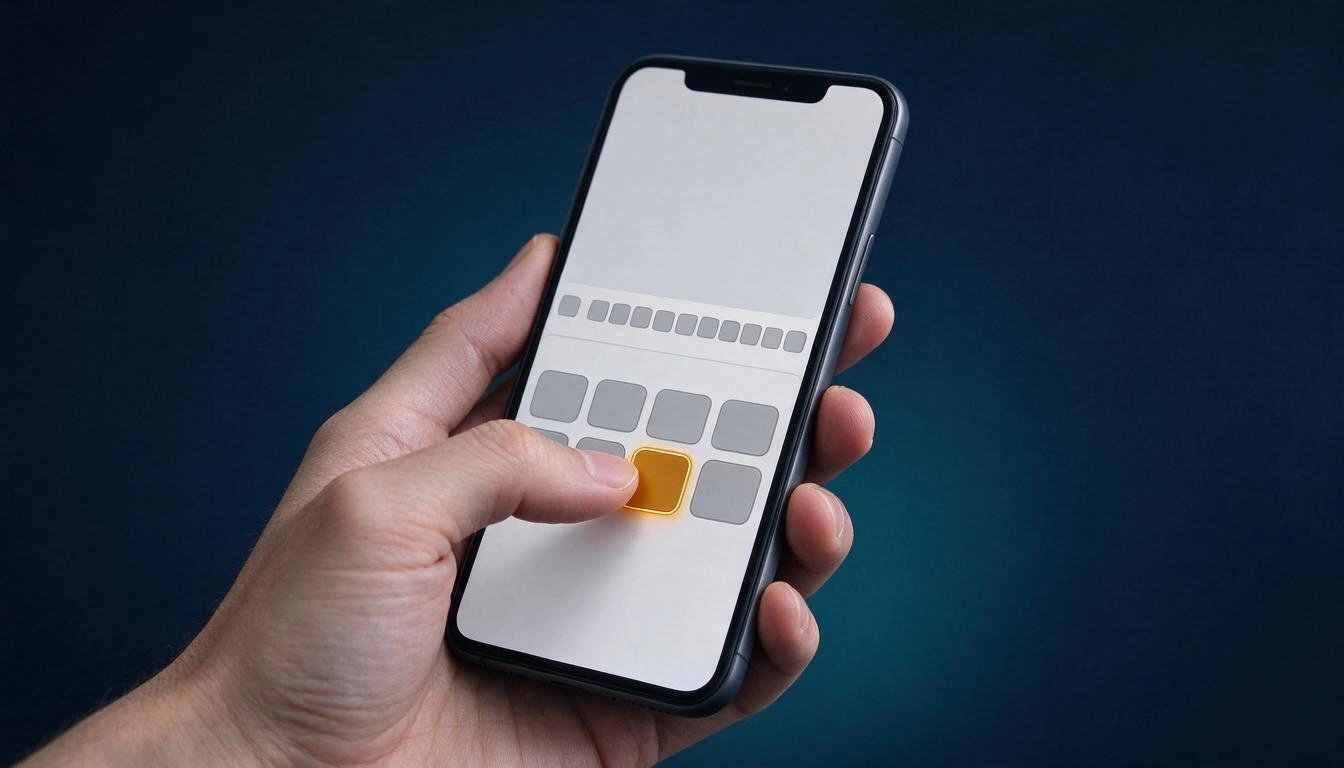
2.4.11 Unobscured focus (AA)
When navigating with the tab key, the element that receives focus cannot be obscured by other content. The usual suspect in e-commerce: the sticky header that hides the focused link underneath when tabbing, and the cookie or "free shipping" banners anchored at the bottom that eat the form button.
How to check it in two minutes: repeatedly press the tab key along a product page and see if at any point you cannot see where the focus is.
2.5.7 Drag movements (AA)
Any function that operates by dragging must have a one-click or touch alternative. It affects product carousels that only advance by sliding, price filters with sliders, "drag the pin" size selectors, and any drag-and-drop reordering of a cart.
What to review: the price filter of the listing and the product image carousel. If there are no arrows or numeric fields, there is work to do.
2.5.8 Target size (minimum) (AA)
Interactive targets must be at least 24 by 24 CSS pixels, or have an equivalent spacing that avoids erroneous clicks, with some exceptions. The classic offenders: the close icon of the cookie banner, rating stars, the quantity selectors "+" and "−" of the cart, and social icons in the footer.
What to review: the quantity controls of the cart and the "x" of any modal.
3.2.6 Consistent help (A)
If you offer a help mechanism — phone, chat, contact link, FAQ page — it must appear in the same relative location on all pages where it is present. The typical failure is having the chat at the bottom right in the catalog and the phone in the header within the checkout.
What to review: open the homepage, listing, product page, and cart and check that the help is in the same place.
3.3.7 Redundant entry (A)
In a multi-step process, you cannot require the person to re-enter information they have already provided, except for justified exceptions. It is the criterion that hurts the most in three-step checkouts that ask for billing and shipping addresses separately without a "use the same" checkbox.
What to review: make a test purchase and count how many times you enter the same data.
3.3.8 Accessible authentication (minimum) (AA)
Logging in cannot depend on a cognitive test — remembering a password, solving a puzzle, transcribing characters — without offering an alternative. You must allow pasting the password and not block password managers; image recognition CAPTCHAs and drag puzzles are textbook cases.
What to review: try pasting the password in your login form. If the field prevents it, you already have a finding.
Clause 9.7: your website cannot override user preferences
This is the new point that does not come from WCAG and the one that most agencies will overlook. Version 4.1.1 creates the clauses 9.7 (web pages), 10.7 (non-web documents), and 11.7 (non-web software) regarding user preferences. Until now, the requirement only existed in 11.7 and affected only non-web software; from this version, it also applies to your page.
The requirement does not force you to build anything. It requires you to not obstruct: the page cannot block the browser's presentation modes that apply the person's preferences, nor explicitly overwrite the documented accessibility features of the platform — color filters, contrast, text size, pointer size, and text cursor, among others — unless that override is essential for the content or function.

Translated into code, these are the patterns that break it:
| Pattern on your website | What preference it overrides |
|---|---|
forced-color-adjust: none to preserve your brand palette | Operating system high contrast mode |
Carousel with autoplay, parallax, or large animations without accommodating prefers-reduced-motion | Reduced motion preference |
Fixed colors in CSS that ignore prefers-color-scheme and leave text unreadable | Dark theme chosen by the person |
| Fixed pixel heights that cut off text when zooming to 200% | Browser or system text enlargement |
user-scalable=no or maximum-scale=1 in the viewport tag | Zoom on mobile |
Source of examples and text of the clause: analysis of the user preferences clause from EN 301 549, 2026.
The management consequence is uncomfortable and should be stated clearly: many of these things are included in a website by brand design decision, not by oversight. The forced-color-adjust: none is usually there because someone wanted the logo not to change color in contrast mode. With version 4.1.1, that decision takes on a regulatory reading.
What almost no one mentions: v4.1.1 is still not the legal reference
Here is the nuance that distinguishes a serious report from an alarmist one. Published is not the same as harmonized. A European standard only grants a presumption of conformity when its reference is cited in the Official Journal of the European Union, and as of November 12, 2026, v4.1.1 is not cited.
There are two layers that are constantly confused:
- For the Directive (EU) 2016/2102 (public sector), the version cited in the Official Journal remains V3.2.1, which references WCAG 2.1: this is done by Implementing Decision (EU) 2018/2048, amended by (EU) 2021/1339.
- For the European Accessibility Act, Article 15 links the presumption of conformity solely to harmonized standards whose references have been published in the Official Journal in support of that directive, and there are none yet — not even V3.2.1. This point is developed in the legal analysis by Legalithm on the presumption of conformity of the EAA, as of August 2026.
What is available are projected dates. Note: these are forecasts and have already changed once.
| Milestone | Date | Status |
|---|---|---|
| Adoption of V4.1.1 by ETSI | August 24, 2026 | Done |
| Publication of the text | September 2026 | Done |
| DOA: announcement by national standardization bodies | November 30, 2026 | Planned |
| Citation in the Official Journal of the EU (presumption of conformity) | Estimated between late November 2026 and January 2027 | Planned, no firm date |
| National publication or endorsement | May 31, 2027 | Planned |
| Withdrawal of conflicting national standards | May 31, 2028 | Planned |
Sources of the dates: Deque (September 2026) and the tracking sheet from Level Access, which in its latest review moved the expected citation from November 30, 2026, to January 22, 2027.
And a practical consequence that should be internalized: since there is no harmonized standard cited for the EAA, conformity is not demonstrated today with a seal or with a version of the standard, but by documenting each requirement of Annex I of the directive, with methodology and dates, and providing in the services the information from Annex V on how each applicable requirement is met. There is no accredited certification scheme for EAA; private seals do not grant legal presumption.
What to audit now? Against 2.1 AA and 2.2 AA at the same time
During the transition, the operational response is to audit against both references simultaneously: WCAG 2.1 AA because it currently supports the presumption of conformity via V3.2.1, and WCAG 2.2 AA because it is the reference you will have to account for as soon as V4.1.1 is cited. It is not double work: WCAG 2.2 is a superset of 2.1 except for the removal of 4.1.1.
| If you audit only against… | Risk you assume |
|---|---|
| WCAG 2.1 AA (V3.2.1) | You arrive at the citation in the Official Journal with six criteria untouched, focused on mobile and checkout |
| WCAG 2.2 AA (V4.1.1) | You work against a reference that today does not grant presumption of conformity |
| Both at the same time | None relevant: the real delta is the six new criteria and clause 9.7 |
The cheap way to do it is to measure the delta: run an automated engine that executes WCAG 2.0, 2.1, and 2.2 rules at levels A and AA on your revenue-generating pages, and see how many findings specifically fall on the six new criteria. That gives you the size of the leap before asking for a budget from anyone. It is exactly what an aiWCAG audit does: up to five manually chosen pages —home, listing, detail, cart, and contact— opened in a real Chromium browser on mobile and desktop, with findings grouped by component and sorted by severity, scope, and where they are. It certifies nothing nor issues conformity statements; it detects and prioritizes.
What else changes in v4.1.1 even if it’s not your website
V4.1.1 is a deep revision, not a patch for WCAG. If your business only has a website and app, most of what follows does not apply to you, but it is good to know it is there before someone sells you a "complete EN 301 549 report" for auditing only the HTML.
- Clause 6 (real-time bidirectional communication): thoroughly restructured, with new requirements for real-time text (RTT), total conversation, interoperability, roaming, and emergency communications.
- Clause 7 (video): clarifies spoken captions (7.1.5) and reformulates 7.3 to require activation in a single operation of captions, audio description, and spoken captions, at the same level as volume control.
- Clause 8: new 8.8 on character contrast and non-digital operable parts in hardware.
- Clause 5: authoring tools are moved here from clause 11, as a general requirement.
- Clause 12: is renamed "Information about products and services" and adds requirements for electronic programming guides (12.4 and 12.5).
- Clause 14: clarifies the determination of conformity and adds provisions on the evaluation of overlays and plugins.
- Clauses 10 and 11: integrate the W3C guide on applying WCAG 2 to non-web ICT (WCAG2ICT).
Source: clause-by-clause analysis of v4.1.1, September 2026.
That last point —clause 14 and overlays— deserves a comment. Widgets that promise "accessibility in a line of JavaScript" explicitly enter for the first time into the realm of how conformity is evaluated. It is not an endorsement: it is the opposite, a framework for examining them.
How much of this can a machine see and how much not
An automated audit finds a significant part of the problem, but never the totality, and anyone who tells you otherwise is selling you something. The two pieces of data you should have on hand are these, and it is advisable not to mix them.
On one hand, the state of the web park. The WebAIM Million of 2026 analyzed the million most visited homepages and found automatically detectable WCAG 2 failures in 95.9% of them, compared to 94.8% in 2025, with an average of 56.1 errors per page (a 10.1% increase from the previous year). It is the first time in years that the indicator worsens. The most repeated failures: text with insufficient contrast in 83.9% of pages, images without alternative text in 53.1%, form fields without labels in 51.0%, empty links in 46.3%, and empty buttons in 30.6% (WebAIM Million).
On the other hand, the coverage of automation. The Automated Accessibility Coverage Report from Deque, based on over 2,000 audits and 13,000 pages, concluded that automated tools detect around 57% of incidents by volume, but that figure is dominated by color contrast, which is massively frequent and trivial to measure. Measured another way —how many success criteria of WCAG 2.2 can be fully checked by machine— the coverage is around 30% (coverage of automated tools).
| Question | Honest answer |
|---|---|
| What percentage of incidents does an automated engine see? | Around 57% by volume, heavily biased by color contrast |
| What percentage of WCAG criteria does it fully check? | Around 30% |
| Can a machine say "you comply"? | No. It can say "there's a failure here"; never "there are no more failures" |
| Where is a person needed? | Logical reading order, meaningful alternative texts, complete keyboard navigation, testing with assistive technology |
Of the six new criteria, the ones that automate best are 2.5.8 (target size) and parts of 2.4.11 (not obscured focus). 3.2.6 Consistent Help and 3.3.7 Redundant Entry require someone to go through the entire flow: no machine knows if you just typed your address twice.
Checklist: what to check on your website this quarter
If you only have one day, this is the order that maximizes what you fix per hour invested in an online store or a service website.
- Paste the password in your login form. If the field blocks it, remove it today (3.3.8).
- Tab through a product page and the checkout to see if the fixed header hides the focus (2.4.11).
- Buy something and count how many times you enter the same data (3.3.7).
- Test the price filter and the carousel without dragging: only with clicks and with the keyboard (2.5.7).
- Measure the small controls: the "x" of the cookie modal, the "+" and the "−" of the cart, the rating stars (2.5.8).
- Search for help on four different pages and check that it is in the same place (3.2.6).
- Activate high contrast in the system and dark mode, and zoom to 200%: see what breaks (clause 9.7).
- Look in your CSS
forced-color-adjust: none,user-scalable=noand fixed pixel heights on text containers (clause 9.7). - Run an automated engine against 2.1 AA and 2.2 AA and see how many findings fall under the six new criteria.
- Save the evidence: what you tested, when, with what method, and what you fixed. Without a harmonized standard cited for the EAA, the documentation file is your defense.
Frequently Asked Questions
Is EN 301 549 v4.1.1 already mandatory?
The text has been published and is stable since September 2026, but as of November 12, 2026, it is not cited in the Official Journal of the European Union, so it still does not provide a presumption of conformity. For Directive 2016/2102, the cited version remains V3.2.1, with WCAG 2.1. What is mandatory is not the standard, but the requirements of the law: the standard is the recognized path to demonstrate that you comply.
What is the difference between WCAG 2.1 AA and WCAG 2.2 AA for my store?
Six new criteria at levels A and AA —unobscured focus, drag movements, target size, consistent help, redundant input, and accessible authentication— and the removal of criterion 4.1.1 Parsing. WCAG 2.2 is a superset of 2.1 except for that removal, so complying with 2.2 AA implies complying with 2.1 AA in everything else.
If criterion 4.1.1 Parsing no longer counts, can I ignore HTML errors?
Not advisable. The criterion disappears because the real problems it detected are now evaluated by 4.1.2 Name, Role, Value and 1.3.1 Info and Relationships. A duplicate identifier that an aria-labelledby points to still breaks the experience with screen readers; what changes is the criterion under which it is reported.
Does the European Accessibility Act apply to me if I am an SME with an online store?
E-commerce is within the scope of the directive, and its requirements are enforceable from June 28, 2025. The Directive (EU) 2019/882 exempts microenterprises providing services from its requirements and obligations, defined in its Article 3 as those employing fewer than 10 people and not exceeding 2 million euros in annual turnover or total annual balance. If you exceed that threshold, it applies to you. In Spain, the monitoring and sanction regime is in Chapter XI of Law 11/2023.
Does an accessibility widget or overlay solve this for me?
No, and the standard itself puts them under scrutiny: clause 14 of v4.1.1 clarifies the determination of conformity and adds provisions regarding the evaluation of overlays and plugins. The six new criteria are fixed in the code of your website —target sizes, focus order, form flows, authentication— not with an overlay.
What should I do while version 4.1.1 is not cited in the Official Journal?
Audit against WCAG 2.1 AA and 2.2 AA at the same time, prioritize by impact on your sales pages, and document everything you test and fix with dates. This way you cover the current reference, arrive with homework done to the new one, and build the file that the EAA will ask you for, given that today there is no cited harmonized standard or accredited certification for that directive.
How often should I re-audit my website?
After each relevant change in template, theme, or payment gateway, and at a minimum with a fixed cadence that allows you to see the evolution. What is useful is not the snapshot, but the series: knowing which findings were closed, which reappeared after a deployment, and which you discarded and why.
Where to start this week
EN 301 549 v4.1.1 does not put a deadline on the table: it gives you a new reference that will come into legal effect when the Commission cites it, and six criteria that happen to live in mobile and checkout, which is where a store makes or loses money. Fixing the ability to paste the password, ensuring the focus does not remain under the fixed header, and ensuring no one types their address twice is not a compliance cost: it is conversion.
The first reasonable step is to measure the delta. At AIsToHire, you can launch a WCAG and EAA accessibility audit with aiWCAG on up to five key pages of your site: the tool runs WCAG 2.0, 2.1, and 2.2 level A and AA rules in a real browser, on mobile and desktop, groups repeated findings into a single task, and orders them by severity, scope, and criticality of the location where they appear, with the criterion, the selector, the HTML, and a screenshot of the highlighted element. There is a read-only link to pass the entire report to whoever manages your website.
And what aiWCAG does not do, we say out loud: it does not certify, does not issue conformity statements, and does not install any overlay. It detects and prioritizes real barriers. The rest of the journey —manual review, testing with assistive technology, and the documentation file— remains the work of people.
Measure how far you are from the new standard: launch an aiWCAG audit on up to five key pages of your website and receive prioritized accessibility issues, with WCAG 2.0, 2.1, and 2.2 level A and AA rules, the unmet criterion, the selector, and a screenshot of the element. No certificates and no promises of compliance: a task list that your developer can use as is.
Measure how far you are from the new standard: launch an aiWCAG audit on up to five key pages of your website and receive prioritized accessibility issues, with WCAG 2.0, 2.1, and 2.2 level A and AA rules, the unmet criterion, the selector, and a screenshot of the element. No certificates and no promises of compliance: a task list that your developer can use as is.Keep reading
View all articles →
How to know if your website is accessible: the 6 mistakes that cause 96% of WCAG failures

Why Your Car Insurance Increased in 2026: Average Premium of €1,412 and Historic Record

Discussing via WhatsApp or talking in person: what science says about couple conflicts through messages
