 Aistube
How to Create a Faceless YouTube Channel with AI in 2026 (and What YouTube Requires to Monetize It)
Team at AistubeWritten with AI assistance20 min readIn summary
- A faceless channel is a channel without a face to the camera: voiceover over images, illustration, or animation. YouTube does not penalize not showing your face, nor does it prohibit using AI: what it does not monetize is inauthentic content.
- On July 15, 2025, YouTube renamed its "repetitive content" policy to "inauthentic content", and on July 16, 2026, it broke it down into three specific categories that cannot be monetized. None of them say "do not use AI": they all talk about mass-produced template and lack of original contribution.
- If your channel is not yet in the Partner Program, the date that matters is January 31, 2027: from February 1, 2027, the entry threshold doubles (from 4,000 to 8,000 hours of valid viewing, or from 10 to 20 million views of Shorts).
- The technical bottleneck of a faceless channel is not the script: it is the visual consistency. If the protagonist changes faces every two scenes, the video does not seem like a series, it seems like a collage.
- Aistube, the app from AIsToHire, covers the entire process —visual bible, script, storyboard, images, voiceover, music, subtitles, and MP4 editing— but does not upload the video for you to YouTube or TikTok.
Creating a YouTube channel without showing your face has ceased to be a media problem and has become a process problem: generating the script is easy, the hard part is making forty consecutive videos look like they belong to the same channel and that YouTube considers them original enough to monetize. This article explains both things: what YouTube demands today —with dates and official texts— and how to produce a complete faceless video step by step. The tool we use as an example is Aistube, AIsToHire's faceless channel factory, but the steps apply even if you edit the video by hand.
What exactly is a faceless channel (and what it is not)
A faceless channel is one in which no person appears on camera: the video is supported by a voiceover and visual support that can be illustration, animation, stock footage, screenshots, or generated compositions. Typical niches: curiosities, history, true crime, personal finance, psychology, mythology, tops, and lists.
What a faceless channel is not:
- It is not an anonymous channel. You can sign with your name, have a brand, and respond to comments; the only thing you do not do is appear on screen.
- It is not an automatic channel. "Faceless" describes the format, not the degree of human intervention. A faceless channel with its own research and script written by you is as legitimate as any other.
- It is not a category that YouTube treats separately. In the monetization policies, the word "faceless" does not exist: there is "inauthentic content", and that applies equally to a channel with a face as to one without it.
Does YouTube demonetize videos made with AI? No: it demonetizes inauthentic content
No, using AI does not demonetize a video. On July 15, 2025, YouTube renamed its "repetitive content" policy to "inauthentic content" to clarify that it includes "repetitive or mass-produced content", and on July 16, 2026, it published a clarification —announced by Matt Halprin, Vice President of Trust and Safety— that breaks it down into three categories. The policy judges the finished video, not the tool with which it was made.
This is what YouTube's help center says about the three categories that are not suitable for monetization (consulted on October 25, 2026):
| Category | What it includes, according to YouTube | How it translates into a faceless channel |
|---|---|---|
| Generic or repetitive content | "Repetitive or similar content with little educational value, few comments"; "videos where the characters find themselves in the same situation over and over"; "AI-generated content with generic or unoriginal templates that gives the impression of being mass-produced" | Uploading 30 videos with the same structure, the same hook, and the same background, changing only the topic |
| Unsatisfactory or unpleasant content | "Content that repeatedly uses disturbing themes (such as violence or loss) without building a coherent narrative"; channels that rely on "generic templates or themes of emotional manipulation" | True crime or "real stories" that remain in the morbid and do not tell anything |
| AI-generated people on sensitive topics | An "'AI-generated doctor' offering diagnoses, health advice"; "AI-generated podcast hosts offering financial guidance" | An avatar presenting itself as an expert in health, law, or investment |
The three have a common denominator: lack of original contribution. A video with AI that adds research, editorial criteria, a thoughtful narrative structure, or a personal point of view remains monetizable. One that is a template filled in series does not — and that was already the case before generative AI existed.
Practical consequence: the most profitable decision for a faceless channel is not what image model you use, but how much editorial work you put on top of the draft that the machine gives you.
Do you need to declare that the video is made with AI?
Only if the content seems real and has been significantly generated or altered by AI. YouTube asks to check the box for altered or synthetic content in Studio when a viewer might confuse it with an authentic recording. Deliberately unreal animation, color adjustments, or subtitles do not require notice.
| Need to notify | No need to notify |
|---|---|
| Photorealistic video of a real place or event that did not happen | Clearly unrealistic content: "someone riding a unicorn in a fantasy world" |
| Making someone "give advice they did not actually give" | "Beauty filters" |
| Manipulations showing a person doing something they did not do | "Color adjustments or lighting filters" |
| Inaccurate weather phenomena in real locations | "Subtitling" and "enhancing video sharpness or resolution" |
| AI-generated music | "Cloning one's own voice to create voiceovers or dubbing" |
Source: YouTube help, "Notify about the use of AI-generated content" (accessed October 25, 2026). Since May 2026, YouTube also applies internal signals to detect photorealistic content generated with AI and may automatically add the label if the creator does not declare it.
Two very specific consequences for a faceless channel:
- If your channel is illustrated (anime, comic, watercolor, stylized 3D, whiteboard), you are usually in the right column: it is not realistic content and does not mislead.
- If you clone your own voice for the narration, YouTube explicitly states it as a case that does not require notice. Cloning someone else's voice is a very different matter, and there the issue is no longer YouTube's policy.
If you are not yet monetized, the date that matters is January 31, 2027
The entry threshold for the YouTube Partner Program doubles on February 1, 2027. YouTube announced it on August 10, 2026: those already inside and earning are not affected, but new applications from that date will require double the watch hours or double the Shorts views.
| YPP entry requirement | Until January 31, 2027 | From February 1, 2027 |
|---|---|---|
| Subscribers | 1,000 | 1,000 |
| Via watch hours | 4,000 valid hours in 12 months | 8,000 valid hours in 365 days |
| Via Shorts | 10 million valid views in 90 days | 20 million in 90 days |
| Other conditions | Two-step verification, linked AdSense account, no active rule violations | No announced changes |
Sources: YouTube Partner Program help center (accessed October 25, 2026), confirming the current thresholds and warning that "starting February 1, 2027, we will introduce changes to the YouTube Partner Program (YPP)"; and coverage of the announcement on August 10, 2026, with the new figures.
As of October 25, 2026, there are about 14 weeks left. For a channel starting from scratch, this is a very tight timeframe through the watch hours route, and much more realistic through Shorts if the niche supports it. Said without embellishments: entering before the change is a real advantage, but no one can guarantee you will make it. What is in your hands is not to waste weeks on the mechanical part of the process.
The bottleneck of a faceless channel is not the script: it is consistency
The script can be resolved by any text model in thirty seconds; what ruins faceless channels is when the protagonist changes appearance between scenes. Each image is generated independently, so without a mechanism that enforces the character's identity, twelve scenes result in twelve different people. The viewer cannot name it, but they notice: the video stops looking like a series.
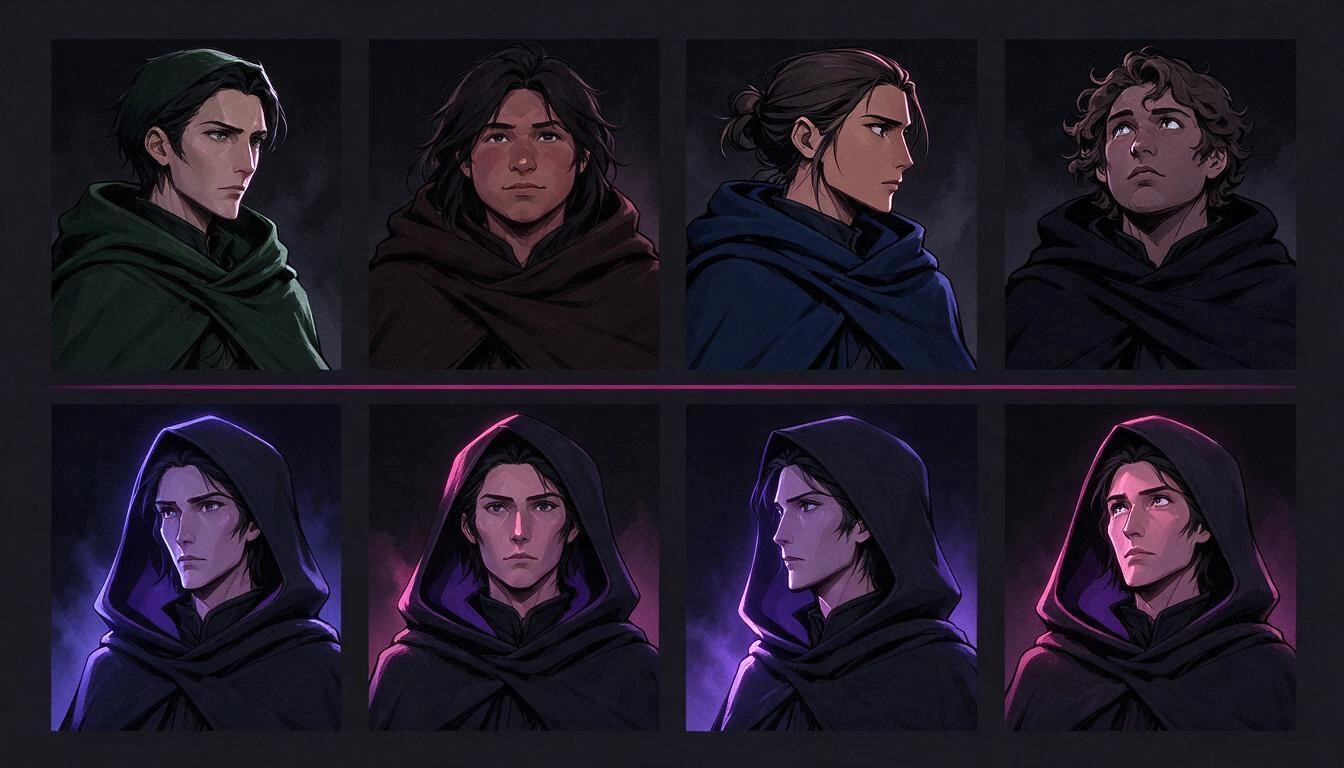
The solution that works has three pieces, and none is optional:
- An unchanging description (the "anchor"). A fixed paragraph that describes the character —features, hair, clothing, palette— and is injected word by word into the prompt of all scenes where they appear. In Aistube, the anchor is mandatory: an entity cannot be created without it.
- A reference sheet. The entity rendered on a neutral background before being placed in any scene —in Aistube, front and profile views for the characters—. From the generated variants, you choose one as the main image, and that is the reference that travels to each subsequent generation.
- A style lock. Once the entity convinces you, it is locked: from then on, the backend itself rejects changes to the anchor, because editing it would invalidate all images already made.
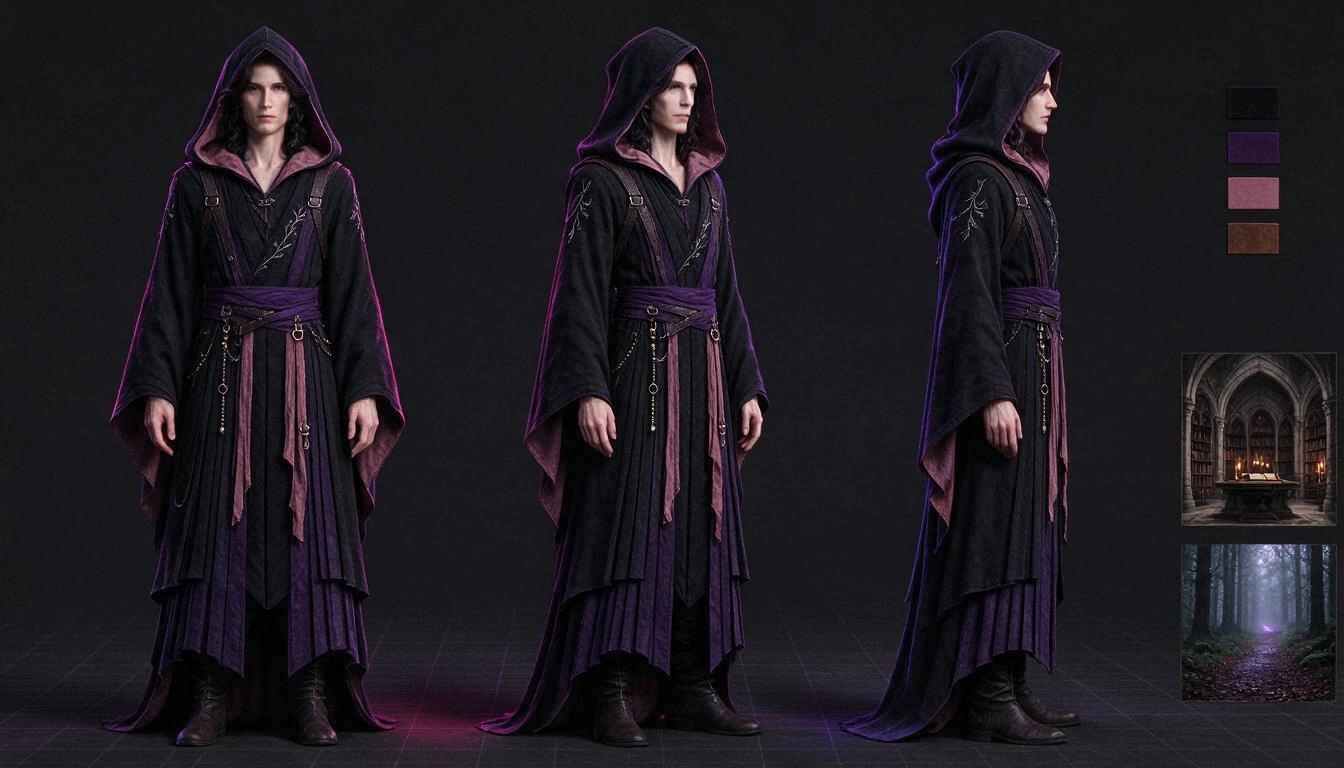
This library —Aistube calls it the visual bible— is not just for characters: it also holds locations and objects, with up to ten images each. It allows "the monastery library" to be the same library in video 3 and video 40. And it is by channel: each channel has its own, and when duplicating a channel, you can take the bible without dragging projects or ideas.
How to produce a faceless video from start to finish
A complete faceless video consists of nine interconnected steps, and each one depends on the previous one. Skipping the order —for example, generating images before finalizing the script— is the quickest way to pay twice for the same thing. Here’s how the circuit looks:
- Define the channel. Niche, language, market, visual style, palette, format, and cadence. All of this is injected later into each prompt, so a poorly defined channel contaminates the next forty videos. Aistube offers 25 visual styles with previews, one of which is customizable.
- Create the visual bible. Characters, locations, and props with their anchor and reference sheet, before the first video. This is the step that people skip the most and the one that ends up being the most expensive.
- Choose the idea and the hook. Generate ideas for the niche, request several alternative hooks for the chosen one, and settle on one. You can research keywords for the title and tags; be careful, what you get is a qualitative estimate of competition, not search volume (we’ll come back to this).
- Write the script. Structure it in three acts adjusted to the target duration, with a maximum of 30 scenes. You can start from an idea, paste your own script, dictate it in audio, or start from a URL. There are eight structure templates (list/top, curiosity, true crime, tutorial, storytelling, finance, psychology, "official version versus inconsistencies").
- Convert the script into storyboard. Each scene receives a framing —from a catalog of ten: wide shot, medium, close-up, high angle, low angle, overhead, subjective…— and a visual prompt that already incorporates the anchor of the entities appearing. You can rewrite, split, merge, reorder, or insert scenes, and undo the last change.
- Generate the images. One per scene, in the channel format, with up to six variants to choose the best one. You can also upload your own. If you later change the narration of a scene, it will be marked as outdated, so you know exactly what to regenerate and don’t have to redo the entire video.
- Add the voice. Choose a voice, generate the narration for each scene, and, if necessary, adjust the expressiveness. The actual duration of each narration dictates the duration of each scene in the edit.
- Edit the video. Camera movement over still images (eight Ken Burns-style movements), 13 transitions between scenes, burned subtitles in ten different styles, background music with automatic ducking under the voice, texture layers, and video overlays. Optionally, animate individual scenes as clips. An MP4 is produced at 1080×1920 or 1920×1080.
- Cover, metadata, and calendar. Up to nine covers in batches of three, with an AI analysis of the chosen one; title, description, and tags for YouTube and caption with hashtags for TikTok; and the publication date in the channel calendar.
The order matters for an economic reason: steps 1 to 5 cost cents because they are text, while steps 6, 7, and 8 are the ones that really incur expenses. Closing the script and storyboard properly before touching a single image is what separates a cheap video from an expensive one.
Vertical or horizontal: decide before generating the first image
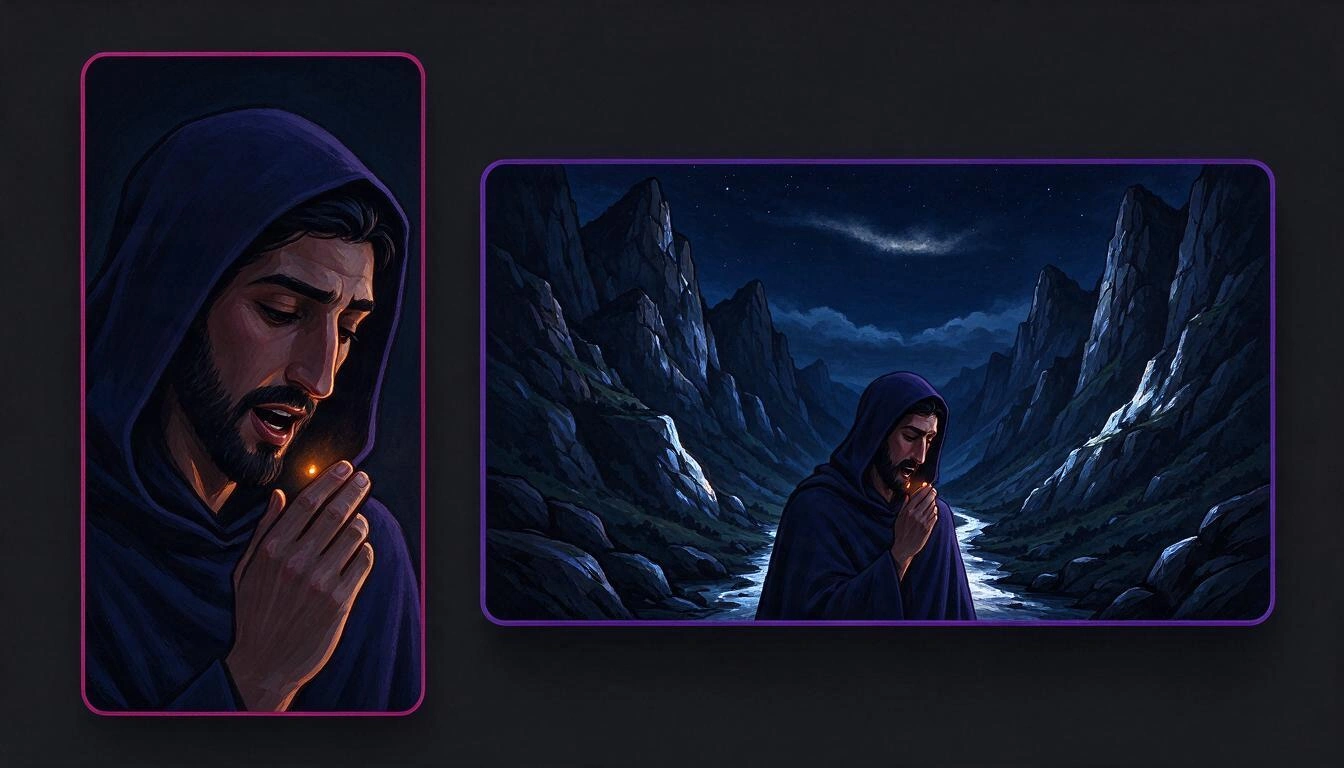
The format conditions the framing of each image, not just its cropping. A scene designed for 9:16 frames the character and loses the landscape; the same scene in 16:9 shows the environment, and the character appears small. It’s not the same shot with a different frame: it’s a different shot.
| Vertical 9:16 | Horizontal 16:9 | |
|---|---|---|
| Destination | Shorts, TikTok, Reels | Long YouTube video |
| Framing required | Close-ups and medium shots, centered subject | Wide shots, space for the environment |
| Monetization route | 20 million views in 90 days from Feb-2027 | 8,000 hours of viewing in 365 days from Feb-2027 |
| Text on screen | Large subtitles, almost mandatory | Optional subtitles |
| Output from Aistube edit | 1080×1920 | 1920×1080 |
Changing the format midway through the channel requires regenerating the images already made. Decide in step 1, not in step 6.
What voice to use: free, premium, or cloned
The voice is the only piece of the video that the viewer cannot skip, and the difference between an acceptable voice and a good one is more noticeable than the difference between two image models. In Aistube, there are three paths, and it’s best to choose based on criteria, not price.
| Option | What it is | When it makes sense |
|---|---|---|
| Free voices | Nine neural voices: seven in Spanish from Spain, Mexico, Colombia, Argentina, and the Dominican Republic, and two in English from the U.S. They do not consume tokens | Tests, volume videos, channels that are starting, or when the regional accent matters more than the nuance |
| Premium catalog | Voices from the premium provider, with accent, tone, age, and use case profiles, and audio samples before choosing | The channel already has traction and the narration is its hallmark |
| My voices (4 slots) | You attach your own Voice ID or clone a voice by uploading between 10 and 20 seconds of audio (maximum 10 MB) | You want the channel to always sound the same, or you want to use your own voice without recording each video |
Two honest warnings: cloning a voice that is not yours and for which you do not have permission to use is a legal issue, not a technical detail; and if the quota from the premium provider runs out, the narration automatically falls back to the equivalent free voice of the same language and informs you, instead of failing.
How much does a faceless video cost and how long does it take
A one-minute video with 15 scenes consumes between 13,000 and 17,500 tokens from the platform, depending on the quality package and the type of voice. These are real measurements from projects of the service itself, taken on October 18, 2026; the price of the token depends on your plan and may change.
| 1-minute video, 15 scenes | Tokens (measured, Oct-18-2026) |
|---|---|
| Standard Package + free voice | 13,470 |
| Standard Package + premium voice | 14,859 |
| Ultra Package + free voice | 15,915 |
| Ultra Package + premium voice | 17,304 |
And a fact that saves a lot of money: in internal measurements, animating the scenes as a clip accounted for 73% of the bill of a video when the most expensive video engine was used. Static images with camera movement (slow zooms, pans) yield perfectly acceptable results in most narrative niches. The recommendation is clear: only animate the scenes that justify it — an impact, a revelation, the initial hook — and leave the rest with camera movement.
Regarding the timing and quality of the editing, in an A/B test on the same vertical project (October 18, 2026):
| Measure | Value |
|---|---|
| Output resolution | 1080×1920 (vertical) or 1920×1080 (horizontal) |
| Encoding | H.264 High profile, CRF 18, faststart enabled |
| Measured video bitrate | ~5,500 kbps |
| Editing time for an 11 s video | ~31 seconds |
Editing is not the bottleneck: generating images and downloading resources are. A complete one-minute video, including image generation and voiceover, takes several minutes on the clock, not seconds.
What Aistube does not do (and it's good to know before starting)
Aistube does not publish for you. It leaves you the edited MP4, the cover, the metadata, and the date on the calendar, but you upload it to YouTube or TikTok yourself. This is the most important limitation and the one that is most important to have clear before setting up a workflow.
| Does not do | Does in its place |
|---|---|
| Upload the video to YouTube or TikTok | Schedules the publication in the channel calendar and leaves you the MP4, cover, and metadata ready to upload manually |
| Provide search volume for a keyword | Proposes related keywords with a qualitative estimate of competition (high / medium / low) and the reason why, without making up figures |
| Show niche trends | Nothing: the function exists, but returns "not available" instead of filling it with invented data |
| Import metrics from competing channels | Saves your list of competitors for easy access |
| Scale or improve the resolution of an image (upscaling) | Generates directly to the channel format size |
| Guarantee monetization, reach, or income | Nothing. The requirements and policies are decided by YouTube, and they change |
That last row is not a disclaimer: it’s the point in the list that changes the most decisions. No tool — this one or any other — can promise you entry into the Partner Program.
A publication routine that lasts more than three weeks
Most faceless channels do not die from quality: they die because the second week costs three times as much as the first. The way to avoid this is to separate creative work from mechanical work and do them in distinct blocks, not video by video.
- Block 1 (once per channel): profile, format, style, and visual bible. Two or three well-invested hours that do not repeat.
- Block 2 (once a week): generate ideas and hooks for the videos of the week, and keep them saved. It’s cheap and it’s where you add the most value.
- Block 3 (per video): script and storyboard, reviewed manually. This is where it’s decided whether the video passes the "non-authentic content" filter or not.
- Block 4 (per video, unattended): images, voice, and editing. This is the segment that you can launch and let run.
- Block 5 (once a week): covers, metadata, calendar, and uploads.
The order has a trick: blocks 1, 2, and 3 are what YouTube evaluates when deciding whether your channel adds something. Block 4 is what takes away hours. Automating block 4 and not block 3 is exactly what you should do.
Frequently Asked Questions
Can I monetize a YouTube channel without showing my face?
Yes. YouTube does not require you to appear on camera in any part of its monetization requirements. What it requires is to meet the thresholds of the Partner Program (1,000 subscribers plus 4,000 valid watch hours in 12 months or 10 million views of Shorts in 90 days, until January 31, 2027) and not to fall into its policy of inauthentic content.
Does YouTube ban channels made with artificial intelligence?
Not for using AI. The inauthentic content policy, renamed on July 15, 2025, and clarified on July 16, 2026, focuses on the outcome: generic or repetitive content, disturbing content without narrative, and AI characters presenting themselves as experts on sensitive topics such as health, law, or finance. An AI-assisted video with original research and judgment remains monetizable.
Do I have to check the "altered or synthetic content" box on all my videos?
No. Only when the content appears real and could confuse the viewer: photorealistic recreations of real events or places, people saying or doing things they did not do, or music generated by AI. Clearly unrealistic animation, filters, color adjustments, subtitles, and cloning your own voice for narration do not require notification, according to YouTube's help.
How many videos do I need to reach 4,000 hours of watch time?
It completely depends on the average duration and retention, so there is no honest number to give you. The arithmetic is useful: 4,000 hours is 240,000 minutes watched. An 8-minute video with an average retention of 40% provides about 3.2 minutes per view, so you would need around 75,000 accumulated views. With a lower average duration, the figure skyrockets.
How long does it take to make a faceless one-minute video?
The editing part is quick —in internal measurements, about 31 seconds of ffmpeg for an 11-second video—, but the actual time is marked by the generation of the images and the narration, which are queued. Count in minutes, not seconds, and add the time you spend reviewing the script and storyboard, which is the part you should not cut.
Does Aistube automatically upload videos to YouTube?
No. Aistube schedules the publication on the channel calendar and leaves you the mounted MP4, the selected cover, and the metadata (title, description, and YouTube tags; caption and TikTok hashtags), but you upload it from your account.
Can I run several faceless channels at the same time?
Yes. Each channel has its own niche, language, format, style, visual bible, projects, and calendar, and nothing mixes between channels. When opening a new one, you can duplicate an existing channel and take its visual bible without dragging ideas or projects.
What happens if I change a sentence in the script after I have generated the images?
The affected scene is marked as outdated, and the others remain untouched. You regenerate only that image. It is the difference between correcting a video and redoing it.
Can I use my own voice instead of a synthetic voice?
Yes, in two ways: uploading your Voice ID to one of the four slots in "My Voices," or cloning your voice from 10 to 20 seconds of audio. YouTube explicitly mentions "cloning one's own voice to create voiceovers or dubbing" among the cases that do not require notification of altered content.
Can background music give me a copyright notice?
The integrated library is royalty-free music from Jamendo, with nine genres and eight moods, and you can upload your own track if you prefer. Still, the conditions of each license are the responsibility of the person publishing the video: check the license of the track before using it on a monetized channel.
Aistube, in a nutshell
Aistube is the AIsToHire app that turns an idea into a mounted faceless video: visual bible so your characters don’t change faces, script in three acts, storyboard with framing, images per scene, narration, music, subtitles, and final editing in MP4, with the cover, metadata, and publication date ready for you to upload. It is available at Aistube — AI-powered faceless YouTube channel factory.
The dates, thresholds, and policy texts cited in this article come from the YouTube help center and the coverage of the announcement on August 10, 2026, consulted on October 25, 2026. YouTube frequently changes its policies: before making a decision about your channel, check the current version in the official help.
Set up your first faceless channel with Aistube: define the channel, create the visual bible that keeps your characters identical, and produce the video with voice, music, subtitles, and cover. Start for free.
Set up your first faceless channel with Aistube: define the channel, create the visual bible that keeps your characters identical, and produce the video with voice, music, subtitles, and cover. Start for free.Keep reading
View all articles →
Faceless Channel with AI in 2026: What Demonetizes YouTube and When You Are Required to Tag Your Videos

Why Your Car Insurance Increased in 2026: Average Premium of €1,412 and Historic Record

Discussing via WhatsApp or talking in person: what science says about couple conflicts through messages
