 AisDrive
How to organize project files: folder structure, names, and the 10-second test
Team at AisDriveWritten with AI assistance18 min readIn summary
- The problem is almost never the volume of files, it's the ambiguity: if a document could go in two different folders, sooner or later it ends up in both. That's why a good structure is not the most complete, it's the one that leaves no room for doubt.
- Three levels are enough and each level must respond to a single criterion (who → what → when). From the fourth level onward, the cost of storing exceeds that of searching.
- Put the date first and in ISO 8601 format (
YYYY-MM-DD): it's the only format where alphabetical order matches chronological order, without setting anything up. - Avoid characters that Windows prohibits (
< > : " / \ | ? *) and reserved names (CON,PRN,AUX,NUL,COM1–COM9,LPT1–LPT9): a file with such a name cannot be copied to a Windows machine. - If your files are going to feed an AI, the folder stops being decoration: in AisDrive, you decide per folder what gets indexed, and the chat cites the folder path of the file from which it extracted each response.
If you've searched for "how to organize project files" it's because you already have the problem: the downloads folder with 400 items, three versions of the same budget, and the certainty that the contract is saved somewhere. This article is not a list of good intentions: it's a concrete structure, some naming rules you can apply today, and a test to check if they work. In the end, you'll see how it is set up in AisDrive, the file manager with AI chat from AIsToHire, which adds a new nuance: when an assistant reads your documents, organization stops being aesthetic and starts deciding what it can respond to.
Everything described about AisDrive consists of implemented functions and verified values as of October 2026. What the app does not do is also written, in its own section.

Why can't you find your files even though you saved them?
Because the problem is not in searching, it's in the moment of saving. Every time a file could go in two reasonable places, your current self chooses one and your self six months from now searches in the other. That ambiguity, repeated a hundred times, is what turns a "logical" structure into a maze.
The three real causes, in order of frequency:
- Mixed criteria at the same level. You have
Clients/,2025/,Invoices/andPending/all hanging from the root. These are four distinct axes (who, when, what, status) competing for the same space. A signed contract from a client in 2025 fits into all four. - Excessive depth. When it takes six clicks to save something, it doesn't get saved: it gets left on the desktop "for a moment".
- Names that only made sense that day.
final_proposal_v2_GOOD_ok.docxwas perfectly clear on the Tuesday you wrote it.
The consequence is not just wasting time. It's duplicating: the same document in two folders, edited in one, and no one knows which one is current.

The structure that works: three levels and a single criterion per level
The rule is simple: one criterion per level, three levels at most, and the fourth level is replaced by the file name. The file name is free and infinite; a folder costs a click every time you save and another every time you search.
The skeleton that supports almost any project work:
Clients/
  2026-03 Client ABC — Website Redesign/
    01-entry/
    02-work/
    03-delivered/
  2026-05 Client XYZ — Audit/
    01-entry/
    02-work/
    03-delivered/
Administration/
  2026/
    issued-invoices/
    received-invoices/
Templates/
Three decisions that make it work:
- Level 1 is the "who or for what": clients, administration, templates. Few folders, stable for years.
- Level 2 is the project or the year, and starts with the date so that it sorts itself.
- Level 3 is the phase, numbered (
01-,02-,03-) so that the order is that of the work and not alphabetical. Always the same three folders in all projects: that’s what allows you to go in blind.
What criterion to use in the first level depending on your work
| Level 1 Criterion | When it is correct | Where it fails |
|---|---|---|
| By client | You work on assignments for others and each has its own story | If the same work is shared by two clients |
| By project | Long projects with a team, not very recurring | When a client has 20 small projects |
| By year | Accounting, tax, or legal documentation with an annual cycle | For creative work: what was done in January is forgotten by March |
| By type of document | Reference files (templates, regulations, manuals) | As the main axis of a business: everything ends up in "Others" |
The most common mistake is using by type of document at level 1 for everything. It works for reference files; for live work, it forces splitting the same project into six folders.
The 00-inbox folder and why you need it
Add a 00-inbox folder at the root and throw everything that comes in and you don’t want to classify at that moment. It’s a mailbox, not a warehouse: the condition is to empty it in a fixed session (once a week, ten minutes). Without a mailbox, the desktop acts as a mailbox, and the desktop never gets emptied.
How to Name a File So Alphabetical Order Works for You
Put the date at the beginning and write it as YYYY-MM-DD. This is the basic format of the ISO 8601-1:2019 standard and has a property that no other format has: when sorted alphabetically, it is also sorted chronologically. 2026-01-09 comes before 2026-10-02 in any system, without configuring anything and without ambiguity between the European and American formats.
The complete template:
YYYY-MM-DD_project_type_vNN.ext
2026-03-14_abc-redesign_proposal_v03.pdf
2026-05-02_xyz-audit_report_v01.docx
Rules that avoid 90% of the problems:
- Lowercase and no spaces. Use hyphens or underscores. Spaces require quotes in the terminal and become
%20in URLs. - No accents or tildes in names that will travel between systems. macOS and Linux encode the
ñand accents differently (NFD vs. NFC) resulting in duplicate names that appear identical. - Two-digit versions (
v01,v02…v10). With a single digit,v10is sorted beforev2. - Never "final".
final,definitive, andGOODare the names of the three versions before the last. If you need to mark the current one, use the date. - From general to specific. First what many files share (date, project), at the end what distinguishes them (type, version). This way, related files stay together.
Characters and Names You Cannot Use
Windows reserves a specific list of characters and names. A file using them may exist on Linux or macOS but cannot be copied or opened on a Windows machine, something that is always discovered at the worst time (when transferring a folder to a client).
| What | Detail | Consequence if Ignored |
|---|---|---|
| Prohibited characters in Windows | < > : " / \ ? *, the vertical bar and control characters (0–31) | The file cannot be created or copied in Windows |
| Reserved names in Windows | CON, PRN, AUX, NUL, COM1–COM9, LPT1–LPT9, with or without extension | The system interprets them as devices, not as files |
| Trailing dot or space | report. or report | Windows silently removes them: two files end up with the same name |
| Full path length | Historical limit of 260 characters (MAX_PATH); Windows 10 version 1607 and later allow long paths, but it must be activated and not all applications respect it | Folders that cannot be copied or compressed |
| Name length | 255 characters per component in NTFS, APFS, and ext4 | Truncated during synchronization |
Source: Microsoft documentation "Naming Files, Paths, and Namespaces", valid as of October 2026.
In macOS and Linux, the list is much shorter (/ and the null byte), but if you ever share the folder, follow the stricter rule: that of Windows.
The 10-Second Test: How to Know if Your Structure is Useful
Take five files that you saved more than three months ago and try to reach each one without using the search function, in less than 10 seconds and with a maximum of three clicks. If you fail on two out of five, the problem is not your memory: it’s the structure.
It’s a test I propose as a practical criterion, not an official standard. What it measures is indeed objective: if you need to search for something to find it, it means that the hierarchy does not match the way you think about your files.
Five quick checks, in order:
- Is there a folder with more than 50 loose items? It lacks a level or lacks criteria.
- Is there a folder with only one item inside? It’s unnecessary: move the file up a level.
- Are there two folders that could contain the same document? Merge them or define in writing which one takes precedence.
- Can you say in one sentence what criteria separate the folders at the same level? If you can’t, the criteria are mixed.
- Do the names make sense outside their folder? If moving a file to the desktop makes it unclear what it is, the name depends on the path and that is fragile.
What changes when your files are read by an AI: the folder becomes a decision
When an AI assistant responds about your documents, the folder stops being a drawer and becomes the scope of what the assistant can read. In AisDrive, that is literal: you decide which files are indexed, you can mark entire folders for automatic indexing of what you upload to them, and each chat response cites the folder path of the file it originated from.
That detail changes how the structure should be designed:
- The folder name is the citation. If the chat responds by citing
Clients/2026-03 Client ABC — Website redesign/01-entry/specification.pdf, the folder name is what tells you if you can trust that source. A folder namedthings/adds nothing to the response. - Separate what you want to be queried from what you don't. Contracts, specifications, minutes, and manuals in indexed folders; raw video, intermediate exports, and backups in unindexed folders.
- Indexing is not free, which is why it is optional. In AisDrive, auto-indexing is activated folder by folder (including the root), never globally: indexing consumes AI tokens and counts against your plan's monthly operation limit. The decision is yours and is saved per folder.

What happens to a file when you index it
The process has four steps and occurs in the background, in a queue: you upload the file, its text is extracted, the text is split, and each piece is converted into a vector. Meanwhile, the file shows a status badge in the list (amber while working, green when ready, red if it has failed) and the app checks the status every 5 seconds until it finishes.
Actual parameters of the process in AisDrive, as of October 2026:
| Step | How it works |
|---|---|
| Splitting | Blocks of 400 words with 50 words overlap between blocks, so that a split sentence still appears whole in some fragment |
| Vectorization | gemini-embedding-001 embedding model |
| Retrieval | The chat retrieves the 6 fragments most similar to your question |
| Response | Is generated only from those fragments, with the instruction to not invent and to cite the folder path, never internal paths or identifiers |
| Sources | Each response lists the files used; clicking one navigates the app to its folder |
If there is nothing indexed, the chat states so instead of improvising a response. It is deliberate.
What files can be indexed and which consume tokens
AisDrive indexes 18 extensions, divided into three ways of extracting text. The difference matters because only one of the three needs a vision model, which consumes reading tokens in addition to vectorization tokens.
| Mode | Extensions | How text is extracted | Reading cost |
|---|---|---|---|
| Text | txt, md, csv, tsv, json, xml, html, htm, svg | Decoded on the server itself | 0 tokens |
| Office | docx, xlsx, pptx | The file is opened and its internal XML is read (sheets and slides are tagged one by one) | 0 tokens |
| Vision | pdf, jpg, jpeg, png, webp, gif | Sent to a multimodal model that reads the page | Consumes tokens |
Practical consequences:
- A
.docxcosts less to index than the same document exported to PDF. If you have the original office document, upload the original. - A spreadsheet is indexed preserving the numerical values and marking each sheet, so asking for a specific figure works.
- Any other extension is not indexable and the app does not even offer the option: a
.zip, a.mp4, or a.dwgare stored and downloaded normally, but the chat does not read them. - The vectorization step always consumes tokens, even in zero-cost reading modes. "0 tokens" refers to extraction, not the complete process.
Why a scanned PDF sometimes stays red
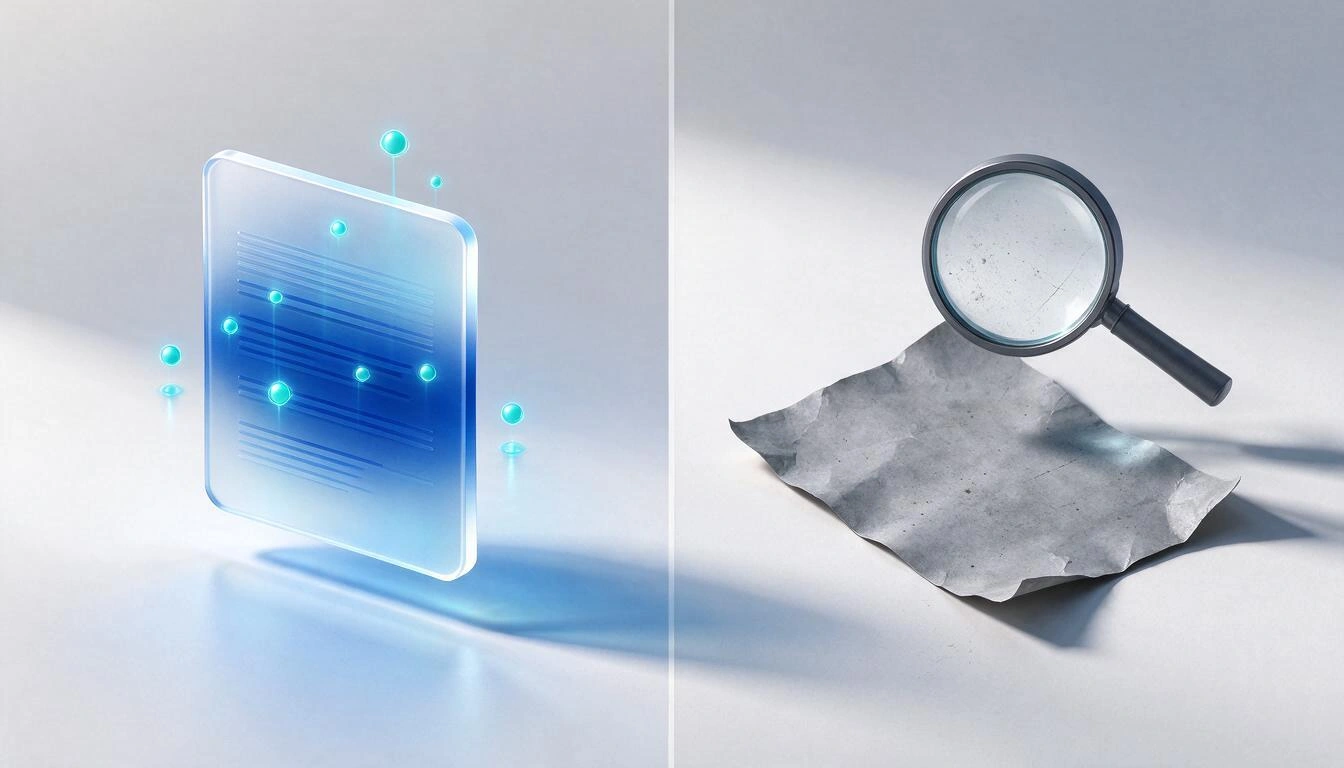
A PDF that is a photograph of a paper does not contain text: it contains an image. The vision model can read it if the scan is legible, but if the quality is poor, it is crooked, or it is a blank page, the extraction returns zero text. In that case, AisDrive marks the file as error, not as ready.
It is a conscious decision: a file with zero fragments but with a green badge would make it seem like the chat can query it, when it will never find it. Better an honest red, with the option to retry, than a lying green.
The real limits of AisDrive, before uploading anything
It is advisable to know them before designing the structure, because some condition how you distribute the files:
| Limit | Value | What it implies |
|---|---|---|
| Size per file | 20 MB | A very large video or PDF must be split or left out |
| Total space | Storage quota of your plan | Checked at each upload; if it doesn't fit, the upload is rejected with a clear notice |
| Deleting folders | Only if they are empty | Must be emptied first; prevents accidentally dragging hundreds of files to the trash |
| Chat history | Not saved | Reloading the page starts the conversation from scratch (the files and their indexing are still there) |
| Indexing | Asynchronous, in queue | The file is available instantly; consult it via chat when indexing is complete |
| AI chat | Requires available tokens from the plan | If they are insufficient, the app warns before executing anything |
And two things that AisDrive does not do, so you don't get surprised:
- There is no search by file name within the app. You navigate through folders, with the path always visible at the top, or ask the chat about the content. That is exactly the reason why this article insists so much on structure and names.
- The chat does not read what you have not indexed. An uploaded and unindexed file is just a saved file, nothing more. There are no responses "from all your drive" by default.
How to transfer a disorganized folder to this structure in one hour
Seven steps, in this order. The slow part is step 4; the rest are just minutes.
- Create the empty skeleton first. Level 1 (three or four folders), and within a pilot project the three phases
01-input,02-work,03-delivered. Do not create anything that you do not know you will use. - Upload in batches, folder by folder. You can select several files at once or drag them directly onto the destination folder, also from your computer's desktop.
- Move what is misplaced. On a computer, by dragging the file over the folder or any part of the path above to elevate it. On mobile, with the "Move" option from the menu of each item, which opens a folder browser.
- Rename while moving, not afterwards. Apply
AAAA-MM-DD_project_type_vNN. When renaming a file, only the name is selected, without the extension, so you do not lose it by accident. - Mark to auto-index only the folders of consultable documents. Typically
01-inputand03-delivered; almost never02-work, which is full of intermediate versions that clutter the responses. - Manually index what was already uploaded and check the status indicators. Those remaining in red, look at their name: they are almost always illegible scans or empty files.
- Ask a control question to the chat. Something whose answer you know, and check that the source it cites is the correct file. If the citation is not what you expected, the problem is usually that there are two versions of the same document indexed.
A useful detail at the end: the folder you are in is reflected in the browser address, so you can bookmark the URL of a specific folder and return to it directly.
Frequently Asked Questions
How many folder levels should I have at most?
Three. Level 1 for the "who or what", level 2 for the project or the year, level 3 for the phase. Everything you want to add below fits in the file name, which does not cost clicks. AisDrive does not limit depth — you can nest as much as you want — but starting from the fourth level, saving becomes so expensive that it stops being done.
Is it better to organize by client or by date?
By client at the first level and by date at the second, if you work by assignments. For accounting, tax, or legal documentation, the other way around: the year takes precedence because the cycle is annual. The real rule is not which one you choose, but not to mix them at the same level.
What name should I give a file to avoid duplication?
AAAA-MM-DD_project_type_vNN.ext, in lowercase, without spaces or accents, with the version in two digits. The date at the front makes the alphabetical order chronological, and numbering the versions eliminates the cycle of "final, definitive, good". Never use the word "final": a version always appears afterward.
Why does my PDF show as indexed but the AI says it can't find anything?
The most likely reason is that the PDF is a scan without readable text. In AisDrive, a file from which text cannot be extracted is marked in red as an error, precisely so that it does not appear searchable. If it is green and still does not appear, try asking with words that are in the document: the chat retrieves the six fragments most similar to your question, and if the document is long, the relevant fragment may be left out.
Can I upload a 50 MB file?
No. The limit per file in AisDrive is 20 MB. Additionally, the total available space depends on the storage quota of your plan, which is checked with each upload.
Do I have to index all my files?
No, and usually, it is not necessary. Auto-indexing is activated folder by folder, so it is common to index folders of searchable documents (contracts, specifications, reports, manuals) and leave out intermediate versions, raw files, and copies. Indexing consumes tokens and counts against the monthly operation limit of your plan.
Does the AI read the files I haven't indexed?
No. The chat only responds with fragments from the files you have indexed; if there are none, it states that instead of making up a response. An uploaded file that is not indexed is saved, opened, and downloaded normally, but it does not enter the responses.
Is the chat conversation lost if I refresh the page?
Yes. The chat history only exists while the tab is open: upon refreshing, the conversation starts from scratch. What does not get lost are the files and their indexing, which remain as is.
What files can be indexed exactly?
Eighteen extensions: txt, md, csv, tsv, json, xml, html, htm, svg, docx, xlsx, pptx, pdf, jpg, jpeg, png, webp, and gif. The rest can be uploaded and downloaded, but they are not indexed and the app does not even offer the option.
Can I save the link to a specific folder?
Yes. The folder you are in is reflected in the browser address, so you can add it to bookmarks and go directly to it. If that folder no longer exists, the app opens the root instead of giving an error.
What happens if I delete a folder that contains files?
It does not get deleted. AisDrive only allows the deletion of empty folders and warns if it has content. You must move or delete the contents first, which prevents losing hundreds of files with a click.
Organizing your files well has always had a diffuse reward: finding them sooner. When an assistant also reads them, the reward becomes concrete and measurable, because the quality of the responses directly depends on which folders you have decided to index and how you have named things. AisDrive is the file manager of AIsToHire that allows you to organize your documents in folders and ask them in natural language: you index the files you choose, ask, and each response tells you which file and which folder it came from. It is at AisDrive – File Manager.
Set up your folder structure in AisDrive, upload your documents, and mark only the folders you want to access: then ask in natural language and each response will tell you which file and folder it came from. Start for free.
Set up your folder structure in AisDrive, upload your documents, and mark only the folders you want to access: then ask in natural language and each response will tell you which file and folder it came from. Start for free.Keep reading
View all articles →
How to archive your invoices before Verifactu 2027: retention periods, formats, and what you need to be able to find during an inspection

Discussing via WhatsApp or talking in person: what science says about couple conflicts through messages

Mind map, concept map, and outline: differences and when to use each one