 aiMakeup
How to Determine Your Skin Undertone (Cool, Warm, or Neutral) and Stop Failing with Foundation
Team at aiMakeupWritten with AI assistance16 min readIn summary
- Tone and undertone are not the same. The tone is how light or dark your skin is; the undertone is the constant hue underneath (golden, pink, or neutral) and it decides whether a foundation looks natural or masked on you.
- Home tests (veins, jewelry, white paper) are not reliable on their own. They depend on light, the color of your clothing, and your own expectation: they only work if three of them match and you do them in daylight.
- Colorimetry has objective measures: the CIELAB space (CIE, 1976) and the ITA° angle of Chardon et al. (International Journal of Cosmetic Science, 1991) classify skin depth; the undertone is read on the yellow–blue (
b*) and red–green (a*) axes. The Fitzpatrick scale (1975, published in Archives of Dermatology in 1988) measures how your skin reacts to the sun, not your undertone: using it to choose foundation is a common mistake. - aiMakeup, the facial analysis mini app from AIsToHire, does that job from a single photo: it returns undertone (warm, cool, or neutral), skin type, eye shape, face shape, contour areas, and a palette with hex codes for lips, blush, and shadows, plus two downloadable posters (analysis and a 13-step tutorial).
- The light in the photo is the factor that most conditions the result. A selfie facing a window, without ceiling light and with a smooth wall behind, is worth more than any filter.
If you've bought a foundation that seemed to match your color in the store but looked orange or gray outside, the problem is almost never the tone: it's the undertone. This guide explains how to identify it with home methods (and how much you can trust each one), what professional color systems really measure, and how to do that same analysis from a photo with aiMakeup, the AI makeup studio from AIsToHire. Everything discussed here about the app is what the app does; at the end, there is a section on what it does not do.
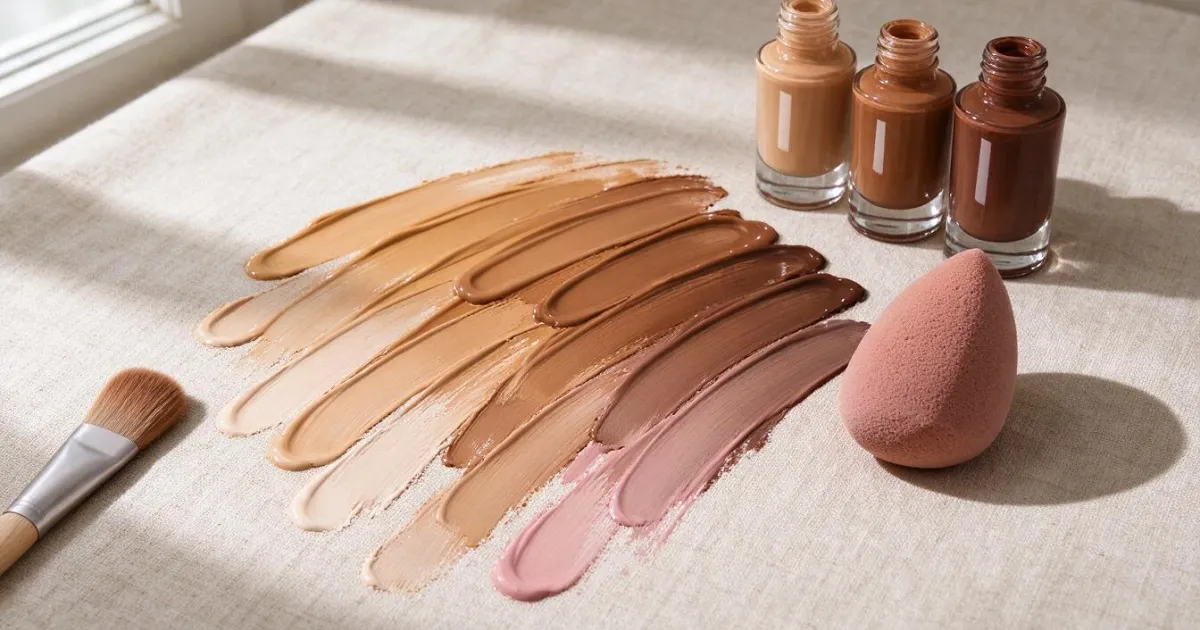
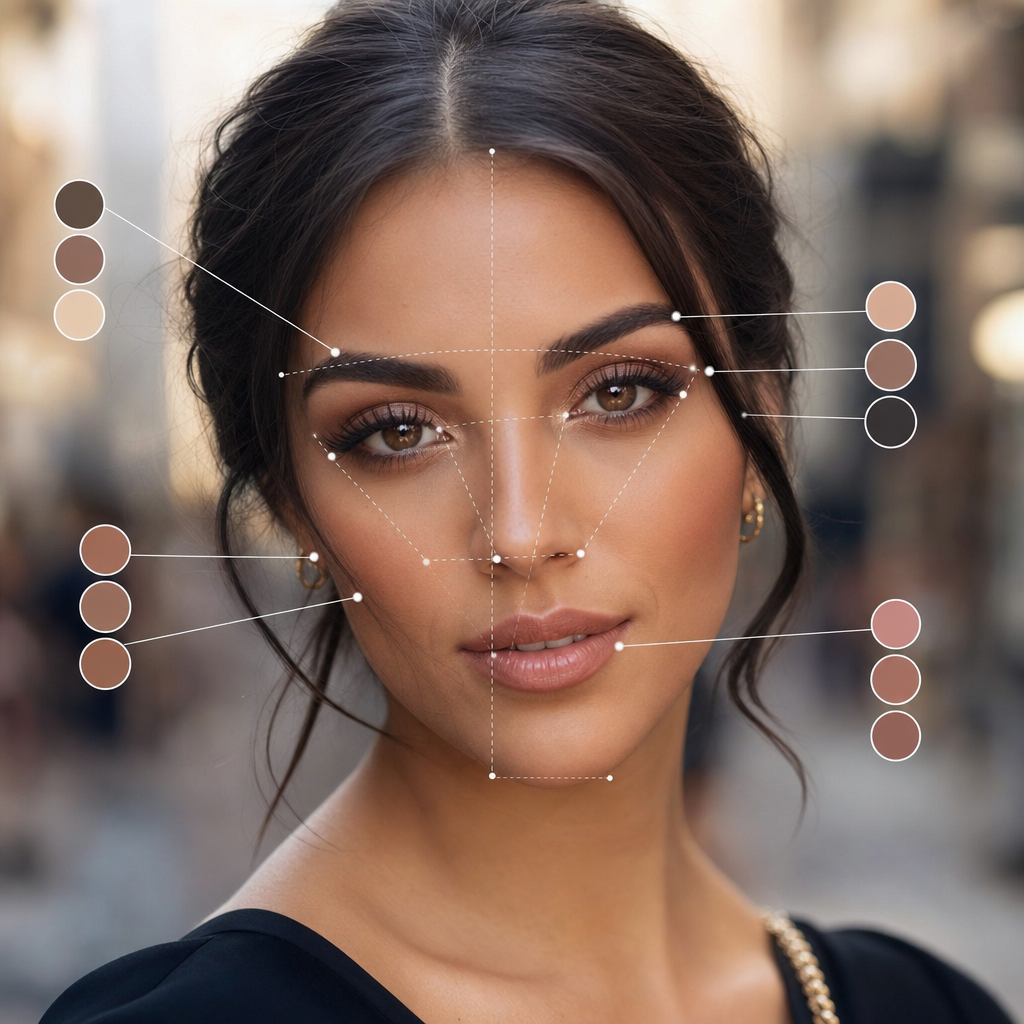
Tone, undertone, and overtone: three distinct things that everyone mixes up
Tone is the depth (from porcelain to ebony), undertone is the stable hue beneath the surface (warm/golden, cool/pink, or neutral), and overtone is the superficial and changing color: redness, blemishes, recent tanning. Two people with the same tone may need opposite foundations if their undertone does not match, and the overtone is exactly what confuses you when you look in the mirror.
That is the practical hierarchy when buying:
| Layer | What it is | Does it change over time? | What it serves for when choosing a product |
|---|---|---|---|
| Tone (depth) | How much light your skin reflects | Yes: it varies 1-2 shades with the sun | To choose the number of the foundation (e.g. 2.0 vs 4.5) |
| Undertone | Golden / pink / neutral hue | No, it is stable for life | To choose the letter (W, C, N) and the shades of lips and blush |
| Overtone | Redness, hyperpigmentation, tanning | Yes, even for weeks | To decide concealer and areas to neutralize |
Rule of thumb: if the foundation looks "dirty" or gray on your skin, it is usually a poorly chosen undertone; if it seems correct but too light or dark, it is just the tone.
The five home tests for undertone, and how much you can trust each one
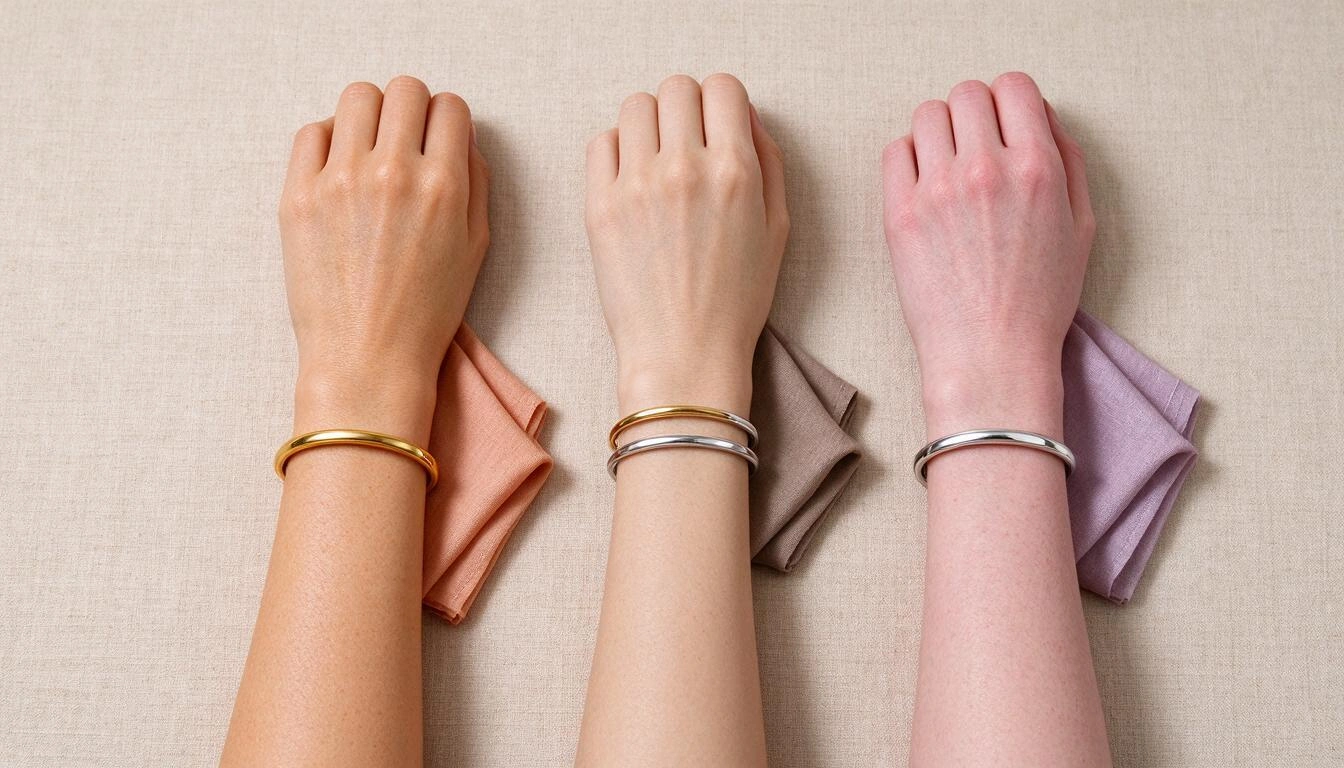
No home test is conclusive on its own: they all depend on light, the color of what you are wearing, and your own expectation. The honest way to use them is to do all five in natural light, without makeup, and wearing white or gray clothing, and keep the result that repeats in at least three.
| Test | How to do it | Warm | Cool | Where it fails |
|---|---|---|---|---|
| Veins on the wrist | Look at them next to a window, never with ceiling light | Greenish | Blue or purple | Hard to read on medium and deep skin; subcutaneous fat and skin thickness change the apparent color |
| Jewelry | Compare gold and silver on the same area | Gold flatters | Silver flatters | Pollutes personal preference: you tend to "see better" the metal you usually wear |
| White paper vs. raw paper | Two sheets next to your face, in daylight | Skin looks less yellow next to raw paper | Skin looks less pink next to white paper | Useless with warm bulbs: the paper only acts as a reference with neutral light |
| How it reacts to the sun | Remember your usual pattern | You tan easily | You redden before tanning | Measures the phototype, not the undertone; many cool skins also tan |
| Draping fabrics | Alternate peach/coral fabric and pink/lilac fabric in front of the mirror | Face lights up with coral | Face lights up with cool pink | It is the most reliable of the five, but needs two fabrics of the same texture and shine |
If three or more point in the same direction, you have your answer. If they tie, it is most likely that you are neutral, which is a real result and not a "not known": approximately a significant part of the population has no clear dominance, and that is the reason why almost all brands have "N" lines.
What color science measures when the eye does not agree
The cosmetics industry does not argue about veins: it measures in CIELAB (CIE, 1976), a space where L* is lightness (0 black, 100 white), a* is the green-red axis, and b* is the blue-yellow axis. Skin depth is summarized with the ITA° angle defined by Chardon, Cretois, and Hourseau (International Journal of Cosmetic Science, 1991):
ITA° = arctan( (L* − 50) / b* ) × 180 / π| ITA° | 1991 Study Category |
|---|---|
| > 55° | Very light (muy clara) |
| 41° – 55° | Light (clara) |
| 28° – 41° | Intermediate (intermedia) |
| 10° – 28° | Tan (mate / tostada) |
| −30° – 10° | Brown (morena) |
| < −30° | Dark (oscura) |
Two important nuances that are almost never mentioned:
- ITA° measures depth, not undertone. The undertone lives in the relationship between
a*andb*: a highb*relative toa*leans towards golden; a relatively higha*leans towards pink. Therefore, two skins with the same ITA° may require different foundations. - The Fitzpatrick scale is not useful for this. Thomas Fitzpatrick proposed it in 1975 and formalized it in Archives of Dermatology (1988) to classify sun reaction (burn/tan) into six phototypes. It is a photoprotection tool, not a cosmetic colorimetry tool. Using "I am phototype III" to choose foundation mixes two different things.
And the phenomenon that explains much of the failed purchases: metamerism. Two colors may match under the light of a store and stop matching in daylight because the light does not have the same spectrum. The standard of colorimetry is the illuminant D65 (daylight, ~6500 K); many stores illuminate with LED lights of low color rendering index (CRI 80 or less), which cuts off just the part of the spectrum where the undertone plays.
How to take the photo so that the analysis doesn’t lie to you
Light is the variable that most conditions any color analysis from an image, including that of aiMakeup. The rule is simple: facing a window, with the ceiling light off, without makeup and with a smooth wall behind.
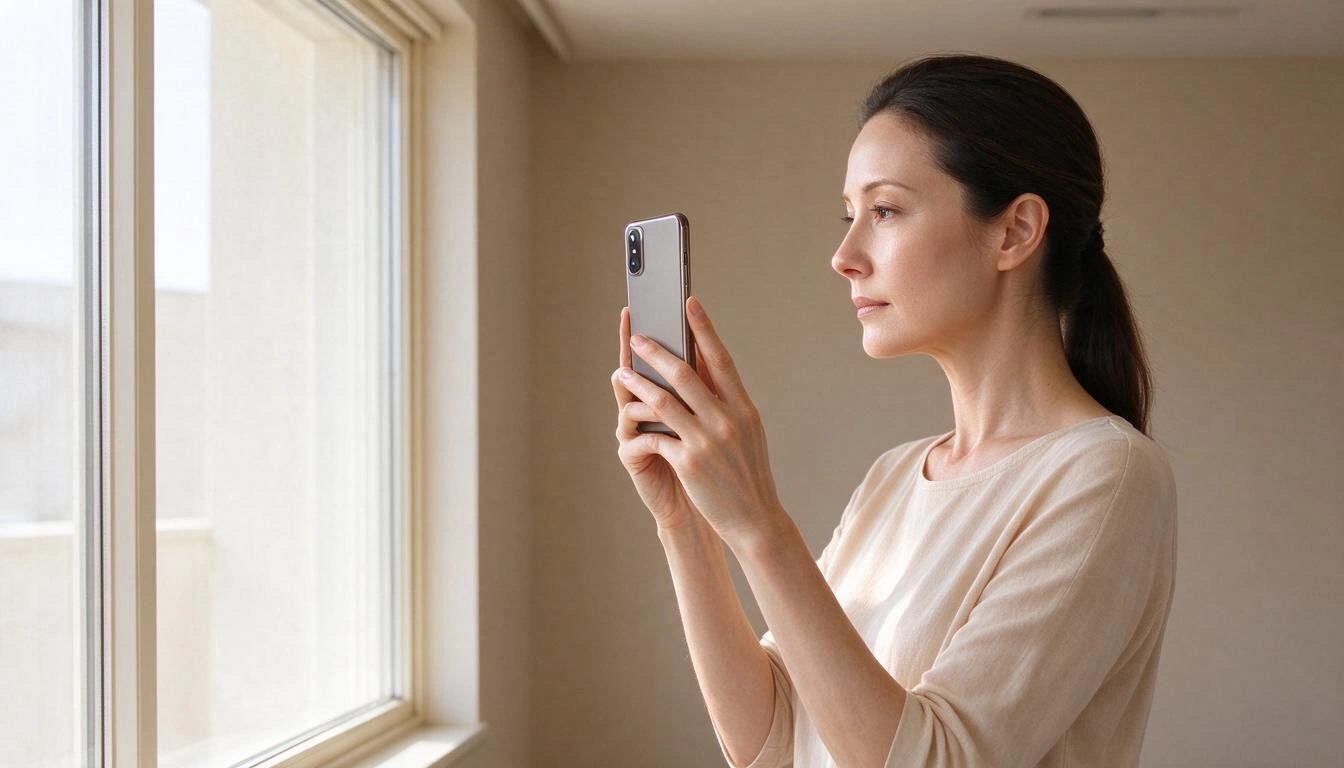
Concrete checklist before shooting:
- Indirect daylight, facing. Never with the window at your back: the phone compensates for backlight by increasing exposure and washes out the real color of the skin.
- One light source. Mixing window and warm bulb skews the phone's automatic white balance and casts a yellow or blue veil over the entire face.
- Neutral wall behind. A green wall, a red curtain, or a fuchsia sweater bounce color onto the skin and distort the undertone.
- Clean face and facing. No foundation or blush (you would be analyzing the product, not your skin), no glasses, with hair pulled back and looking at the target.
- No filters or "beauty" in portrait mode. The skin smoothing of many phones desaturates red: exactly the data needed.
- Format and weight. The app accepts
image/*images up to 12 MB and automatically corrects EXIF orientation, so a vertical photo taken with the phone goes in without touching anything.
If the photo comes out backlit or with a color cast, what you see is not an analysis error: it is that the photo did not contain the information. Repeating it next to a window changes the result more than any adjustment.
What aiMakeup exactly returns when you upload a selfie
aiMakeup analyzes the photo with AI and saves a report with eight data points, and then generates two image posters about your own face: an infographic of facial analysis and a 13-step makeup tutorial with a "after" portrait of you already made up. The process is asynchronous and usually takes between one and two minutes: you can close the app and the results will be waiting for you in the history.
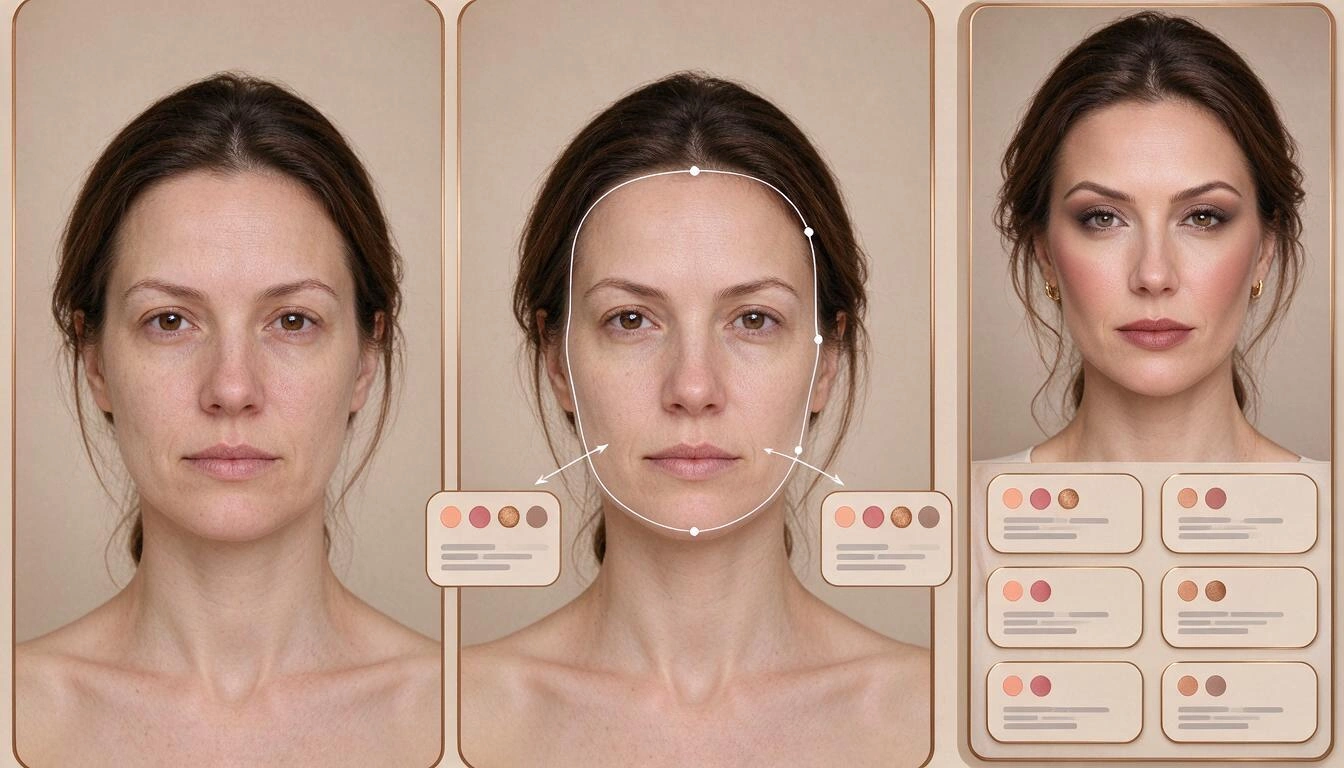
These are the exact fields produced by the analysis, with their possible values:
| Field | Possible values returned |
|---|---|
| Undertone | Warm, cool, or neutral |
| Skin type | Dry, combination, oily, sensitive, or normal |
| Eye shape | Almond, round, hooded, monolid, downturned, or upturned |
| Face shape | Oval, round, square, heart, elongated, or diamond |
| Contour areas | Short text: where to highlight and where to contour on your face |
| Eye look | Short text: recommended eyeliner and shadows |
| Color palette | Hex codes for lips, blush, and shadows |
| Detected gender presentation | Adjusts the proposal: on a male face it generates a grooming and skin care routine, not makeup |
What you see on screen when finished: the four main metrics, the palette with its color samples, and the two infographics. Each poster expands to full screen with zoom by pinch or double tap, and has a download button; on mobile, the system's share sheet opens, so you can save it directly to the gallery and take it to the perfumery. Each analysis remains in your history, with its thumbnail, for you to consult again.
The 13 steps of the tutorial, in the order they are actually applied
The tutorial generated by aiMakeup is not a generic list: it is the complete application sequence, with the tone adapted to your palette and the indication of where to apply and with what tool. The order matters because cream products must always go before powder products: if you set with powders and then apply cream blush, it becomes cakey.
- Skin preparation — hydration and protection; on dry skin, any foundation will crack.
- Primer — extends wear and unifies texture before color.
- Foundation — the tone that corresponds to your depth and undertone.
- Concealer — neutralizes the overtone: dark circles, redness, spots.
- Bronzer — adds depth where the sun would hit.
- Blush — real color on the cheeks, from your palette.
- Highlighter — light on the high points marked in your contour area.
- Setting powders — here, and not before: sets cream textures.
- Eyebrows — frame the face; are defined with the foundation already applied.
- Eyeshadows — according to your eye shape (a hooded eye is not made up like an almond-shaped one).
- Eyeliner — the shape that corresponds to your gaze.
- Lashes — mascara or false lashes.
- Lips — the tone from your palette, which completes the balance of the look.
In a detected male face, the app replaces that sequence with a grooming routine: skin preparation, groomed eyebrows, unified skin, and subtle definition.
How to translate your palette to real products without making mistakes again
The analysis gives you a color direction, not a catalog reference: the hex codes from your palette are a family tone guide (a #B35A4A is a warm brick), not the code for a specific product. With that direction, purchasing is done like this.
- Look for the letter, not just the number. Most brands code the undertone with W (warm, golden), C (cool, pink) and N (neutral). Your number comes from the tone; your letter, from the undertone.
- Watch out for acronyms that read backward. In MAC's convention, NC ("Neutral Cool") corresponds to foundations with a yellow/golden base —for warm skin— and NW ("Neutral Warm") to those with a pink base —for cool skin—. It’s counterintuitive and one of the most repeated sources of error: always check the swatch.
- Test on the jawline, never on the hand. The back of the hand almost never matches the color of your face. Draw a line from the cheek to the neck: the correct one is the one that disappears.
- Wait 10-15 minutes before deciding. Many foundations oxidize upon contact with air and oil and turn orange. The tone that matters is the one after, not the one from the first minute.
- Step outside the store. It’s the free way to avoid metamerism: check the swatch in daylight before paying.
- Do not compare colors between screens. Your mobile, your laptop, and the brand's website show the same hex differently; use your palette as a family criterion (brick vs. raspberry), not as calibration.
What aiMakeup does NOT do (it's good to know before uploading your photo)
aiMakeup is a cosmetic tool, not a medical or identification one. It provides color and application guidance based on a photo, and that is where its reach ends.
- It is not a dermatological diagnosis. The "skin type" field is a cosmetic guideline for choosing textures, not a clinical assessment. It does not detect pathologies, allergies, or skin lesions: for that, you need to see a healthcare professional. Cosmetic products are governed by Regulation (EC) 1223/2009 and cannot claim therapeutic effects.
- It does not identify anyone. It analyzes features to suggest color; it does not perform facial recognition or identity searches. Under GDPR (EU Regulation 2016/679, art. 4.14), a photo only becomes a "biometric data" when processed to uniquely identify a person, which is not the case here. Still, it is your face: upload it only if you are comfortable with that.
- It does not measure with a colorimeter. It is an estimation based on an image, with the limitations that entails: light, your camera's white balance, and mobile processing affect the result. It does not replace a spectrophotometer.
- It does not perform seasonal analysis of 12 seasons. It returns warm, cool, or neutral, not "soft summer" or "deep winter".
- It does not recommend specific brands or products, it has no catalog, does not compare prices, and does not link to stores.
- It is not an augmented reality tester. There is no makeup try-on in video or real-time: the result is images generated over your photo.
- It is not immediate or infallible. If the photo is too dark, backlit, or the face is not clearly visible, the analysis worsens or fails; the solution is to retake the photo.
Does this replace an in-person color consultation?
It does not replace it, but it covers 80% of the decisions for which people go to one: knowing your undertone and having a palette reference before buying. An in-person consultation works with real fabrics against your skin and controlled lighting; a laboratory measures with instruments. Each option addresses a different need.
| aiMakeup (photo) | In-person color consultation | Measurement with spectrophotometer | |
|---|---|---|---|
| What it measures | Estimation of undertone, skin type, eye and face shape, palette | Draping with real fabrics and human judgment | L*, a*, b* and ITA° instrumental |
| Time | 1-2 minutes | 1-3 hours | Minutes, but requires appointment and equipment |
| Indicative price | Free plan to start | Market rates in Spain, 2026: usually between 60 and 250 € | Normally not available to consumers |
| What you get | Two downloadable posters and your history | Color card and personal advice | Numerical data |
| Weak point | Depends on the quality of the photo | Subjective, depends on the professional | Does not tell you how to apply makeup |
A reasonable use: do the analysis with the app, take the poster to the perfume shop, and if you are dedicated to this or going to renew your entire kit, complete it with an in-person session.
Frequently Asked Questions
How do I know if I have a cool or warm undertone if my veins look both green and blue?
That usually means you are neutral, which is a valid result just like the other two. Confirm it with draping: if both a coral fabric and a cool pink fabric flatter you equally, your undertone is neutral and N foundations work for you. In aiMakeup, that case returns "neutral" as an explicit value.
Can I find out my undertone from a photo or do I have to see myself in person?
It can be estimated from a photo, as long as the photo preserves the real color: daylight facing, no filters, no makeup, and with a neutral background. What a photo cannot do is correct lighting that has already destroyed the information —backlighting or a warm bulb— and that’s why the quality of the image takes precedence over everything else.
Is it necessary to register to try aiMakeup?
You can upload your photo from the app page before creating an account; to see the complete result, registration is required. If you do not complete it, that photo is automatically deleted. There is a free plan to start.
Is it suitable for men?
Yes. The app detects the gender presentation of the face and, in a male face, generates a grooming and skincare routine —even skin, groomed eyebrows, subtle definition— instead of a makeup look.
Does the infographic respect my face or does it "beautify" me?
The posters are generated based on your real photo with the explicit instruction to maintain identity: same facial structure, same proportions, same skin tone, same hair, and same expression. In the tutorial, the final portrait does appear with makeup on, but it is your face: it is not refined, thinned, or changed.
What happens to my photo?
It is uploaded to your account storage to generate and save the analysis, and it is associated with your history. If you only upload it from the public page and do not complete the registration, it is automatically deleted. It is not used to identify you.
Does it tell me which foundation to buy?
Not by brand or reference. It gives you the undertone and a color palette to match the letter (W/C/N) and the tone family, which is the decision that is really missed. The choice of the specific product remains yours, and it is advisable to test the sample on the jawline and in daylight.
Can I repeat the analysis if I change my look or get a tan?
Yes, each analysis is independent and is saved separately in your history. It is reasonable to repeat it when you change your hair color or after summer: your tone varies, although your undertone does not.
aiMakeup, in one sentence
aiMakeup is the mini app from AIsToHire that analyzes your face with AI from a selfie and returns your undertone (warm, cool, or neutral), skin type, eye and face shape, your contour areas, and a color palette with hex codes for lips, blush, and eyeshadows, in addition to two downloadable posters: the facial analysis infographic and a 13-step makeup tutorial with your own already made-up portrait. It is available at aiMakeup – Makeup Studio — AI Facial Analysis works from mobile with a single photo, and does not replace a dermatological diagnosis or an in-person color consultation.
Take the test with a selfie by a window: aiMakeup will tell you in a couple of minutes if your undertone is warm, cool, or neutral, provide your lip, blush, and eyeshadow palette, and give you two downloadable posters —the facial analysis and the 13-step tutorial— to take with you to the perfume shop. Getting started is free.
Take the test with a selfie by a window: aiMakeup will tell you in a couple of minutes if your undertone is warm, cool, or neutral, provide your lip, blush, and eyeshadow palette, and give you two downloadable posters —the facial analysis and the 13-step tutorial— to take with you to the perfume shop. Getting started is free.Keep reading

Why Your Car Insurance Increased in 2026: Average Premium of €1,412 and Historic Record

Discussing via WhatsApp or talking in person: what science says about couple conflicts through messages

Mind map, concept map, and outline: differences and when to use each one