 aiColorCup
World Cup 2026 Coloring Pages to Print: A Practical Guide (and How to Make One with Your Child's Face)
Team at aiColorCupWritten with AI assistance14 min readIn summary:
- A good coloring page needs three things: thick black lines and closed shapes, pure white background (not gray or cream, which absorbs the ink), and large areas where a crayon can fit. Most images found on Google Images fail in at least one of these.
- aiColorCup, the mini-app from AIsToHire, turns a photo of a child into a coloring page for the 2026 World Cup: the character runs forward dribbling the ball, with their name and number on their chest and a scoreboard above with the result you choose.
- The result is a horizontal image of 1536 × 1024 pixels, which you can print directly or download. In A4 horizontal it comes out at about 131 dpi and in A5 at about 186 dpi: more than enough for black line on white.
- There are 32 teams available (not the 48 that played in the tournament) and the opponent must be different from yours. The shields are drawn emblems, not official reproductions: aiColorCup has no relation to FIFA.
- The 2026 World Cup took place from June 11 to July 19, 2026 in the United States, Mexico, and Canada, with 48 teams and 104 matches; Spain won the final 1-0 against Argentina at MetLife Stadium. You can put that real score on the page… or the one your child prefers.
If you have arrived here looking for 2026 World Cup coloring pages to print, you have probably already seen the same thing as everyone else: a pile of repeated JPGs, with watermarks, in questionable resolution and always with the same ball and the same trophy. This guide is about the other: what makes a coloring page really work on paper, how to print it without wasting ink or sharpness, and how to create one where the player is your son or daughter with aiColorCup, the coloring page generator for the 2026 World Cup from AIsToHire.
What distinguishes a good coloring page from one that ends up in the trash
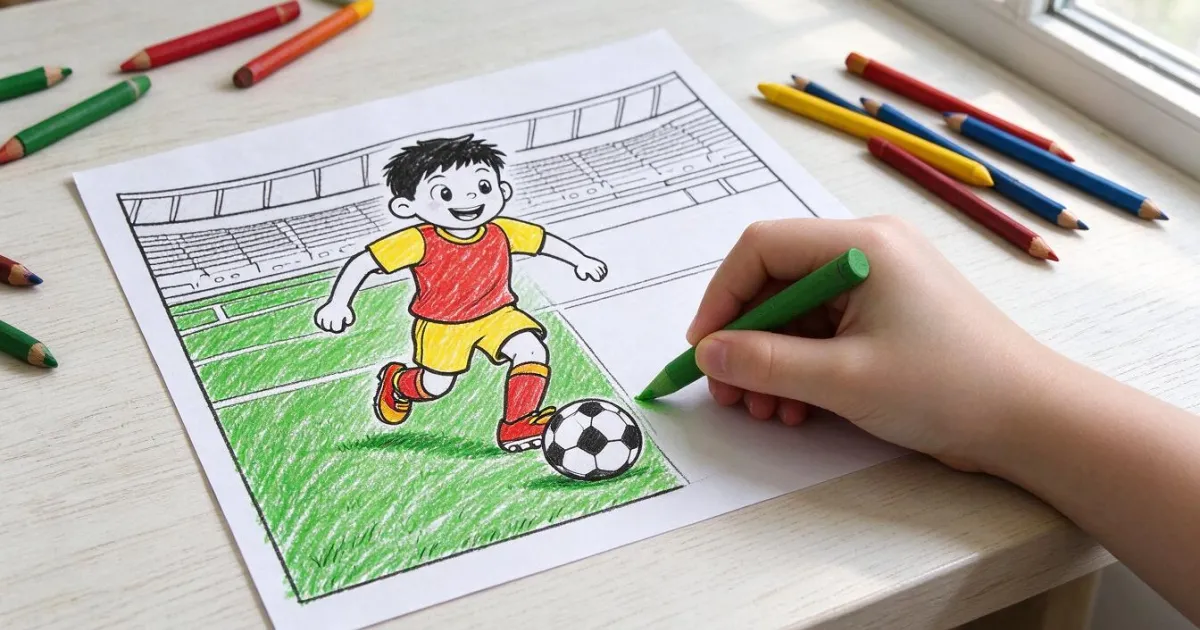
A coloring page works when the child can fill it in without going outside the lines and without getting frustrated: thick black outlines and closed shapes, pure white background, and wide areas. If the drawing has shading, dot patterns, or half-pixel lines, the result when coloring is messy and the child abandons it halfway.
The four specific criteria you can check before printing:
- Line thickness. Look at the drawing at 100% zoom. If the outlines look like one-pixel hairs, they will break when printed. Look for strokes that already look like a marker at screen size.
- Closed areas. Each area to be colored must be surrounded by a continuous line. An open line doesn't bother on paper, but it ruins the result if you color it with a digital painting app.
- Truly white background. Many AI-generated images come out with a "warm" white or gray noise. On screen, it doesn't show; on paper, it means the printer fills the entire sheet with light ink.
- No tiny text. Names, numbers, and scores look good if they are large. If they are small, they smudge when printed.
The third point is the most costly and the one least people check. aiColorCup normalizes the background to pure white after generating the image, just to avoid this.
The five real options to get a World Cup drawing, compared
There are five paths and only one provides a personalized page: searching on Google Images, downloading a PDF from a resource website, buying a coloring book, drawing it by hand, or generating it with a tool that uses the child's photo.
| Option | What you get | Time | Personalization |
|---|---|---|---|
| Google Images | Loose JPGs, often recompressed or with watermarks | 5-15 min searching and discarding | None |
| PDF from children's resource website | Clean pages ready for A4 | 2-5 min + registration on the website | None |
| Football coloring book | Print quality, thick paper | Days (purchase and shipping) | None |
| Draw it by hand | Unique and with all the love | 30-60 min and know how to draw | Total |
| aiColorCup | Page with the child's hairstyle and features, their name, their number, their team, the opponent, and the score | Less than a minute | High |
The first four still work to fill an afternoon. The practical difference appears at a birthday or in a class: with a generic page, all the children color the same; with a personalized one, each colors their drawing.
How to create the page with your child's face, step by step
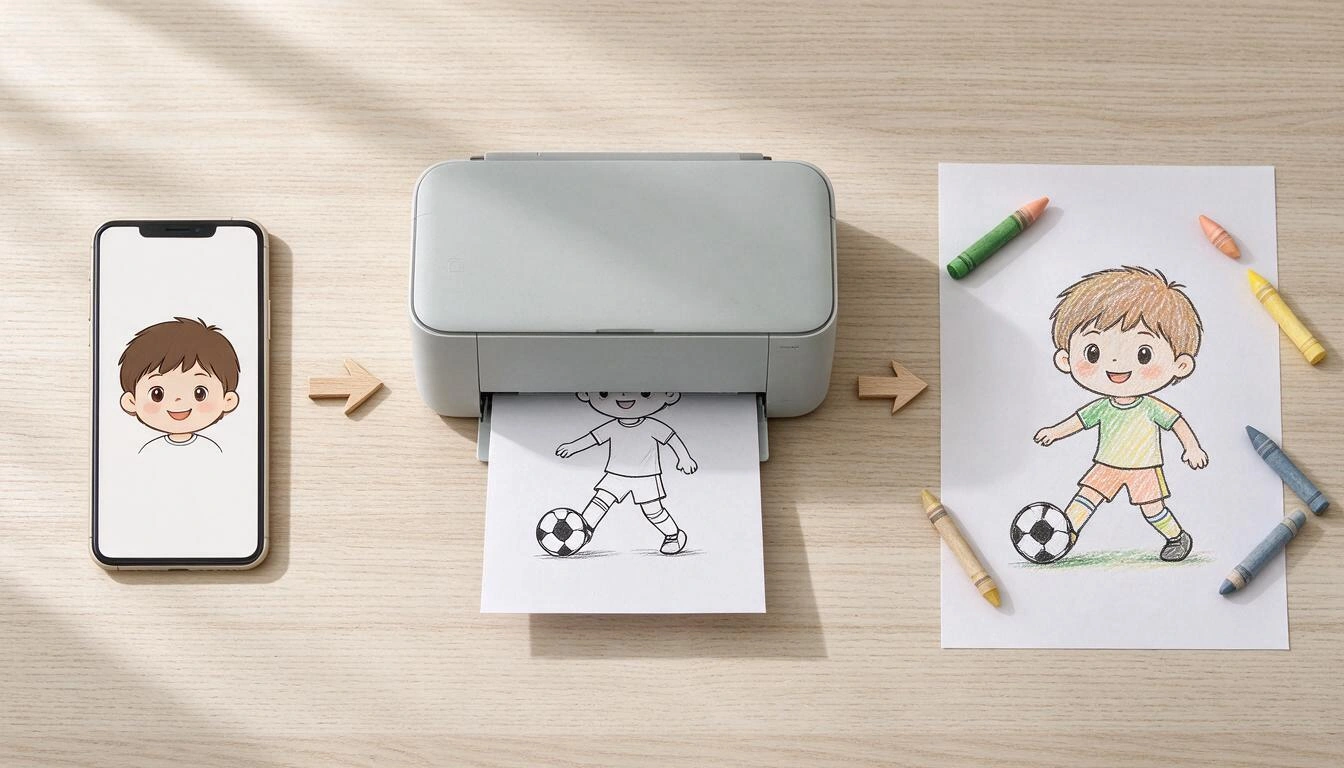
aiColorCup asks for six pieces of information on six screens —name, number, your team, the opponent, the score, and the photo— and from there generates the page. There is nothing to install: it works from the mobile or computer browser.
- Type the name that will go on the shirt (up to 20 characters; it prints in uppercase).
- Choose the number, from 1 to 99.
- Choose your team from the 32 available, grouped by confederation (Europe, South America, North America, Asia, and Africa).
- Choose the opponent, which must be a different team from yours.
- Put the score you want, from 0 to 20 goals per team.
- Upload the photo (JPG, PNG, or WebP, up to 10 MB) from the gallery or take it at the moment.
In a few seconds, the page appears. From that same screen, you can print it, download it, or share it, and it is saved in "My photos" in case you want to print it again another day or delete it.
What each field of the form does exactly
Each piece of data you fill in changes a specific element of the drawing. This table is the map between the form and what ends up on the paper.
| Field | What appears on the sheet | Limit |
|---|---|---|
| Name | On the chest of the shirt, in uppercase, above the number | 20 characters |
| Number | Large number on the chest | From 1 to 99 |
| Your selection | Shirt with the team's pattern and a drawn emblem | 32 selections |
| Rival | Two rival players chasing from behind, and their name on the scoreboard | Different from your selection |
| Scoreboard | Scoreboard at the top with the result | 0 to 20 per team |
| Photo | Hairstyle, hair length, and face shape of the character | Image up to 10 MB |
The rest of the scene is fixed: the character runs towards the viewer dribbling the ball, with stands and an audience drawn in the background. There is no goal or net, and the illustration comes without a frame, full bleed, so it occupies the entire sheet.
Which photo to choose for the character to truly resemble
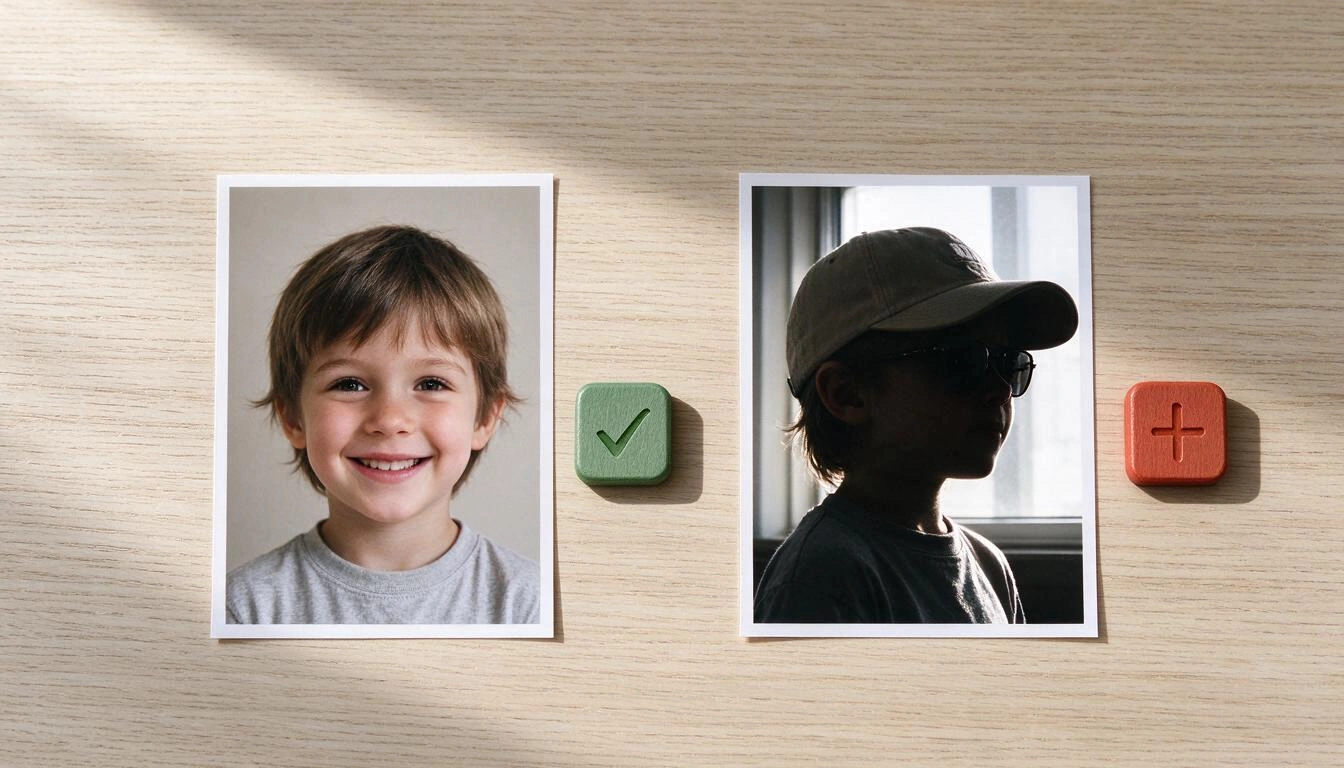
The AI focuses mainly on the hairstyle, hair length, and face shape. That’s why it works very well with a well-lit, frontal portrait with a clear face, and poorly with backlit photos, profile shots, or with hats and sunglasses.
Works well:
- Face looking at the camera, shoulders included.
- Diffused light (next to a window, or outdoors with the sun behind the photographer).
- Visible hair: it is the feature that has the most weight in the resemblance.
- Only one person in the frame.
Works poorly:
- Backlight: the face becomes dark and the character appears generic.
- Hats, hoods, and sunglasses: cover exactly what the AI uses.
- Full body photos from five meters: the face occupies 40 pixels and there is no information.
- Group photos: it doesn’t know who to draw.
It’s important to say it clearly: the result is a cartoon character inspired by the photo, not a faithful portrait. The goal is for the child to recognize themselves and feel excited, not to achieve photographic likeness.
What paper size is best to print it
The sheet comes out in 1536 × 1024 pixels horizontally (3:2 ratio). This gives more than sufficient sharpness in A5 and A4, and starts to look pixelated in A3. For black line drawing on white, from about 120 dpi the eye can no longer distinguish the edge of the stroke.
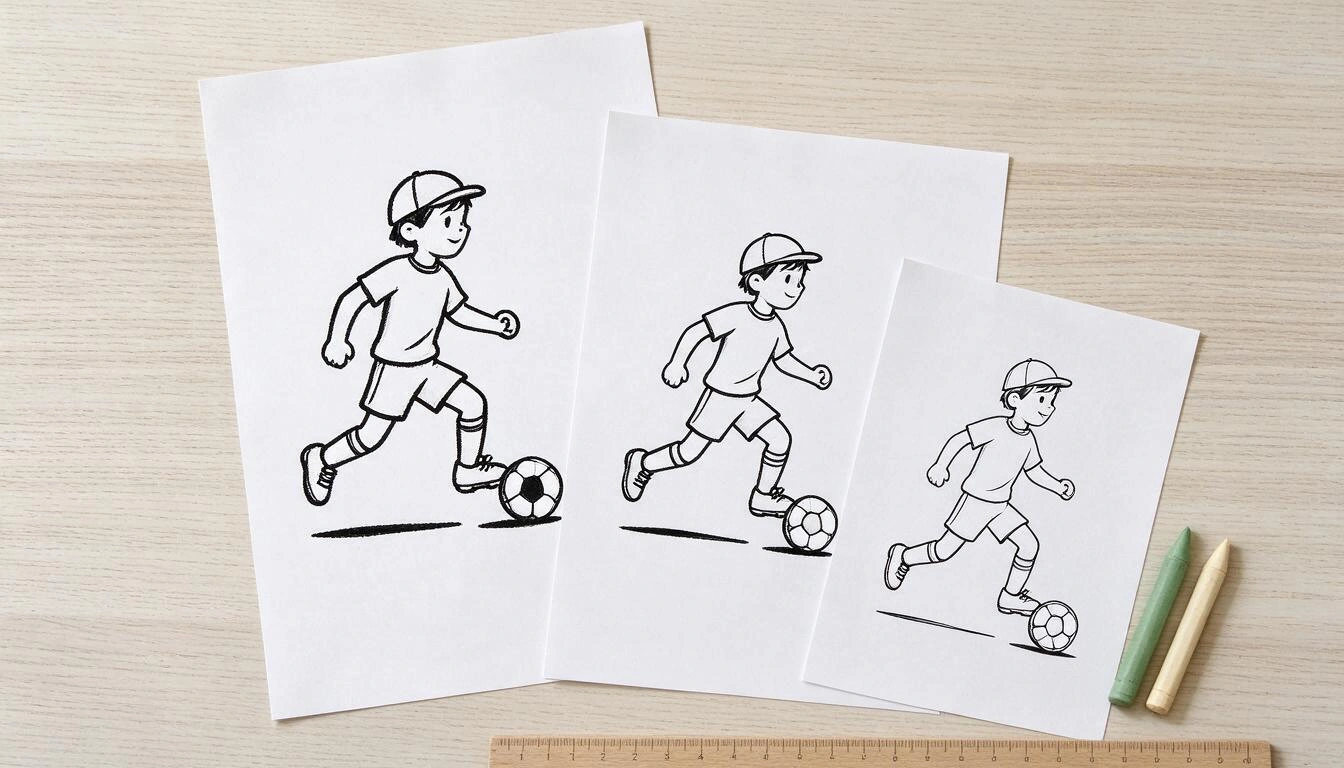
| Paper and orientation | Approx. printed size | Resulting resolution | Good for |
|---|---|---|---|
| A5 horizontal | 21 × 14 cm | ≈ 186 dpi | Small children, very sharp strokes, little space to fill |
| A4 vertical (without changing anything) | 21 × 14 cm in the upper half | ≈ 186 dpi | Quick, but wastes half a sheet |
| A4 horizontal | 29.7 × 19.8 cm | ≈ 131 dpi | The recommended option: full sheet and clean lines |
| A3 horizontal | 42 × 28 cm | ≈ 93 dpi | Classroom mural; up close the edge of the stroke is noticeable |
Three settings that change the result:
- Horizontal orientation. If you leave the print dialog in vertical, the drawing only occupies the top strip. Switching to horizontal is the only essential change.
- Scale to 100% or "fit to page." Do not use "enlarge to printable area" if your printer crops at the edges.
- Grayscale and normal quality. It’s black line: printing in color adds nothing and uses up color cartridges.
About the paper: with crayons and pencils, normal 80 g/m² paper works well. With markers, it’s better to go up to 120-160 g/m², because thin paper bleeds through and marks the sheet underneath. If you are going to print many for a party, a pack of 120 g/m² makes the difference between tables with stains and tables without them.
What real data from the 2026 World Cup can you include in the sheet
The 2026 World Cup was held from June 11 to July 19, 2026 in the United States, Mexico, and Canada, with 48 teams and 104 matches, the largest tournament in history. In the final, Spain defeated Argentina 1-0 at MetLife Stadium, with a goal from Ferran Torres in extra time, and secured their second world title.
| Data | Value | Source |
|---|---|---|
| Tournament dates | June 11 – July 19, 2026 | Official FIFA calendar |
| Participating teams | 48, in 12 groups of four | Official FIFA calendar |
| Matches | 104 | Official FIFA calendar |
| Host countries | United States, Mexico, and Canada | Official FIFA calendar |
| Final | Spain 1 - 0 Argentina, MetLife Stadium, July 19, 2026 | CNN en Español and La Nación, July 19, 2026 |
(Data consulted on October 25, 2026.)
This provides material for the scoreboard. Three ideas that work:
- The real final: your team Spain, rival Argentina, score 1-0. For those who saw it and want their memory.
- The match they would have liked: their team winning by a landslide against the rival of their choice. It’s the one that kids find the funniest.
- An impossible match: Mexico against Japan, Senegal against Croatia. Since there are 32 teams and the rival just has to be different, combinations that never existed come out.
Be careful with one thing: the kits and badges are drawn interpretations based on the colors and patterns of each team, not official reproductions. aiColorCup is not affiliated with FIFA or any federation.
How to set up the activity at a party or in class
With one sheet per child, a coloring session takes between 20 and 40 minutes and requires nothing more than crayons and a table. The logistical key is to generate and print beforehand, not during the party.
A plan that works for a birthday with 8-10 children:
- The week before, ask parents for a photo of each child via the messaging group (a front photo, it will take them a minute).
- Generate one sheet per child with their name, their number, and their favorite selection. It takes about 40 seconds per sheet.
- Print on A4 landscape on 120 g/m² paper, one copy of each and a couple of spares.
- At the party, distribute each sheet to its protagonist. The moment of recognizing themselves in the drawing is half the fun.
- Leave the crayons in the center of the table, not a box per child: it encourages sharing and extends the activity.
In class, it works the same with a variant: a different selection per table or group, and the mural of all the sheets together at the end. For that case, A4 landscape is still better than A3, because A3 loses definition in fine lines.
What aiColorCup does not do (so you won't be surprised)
aiColorCup generates the sheet for printing; it is not a painting app on screen. Inside the app you do not color digitally: what it does is give you the black line drawing on white so you can print it and color it by hand.
The specific limits, said plainly:
- Does not color on screen. There is no paint bucket, no brush, no digital palette. The sheet is colored on paper.
- 32 selections, not 48. The most sought after are there (Argentina, Brazil, Spain, France, Germany, England, Portugal, Mexico, United States, Canada, Japan, Morocco…), but not all those that competed in the tournament.
- The likeness is cartoonish. It takes the hairstyle and the shape of the face; it is not a portrait.
- The text may come out imperfect. Image generators occasionally write letters with errors: a short name in uppercase comes out much better than a long one. If the sheet does not convince you, generate another one.
- It is not official material. No official crests, no FIFA license, no real player numbers.
- You need an AIsToHire account to generate and save your sheets.
Frequently Asked Questions
What photo should I upload for it to look like my child?
A frontal portrait, with good light and a clear face: no cap, no sunglasses, and no backlight. The AI mainly uses the hairstyle, hair length, and face shape. A passport-style photo taken with a mobile next to a window gives better results than a full-body photo in the park.
Can I print it on a normal sheet or do I need special paper?
With crayons and colored pencils, a normal 80 g/m² sheet works perfectly. If your children are going to use markers, go up to 120-160 g/m²: the thin sheet bleeds through and stains the sheet underneath. What you do need to change in the print dialog is the orientation to landscape, because the sheet is wide.
Why does the name on the shirt come out with some strange letters?
Because image models still occasionally write text with errors. This happens in all generators, not just here. What works best: short names (up to 8 or 9 letters) and in uppercase. If you don't like the result, generate the sheet again; each generation is different.
Can it be colored from the mobile without printing?
Not within aiColorCup: the app generates the drawing, it does not include tools to paint it on screen. You can download the image and open it in any drawing app on your mobile or tablet, but the experience it is designed for is to print it and color it by hand.
Are all the selections from the 2026 World Cup included?
No. There are 32 selections available, grouped by confederation, not the 48 that played in the tournament. The most sought after from Europe, South America, North America, Asia, and Africa are included. If yours is not there, you can choose another with similar colors.
Are the shirts and crests official?
No. They are interpretations drawn from the colors and pattern of each selection, with the crest as a simplified emblem. aiColorCup is not affiliated with FIFA or any federation, and the sheet is not licensed material.
How long does it take to generate and what do I do if it fails?
Normally less than a minute: the image is generated in the background and the screen updates itself when it is ready. If the generation fails, a button appears to retry it without having to fill out the form again.
Can I put the real result of the 2026 World Cup final?
Yes. In the score step, you choose the goals for each team from 0 to 20, so you can set Spain 1 - 0 Argentina, which was the result of the final on July 19, 2026, at MetLife Stadium. Or make up whatever score excites your child the most.
Is it suitable for a whole class or a birthday?
Yes, generating one sheet per child. Each one takes a few seconds, so for a group of ten, it requires some preparation time and a batch of printing. The practical thing is to do it the day before and bring the sheets already printed.
Do I need to install anything?
No. aiColorCup works from the browser, on mobile, tablet, or computer, and is available in Spanish, English, French, Italian, Portuguese, and German. You only need an AIsToHire account to generate your sheets and keep them saved.
aiColorCup is the mini-app from AIsToHire that turns a photo of a child into a drawing of the 2026 World Cup for coloring: you choose selection, rival, number, name, and score, and you get a horizontal black and white sheet ready to print. It is available at aiColorCup – Drawing for coloring the 2026 World Cup, works from the browser in six languages, and each sheet is saved in your account for reprinting whenever you want.
Create your child's World Cup 2026 coloring sheet in under a minute: upload a photo, choose the team, rival, jersey number, and score, then print it out to color.
Create your child's World Cup 2026 coloring sheet in under a minute: upload a photo, choose the team, rival, jersey number, and score, then print it out to color.Keep reading
View all articles →
U-17 World Cup Qatar 2026: schedule, groups, and how to follow it with kids

Why Your Car Insurance Increased in 2026: Average Premium of €1,412 and Historic Record

Discussing via WhatsApp or talking in person: what science says about couple conflicts through messages
