 aiBrand
Someone has registered a lookalike domain of my company: how to detect it, what risk it poses, and what to do
Team at aiBrandWritten with AI assistance20 min readIn summary
- The lookalike domain that causes the most harm almost never has a website. What makes it dangerous is having an MX record, that is, an email server: that is enough to write to your clients pretending to be you, without setting up a single page.
- According to the 2026 Domain Security Report by CSC (published in January 2026, about the Forbes Global 2000 and the 100 largest unicorns), 88% of the homoglyph domains containing the name of one of those brands belong to third parties, and 40% of them have configured MX records.
- You can check any suspicious domain yourself and for free in five minutes with
digand an RDAP query. In this article, you have the exact commands. - If someone applies for a trademark similar to yours, the deadline to oppose before the OEPM is two months from its publication in the BOPI (art. 19 of Law 17/2001 on Trademarks, developed by its Regulation). The BOPI is published every business day, so that clock can start any Tuesday without anyone notifying you.
- aiBrand, the brand and domain monitoring app from AIsToHire, automatically generates and checks hundreds of variants of your domain against the DNS and alerts you when one of them changes status or launches an email server.
You have received the alert through the usual channel: a client forwards you a strange email, or you search for your company on Google and something that looks too similar appears. Someone has registered a domain almost identical to yours. The first question is always the same —is this serious?— and the honest answer is: it depends on a very specific detail that almost no one looks at.
This guide explains what to look for, in what order, how to check it yourself without paying anything, and what real options you have afterward. In the end, you will see how aiBrand, the brand and domain monitoring app from AIsToHire, automates exactly that check so you don’t have to rely on a client notifying you. You can see the tool on the aiBrand landing page at AIsToHire.
Notice: this article is informational and is not legal advice. Decisions about trademarks and domains should be made with an industrial property agent or a lawyer.
The dangerous domain is not the one that copies your website: it's the one with an email server
A lookalike domain to yours with a copied website is annoying and visible: you see it, your clients see it, Google sees it. A lookalike domain without a website but with an MX record is invisible and much more profitable for the one who registered it, because it allows them to send emails that look like yours —an invoice with the account number changed, a notice to "update your payment details"— without raising any prior suspicion.
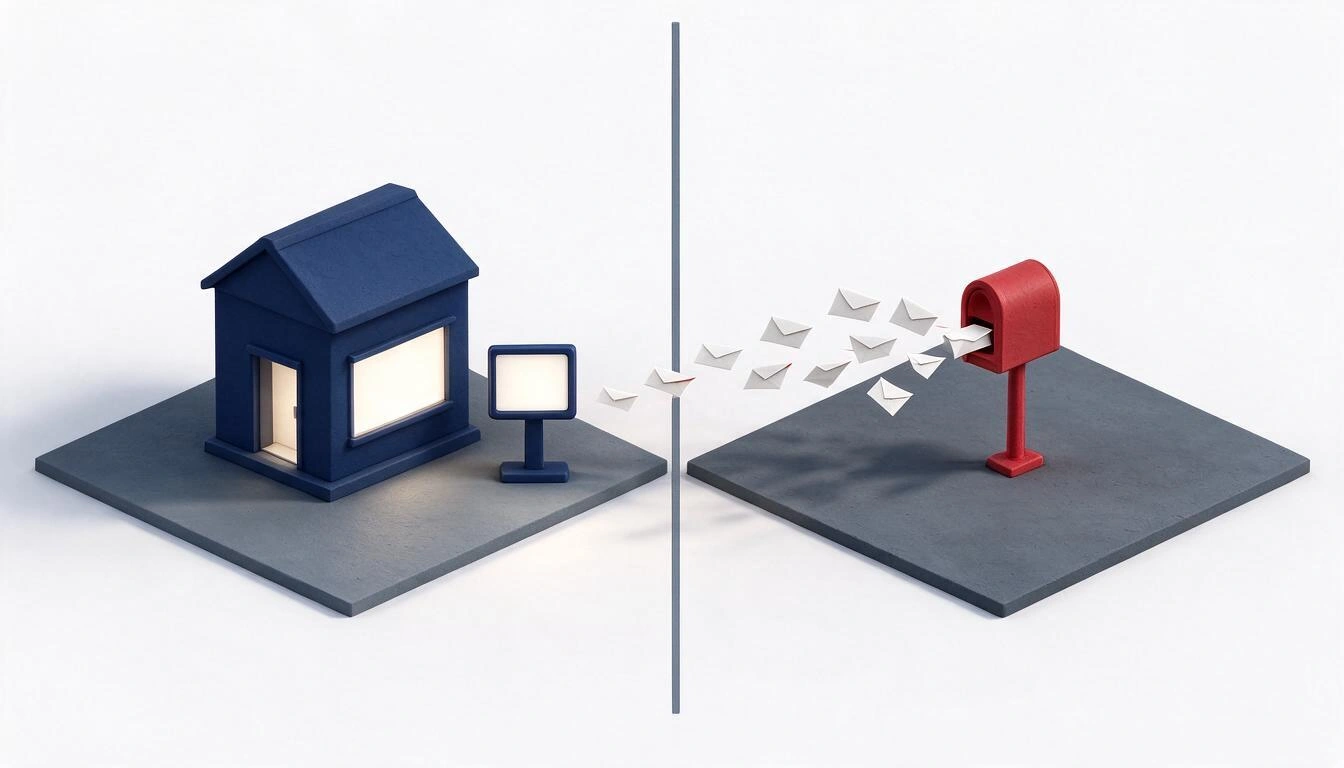
The MX record is the DNS entry that tells which server to deliver the email of a domain. If it exists, that domain is set up for email. And the sender that your client sees in their inbox is not the DNS: it's a name that can be read at a glance and that differs from yours by one letter.
Public data points in the same direction:
| Data | Figure | Source and date |
|---|---|---|
| Homoglyph domains with the name of a Global 2000 brand that belong to third parties | 88% | CSC, Domain Security Report 2026 (January 2026) |
| Of those third-party domains, those with MX records | 40% | CSC, Domain Security Report 2026 |
| Registered domains similar to a Global 2000 brand that do not belong to that brand | 80% | CSC, Domain Security Report (2024 edition) |
| Cybersecurity incidents managed in Spain in 2025 | 122,223 (+26% over 2024) | INCIBE, press release March 2026 |
| Phishing cases within those incidents | 25,133 | INCIBE, 2025 |
| Online fraud out of the total incidents | 4 out of 10 (45,445 cases, +19%) | INCIBE, 2025 |
An important and honest clarification: the CSC figures measure large corporations, not Spanish SMEs. They serve to understand the pattern —those who register these domains prioritize email over the website— not to extrapolate a percentage to your business.
What each state of a lookalike domain means exactly
A lookalike domain is not a switch of "danger yes / danger no": it has states, and each one requires a different reaction. This is the classification used by aiBrand after checking the DNS and HTTP of each variant, and that you can reproduce manually with the commands from the next section.
| State | What it technically means | What it implies for you |
|---|---|---|
| Not registered | There are no name servers or public registration | Today there is no risk. Tomorrow there may be: what matters is to monitor the change |
| Registered, without a website | It is registered and resolves DNS, but no page serves | Ambiguous by itself. If it also has MX, it is the most dangerous case on the table |
| Parked | Serves the generic ad page of the registrar | Usually resale or residual traffic. The platform's "catch-all" email adds risk, but is rarely targeted |
| Active website | There is a real site responding | Serious if it imitates your identity, your catalog, or your way of charging |
| Redirects to another website | Responds with a redirect to a third domain | Check where it redirects: to a competitor, to a payment gateway, or to a counterfeiting store changes the reading completely |
| Not verifiable | There is valid DNS but the website blocks the check (captcha, WAF) | Check it manually. The DNS data remains reliable |
And crossing the entire table: does it have its own MX? That question weighs more than the state of the website. A "registered, without a website" with its own email server deserves more attention than an active website in another sector.
The six families of lookalike domains, and why there are hundreds and not four
From a single brand name, hundreds of plausible domains emerge, not three or four. That’s why looking manually at "the two or three that come to mind" gives a false sense of control: the families are systematic and combine with each extension.

Replace tumarca with the real name of your company and you'll have your own list:
| Family | How it is made | Example on tumarca.com | Typical severity |
|---|---|---|---|
| Alternative extension | The same name, another TLD | tumarca.es, tumarca.shop, tumarca.online | Medium (high if you only have the .com) |
| Typosquatting | Omit, duplicate, swap, or replace a letter with its neighbor on the keyboard | tumarc.com, tummarca.com, tumacra.com, tunarca.com | High: the customer does not see it when typing |
| Homoglyph | Change characters to others that look similar | tumarca.com → turnarca.com (rn for m), 0 for o, 1 for l, vv for w, cl for d | Very high: indistinguishable when reading quickly |
| Added word (combosquatting) | Stick a trusted term, payment, or access | tumarca-pago.com, login-tumarca.com, tumarcafactura.com, tumarca-clientes.es | Very high when the term is for payment or access: there is no plausible legitimate use |
| Hyphens | Separate the words of the name | tu-marca.com, tu-marca.es | Medium |
| Singular / plural | Add or remove the final s | tumarcas.com | Medium |
aiBrand generates these six families deterministically, with up to 300 domains per brand and 13 extensions (.com, .es, .net, .org, .eu, .shop, .store, .online, .site, .info, .app, .co, .com.es), and prioritizes them: typos and homoglyphs on .com and .es are checked daily; the less plausible families, every three days or every week.
The combosquatting dictionary is ordered by real risk, not alphabetically. The access terms (login, acceso, cuenta, clientes, portal, verificacion) and payment terms (pago, factura, cobro, billing) are treated as maximum risk because, if someone registers tumarca-factura.com, the range of innocent explanations is very narrow. The commerce terms (tienda, outlet, ofertas) and support terms (ayuda, oficial, contacto) are one step below.
How to check it yourself, for free, in five minutes
You don’t need any paid tools to audit a specific domain. With dig (included in macOS and Linux; on Windows, nslookup or WSL) and an RDAP query, you have 90% of the information that matters. Replace turnarca.com with the domain you are concerned about.
# 1) Is it registered? If there are no NS or SOA, it probably isn't.
dig +short NS turnarca.com
dig +short SOA turnarca.com

# 2) Does it point to any web server?
dig +short A turnarca.com

# 3) THE KEY QUESTION: can it send and receive email?
dig +short MX turnarca.com

# 4) Clues about which email provider it uses (string v=spf1)
dig +short TXT turnarca.com

# 5) Is there a website? Where does it actually redirect?
curl -sIL https://turnarca.com | head -n 20

# 6) When was it registered and with which registrar? (gTLD: .com, .net, .org…)
curl -s https://rdap.org/domain/turnarca.com
How to read the result:
- No NS or SOA → almost certainly not registered. The definitive answer comes from step 6: the absence of DNS is not proof that it does not exist.
- MX with result → that domain is set up for email. Pay attention to the server name: if it points to an email provider (Google, Microsoft, Zoho, a hosting) it is email configured on purpose. If it points to a domain parking service, it is usually an automatic catch-all from the registrar: real risk but less targeted.
- Empty MX and empty A, but the domain is registered → someone bought it and has it reserved. This is the state to watch over time, because the day it activates MX everything changes.
- RDAP with a creation date of less than 90 days → fits much better with an opportunistic move than with a business prior to yours. If it was registered eight years ago, it is most likely a coincidence.
- Holder "not public" → this is normal since the GDPR required hiding personal data in public records (ICANN, 2018). By itself, it is not an indication of anything.
One detail worth knowing: the .es does not have public RDAP, so step 6 does not work with Spanish domains; you must consult the WHOIS of dominios.es. aiBrand states this on-screen instead of making up data.
And take the opportunity to audit your own domain
While you're at it, check the two defenses that make it difficult for someone to send email impersonating your real domain:
dig +short TXT tudominio.com          # should show a string v=spf1
dig +short TXT _dmarc.tudominio.com   # should show a string v=DMARC1
If either of the two comes back empty, talk to your email provider. Be careful with the expectation: SPF and DMARC protect your domain; they do not prevent someone from using another lookalike domain, which is precisely the hole that this type of fraud exploits.
How to Distinguish a Real Problem from Simple Noise
Most lookalike domains to yours are not an attack: they are coincidences, previous businesses in other sectors, or generic resale. These are the signals that raise and lower the risk, in order of weight.
| Signal | What it suggests | Weight |
|---|---|---|
| Has its own MX (not parked) | Can write to your clients as if it were you | The highest |
| Registered less than 90 days ago | Opportunistic movement, not pre-existing business | High |
| Name + payment or access word | No plausible legitimate use | High |
Homoglyph (rn for m, 0 for o) | Designed to be indistinguishable when reading quickly | High |
| Website that copies your visual identity, your texts, or your catalog | Deliberate confusion, not casual | High |
| Redirects to a competitor or a payment gateway | Deliberate exploitation of your traffic | High |
| Generic parking page from the registrar | Resale; annoying, rarely targeted | Medium-low |
| Registered years ago with a real business in another sector | Coincidence | Low |
| Holder hidden by data protection | Normal since 2018 | Neutral |
And an operational rule that is worth gold: a change of status says more than the status. A domain that has been parked for three years and suddenly starts using a mail server on a Tuesday is a much stronger signal than a domain that has always had a website. That’s why aiBrand keeps the history of each domain and only declares a change when two consecutive checks match, so as not to scare you with a network drop.
What You Can Do When the Domain Is Already Registered
The first thing —and free— is not to fight for the domain: it is to document and secure. After that, if the case justifies it, it escalates.
Step 1 · Save the evidence, with date. Capture the state of the domain: DNS, MX, website content, registration date. If there is a procedure later, that dated photo is what certifies how the domain was on the day you detected it. aiBrand generates a PDF of evidence with timestamping, at no cost, from the profile of each domain.
Step 2 · Notify your clients. A line on your website and in your email signature stating what your real domain is and that you never change an account number by email is worth more than any subsequent procedure.
Step 3 · Review your SPF and your DMARC with your email provider, as explained in the previous section.
Step 4 · Cease-and-desist letter. A letter to the domain holder and, in parallel, to the registrar. Many cases are resolved here, especially when the registrar has abuse policies and the use is manifestly abusive.
Step 5 · Extrajudicial procedure. It is the specific route to recover or cancel a domain, and it depends on the extension:
gTLD (.com, .net, .org, .shop…) | .es | |
|---|---|---|
| Procedure | UDRP of ICANN | Extrajudicial conflict resolution regulation for .es domains (in force since 2005, under the National Domain Name Plan, Order ITC/1542/2005) |
| Who administers it | Providers accredited by ICANN, including the Arbitration and Mediation Center of WIPO | Providers accredited by Red.es |
| What needs to be proven | Domain identical or confusingly similar to a trademark on which you have rights; absence of rights or legitimate interests of the holder; and registration and use in bad faith | Identity or confusing similarity with a term on which you have prior rights; absence of rights or legitimate interests; and registration or use in bad faith |
| Possible outcome | Transfer or cancellation of the domain | Transfer or cancellation of the domain |
| Holder's participation | Mandatory by the registration contract | Mandatory |
That nuance in the last row is not a minor detail: the UDRP requires bad faith in both registration and use (cumulative requirements), while the .es regulation allows bad faith in registration or in use. A domain registered in good faith years ago and used in bad faith now may have recourse in .es and not have it in .com. Always check it with a professional before deciding.
To size the phenomenon: WIPO registered 6,192 UDRP complaints in 2023, its record at that time (source: WIPO case statistics), and in 2025 it surpassed 6,200, marking a new historical high according to its annual report published in January 2026. In total, WIPO has accumulated more than 80,000 cases since the procedure has existed, divided between generic and country code domains.
None of these steps are free in time or fees, and none guarantees a result. That’s why the order matters: the free and preventive first.
The other front: you have two months to oppose a lookalike trademark
While you monitor domains, there is a second front with a much stricter clock. When someone applies for a trademark with the OEPM, their application is published in the Official Bulletin of Industrial Property (BOPI) and from that publication, an opposition deadline of two months runs for anyone who considers themselves harmed to file an opposition.

The data that defines that clock:
- Legal basis: Article 19 of the Law 17/2001, of December 7, on Trademarks regulates oppositions and refers the deadline to its regulatory development, which sets it at two months from the publication of the application in the BOPI.
- The deadline counts from the publication, not from when you find out. If you discover the application on day 50, you have 10 days left, not two months.
- The BOPI is published every business day, not once or twice a month as was traditional. Volume I is dedicated to trademarks and other distinctive signs. Your clock can start any Tuesday.
- The volume is large: Spain registered 57,158 trademark applications in 2025, an 11.5% increase from 2024 and the best figure in the last decade (Ministry of Industry and Tourism, press release of 2026). That’s about 4,800 publications per month among which the one affecting you may be included.
That combination —daily publication, short and non-extendable deadline, and tens of thousands of applications per year— is the reason why trademark monitoring is automated or not done.
What aiBrand does exactly, and what it does not do
aiBrand is the app from AIsToHire that turns all of the above into an automatic process: you register your trademark once and the app generates and checks its domain variants for you, with a traffic light, history, and email alerts. You can see it in detail on the aiBrand page at AIsToHire.
We say it with the same clarity in both directions:
| Yes it does, today | No it does not |
|---|---|
| Generates up to 300 domain variants per trademark in 13 extensions and truly checks them against the DNS (NS/SOA, A, MX, SPF) and via HTTP (status, title, redirects, parking detection) | Does not register or buy domains for you |
| Marks as critical risk the lookalike domains that launch their own mail server, with the date since they have it | Does not file the opposition with the OEPM or any UDRP or .es procedure |
| Checks more frequently the more dangerous the variant is (daily / every 3 days / weekly) and requires two matching readings before declaring a change | Does not provide legal advice or estimate success probabilities |
| Queries RDAP to know when it was registered and with which registrar, and interprets the data (recent registration = signal) | There is no public RDAP for .es: it states on screen instead of making it up |
| Generates a PDF of evidence with timestamping, for free, from the record of any domain | Does not monitor EUIPO, WIPO, or international registrations: the scope is OEPM / Spain |
| Compares brand names with a deterministic engine: Spanish phonetics (b/v, seseo, c/k/qu, g/j, ll/y, silent h), typos, homoglyphs, common root and dominant element, weighted by Nice classes | Does not compare logos or figurative marks: only their denominative part |
Calculates the opposition deadline of 2 months from the official publication date, with a countdown, progress bar, and .ics reminders for your calendar at 15 days, 3 days, and the last day | Does not monitor trade names, corporate names, social networks, or marketplaces |
| Drafts, only if you request it and after confirming the cost, three documents with AI: confusion risk report, draft of opposition letter, and cease-and-desist letter (in two versions: to the holder and to the registrar), in editable PDF with missing data marked as blanks | Those documents are drafts not reviewed by a professional, and the PDF itself states this in a notice that cannot be removed |
| Alerts by email: immediate grouped, weekly summary, and deadline reminders | — |
And the transparency that matters: the entire monitoring is deterministic and does not consume credit, because it does not go through any AI model. Only the three drafted documents consume credit, always after an explicit click and a screen with the cost and your balance in front of you; if the generation fails, no charge is made.
A limitation that is good to know before registering: the automatic connection with the OEPM bulletin is still in preparation. The comparison engine, the Nice classes, the deadline calculation, the alert tray, and the documents are built and functioning —you can see them from end to end with the simulation that the app brings—, and the domain monitoring is fully operational from day one. The app itself declares this on its home screen and in its "How we monitor" section, just as we say it here.
Frequently Asked Questions
Can I prevent someone from registering a lookalike domain of mine?
No. Domains are assigned on a first-come, first-served basis, and except for the mechanisms of the Trademark Clearinghouse of ICANN —Sunrise periods and Trademark Claims notices, which only cover exact matches and only in new extensions during their launch—, no one checks before registration if a name resembles someone else's trademark. A typo or a homoglyph of your trademark does not activate any of those protections. What you can do is find out on the day it happens instead of months later, and react while the domain has not yet been used against you.
How do I know if a lookalike domain of mine can send emails?
By checking its MX record. From a terminal: dig +short MX eldominio.com. If it returns one or more servers, that domain is set up for email. If they point to a known email provider, it's intentionally configured email; if they point to a parking service, it's usually an automatic catch-all from the registrar.
Can I be impersonated even if that domain has no website?
Yes, and it is the most common scenario. To send an email that looks like yours, no webpage is needed: just a lookalike domain and an email server. That's why a "registered, no website" domain with its own MX is more concerning than an active website in another sector.
Do I have to buy all the lookalike domains of mine to protect myself?
It's not feasible: from a single name, hundreds of plausible variants arise from typos, homoglyphs, added words, and extensions. Buying the three or four most obvious ones (your .com and your .es, and maybe a bit more) is reasonable; beyond that, it's more cost-effective to monitor than to buy.
How much does it cost to recover a domain that imitates my brand?
It depends on the route and the case, and we cannot give you a figure from here. A cease-and-desist letter can be resolved with a letter; a UDRP procedure before an accredited provider or the extrajudicial procedure of .es have their own fees and costs. Consult with an industrial property agent before deciding: neither guarantees a result.
How much time do I have to oppose if someone applies for a trademark similar to mine?
Two months from the date their application is published in the BOPI. The deadline counts from the official publication, not from the day you find out, and it is not extended. It is provided for in Article 19 of the Trademark Law 17/2001 and specified in its Regulation.
Does aiBrand file the opposition for me with the OEPM?
No. aiBrand detects, explains why it alerts you, puts the deadline in front of you with a countdown, and drafts an opposition letter with the blanks marked. Submitting it to the OEPM is up to you or your agent, and it's advisable for a professional to review the draft first.
Do I need to have the trademark registered to use aiBrand?
For domain monitoring, no: just registering the name is enough. To oppose a trademark application before the OEPM, you do need a prior right that legitimizes you, so the app is designed for those who already have their trademark registered in Spain or in process.
Does it monitor .es domains?
Yes: the .es is one of the 13 extensions it checks, and it is prioritized along with the .com. The only difference is that the .es does not have public RDAP, so for those domains it may not always show you the registration date and the registrar; when it cannot, it says so.
Does using the monitoring consume credit?
No. Generating the variants, checking the DNS, scoring, calculating deadlines, and sending you alerts by email is a deterministic process that does not go through any AI model and does not consume credit. Only the three drafted documents —report, opposition, and cease-and-desist letter— consume credit, always after you confirm it with the cost in view.
In a nutshell
If someone has registered a lookalike domain of your company, the question you should most urgently answer today is whether that domain has an email server, because that is the way it can reach your customers without you seeing it. aiBrand is the tool from AIsToHire that automatically generates and checks hundreds of variants of your brand's domain against the DNS —including the MX record—, alerts you by email when one changes status, and puts in front of you the two-month deadline to oppose a similar trademark; it is available at aiBrand — Monitoring your trademark and the domains that imitate it
Register your brand at aiBrand and set up monitoring in less than two minutes: we generate hundreds of variants of your domain, truly check its DNS —including the MX record— and notify you by email the day one changes status. Monitoring does not consume credit. Start for free at aiBrand, from AIsToHire.
Register your brand at aiBrand and set up monitoring in less than two minutes: we generate hundreds of variants of your domain, truly check its DNS —including the MX record— and notify you by email the day one changes status. Monitoring does not consume credit. Start for free at aiBrand, from AIsToHire.Keep reading
View all articles →
My brand name has been copied: what you can do and how much time you have

Why Your Car Insurance Increased in 2026: Average Premium of €1,412 and Historic Record

Discussing via WhatsApp or talking in person: what science says about couple conflicts through messages
