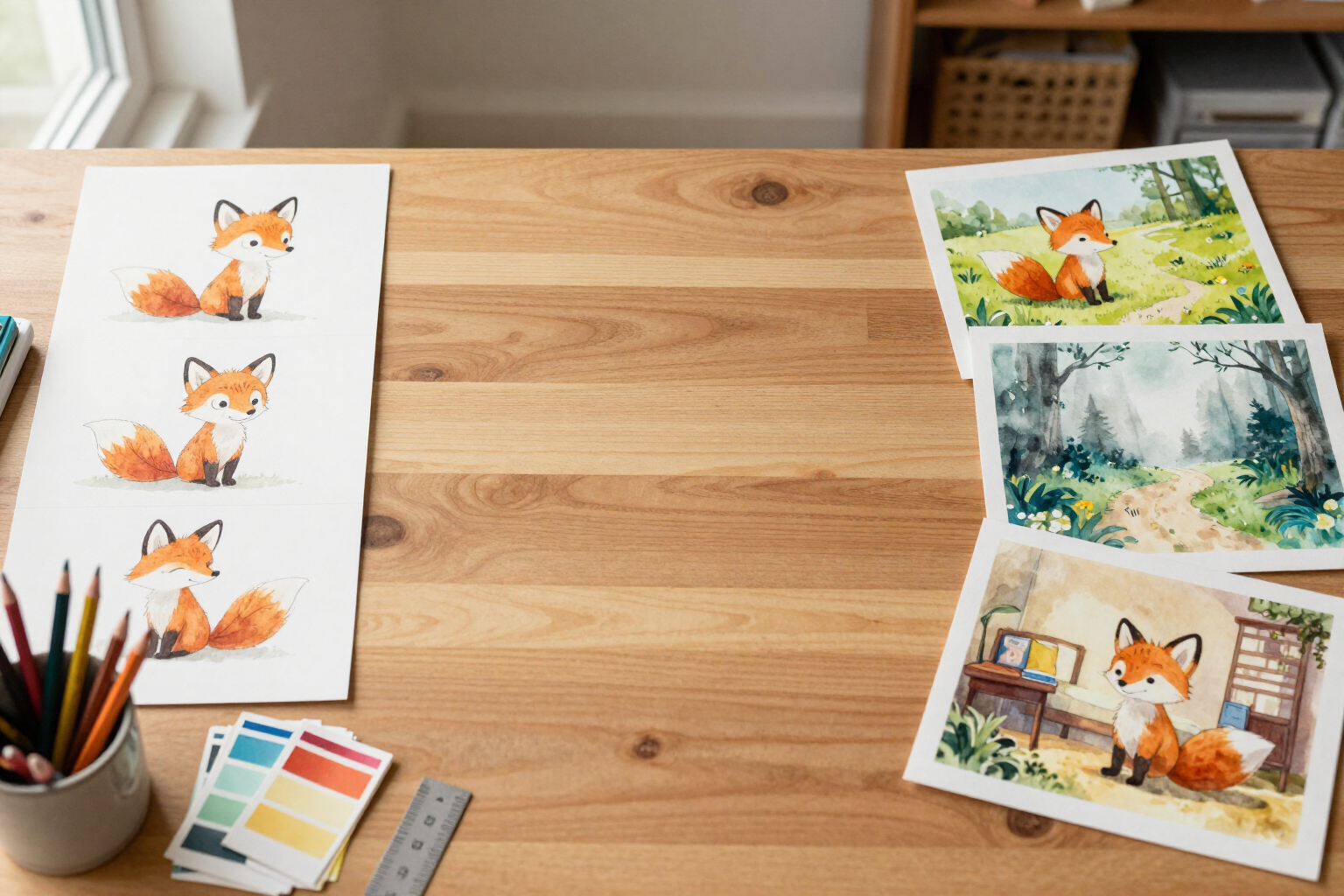
Characters that don't change appearance: visual and narrative consistency throughout the book and the entire series
Each character has their profile and reference image, and that image travels to every illustration: the same protagonist on page 3, on page 20, and in the next volume.
The problem with illustrating a children's story with AI is not the first image: it's the second. You request page 4 and your protagonist has changed hair, clothes, and age. Here, the character is defined once and reused always.
In KDP Story Books, the character is not a phrase within the prompt for each page: it is its own profile, with name, role (protagonist, mentor, pet, antagonist...), narrative personality, and a masterPrompt in English that describes ONLY their stable physical traits —species, build, colors, clothing, distinctive features—. No actions, no backgrounds, no emotions, and no artistic style, because that is exactly what changes from scene to scene. You describe it with a sentence and the AI completes the entire profile for you; or you write it manually.
With the profile ready, the app generates its canonical image: a full-body reference sheet, facing forward, on a white background and with the book's artistic style applied. If the first one doesn't convince you, you request more variants, choose which one stays as canonical from the gallery, or upload your own image and make it the official reference.
From there, that image is the law. When illustrating a page, the app does not describe the character's appearance to the model: it sends the canonical images of the characters in that scene —up to six at a time— along with the book's stylePrompt and the explicit instruction to maintain the same face, the same colors, the same clothing, and the same proportions. The scene prompt talks about action, place, and light, and refers to the characters by name. The same applies to the cover and chapter images.
Consistency is also narrative: the personality of each character is passed to the AI that writes the story, so they not only look alike across pages, they behave the same. And when you assemble the second book, you import the characters from the previous ones with their profile, their masterPrompt, their canonical image, and their gallery already copied —marking those that are from the same series— so that continuity is not broken when changing volumes.
To conclude, an AI vision control compares your already generated illustrations against the profiles and tells you on which page something is wrong: different hair color, incorrect clothing, apparent age that doesn't match, character that should be there but isn't. And the KDP validator alerts you if any character is left without a reference image before exporting.
Benefits of Consistent characters
Character profile, not disposable prompt
name, role, personality, and a masterPrompt in English with only the stable physical traits. It is written once and reused on all pages.
Canonical reference image as a real reference
the app does not redescribe the character in each scene, it sends their reference image to the model with the instruction to maintain face, colors, clothing, and proportions.
Up to six characters per scene
you can illustrate pages with multiple protagonists at once, and each one comes with their own canonical reference.
The AI fills in the character sheet
you describe the character with a sentence and receive personality and masterPrompt ready, with physical traits already separated from the action and style.
You choose the final face
request variations of the canonical image, keep the one you like best from the gallery, or upload your own image as the official reference.
Consistency in writing as well
the personality of each character is included in the prompt of the tale, so they behave the same on all pages, not just look alike.
Continuity in the book series
import characters from your other books with character sheet, masterPrompt, canonical image, and gallery included, and mark those that belong to the same series.
AI vision review
an automatic check compares the illustrations with the character sheets and highlights page by page any inconsistencies in hair, clothing, age, or missing characters.

Define your protagonist once and recognize them on every page
Create the book, fill out your characters' sheets, generate their reference image, and start illustrating the tale without anyone changing their face.