
AIsToCV · Stop sending the same CV everywhere

For anyone looking for work who doesn't have half an afternoon to rewrite their CV for every application: tell AIsToCV your career once, paste the job offer and it tells you requirement by requirement how you fit before writing the CV for that offer, in its language and only with what you've actually done.
Do you send the same CV to every job offer because tailoring it takes half an afternoon?
The generic CV gets filtered out at the first screen, and tailoring it by hand means rereading the offer, searching for which of your experience fits, and rewriting half the document. AIsToCV flips it around: your career is told once and saved as a master profile. From there, every offer you paste becomes a matching table that shows you, requirement by requirement, what you cover and with what evidence from your profile, and the CV is generated from that table. If you don't meet something, you're told and it's omitted: it never makes up experience, a certification or a number you haven't provided.
Start for free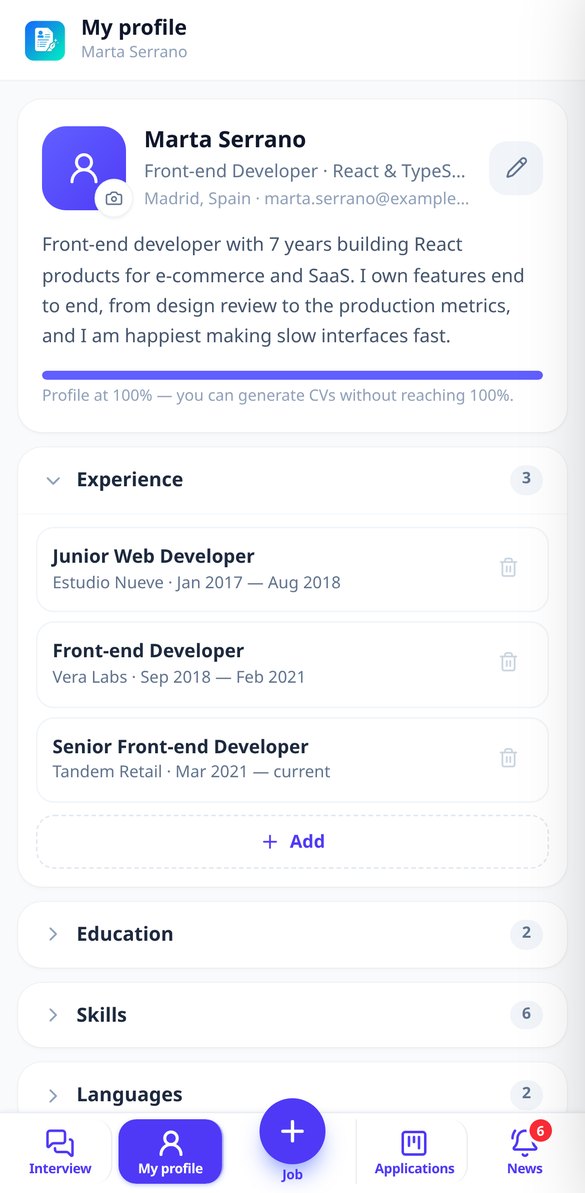
Discover every feature in detail

Compare my CV with the job requirements, one by one
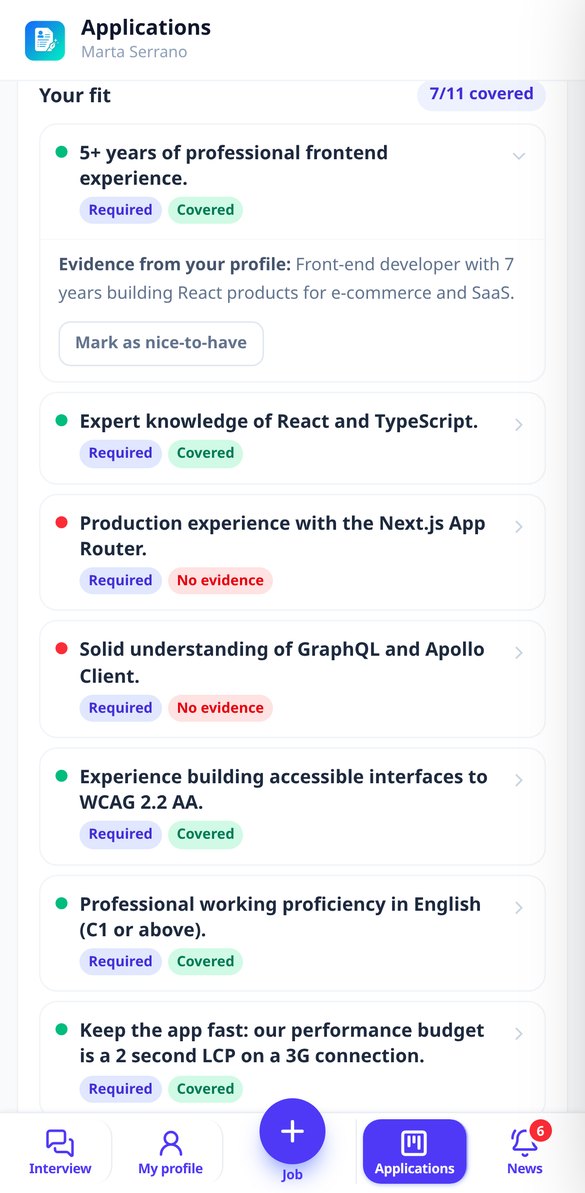
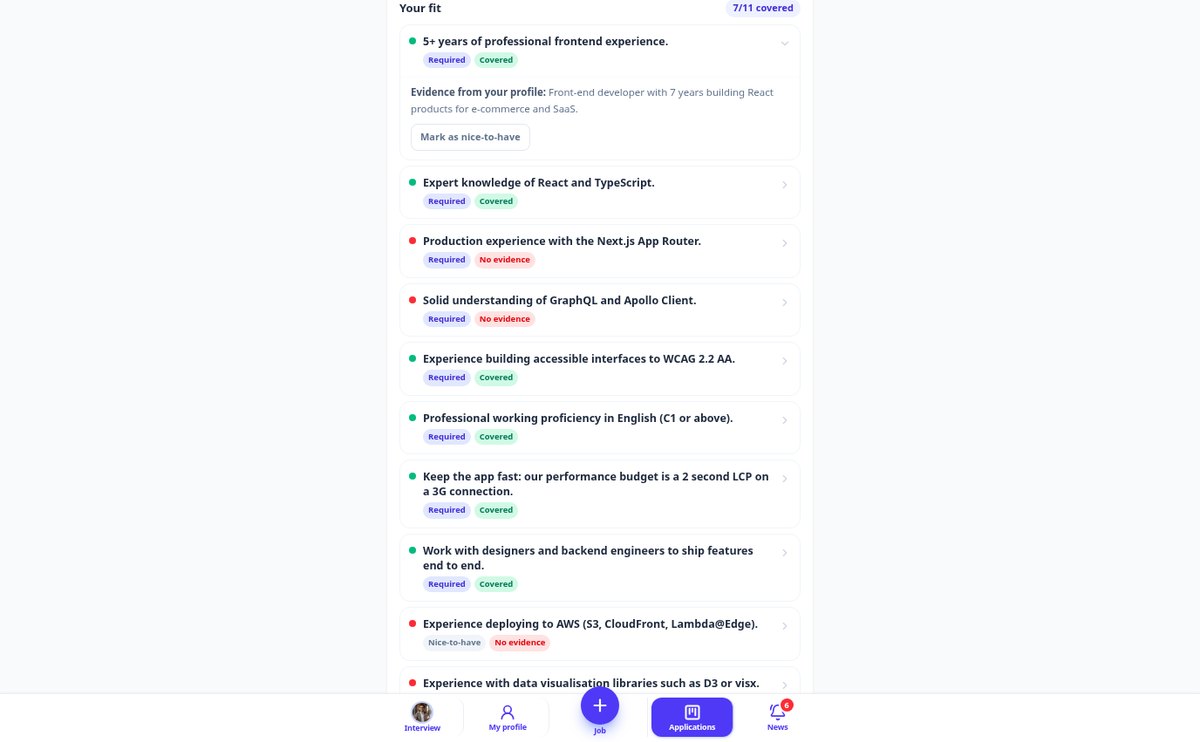
Paste the offer and AIsToCV will tell you requirement by requirement if you meet them: covered, partial, or no evidence, with proof taken from your own profile and a counter of covered requirements. Free.
View feature
AI-generated CV that doesn’t make anything up: zero hallucinations
AIsToCV generates your CV using only what is in your profile: no fabricated experience. Requirements you don't meet are marked and omitted, with a notice of how many there are before generating. Free.
View feature
Tailored CV Generator for Every Job Offer with AI | AIsToCV
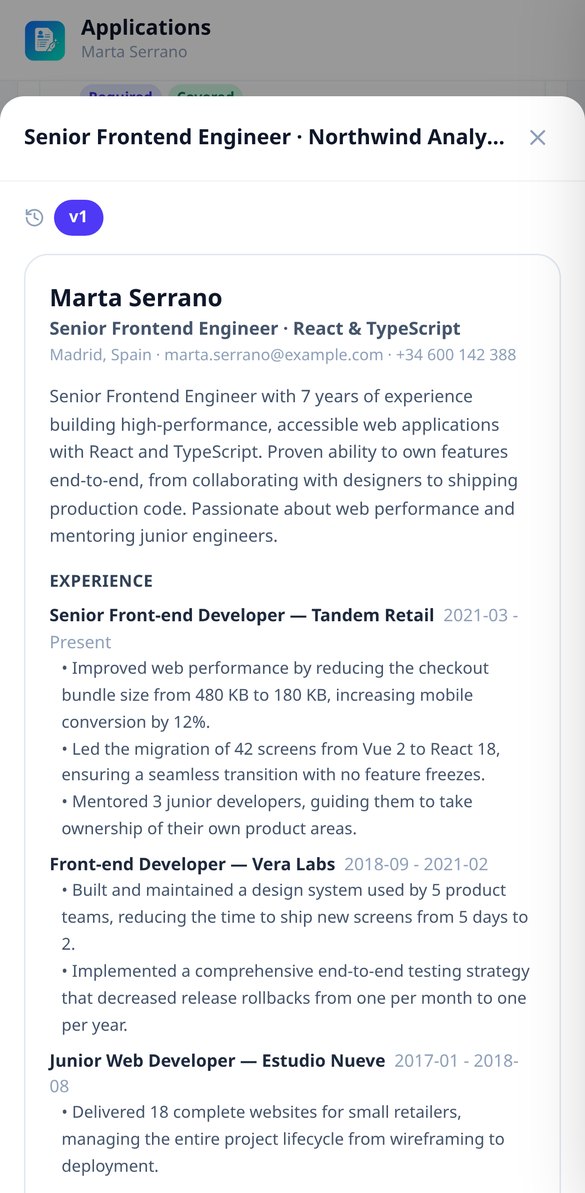
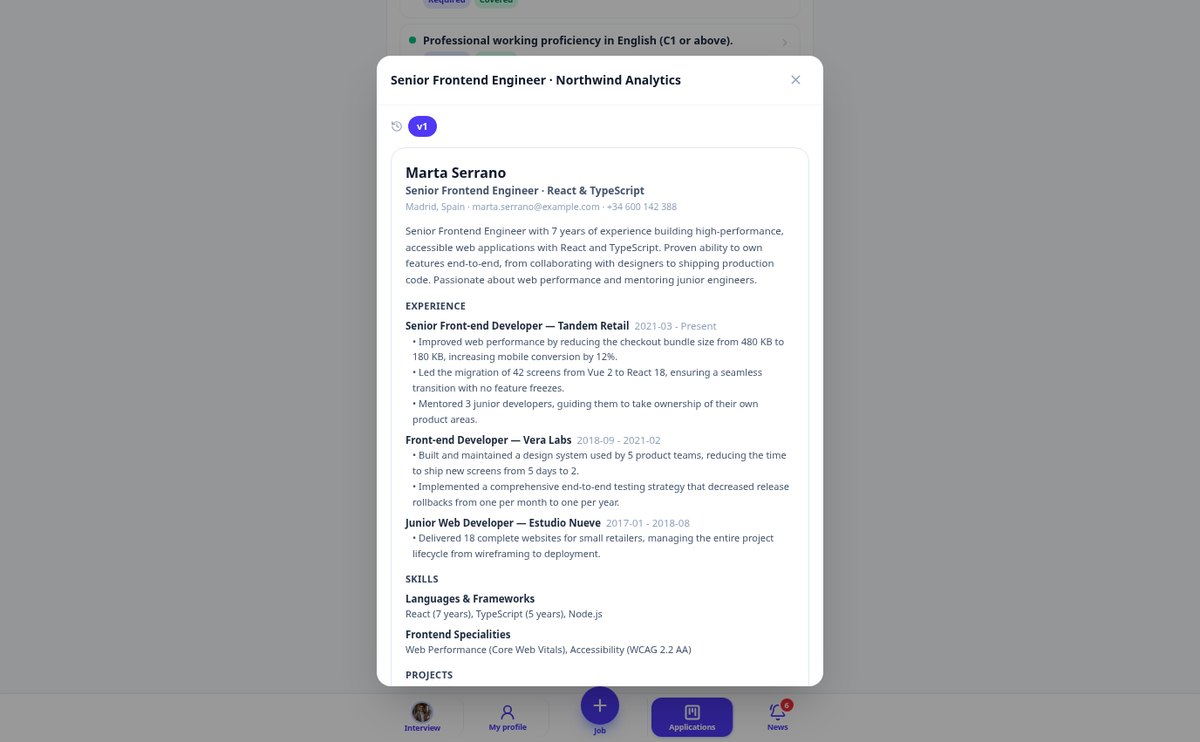
Paste the job offer and click Generate: AIsToCV rearranges your experience according to the must-haves, uses the ATS keywords from the ad, and writes the CV in the language of the offer. Only with facts from your profile and with versioning.
View featureFrom your master profile to the CV for that offer
Three things that don't usually go together in a CV generator: understanding you once, showing you where you truly fit, and not filling gaps by making things up.

Your career, told only once
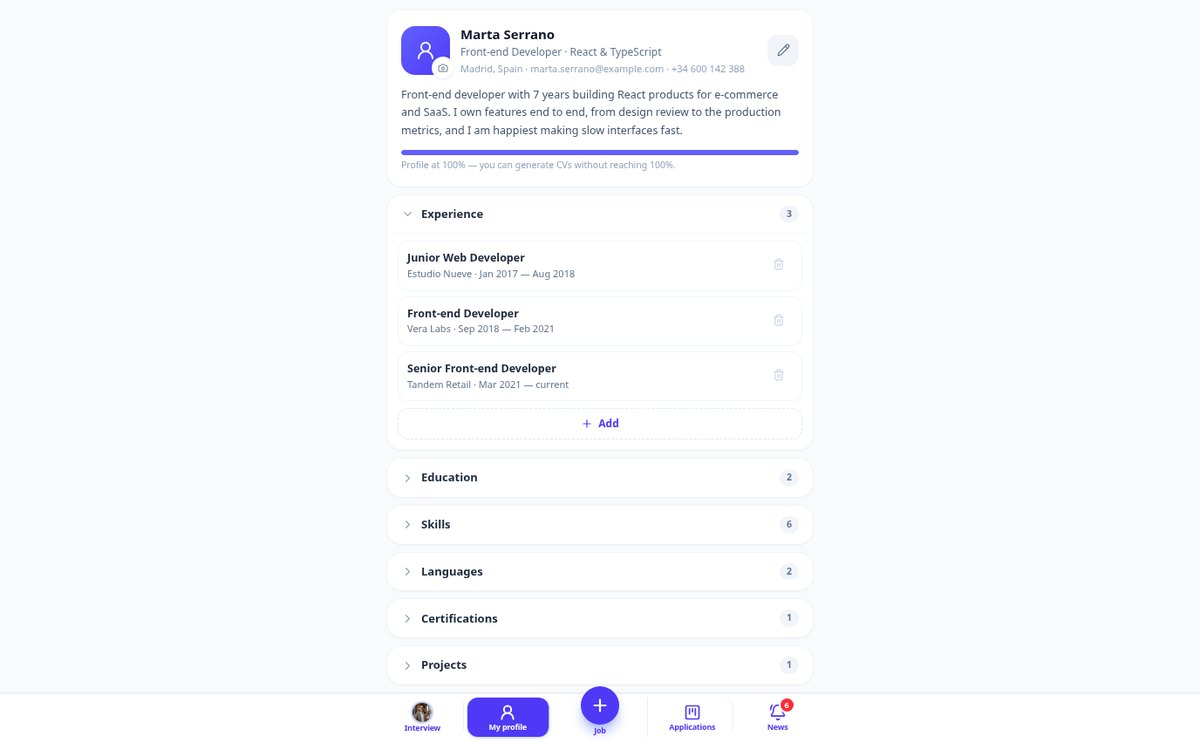
You start by uploading the CV you already have —PDF, Word or a photo of the paper version, which the app reads— and whatever's missing is completed in a block-by-block conversation that only asks what it doesn't know: experience, education, skills, languages, certifications, projects and achievements. When you describe an achievement without a number (“I improved sales”), it asks for the missing data until it turns it into a bullet with metric, timeframe and result, and if you really don't have the figure, it leaves it in qualitative terms instead of making it up. A completeness bar tells you which blocks are short, and you can skip whichever ones you want: with your name and one experience you can already generate CVs.

The matching table, requirement by requirement
The offer comes in as pasted text, a URL or a screenshot —on mobile it's almost always the screenshot— and the app extracts the role, company, language, seniority, work mode, the keywords ATS filters look for and the list of requirements split into must-haves and nice-to-haves. Each requirement is matched against your profile and marked green, amber or red with the literal sentence from your profile that backs it up, so you see why you fit instead of an opaque number. The amber and red ones are resolved with a short question, and what you answer is saved to your master profile: every application leaves your profile better than before.

The CV for the offer, in its language and without making things up
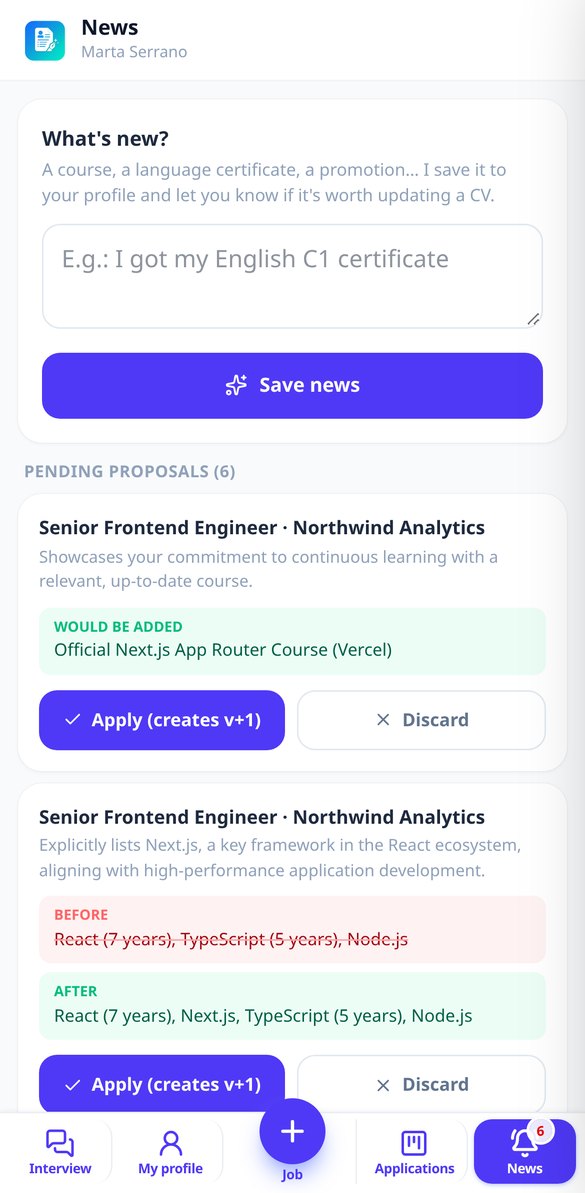
One tap generates the CV for that offer: it prioritizes what the company asks for first, rewrites your achievements using the offer's vocabulary and comes out in the offer's language, so an English-language offer becomes an English-language CV. By default it uses a one-column ATS template, which is the one that passes filters; if you choose the design one, it warns you of the risk. The photo is optional and off by default, with a notice that in the UK, the US, Ireland or Germany it usually hurts. You export as PDF or plain text to paste into portal forms, with no paywalls, and each version is frozen: regenerating creates v+1 and the one you marked as sent is never touched.
From your career to a submitted application in three steps
Upload your CV or tell me about it
Upload the CV you already have as a PDF, Word file or a photo of the paper version and the app imports it into your profile. If you don't have one, it's built by talking: the chat only asks what's missing and you can skip sections and come back whenever you want.
Paste the offer and see your fit
Add the offer as text, URL or screenshot. In seconds you get its requirements split into must-haves and nice-to-haves, and the table that tells you which ones you cover, with what evidence from you, and which you don't. Gaps are answered with a short question and saved to your profile.
Generate, export and track
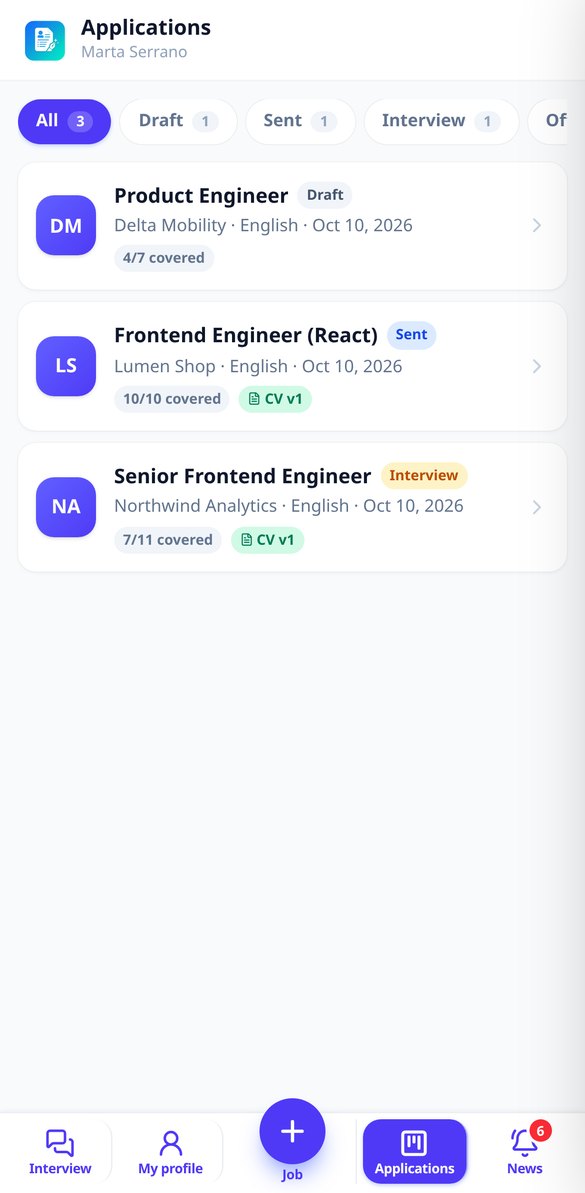
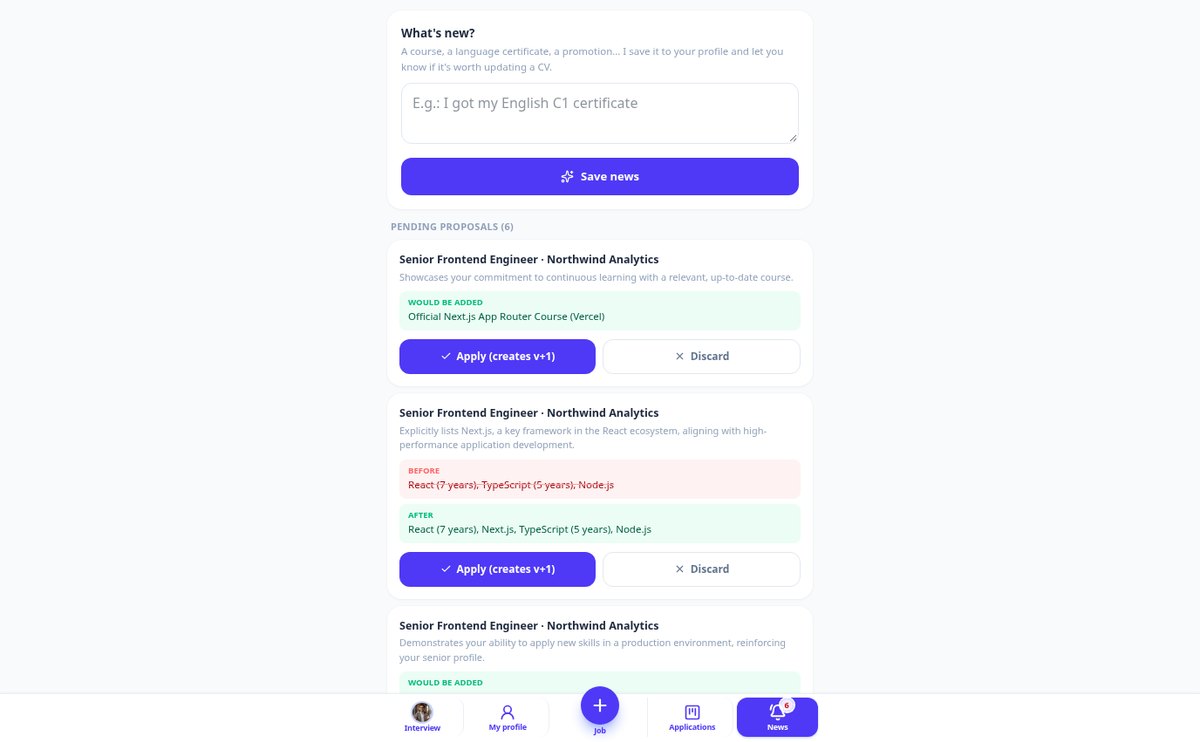
You press “Generate CV” and export it as PDF or plain text. The application stays on the board with its status and date, and when you share something new —a course, a certificate— the app suggests which CVs it should be reflected in, with the before and after in front of you.

Who is it for?
Built for these profiles
Frequently Asked Questions
Latest blog articles
Guides and news to get more out of it

Mandatory salary in job offers from June 2026: what changes for you as a candidate
From June 7, 2026, the EU requires salary bands to be disclosed and prohibits asking about your previous salary. What you can demand now in Spain as a candidate.

How to Tailor Your Resume for Each Job Offer in 2026 (Without Making Anything Up)
2026 guide to tailoring your resume for each job offer: how ATS read resumes, what the AEPD requires, and a 6-step method with data from InfoJobs and Greenhouse.
Your next job offer, with a tailor-made CV
Create your free account, upload the CV you already have and generate the one for your next application today.