Face consistency: the same face in all photos of your AI artist
A canonical press photo and, from it, an unlimited gallery of the same character scene by scene.
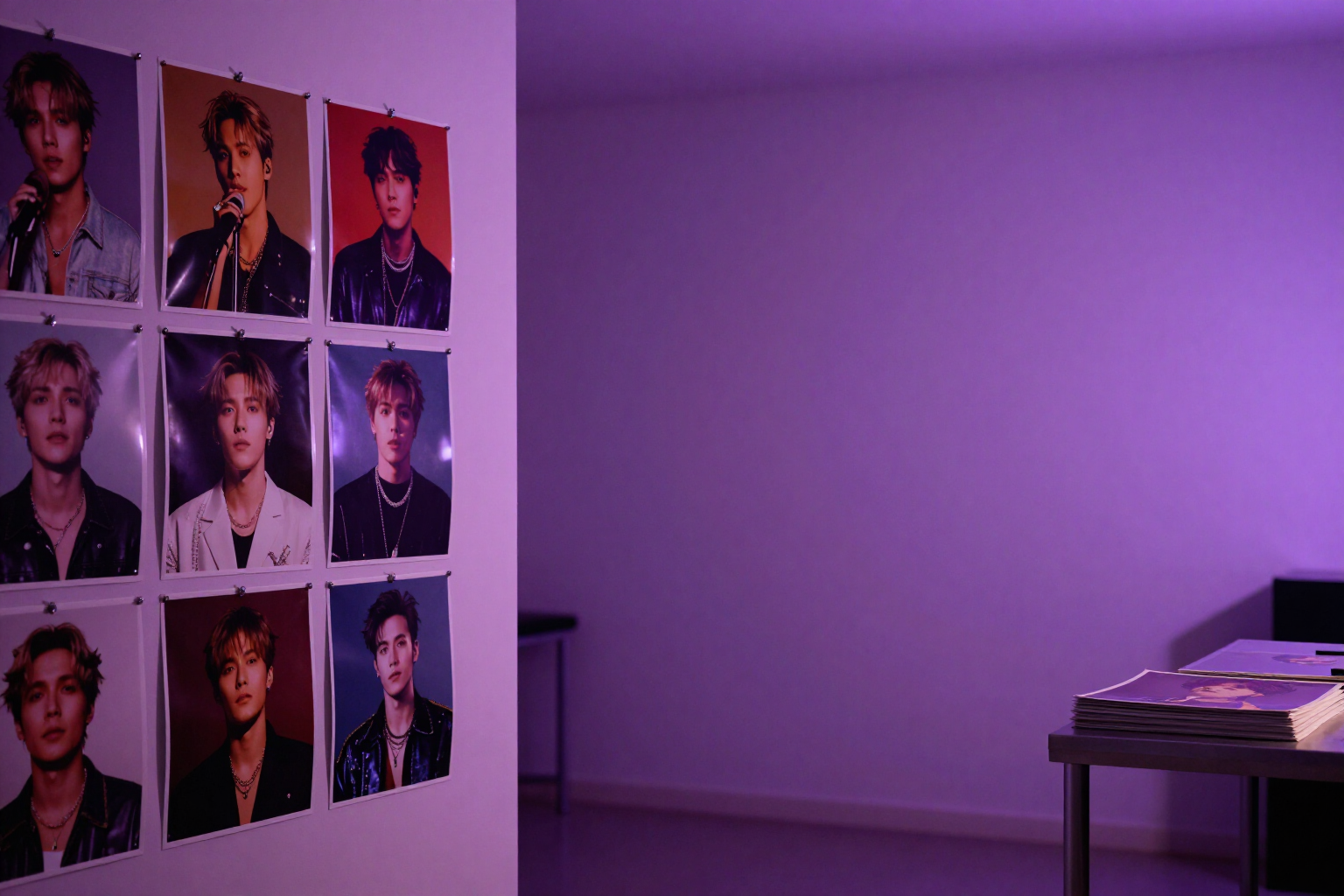
The problem with AI-generated artists isn't taking a good photo: it's taking the second one. aiMusic fixes a canonical photo and generates everything else from it, so the character remains the same in the gallery, on the album cover, and in the music video.
In the Photo tab of the artist's profile, you first generate their canonical photo: a vertical, photorealistic press portrait created from the artist's master appearance prompt (text to image) and with their color palette applied to the prompt. That image is the official face of the character, and the app won't let you proceed without it.
With the canonical photo set, the gallery opens. Each new photo is not generated from scratch: it is generated by image-to-image starting from the canonical and adding an explicit face consistency instruction to the prompt —same face, same features, same hairstyle, same skin tone, same person in another scene—. You just write the concept of the shot ("in a rainy alley at night", "black and white studio session") and the app maintains the identity.
The gallery has no limit on photos: you can accumulate as many scenes as you want for social media, press, or EPK. From any photo in the gallery, you can crown it as a new canonical if you like it better, mark it as the artist's main photo, view it in full size, download it, or remove it. And if you already have photos of your character made, you can upload them and use them as canonical instead of generating them.
The same facial reference is reused outside the gallery: the album covers of releases and the artist profiles for the music video are based on the canonical photo with the same consistency instruction, so the artist remains recognizable throughout the catalog. The identity is always 100% fictional: the app requires original characters and blocks references to real artists in the visual prompt.
Benefits of Canonical photo and gallery with the same face
A single official face
the canonical photo is the anchor of the character's identity, and everything visual is generated from it, not from scratch each time.
Image-to-image with face consistency hint
each new photo includes the instruction in the prompt to maintain exactly the same features, hairstyle, and skin tone.
Unlimited scene gallery
accumulate as many photos of the same artist as you need for social media, press, and EPK.
You only describe the scene
the character's appearance is provided by the master appearance prompt and the canonical; you write the concept of the shot.
Artist's color palette applied to prompts
the gallery not only maintains the face but also keeps the visual brand line.
Crown any photo you want
any photo from the gallery can become the new canonical or the artist's main photo with one click.
Bring your own photos
if the character already exists on your hard drive, upload it as canonical and you won’t pay for generation.
Consistency that propagates
release covers and profiles for the music video come from the same canonical press photo, with the same hint of face consistency.
Fix your artist's face and multiply their photos
aiMusic is the virtual record label of AIsToHire: create AI artists with a complete identity and keep their face consistent in the gallery, album covers, and music video. Start at https://aistohire.com/aimusic-virtual-record-label-ai-artists-125