
aiCal · Share a link and stop closing appointments over email

For anyone who sells their time — consultants, coaches, salespeople, lawyers, physiotherapists, trainers, freelancers — and doesn't want a CRM: a public page with your real openings where the client chooses a time without signing up, in their own time zone, and it's confirmed instantly.
How many emails does it take you to close a single half-hour meeting?
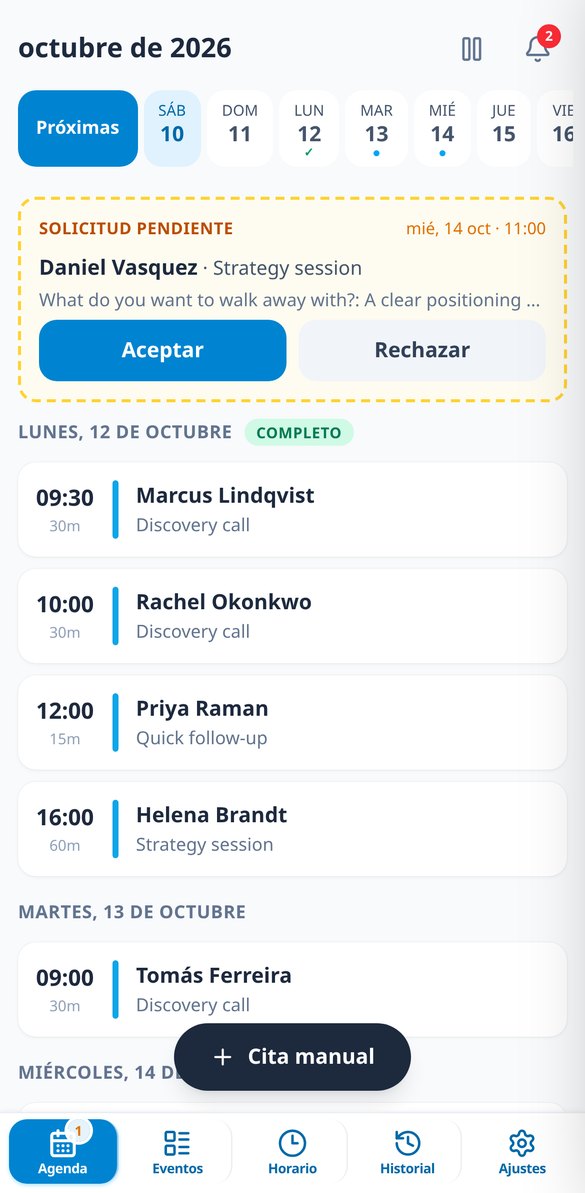
“Does Tuesday work for you?” “No, Thursday is better.” “What time?” “Your time or mine?” Four back-and-forths and an opening that gets taken in the meantime. With aiCal you share a link: the client sees only the times you're actually free — already accounting for your buffers, blocks, and daily cap — chooses one in their time zone, leaves their details, and receives confirmation with the .ics. You find out once it's already booked.
Start for free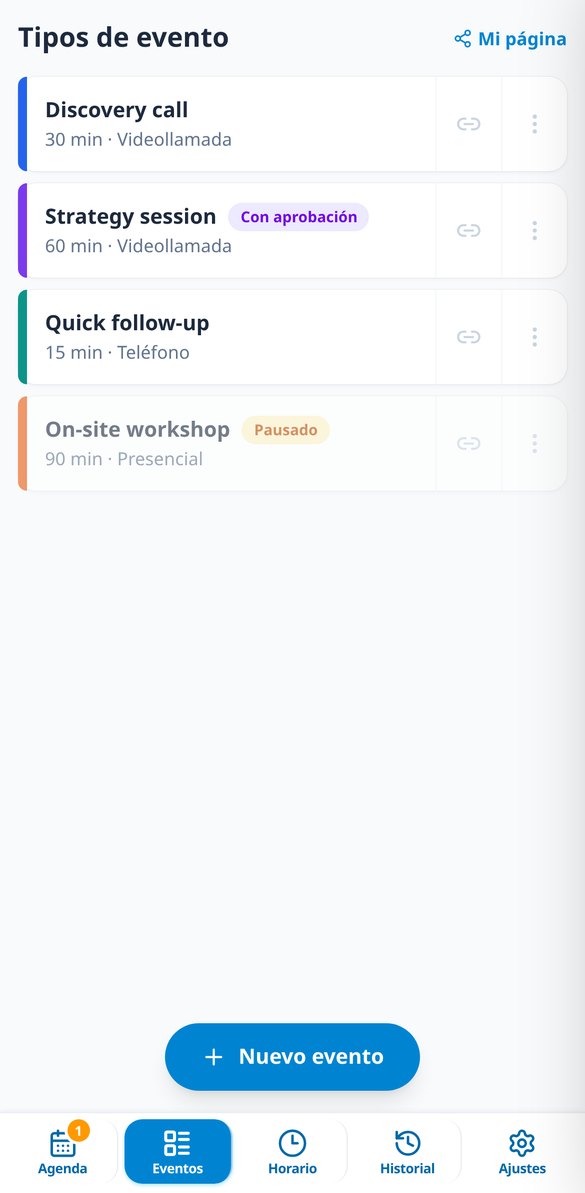
Discover every feature in detail

Write texts with AI for your booking page | aiCal
aiCal uses AI to draft the description of your appointments, your bio, the policy note, and email templates: you choose the tone and language, it provides 2-3 variants, and you apply the one you want.
View feature
Preparing meetings with AI: who they are, what they seek, and what to ask | aiCal
aiCal prepares your appointments with AI using only your data: a summary of the day in the agenda and details of each meeting including who they are, what they seek, and questions to start. It saves and does not invent.
View featureA link out front, your calendar behind
Everything aiCal does so appointments book themselves and your week stays yours.

Your public link, with your real openings
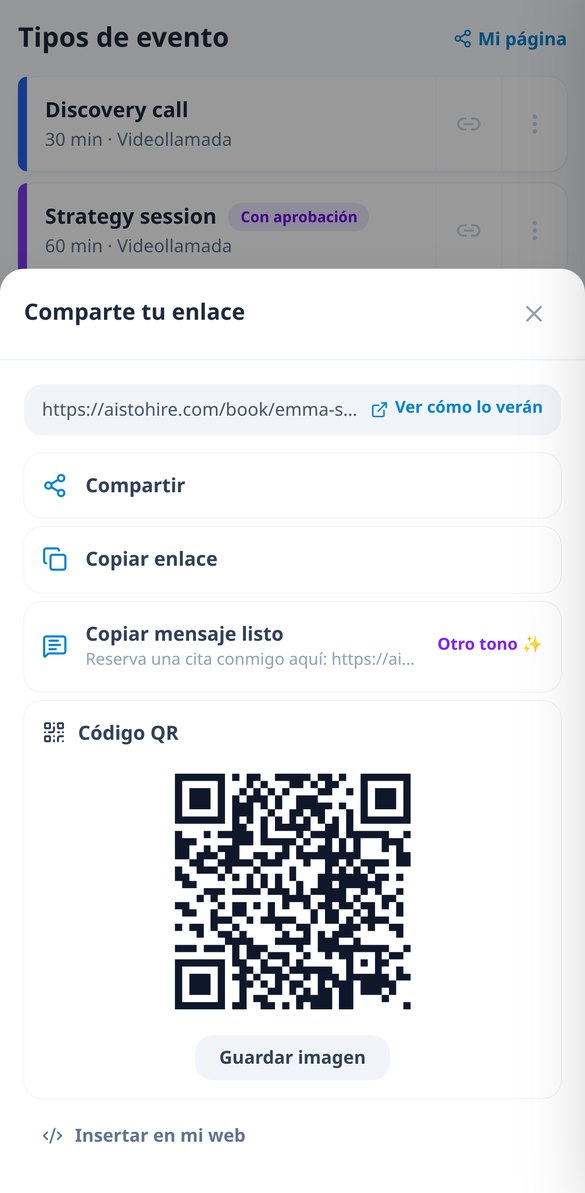
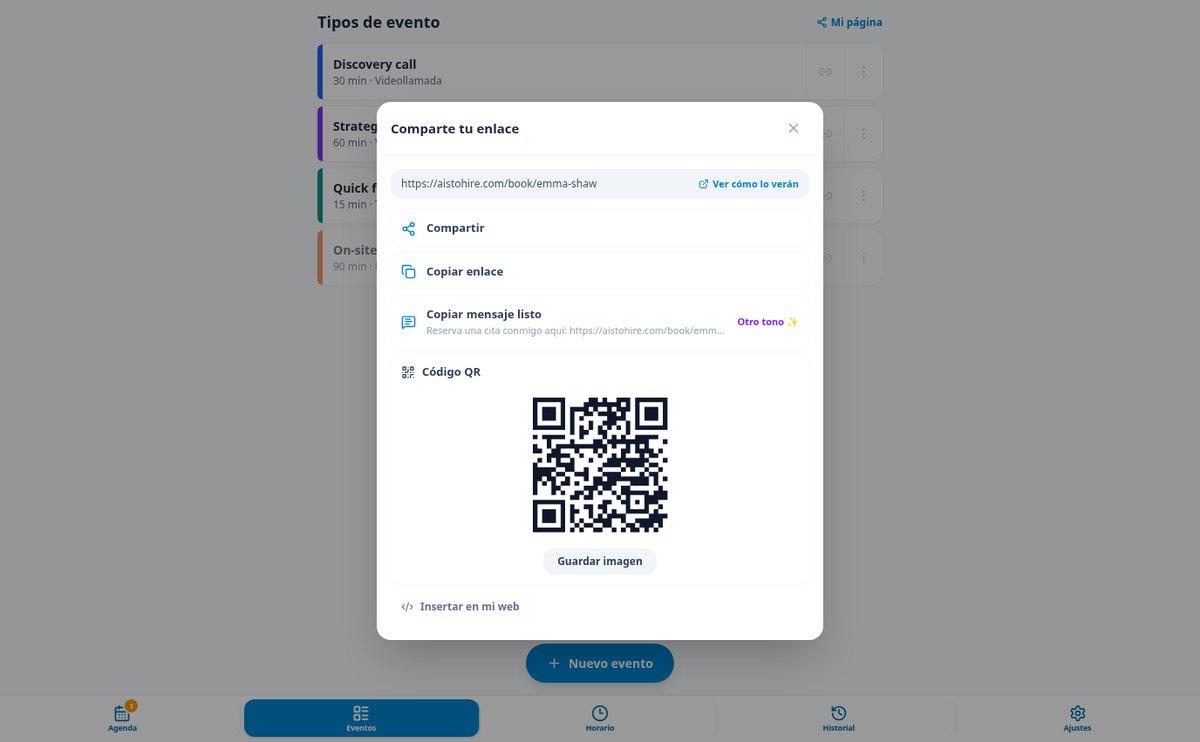
Create as many event types as formats you have — a 15-minute call, a 60-minute first consultation, an in-person session — each with its own duration, format (video call with your fixed room, phone, or address), color, own link, and form questions. Each one has its public page, with no login and no pop-ups, that opens directly on the first day with openings: scroll through days, times grouped into morning, afternoon, and evening, and the visitor's time zone detected and switchable with a city search. You also have your index page with all your events, for your Instagram bio, and the link ready to share, copy, print as a QR code, or embed on your website.

Your time protected, not just published
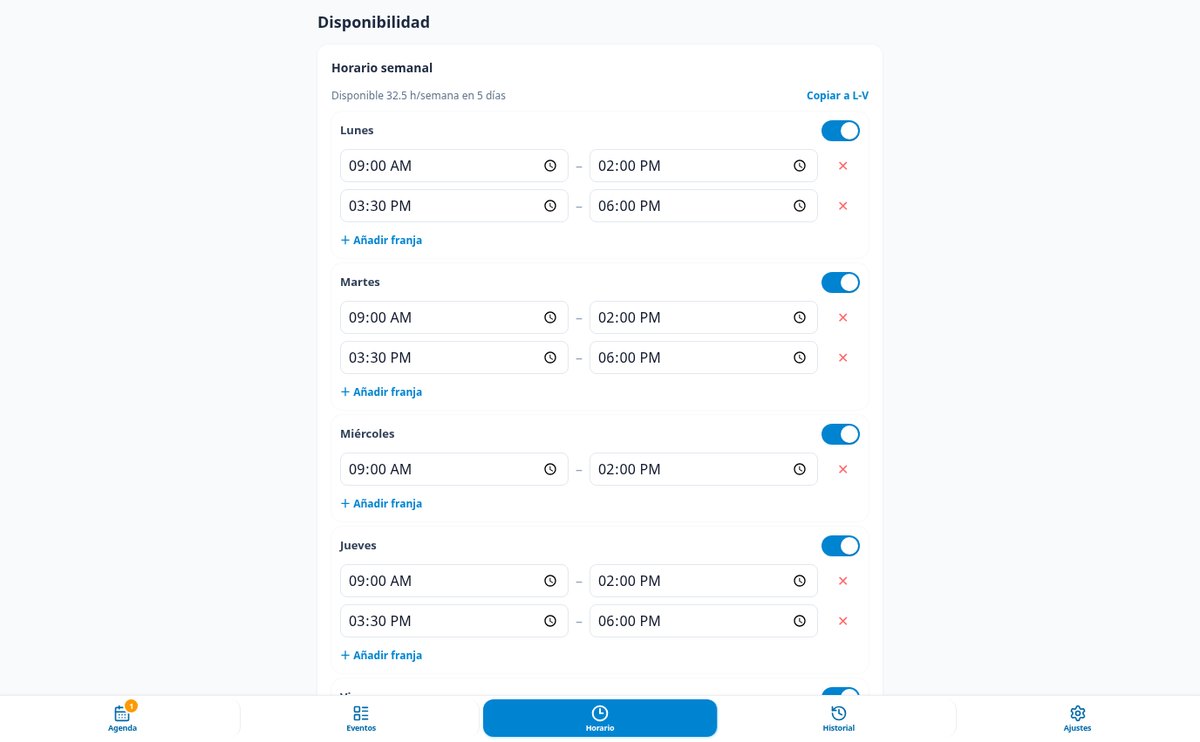
Weekly schedule by time slots with copy to Mon–Fri, your own time zone, and daylight saving handled date by date. On top of that, the rules that prevent an impossible calendar: buffers before and after each appointment, minimum notice to book, a booking window of how many days ahead, a daily appointment cap that closes the rest of the day automatically, vacation or lunch-hour blocks, and a pause button that closes your entire calendar without touching anything. And if you prefer to filter, enable “I approve every appointment”: the slot is reserved but not confirmed until you say yes from the email itself.

Confirmations, reminders, and changes without writing a single email
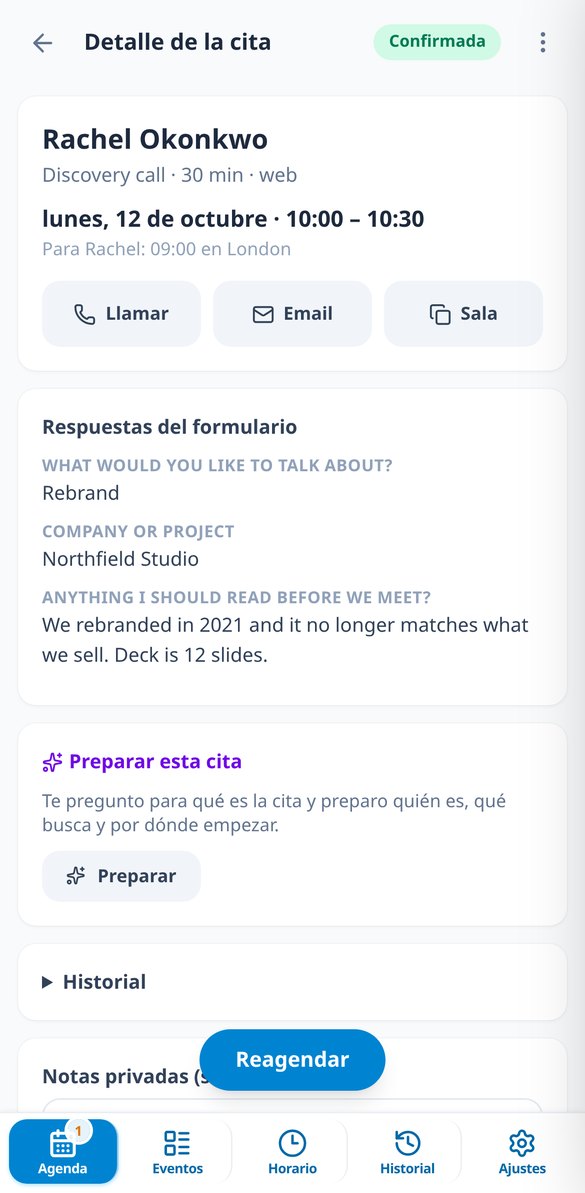
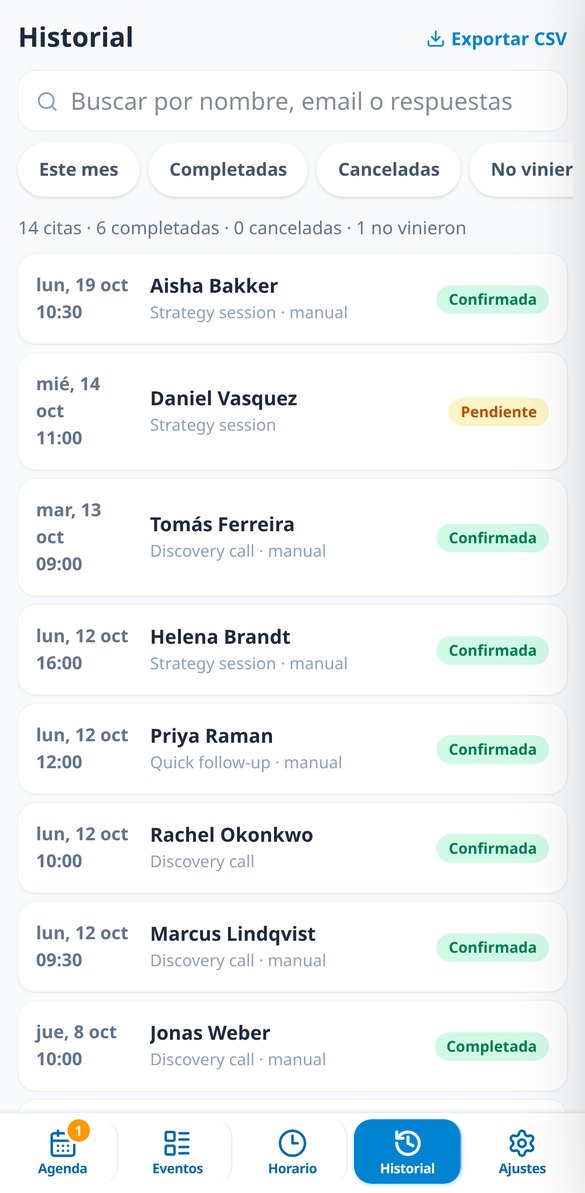
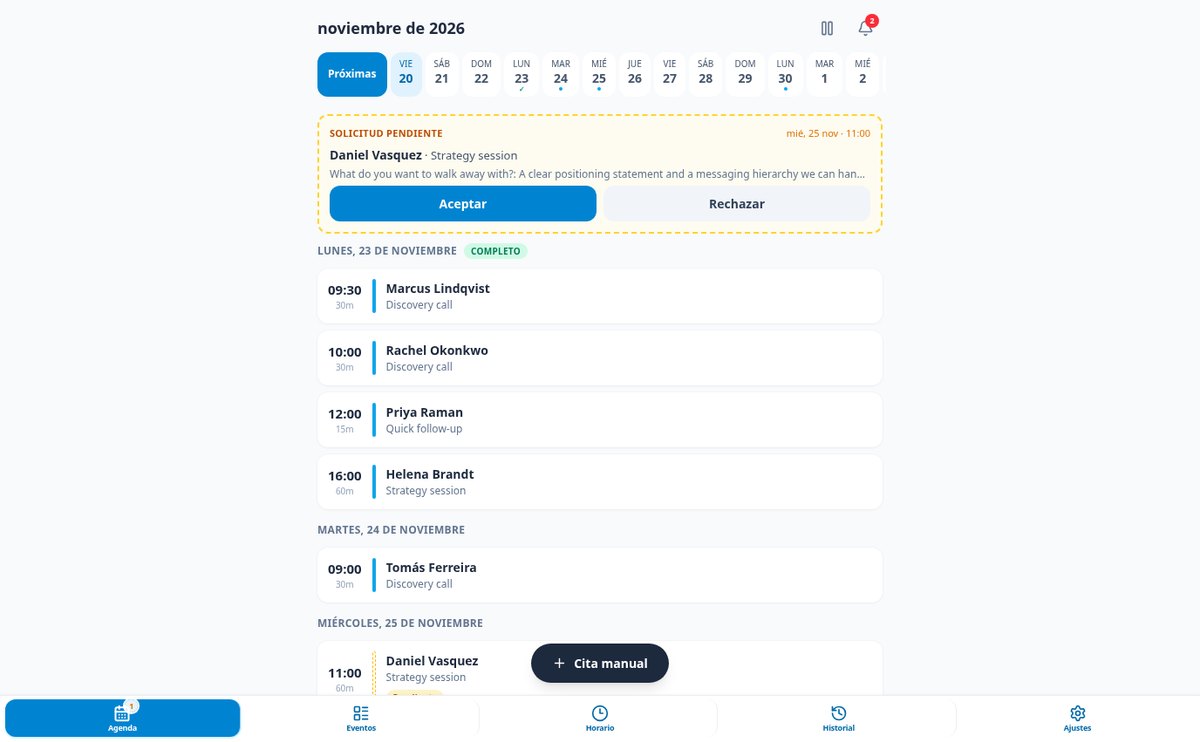
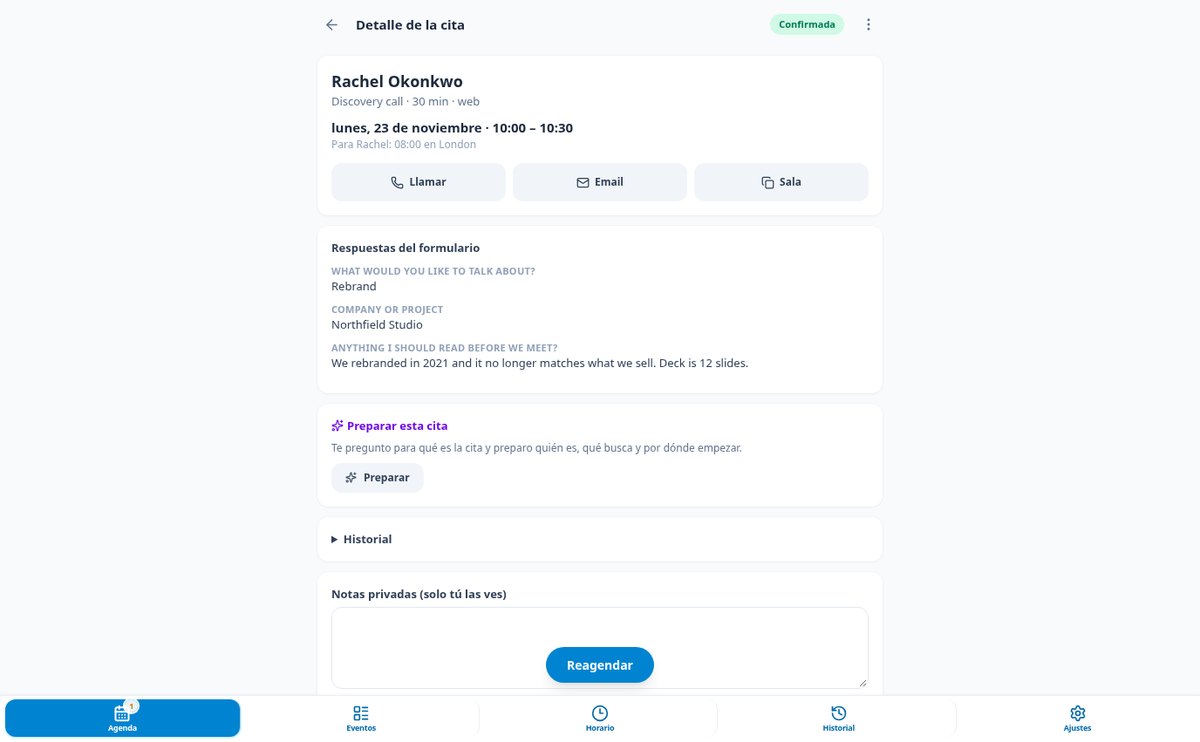
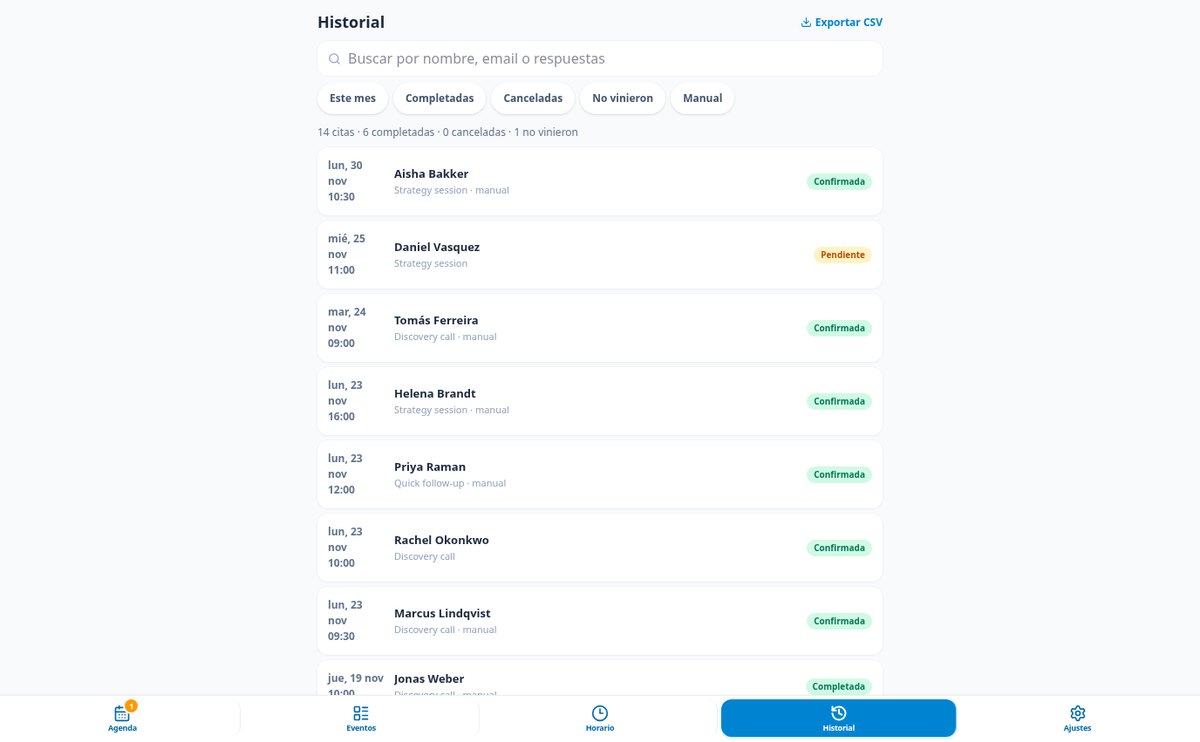
When someone books, the confirmation email goes out with the .ics attached, and you get a notice with all the form answers. After that, the reminders you choose — 24 h, 2 h, 30 min — to the guest, to you, or both. Every appointment includes a personal link your client can use to reschedule or cancel on their own, within the policies you set (minimum notice and maximum number of changes), and both calendars update instead of duplicating the appointment. You see everything from your mobile calendar: requests with Accept and Decline right on the card, details with answers and the notification timeline, manual appointments for what you book by phone, history with metrics and CSV, and a subscribable ICS feed to have your appointments in Google, Outlook, or Apple.
From sign-up to your first link in three steps
Set up your schedule
Add your name and photo, confirm the time zone that's already detected, and accept the suggested Monday-to-Friday schedule. With two taps, your first event is created.
Share your link
Copy it, send it by WhatsApp, paste it in your signature or bio, print it as a QR code, or embed it on your website. You can also preview the page exactly as they'll see it.
Let the appointments come in
They book, confirm themselves, and appear in your schedule and on your calendar. Reminders go out on time, and they make changes from their link.

Who is it for?
Built for these profiles
Frequently Asked Questions
Latest blog articles
Guides and news to get more out of it

How much does a missed appointment cost: no-show rates by sector in 2026
No-show rates by sector with source and date, the cost in euros of each missed appointment, and the levers with evidence: 24-hour reminder and clear policy.

Missed appointments: why they happen and how to set up an online scheduling system to reduce them
What studies say about missed appointments, their costs, and how to create an online schedule with real gaps, buffers, and effective reminders.
Let the next appointment book itself without you having to write an email
Create your free account, set up your schedule, and share your link today.