
aiDEHú · Your DEHú inbox under control and with no surprises

For SMEs and self-employed workers required to deal with the Administration electronically: if you do not log in to open a notification within 10 calendar days, it is deemed served by rejection and the deadline to respond or appeal still runs. aiDEHú records every notice you receive, counts the days remaining, and emails you before they run out. No certificates or powers of attorney.
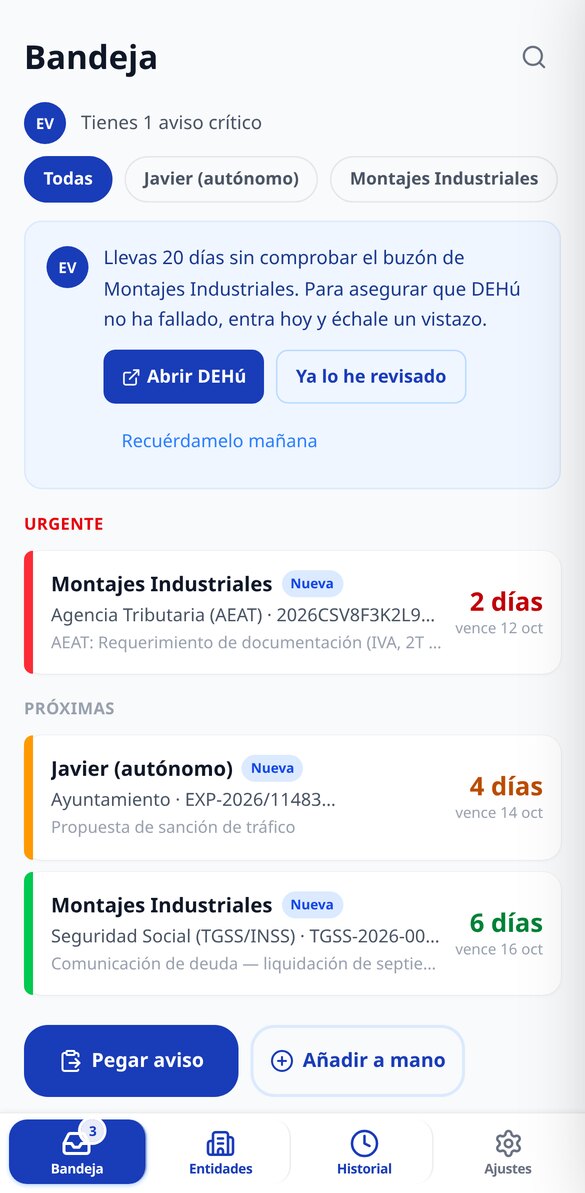
What if right now you had a notification waiting for you and you didn't know it?
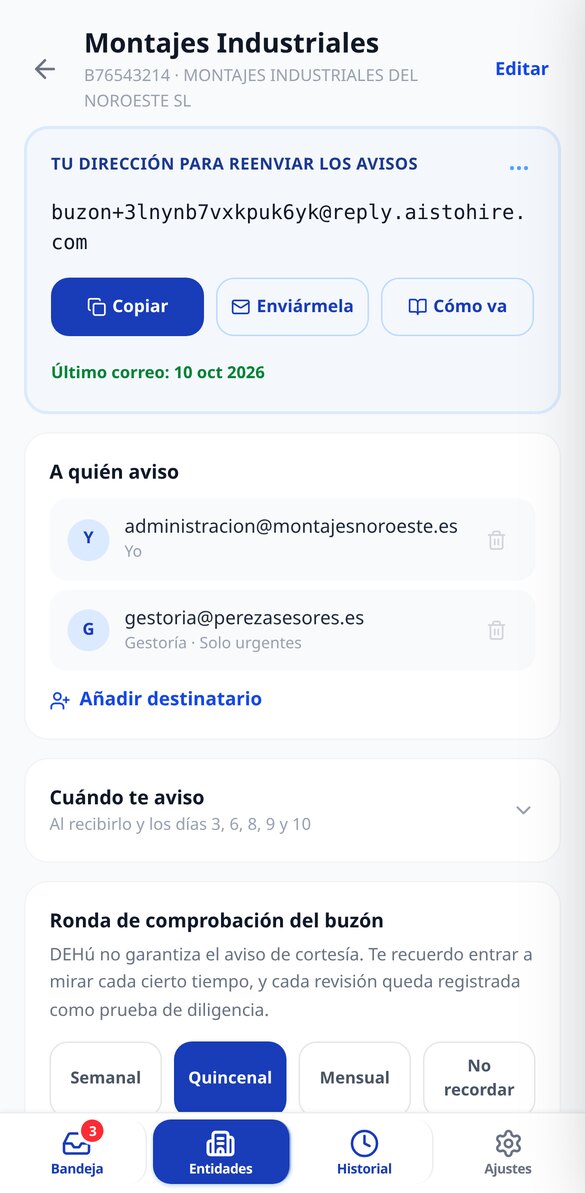
Since Law 39/2015, the AEAT, Social Security, the DGT, your autonomous community, and your town hall deposit their notifications in DEHú, and the 10-calendar-day countdown starts the day they make them available to you, whether you read them or not. aiDEHú does not go into your inbox or ask you for the certificate: you pass it the notice that arrives by email — by pasting it with one tap or forwarding it to that company's dedicated address — and the app extracts the issuing body, reference, and date, calculates the due date, and reminds you by email to go in and open it. And since DEHú sends that notice 'as far as possible' and does not guarantee it, it also reminds you from time to time to go and check, and keeps a dated record that you did.
Start for free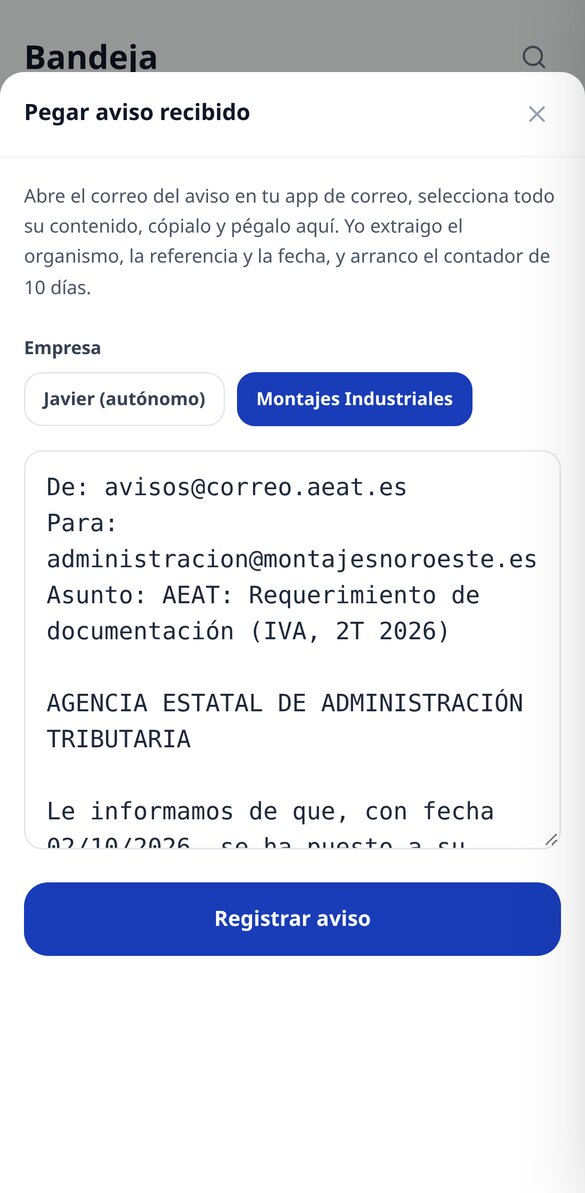
What you need so you never miss a deadline
Monitoring, counting, and alerting do not need artificial intelligence: they are code rules, deterministic and free. The only thing that uses credit is asking Elena to explain a PDF to you, and the price is visible before you click.

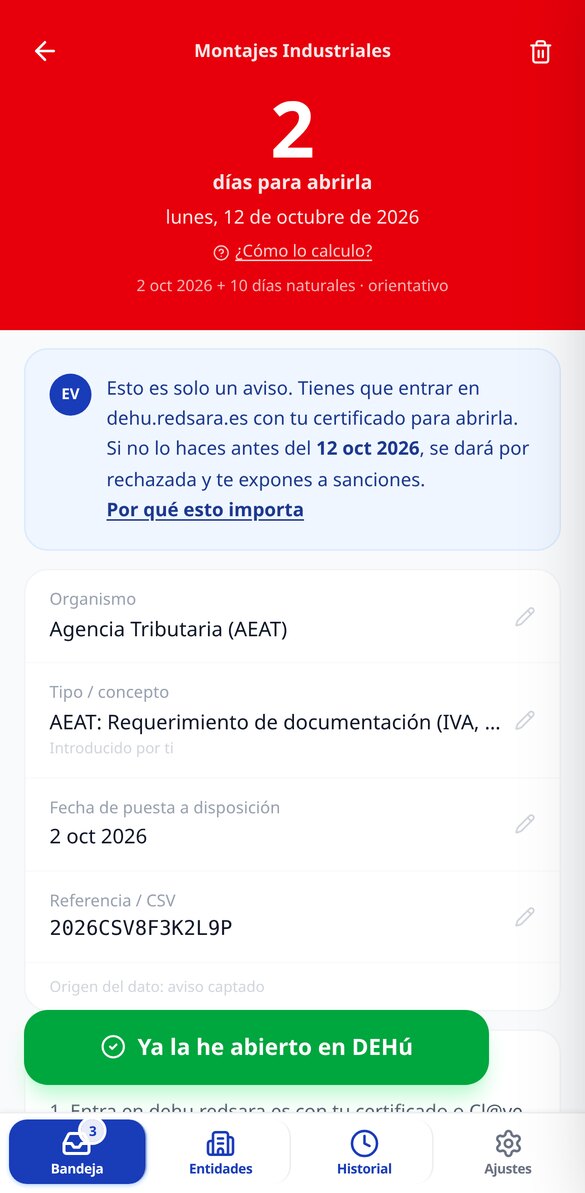
The 10-day counter, with the calculation in view
Each pending notification shows the days remaining and the exact due date, counted in calendar days from when it was made available, and a traffic light that organizes the inbox: green with margin, amber at 3 or 4 days, red at 2 or fewer, black when it has already expired. It is not a black box: you see the whole calculation, and it is labeled as an indicative calculation, because the actual deadline depends on the procedure.

Staggered alerts to you and your adviser, with a log of what was sent
An email when the notice is received and reminders on days 3, 6, 8, 9, and 10, with the subject line already written: '[AEAT] Due in 2 days — MONTAJES SL'. You can add recipients — your partner, your accounting firm — and decide who receives everything and who only gets urgent items, and turn each reminder on or off. Every send is logged with its date and recipients; and those that did not go out are too, with the reason.

Check-up round and exportable history
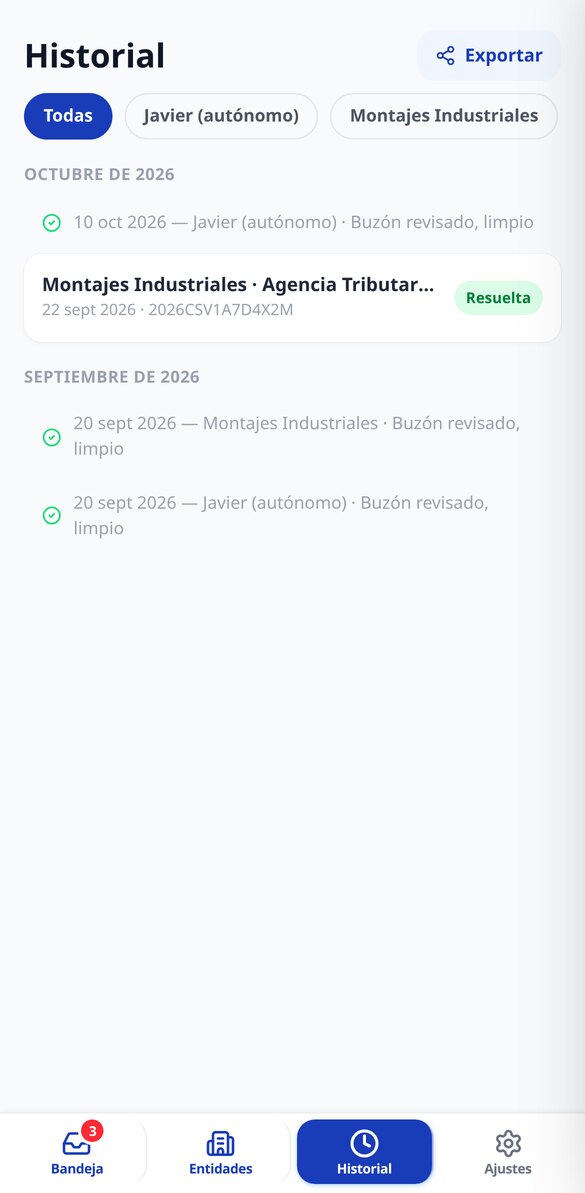
Every so often — weekly, fortnightly, or monthly, you choose — the app reminds you to go into DEHú and check, and with one tap you record that the inbox was clean. If you find something that had not arrived, you add it manually right there. All of that, along with the notifications and alerts sent, can be downloaded as CSV or PDF: it is your proof of diligence the day someone asks for it.
Three steps and it's already watching
Register your company
Tax ID and company name, and the email where you want to be notified. One minute, no certificates or powers of attorney. You can monitor several companies from the same account.
Pass it the notice when it arrives
Copy the notice email and paste it into the app, or forward it to that company's dedicated address. The issuing body, reference, and date made available are extracted, and the counter starts. If the notice never arrives, you can add the notification manually.
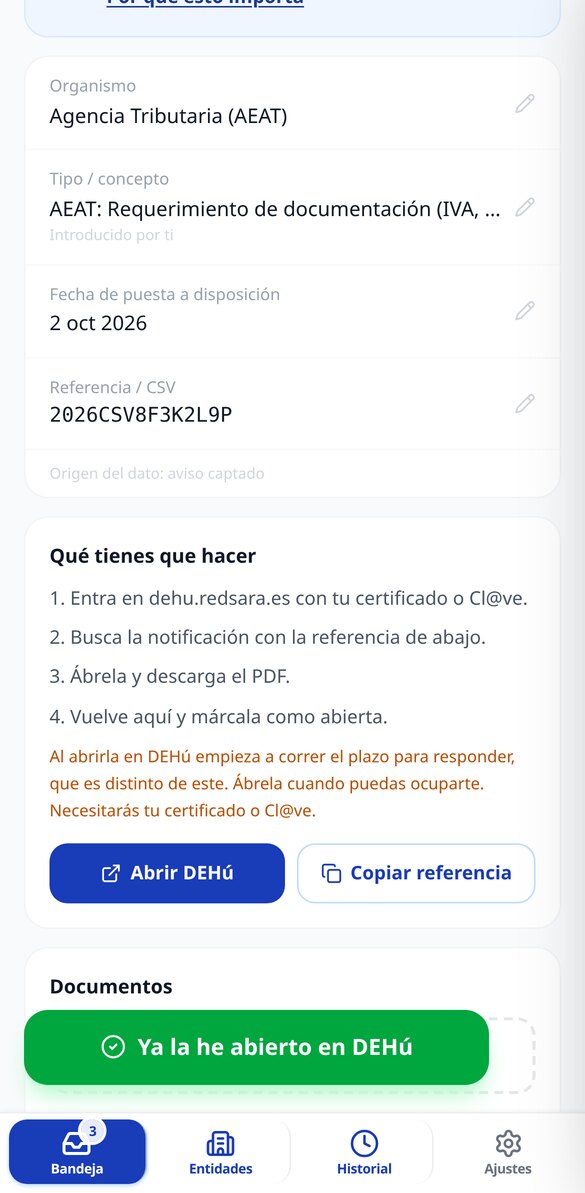
Open it in DEHú and mark it
You copy the reference, go to dehu.redsara.es with your certificate or Cl@ve, and open it yourself. You come back, mark it with one tap, and the counter stops. If you want to understand what they are asking of you, upload the PDF and it summarizes it in plain language.

What people who already use it say
“The notice arrived on a Friday afternoon and I pasted it into the app from my phone. It told me the exact day it was due and reminded me on Monday and Wednesday. Before, those emails would sit in my inbox until it was too late.”

“What has changed my life is the reminder to go in and check every two weeks and the button to record it. I no longer depend on remembering myself, and when my adviser asks, I send him the history in PDF.”

“My clients add me as a second recipient and only for urgent notices, so I only receive what is in red. And the record of which email went out and to whom has saved me more than one argument.”

Frequently Asked Questions
Put your first tax ID under monitoring today
Create your free account, register your company in one minute, and let someone else handle the countdown.