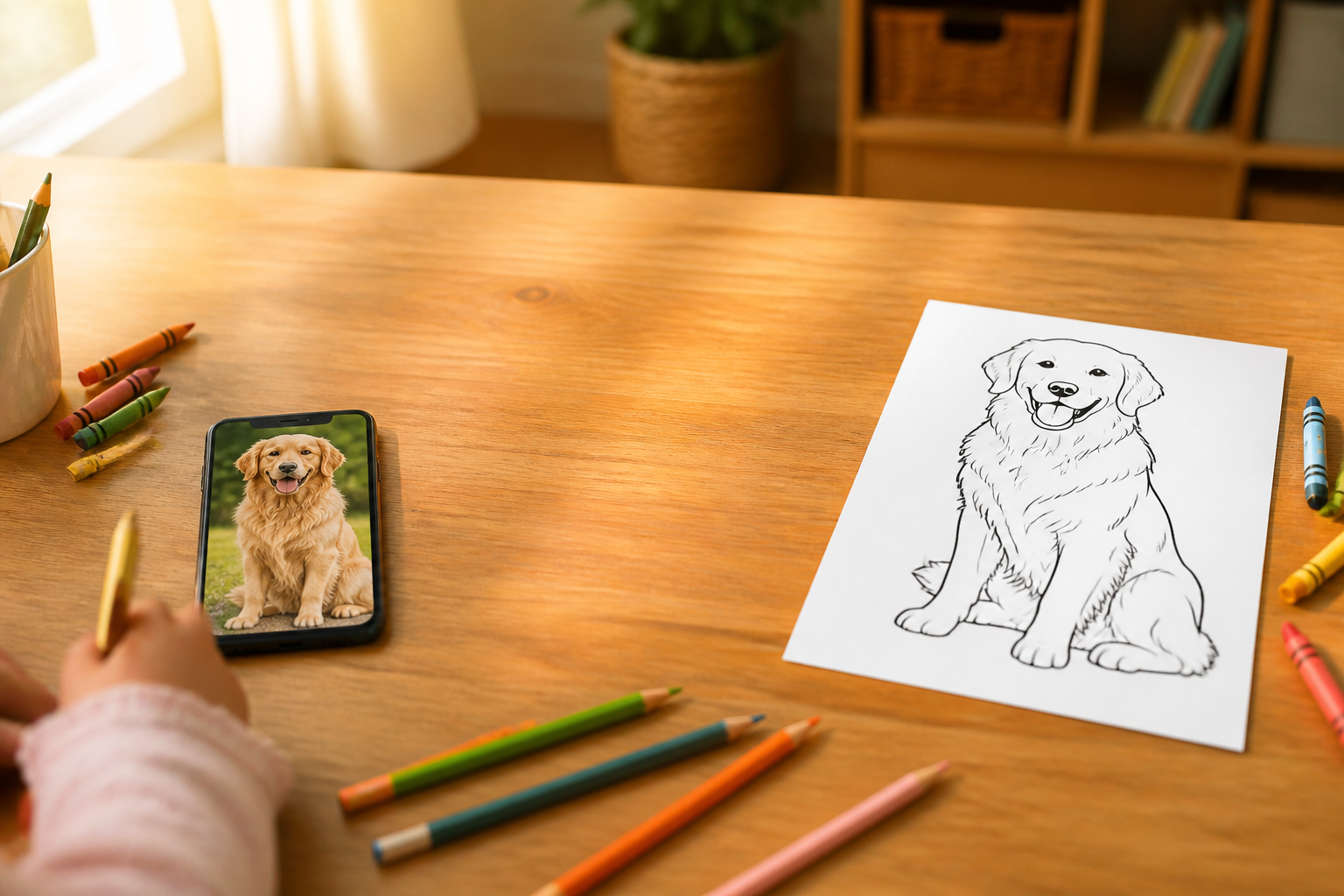
Turn any photo into a coloring page
Upload a photo of your pet, family, or your child's drawing, and Aiscoloring returns it in black line on a white background, ready to print.
The best coloring page isn't the one you find online: it's the photo you already have on your phone.
In summary: you choose a photo, upload it from your phone or drag it to the browser, indicate the age group, and Aiscoloring generates a black outline drawing on pure white background that you can view in full screen, download, or print in A4. The orientation is automatically determined. When you upload the image, the app reads its dimensions and decides: if the photo is wider than tall, it generates a horizontal drawing; if taller than wide, a vertical one (square photos are vertical, in the classic coloring book format). This way, the result resembles what you uploaded without cropping anything. The level of detail is based on the age of the person coloring. There are four age ranges — kids aged 3 to 5, children aged 6 to 8, preteens aged 9 to 12, and teens or adults aged 13 and up — each adjusting the stroke thickness, number of elements, and background presence, from large shapes and thick lines to fine mandala-like patterns. Before generating, you can add additional details in writing if you want to refine something specific. Aiscoloring is the AIsToHire app that converts photos into coloring pages using artificial intelligence; the complete app with all its features is at https://aistohire.com/aiscoloring-crea-dibujo-para-colorear-49. Each drawing is saved in your history alongside the thumbnail of the original photo, so you can retrieve it, zoom in, or create a new variant whenever you want.
Ventajas de Turn any photo into a coloring page
Your photo, not a generic drawing
the page comes from your dog, your daughter, or the vacation landscape, not from a repeated image bank.
Automatically detected orientation
the app measures the photo upon upload and generates the drawing in vertical or horizontal without you touching any settings.
Pure white background, designed for paper
the result is normalized to white #FFFFFF, without grays or warm tints that could dirty the print.
Detail according to age
four levels (3-5, 6-8, 9-12, and 13+) adjust the stroke thickness and the number of elements in the drawing.
One-touch printing in A4
the Print button opens the sheet already scaled to A4 size and launches the print, without margins to adjust.
Direct download to mobile
save the PNG or open it with your phone's share menu to take it to Photos.
Optional extra instructions
you can request specific nuances in writing before generating, such as simplifying clothing or adding a simple background.
History with the original in view
each creation is saved with the thumbnail of the original photo, opens in full screen with zoom, and can be deleted whenever you want.
Upload a photo and get the drawing ready to print
Create your free account on Aiscoloring, the app from AIsToHire, and convert your first photo into a black line coloring page on a white background.