
aiNorma — BOE monitoring for SMEs and self-employed · The BOE filtered for your business
For the small business and self-employed person who don't have a legal department: between 200 and 400 items are published in the BOE every day, we read them and only alert you when something that truly binds you comes out, with its date, its deadline, and the reason it affects you.
Do you live with the feeling that something has come out in the BOE that affects you and you haven't found out?
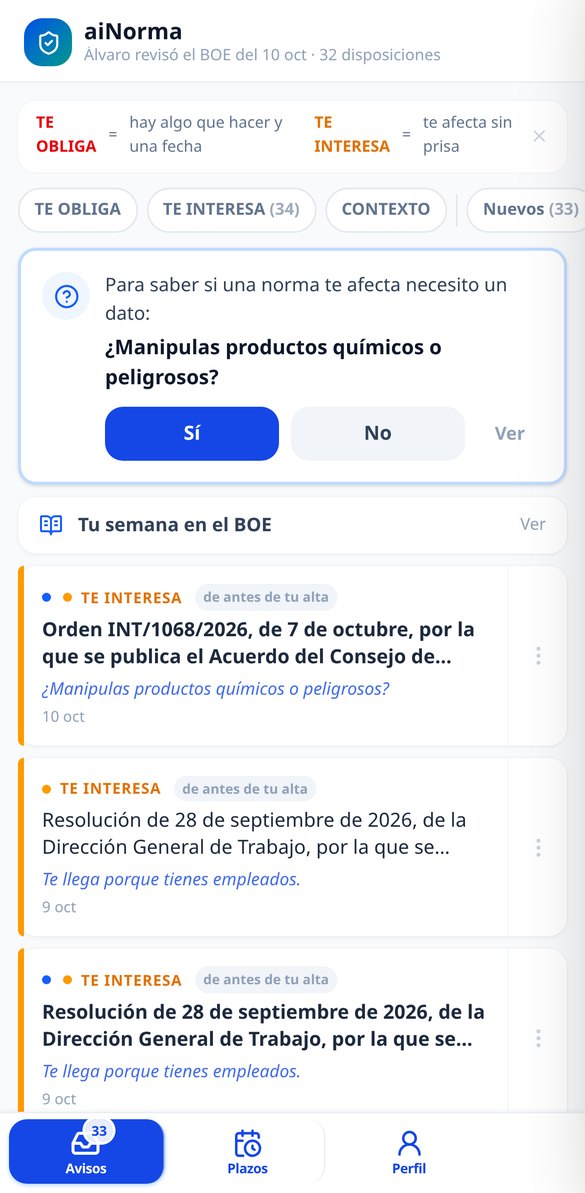
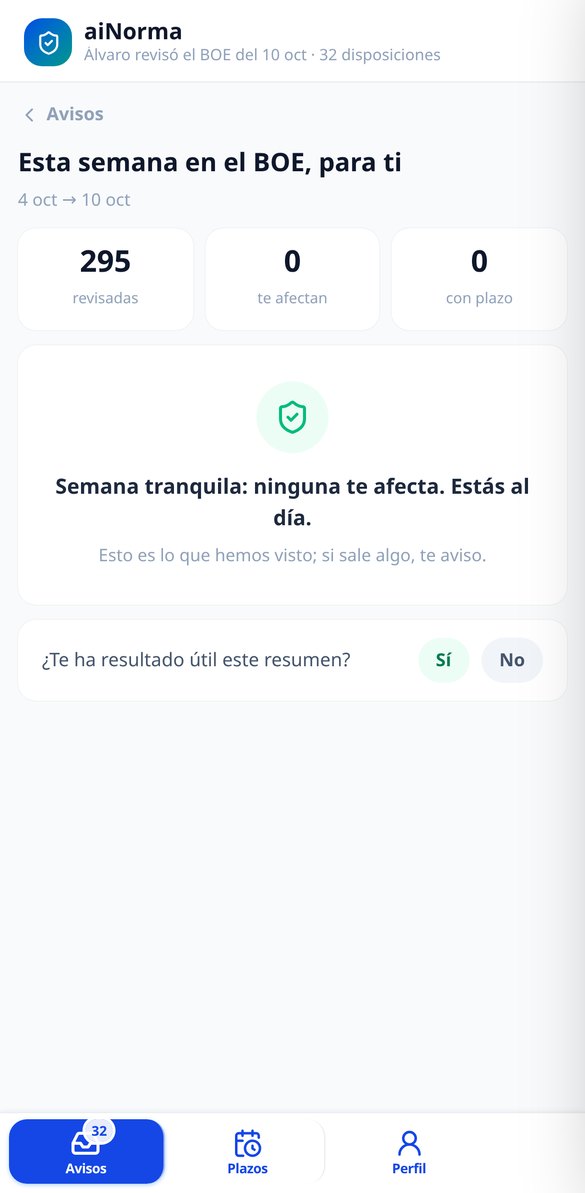
The usual thing is to find out late: through your accountant, a requirement, or a penalty. aiNorma reads the official BOE summary every morning, discards with hard rules what cannot affect an SME —appointments, decorations, public exams, individual notifications, auctions— and classifies the rest to cross-reference it with what your business is like: your activity, your province, whether you have employees, whether you have premises open to the public, whether you sell online. When something matches, the alert reaches you with the official title, effective date, deadline if there is one, the link to the BOE, and a line that says 'you're getting this because you have employees and you're in hospitality.' And when nothing matches, we tell you that too, with the number of items reviewed. This is BOE monitoring, not legal advice: we tell you what we have seen, never that you're covered.
Start for free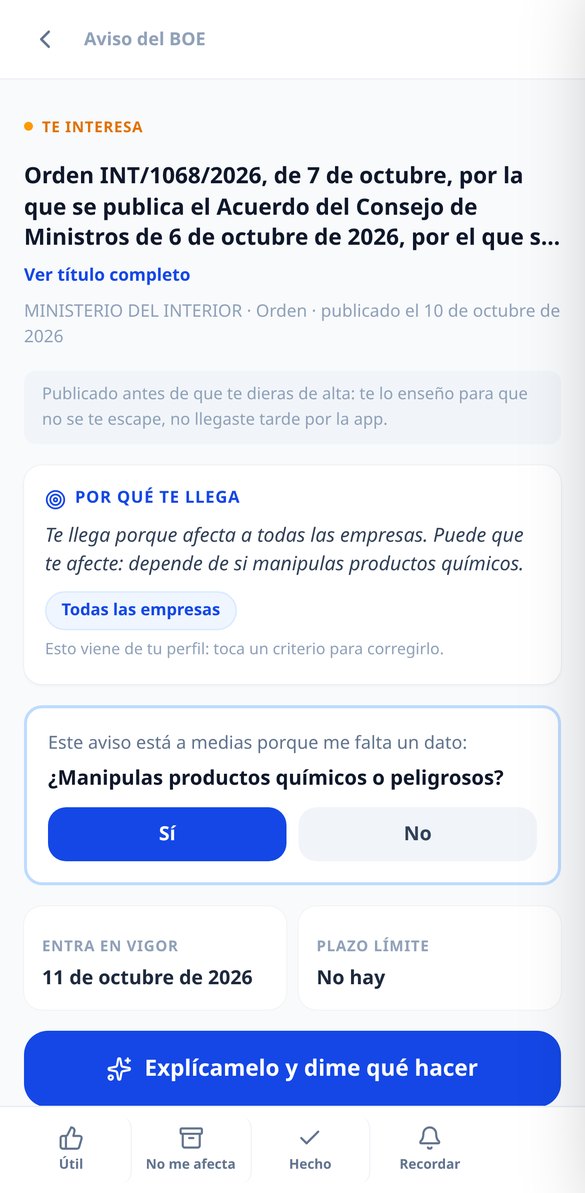
A filter, not a search engine
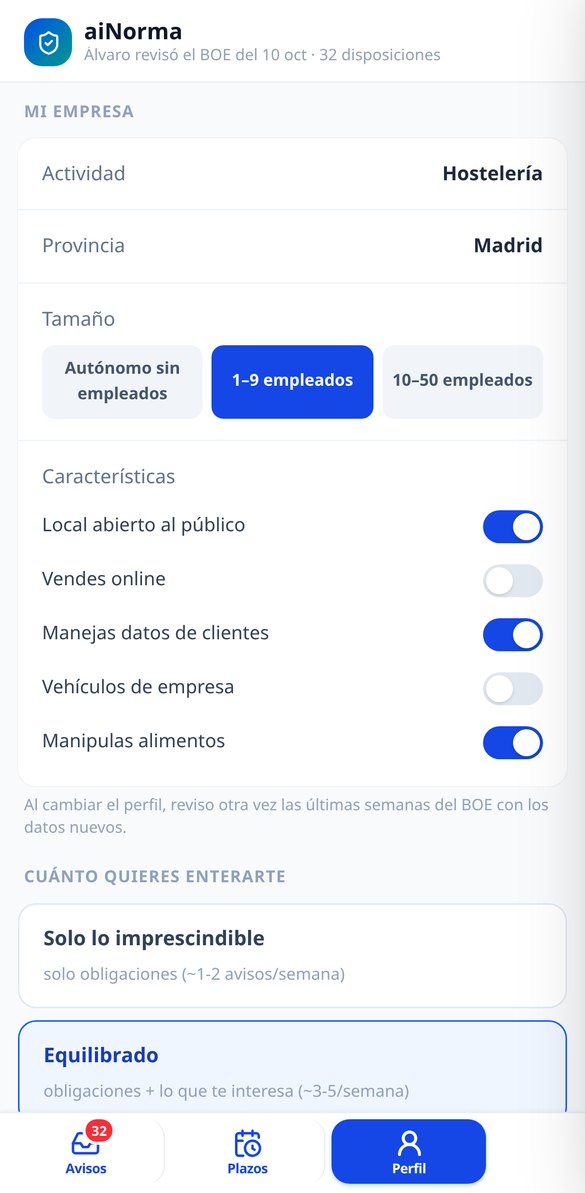
The BOE alerts out there ask you for keywords and Boolean operators that nobody knows how to write. Here you tell us what your business is like once, in three steps, and we do the matching.

Alerts that explain why you're getting them
Each alert brings the official BOE title, the department, the rank, the publication date, the effective date, the deadline if there is one, and the link to the official text, with its level clearly visible: it binds you, it interests you, or context. And on top of that, the line that changes everything: 'you're getting this because you have employees and you're in hospitality.' That line is not written by an AI; it comes from the criteria in your profile that triggered the match, and each criterion is a chip you can tap to correct it on the spot.

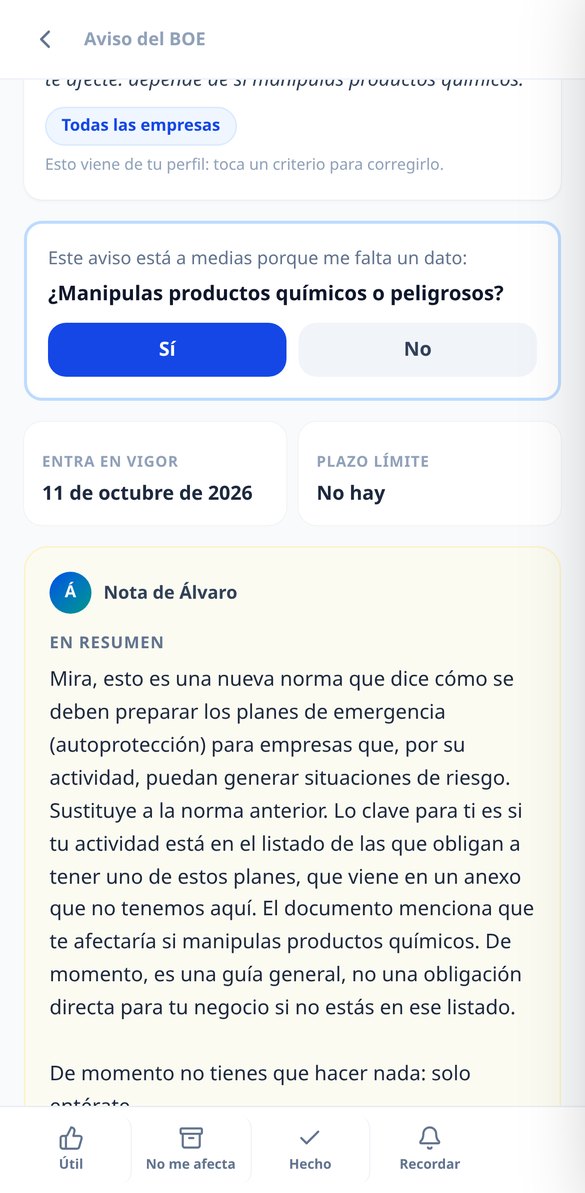
'Explain it to me': the rule in plain English, when you ask for it
The alert arrives complete and free. If you want to understand it, you tap 'Explain it to me' and Álvaro gives you back the summary in five lines and what you need to do in one to three checkable actions —or the honest 'nothing for now, just be aware,' which is also an answer—. It is only generated if you ask for it, it is saved in your alert, and re-reading it is free forever. From there you can continue: ask about your specific case, request the action plan with the rule's real dates, or the message already drafted to send to your team.

Deadline radar, reminders, and silence when there's nothing
Alerts with dates go into a radar ordered by urgency —overdue, this week, this month, later— with the countdown in words, and for deadlines that bind you we alert you automatically fifteen days out, three days out, and the same day. It works the other way too: there is a cap on alerts per week and a dial for how much you want to know, and if one day nothing exceeds the relevance level, nothing is sent. The weekly summary still arrives, even in a quiet week, with the numbers of what we have reviewed for you.
Two minutes to sign up, and you don't have to come back
Tell us about your business in 3 steps
Write what you do in plain language —“I sell bread,” “I repair cars,” “I do nails”—, choose province and employee range, and toggle only the switches that apply to you: premises open to the public, online sales, customer data, vehicles, food. No CNAE, no activity codes, and no keywords.
We review the last 30 days instantly
When you finish signing up, we cross-reference your profile with the last 30 days of the BOE that we already have classified, so you don't start with an empty inbox: you go in and the alerts that would have reached you are already waiting for you, with their label showing they are from before you signed up.
We only alert you when it matters
Every morning we read the day's BOE. What applies to you appears in the app and in your email —daily or weekly, as you prefer—, and dated obligations can go out separately the same day. The email never carries generated text: it brings the official data and a link that takes you to the exact alert.

What people who already use it say
“I run the bar with my brother and we had the whole BOE thing delegated on faith. What hooked me is the line that says 'you're getting this because you have employees and you're in hospitality': in two seconds I know whether to read it now or when we close. And on days when there's nothing, it tells me with the number of rules it reviewed, which is exactly what I needed to stop going over it in my head.”

“It caught a deadline I hadn't tracked anywhere: it alerted me fifteen days out and again at three days. I tapped 'Explain it to me' once, it pulled out the three things I had to do, and I pasted the message for the team as-is into the WhatsApp group. I've reopened that alert four times and it hasn't charged me again once.”

“The filter is more accurate than I expected, and when I mark 'this doesn't affect me' it asks me why and you can tell in the following ones. I give it four and not five because for now it only looks at the State BOE and half my life is complicated by my autonomous community. They warn you from day one, yes, but I miss it.”

Frequently asked questions
Stop reading the BOE. We read it for you.
Two minutes to sign up, and when you finish, the alerts from the last 30 days are already waiting for you.