
aiMindMap · Your ideas in intelligent mind maps

For those who need to study a syllabus, plan a project, or structure a script and get lost in linear notes: type the topic or upload your document and aiMindMap returns the map already branched, ready to edit, present, and export.
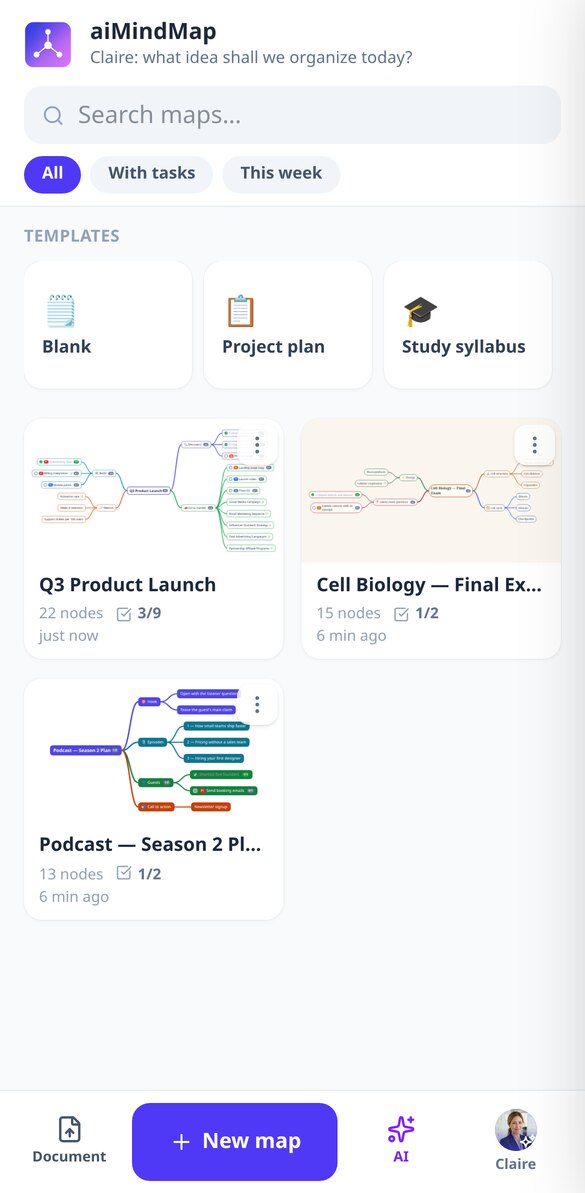
Do you have the topic in your head and in the document, but can't see the structure?
Linear text hides the hierarchy: you can't see what hangs from what, what's missing, or what's extra. aiMindMap starts from a sentence or your document and returns the complete tree, with the central idea in the middle and branches spread on both sides. From there you just type: Tab creates a child, Enter a sibling, and the map rearranges itself, without overlaps and without the node you're typing moving from its place.
Start free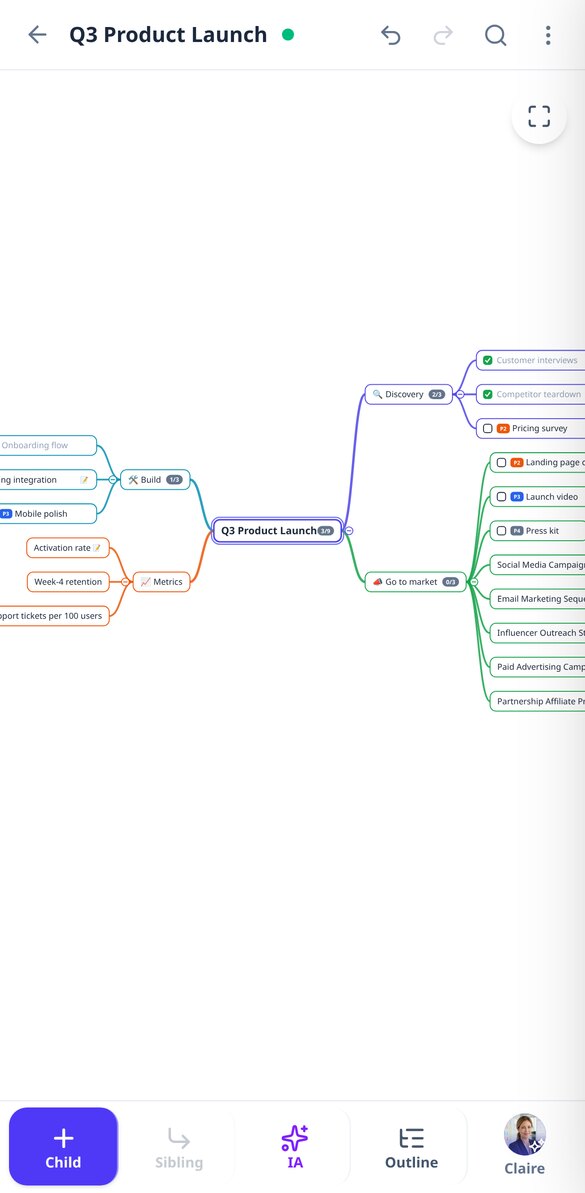

What makes aiMindMap different
It's not a blank canvas with loose shapes: it's a tree with a single root, automatic placement, and AI as a starting point.

The map comes from your topic or your document
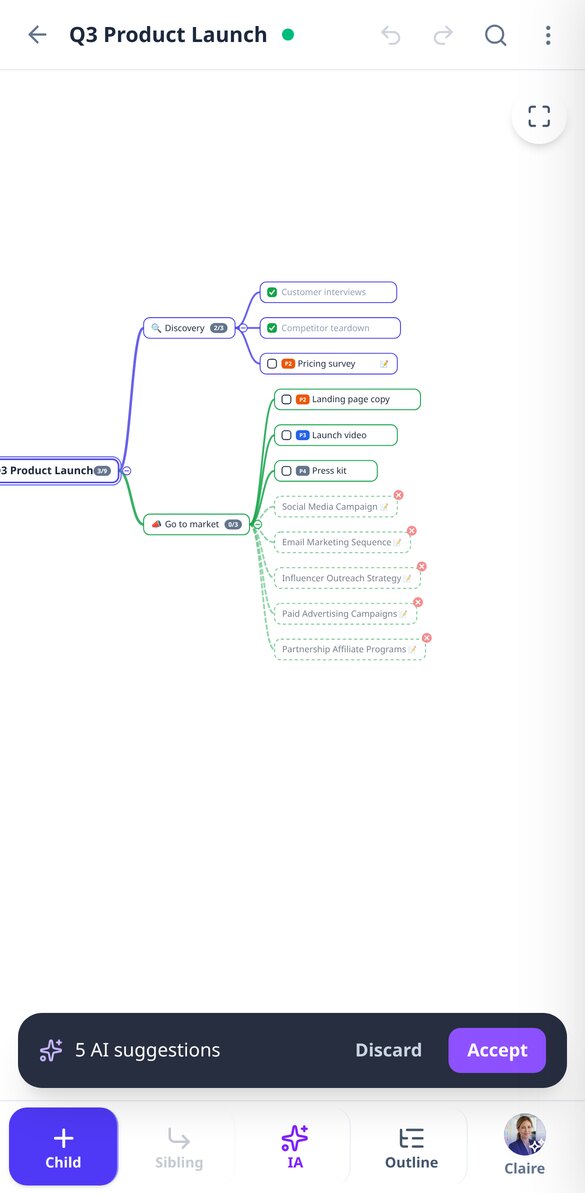
Describe the topic and choose depth and number of branches, or upload a PDF, DOCX, TXT, or a photo of your notes and choose the approach: conceptual outline, action plan, or executive summary. AI also expands any branch with new ideas, rewrites a node to shorten or clarify it, and suggests reorganizing the map by merging duplicates. Everything is previewed as dotted nodes that you accept or discard: nothing enters your map without your permission.

You type, the map organizes itself
You never place a node manually. Auto-layout spreads branches left and right without overlaps and keeps the node you're editing fixed on screen while the rest rearranges. Drag a branch to hang it from another parent, collapse what you're not looking at —with a counter of what it hides—, undo up to a hundred steps, and forget about saving: it saves automatically as you type.

The same map, as an outline, on screen, and in a file
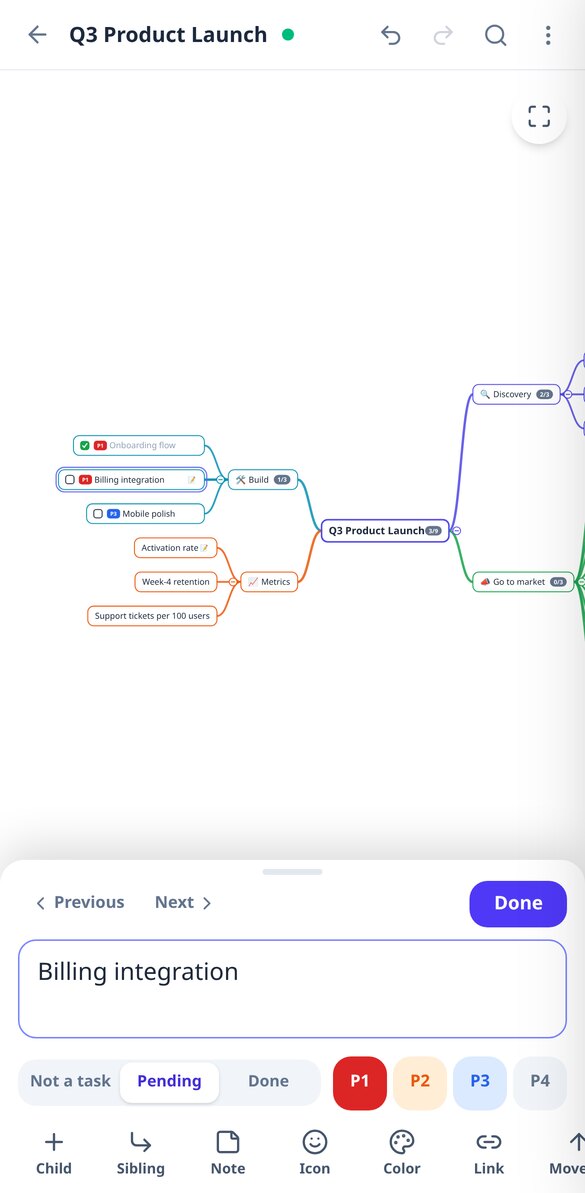
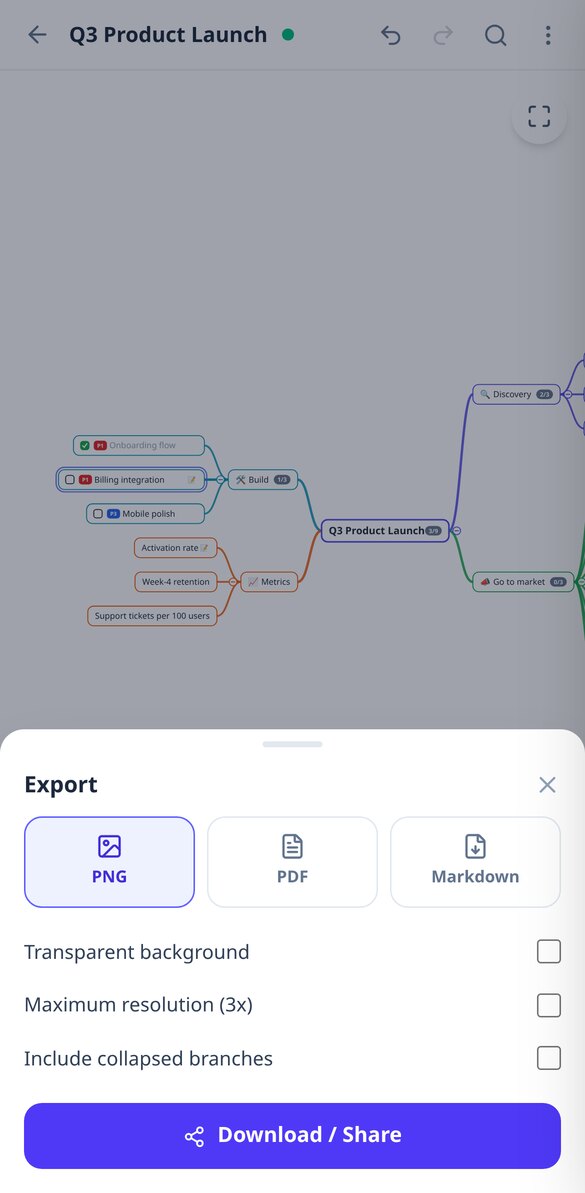
Switch to outline mode and edit it as an indented list, or present the map branch by branch in full screen. Each node supports a long note, link, emoji, color, task status, and P1-P4 priority, with accumulated progress on each branch. And when you want to export it: high-resolution PNG, PDF, or Markdown to paste into Notion or Obsidian.
From idea to map in three steps
Type the topic or upload the document
Create a blank map, start from a template (project, syllabus, minutes, SWOT, script) or let AI generate it from your topic or your PDF.
Edit and expand
Tab to go down a level, Enter to stay on the same, drag to reorganize, and ask AI to expand the branch that falls short.
Present it or export it
Review the map in presentation mode or download it as PNG, PDF, or Markdown to share it with whoever needs to read it.

User reviews
“I uploaded the syllabus in PDF and in a minute I had the tree of modules and topics with definitions in the notes. I review it in presentation mode the night before each exam.”

“I type the phases with Tab and Enter and the map positions itself. I check off completed tasks and see the progress of each branch without opening a spreadsheet.”

“I create the outline for each topic only once: I export it as PDF for class and as Markdown for my notes. If a branch is too short, I ask AI to expand it.”

Frequently Asked Questions
Stop writing lists and start seeing the structure
Create your free account and turn your first topic or your first PDF into a mind map today.