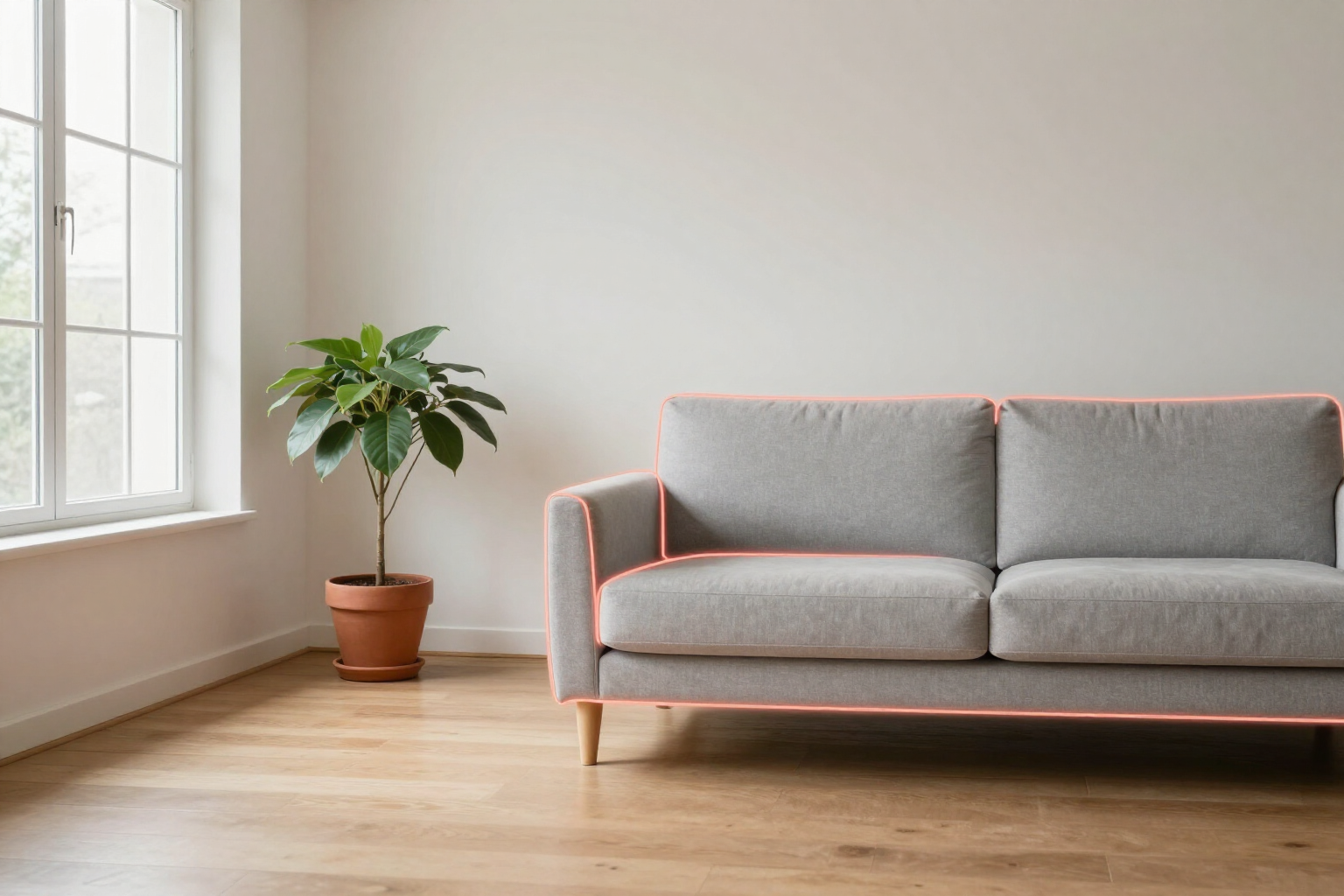
Mask Brush with Smart Selection by AI
Paint with your finger on the sofa, a wall, or the floor —or tap the object and the AI will crop its outline for you— and the change only applies within that area: the rest of the photo remains unchanged.
The problem with asking an AI to make a change to a photo of your home is that it often alters half the room. With the mask, you specify exactly where.
aiSpaceDesign is the AI interior design app from AIsToHire (https://aistohire.com/ai-interior-design-151). Within the editor, the mask brush allows you to mark on the photo the area you want to modify before writing the change. You paint with your finger or mouse on the sofa, the background wall, the floor, or the countertop, and that area travels with your request to the AI as a working zone.
If you don't feel like painting, activate smart selection and tap the object once: a vision AI identifies what is at that point, tells you its name (“sofa”, “wall”, “floor”), and draws its outline as a mask. From there, you can refine that crop with the brush: add with the paint mode, remove with the erase mode, and undo or redo stroke by stroke if you go overboard.
When generating, the instruction the model receives is explicit: apply the change only within the highlighted area and leave everything outside identical. When the result arrives, the before-and-after slider lets you check with your finger what has changed exactly and what hasn’t.
And since each generation is a new version of the project tree, you can mark another area from the same starting point and open a different branch without losing anything: change only the floor in one branch, only the sofa in another, and compare them.
Benefits of AI Image Mask Brush
Mark the area with your finger
paint directly on the photo, on mobile with your finger and on desktop with your mouse. Three brush sizes (small, medium, and large, proportional to the image size) to go from the baseboard to an entire wall.
One tap and the AI crops the object
in smart selection mode, tap the furniture or surface and a vision AI returns its outline already converted into a mask, along with the name of what it recognized, so you can confirm it understood what you were pointing at.
Paint, erase, undo, and redo
the eraser mode trims the image mask where you've gone outside, and undo/redo works stroke by stroke (including Ctrl/Cmd + Z). Clearing the entire mask can also be undone.
The change stays within the marked area
when generating, the area is sent highlighted along with your photo, and the model is instructed not to touch anything outside. It's the difference between 'change the sofa for me' and also changing the curtains.
Before and after slider
each version is compared with the original by dragging the separator over the image, so you can see at a glance if the change stayed where you requested.
The mask works with the entire catalog
combine it with any of the 36 styles, the 60 finishes for floors, walls, ceilings, and countertops, quick actions (remove furniture, add plants, change the lighting), or with a handwritten free prompt.
One mask, multiple branches
each edit hangs from the version tree, so you can return to the original photo, mark another area, and try a different path without overwriting the previous one. When regenerating a version, its mask is reused.
No surprises if something goes wrong
if the mask cannot be processed, the app alerts you that the change will be applied to the entire image instead of doing it silently, and you can repeat the generation by marking the area again.

Mark the area and change just that
Create your free account, upload a photo of your living room, and paint the sofa: in less than a minute, you have the first version with the rest of the room intact.