
aiSubscribed — Subscription, Direct Debit and Renewal Tracker · Your subscriptions under control before they renew

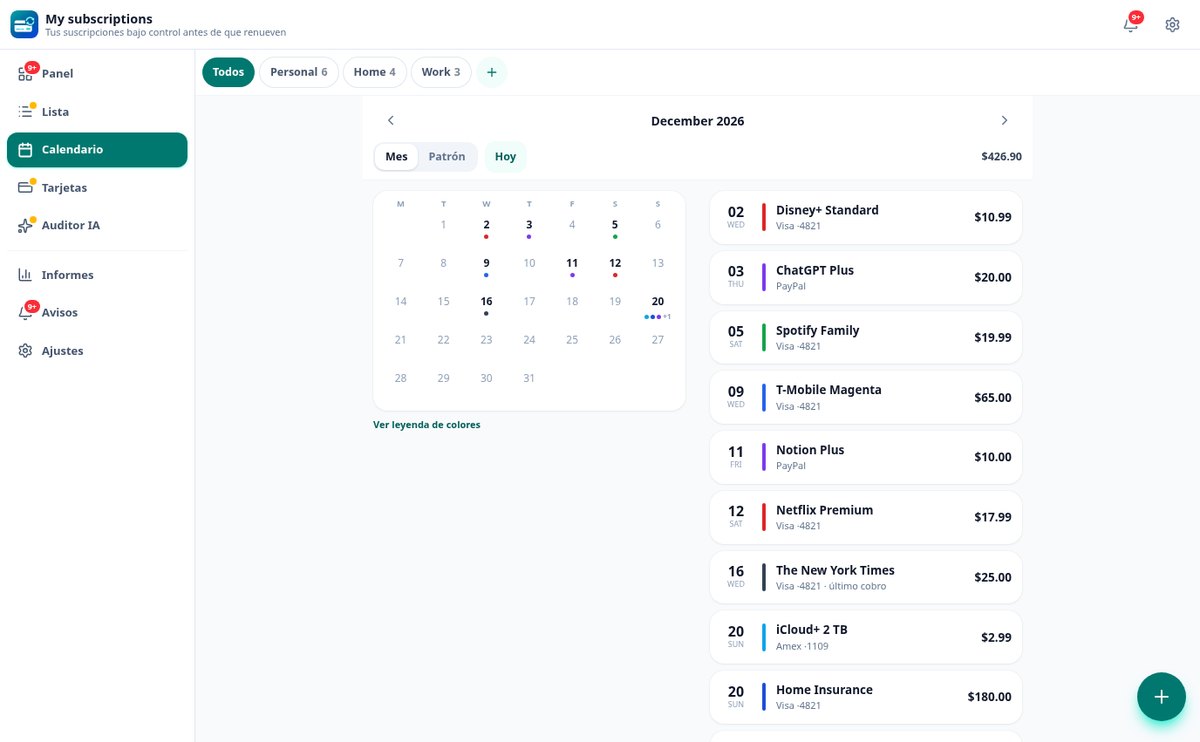
Gather in one place everything you're charged each month or each year —streaming, mobile, electricity, gym, insurance, software— and answer the three questions nobody can answer today: how much it costs you per month and per year, which card or account it comes from, and the last day you can cancel without it renewing.

Do you know the last day to cancel your insurance before it renews for another year?
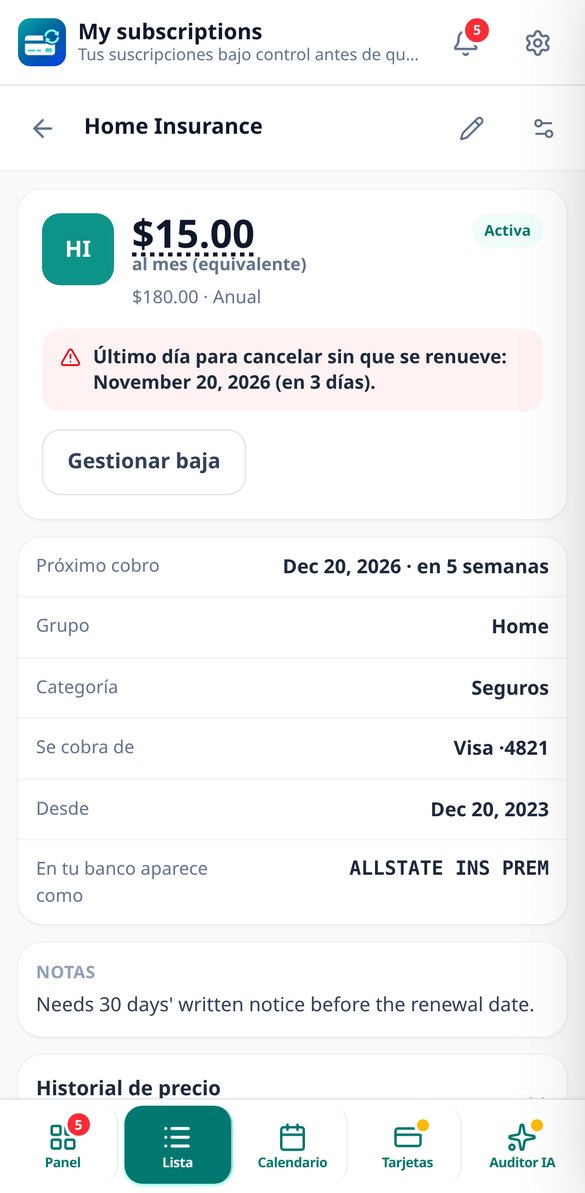
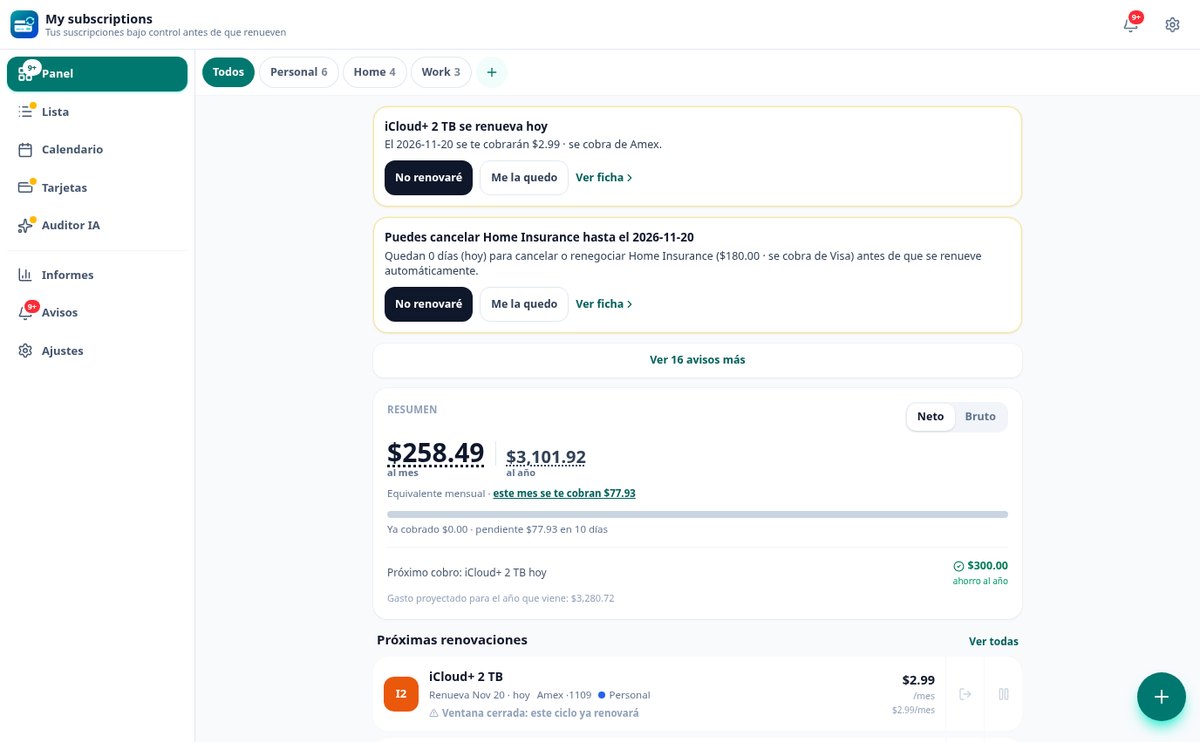
Almost nobody knows, and that's exactly where the money is. aiSubscribed doesn't alert you on the charge date —that's too late—: it calculates the real deadline for each subscription, with its 15-, 30- or 60-day notice period or its specific cancellation window, and alerts you by email and in the app with whatever lead time you choose: by default, 30, 7 and 1 day before that deadline when there is a notice period. And since each charge records which card or account it comes from, the day you change banks you'll know exactly what will drop off.
Start free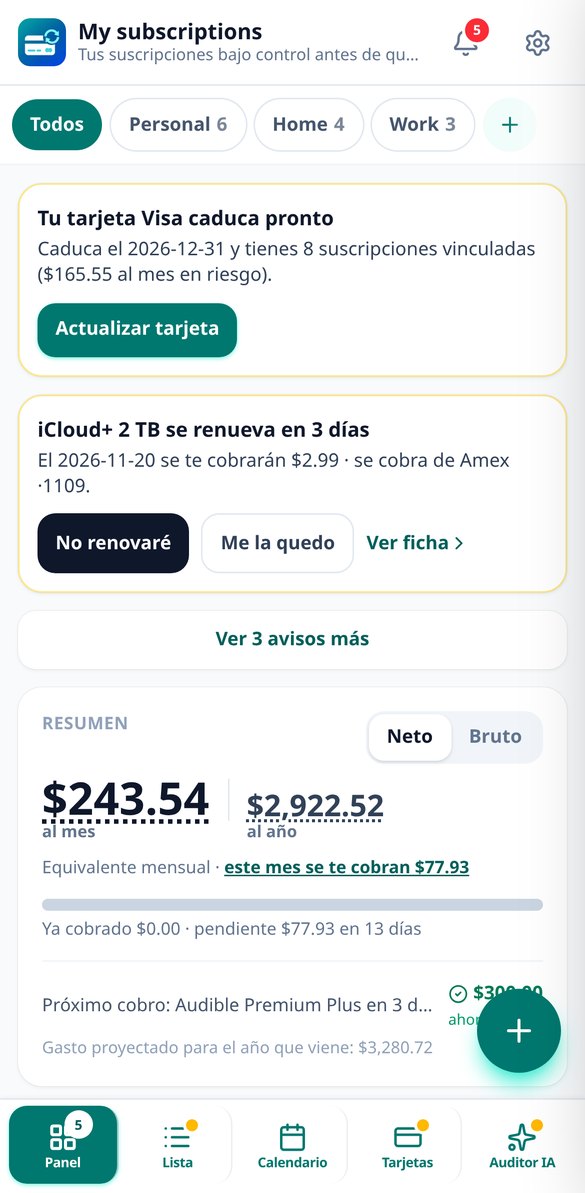
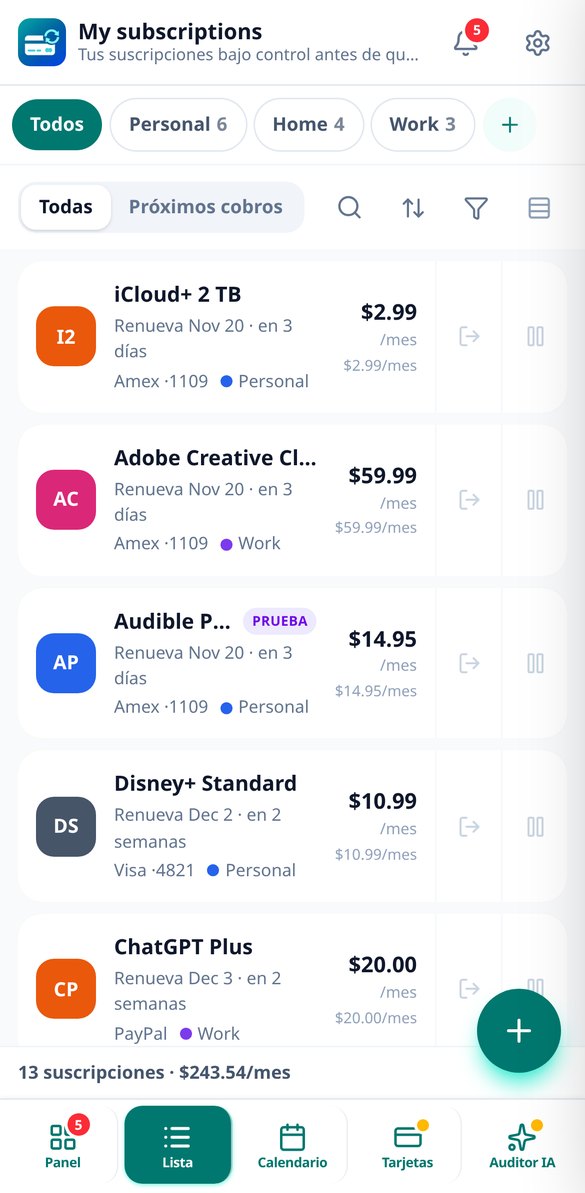
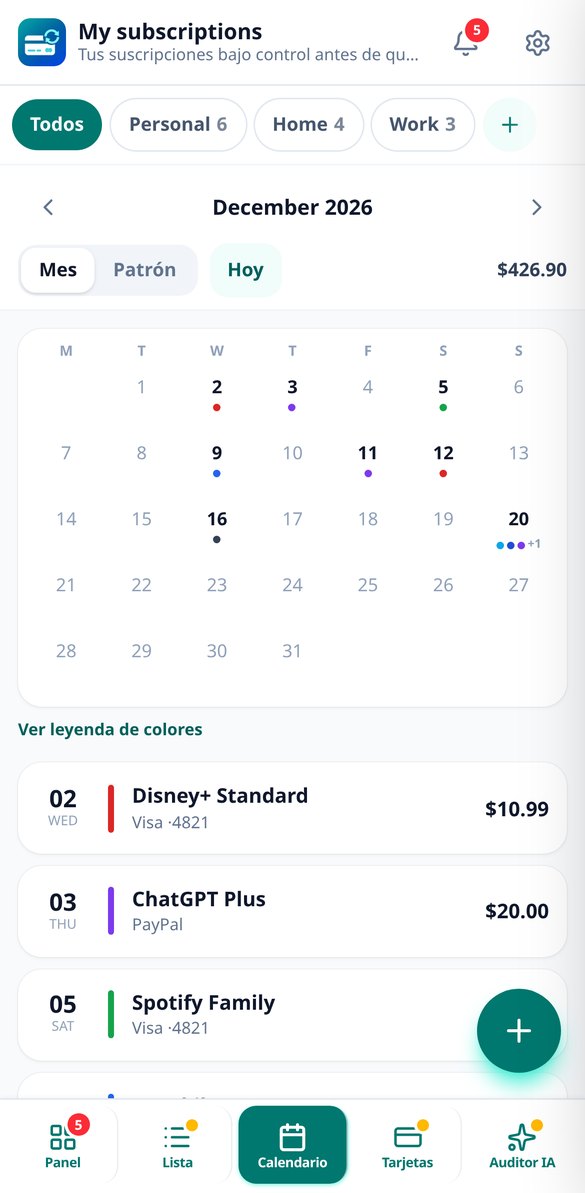
Everything recurring in an inventory that actually alerts you in time
Neither your bank's app nor a spreadsheet answers this: the bank only sees what has already gone through it, and a spreadsheet doesn't alert you to anything.

The cancellation window, not the charge date
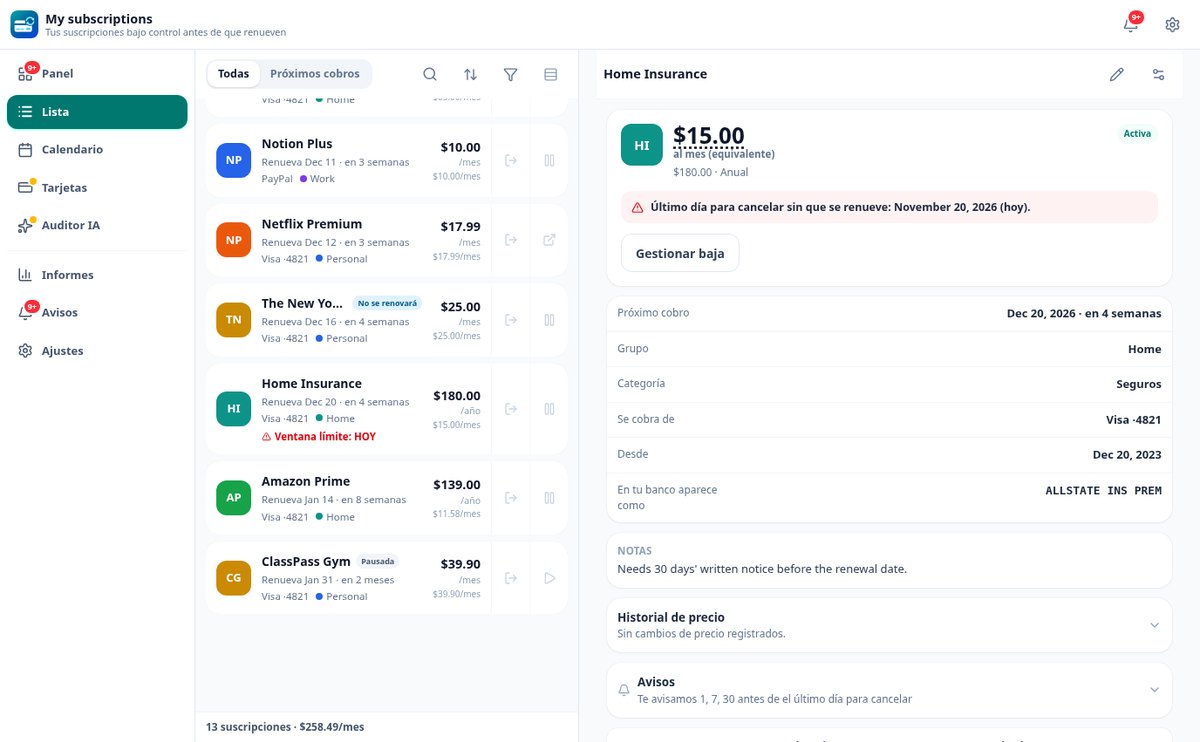
Each subscription stores its policy: cancellable at any time, with a mandatory N-day notice period or only within a specific window. The app calculates the last day to cancel before it renews, flags it with a traffic-light urgency indicator and, if this cycle's notice period has already passed, tells you straight: this cycle will renew, the deadline moves to the next one.

Which card each charge comes from
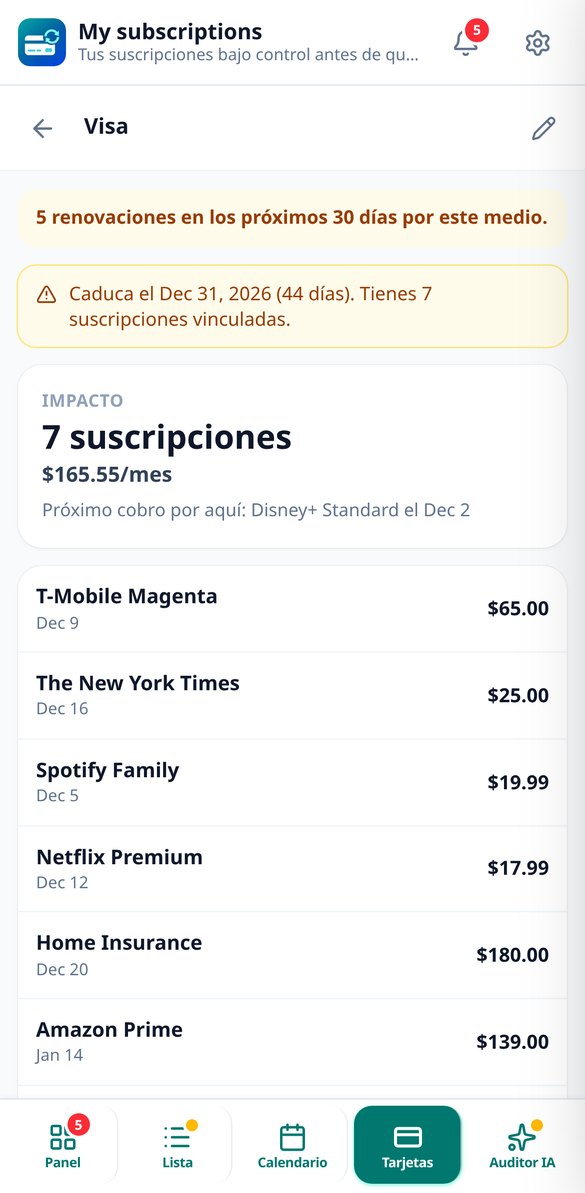
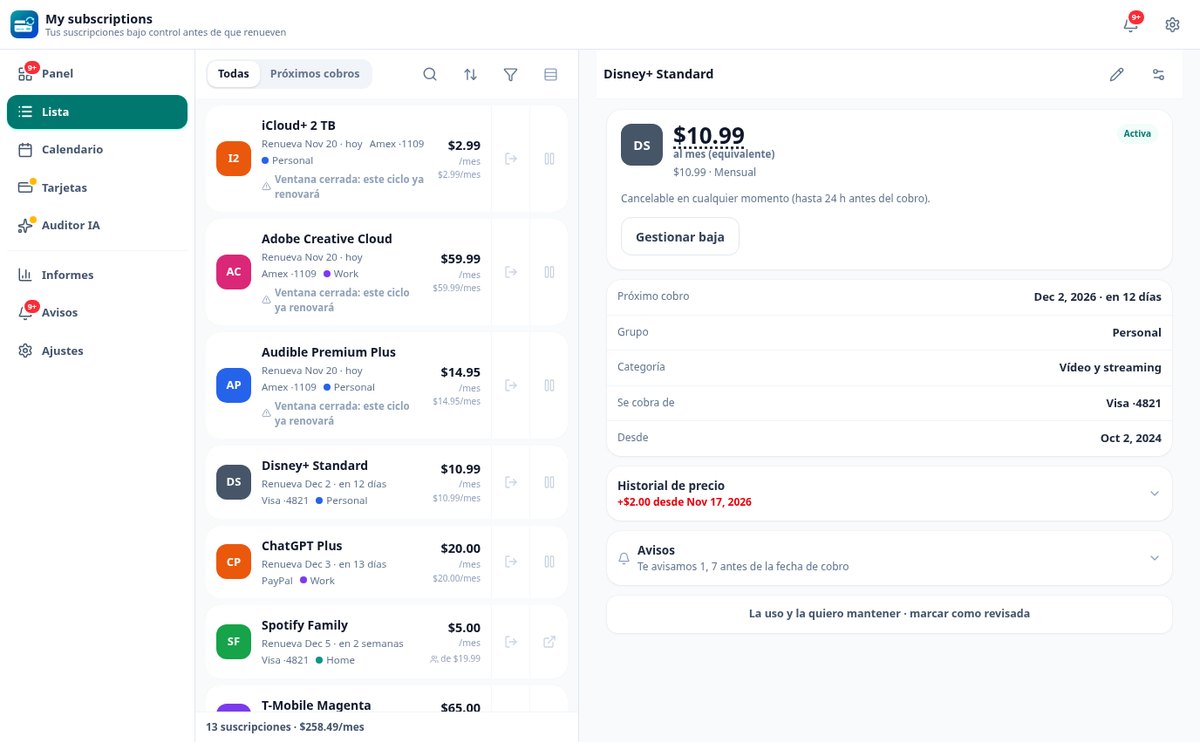
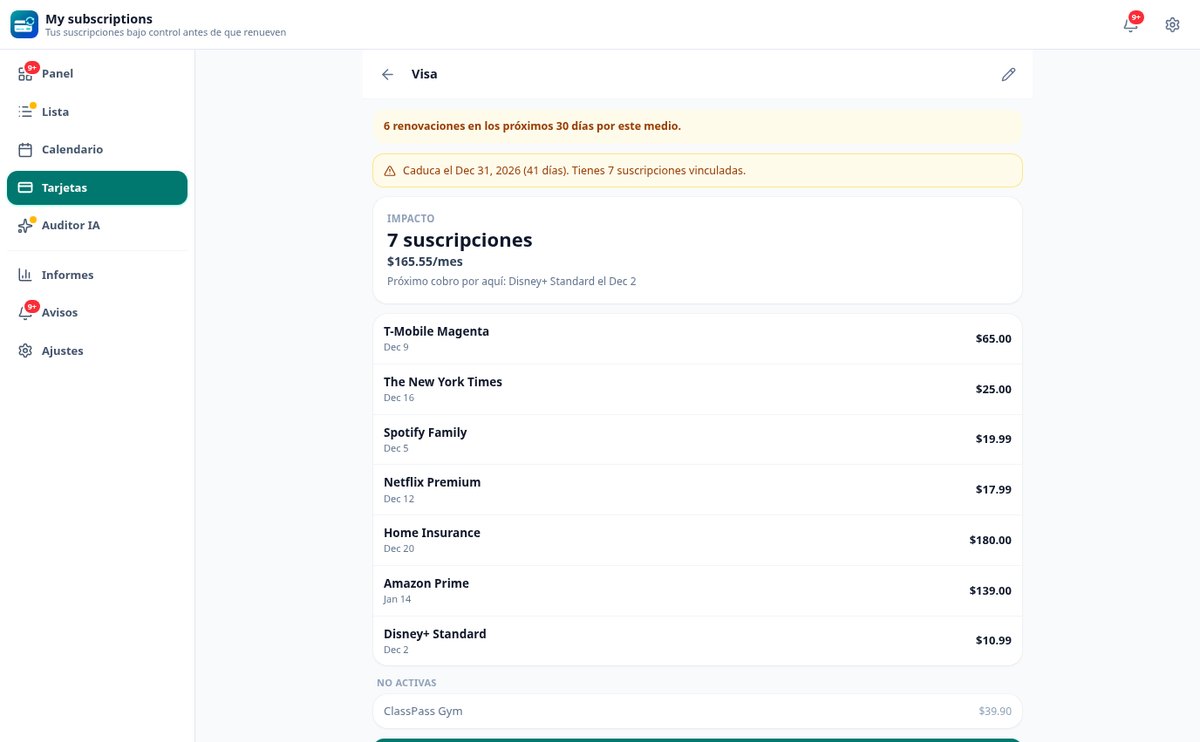
Your payment methods are separate records with an alias, issuer and only the last four digits. Open one and see how many subscriptions hang off it, how much they add up to per month and which ones renew in the next 30 days. If the card expires, it alerts you 60 and 30 days before with what is at risk, and you move all its subscriptions to the new one in a single flow, with Undo.

Paste your statement and AI builds your inventory
Copy your bank transactions or a confirmation email and AI suggests the subscriptions it detects: it translates cryptic descriptions into recognizable names, flags aggregator charges as ambiguous instead of making up the service, and creates nothing until you approve the list. Without connecting your bank and without storing the text you pasted.
Your inventory, set up in an afternoon
Add what you already have
Choose it from the catalog of 134 common providers, with its billing frequency and typical amount already filled in and editable; paste your statement so AI can detect it; or create it manually if it has a notice period, free trial or unusual terms.
Organize by groups and cards
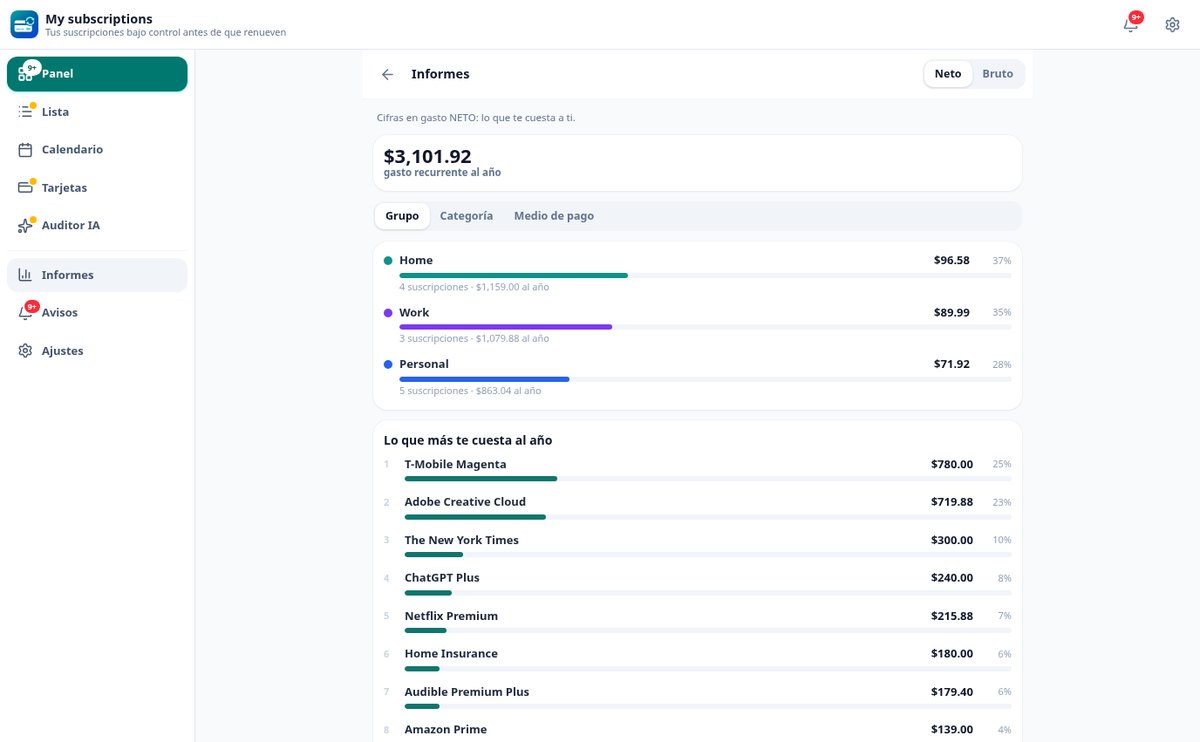
Home, Work, the beach apartment: you create the groups and each subscription lives in one. Assign its payment method and the app totals monthly and yearly by group, category and card, and ranks what costs you most per year.
Let it alert you in time
Alerts by email and in the app before the cancellation deadline, the end of a free trial or a card expiry, at the time you choose and in your time zone. From the alert itself you mark it «won't renew» and the app records the savings achieved.

Who is it for?
Built for these profiles
Frequently asked questions
Start with the subscription that worries you most
Add just one, check the last day you can cancel it and let the app alert you. You can build the rest of the inventory as you go.