
SpendTrack · Know where your money goes without writing anything down

For those who want to control their spending and don't have time to enter it: take a photo of the receipt, dictate the amount, or upload your bank statement, and SpendTrack will classify, sum it up, and show you the entire month. Without connecting your bank account.
Could you say how much you spent last month on eating out?
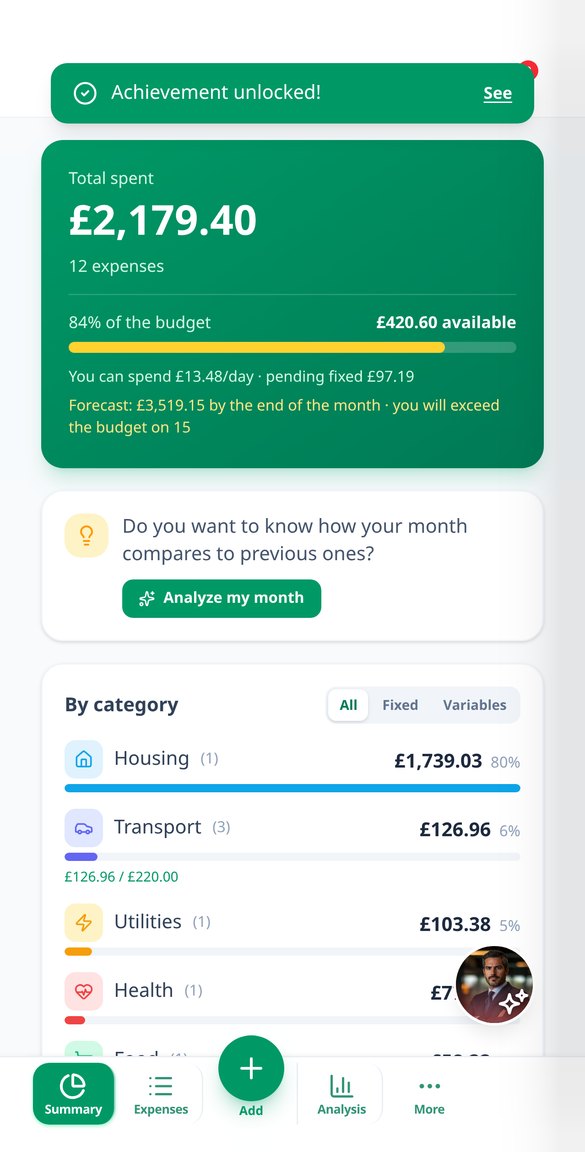
Almost no one knows, and it's not due to negligence: manually tracking every expense is a task that no one maintains for more than two weeks. SpendTrack takes that work away. You photograph the receipt and continue with your life while the AI reads it; you dictate "twelve euros lunch with Ana" and it's already in; or you upload the statement your bank exports and decide which transactions to include. What comes in is automatically classified, learns from your corrections, and becomes a monthly summary that is easy to understand at a glance: what you've spent, how much more than last month, and how much you have left until the end of the month.
Start for free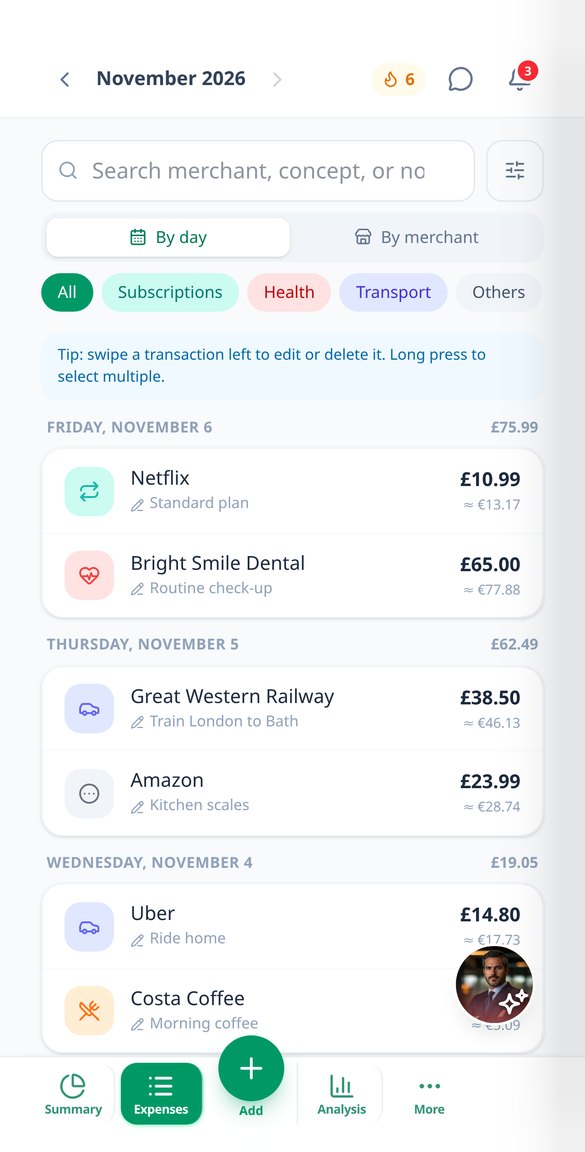
Discover every feature in detail

Scan receipts with AI: the photo of the receipt turns into an expense
Upload the photo or PDF of a receipt, and AI extracts the date, merchant, amount, currency, invoice number, and line-by-line details. Multiple receipts per photo, duplicate control, and background analysis.
View feature
Import bank statement to your expense app and review it first
Upload your bank's CSV, TXT, or PDF and the AI converts it into transactions with date, merchant, amount, and category. Review and edit before saving, with duplicates marked. No need to connect your bank.
View feature
Record expenses by voice without uploading audio to the cloud
Dictate an expense and SpendTrack records it with amount, date, and category. Your voice is transcribed on your own mobile using the Web Speech API: only the text is sent, never the audio.
View feature
Expense AI Assistant: ask how you spend in natural language
Ask 'How much have I spent on restaurants this month?' and the SpendTrack assistant responds with your actual figures. You can also log expenses by writing a sentence, without exposing your complete history.
View feature
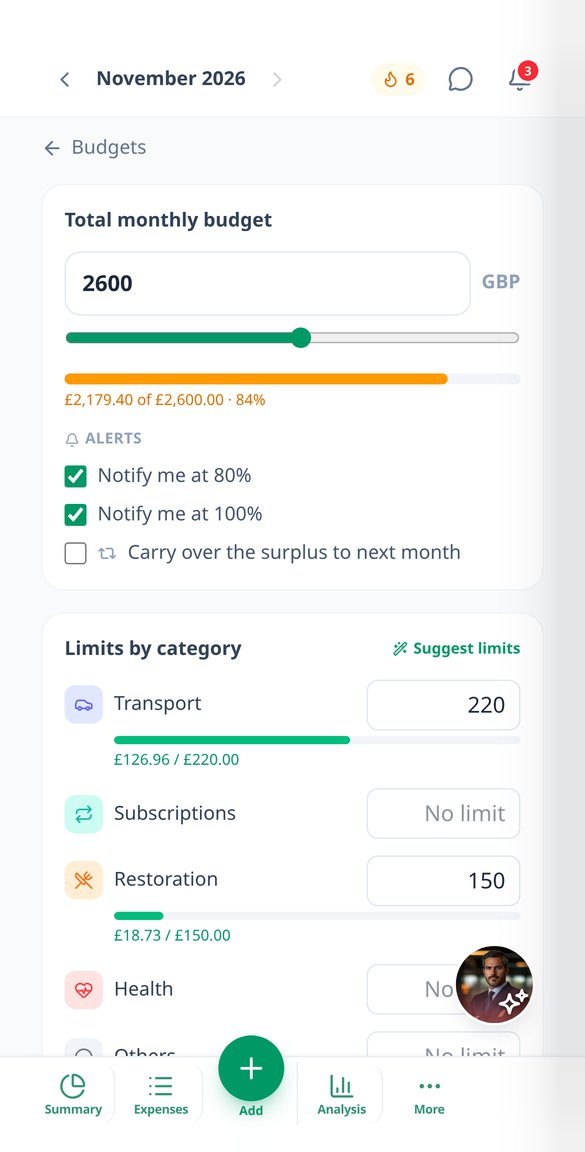
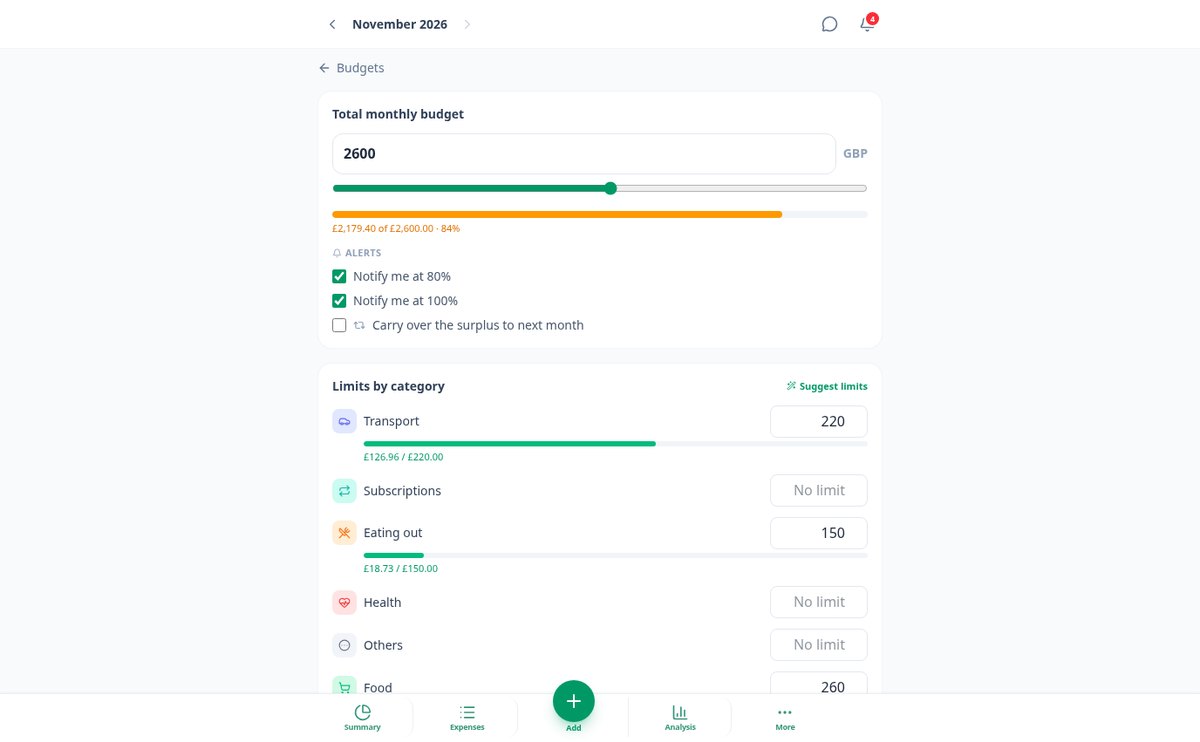
Monthly budget by categories with alerts at 80% and 100%
Set a global monthly spending cap and a limit per category in SpendTrack. Alerts at 80% and when exceeded, how much you have left per day, forecast for closure, and rollover from the previous month.
View feature
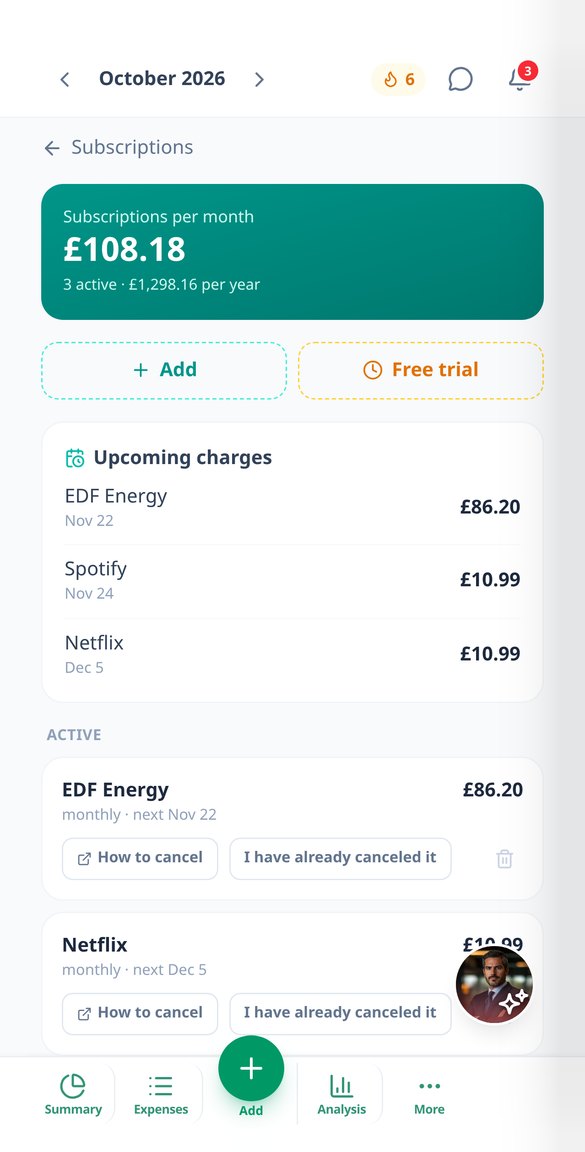
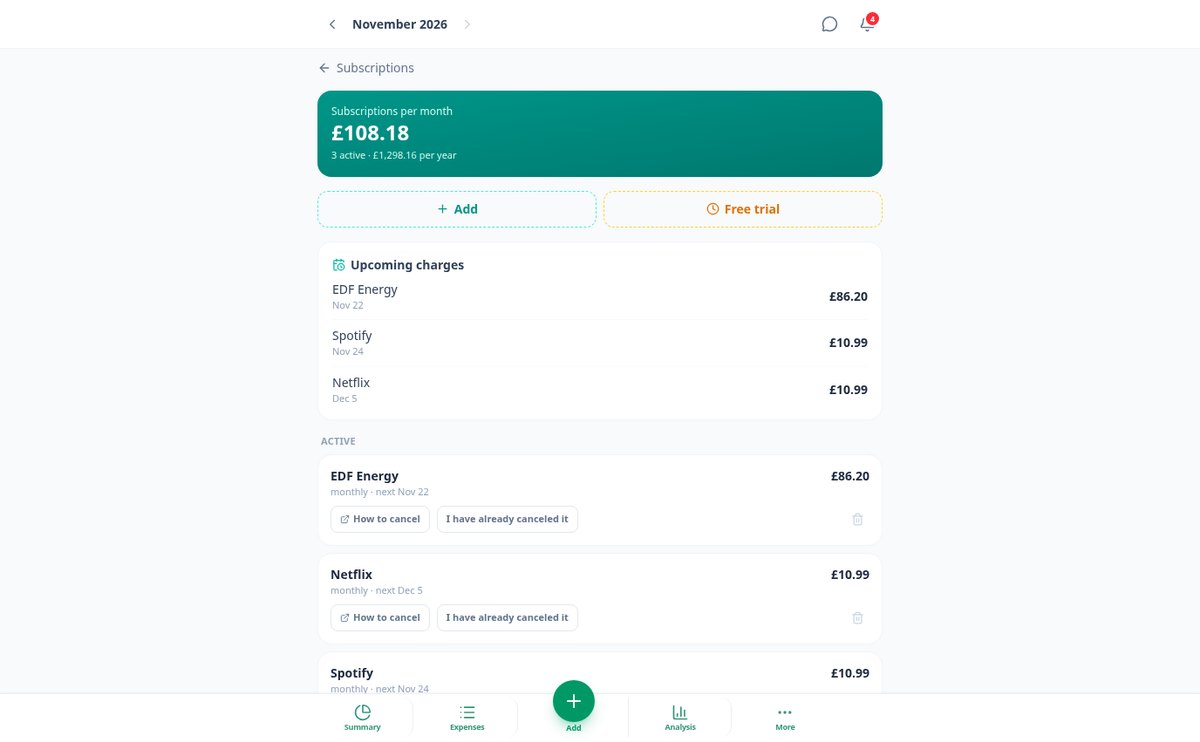
Automatically detect your subscriptions and manage recurring charges
SpendTrack identifies the recurring charges in your expenses and reveals the subscriptions you pay without realizing it: total per month and per year, alerts before each renewal and before a free trial ends. No bank connection required.
View featureFrom crumpled receipt to monthly summary
What SpendTrack does with each expense since it enters the app.

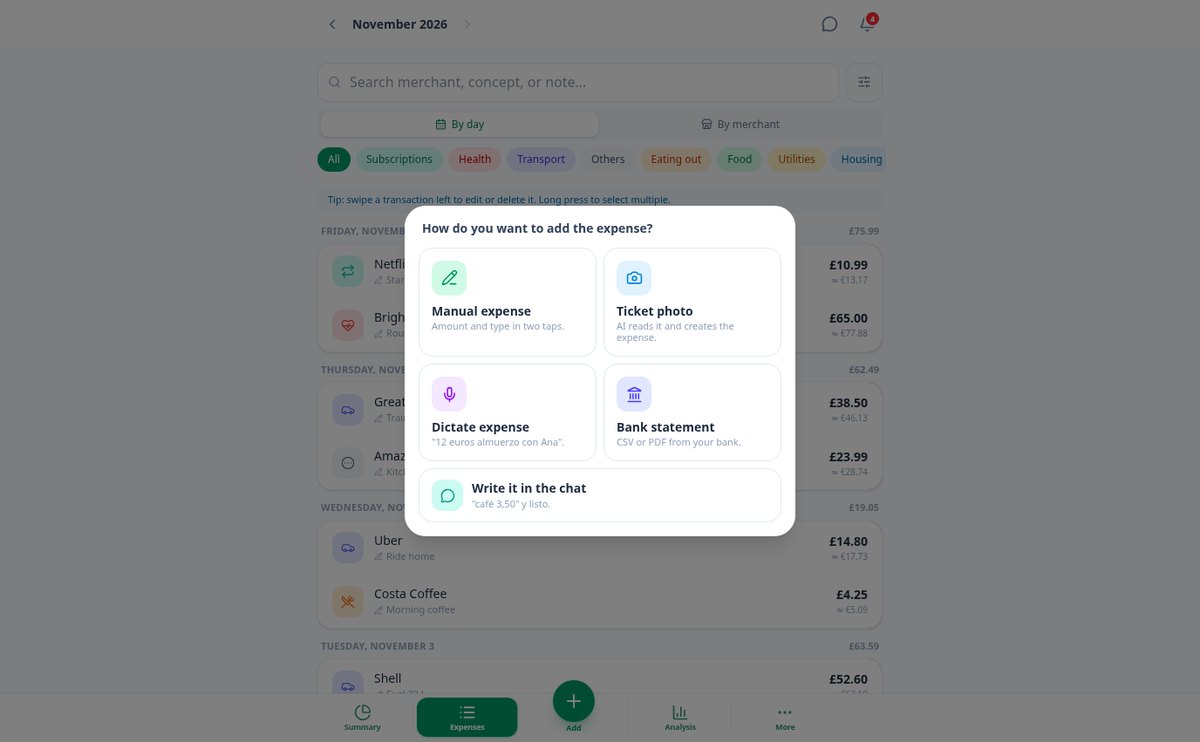
Five ways to record an expense
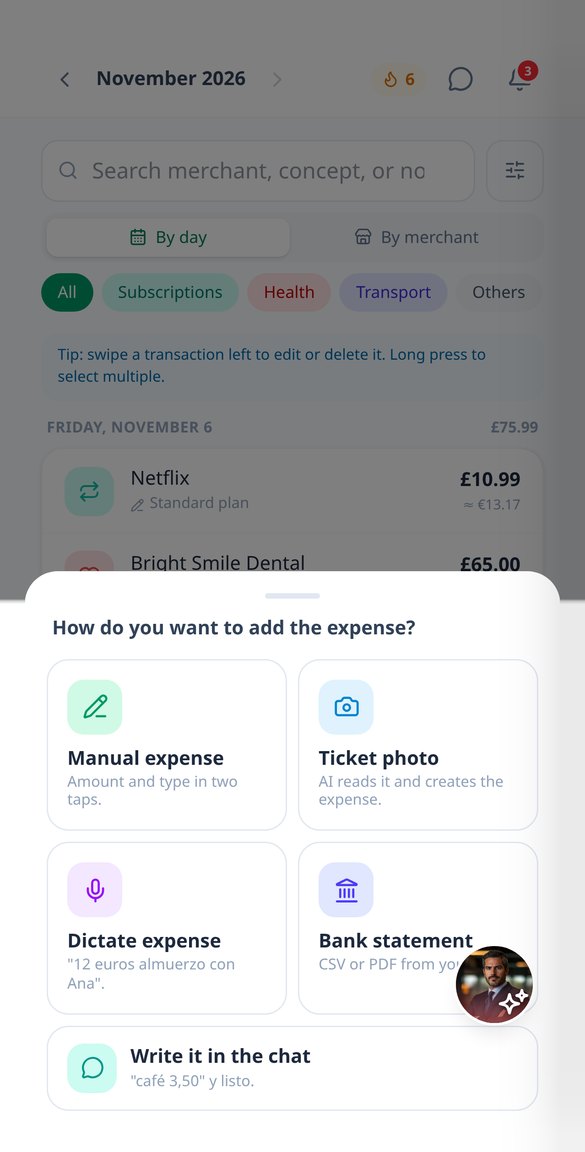
Amount and type in two taps, with your frequent expenses in one tap. The photo or PDF of a receipt, which the AI reads in the background while you continue using the app — and if there are multiple receipts in the same image, it separates them into multiple expenses. Voice dictation, which is transcribed on your device without uploading the audio anywhere. A message to the assistant (‘coffee 3.50’). Or your bank statement in CSV, TXT, or PDF, which you review movement by movement with the type already suggested before confirming the import.

It classifies itself and learns from you
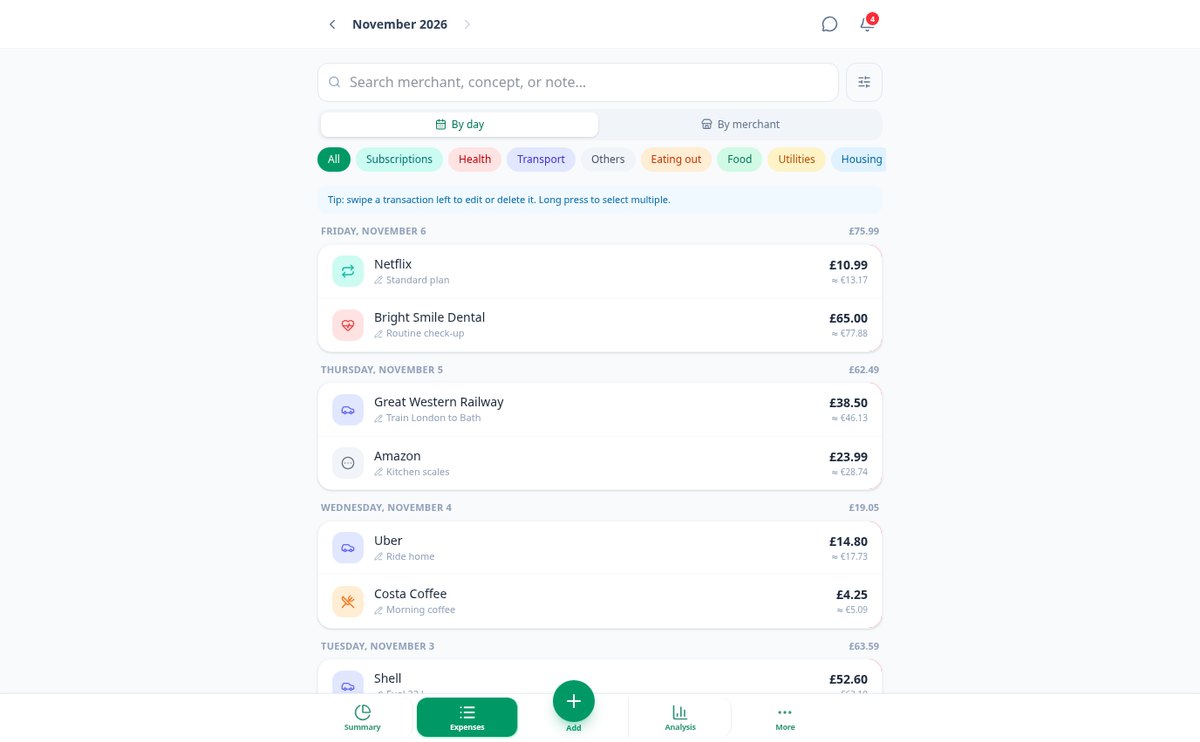
Each expense falls into one of 14 categories — food, transportation, subscriptions, leisure… — or into the ones you create, and you can reassign it with two taps. If you correct the same merchant twice, SpendTrack remembers it; and you can set a fixed rule (‘if it says AMZN, it’s Leisure’) and apply it to what you already had recorded. Before creating anything, it alerts if that expense was already there, accepts tags that cross categories (‘Trip to Japan’), separate accounts, and 45 currencies with their exchange rate on the day of the expense.

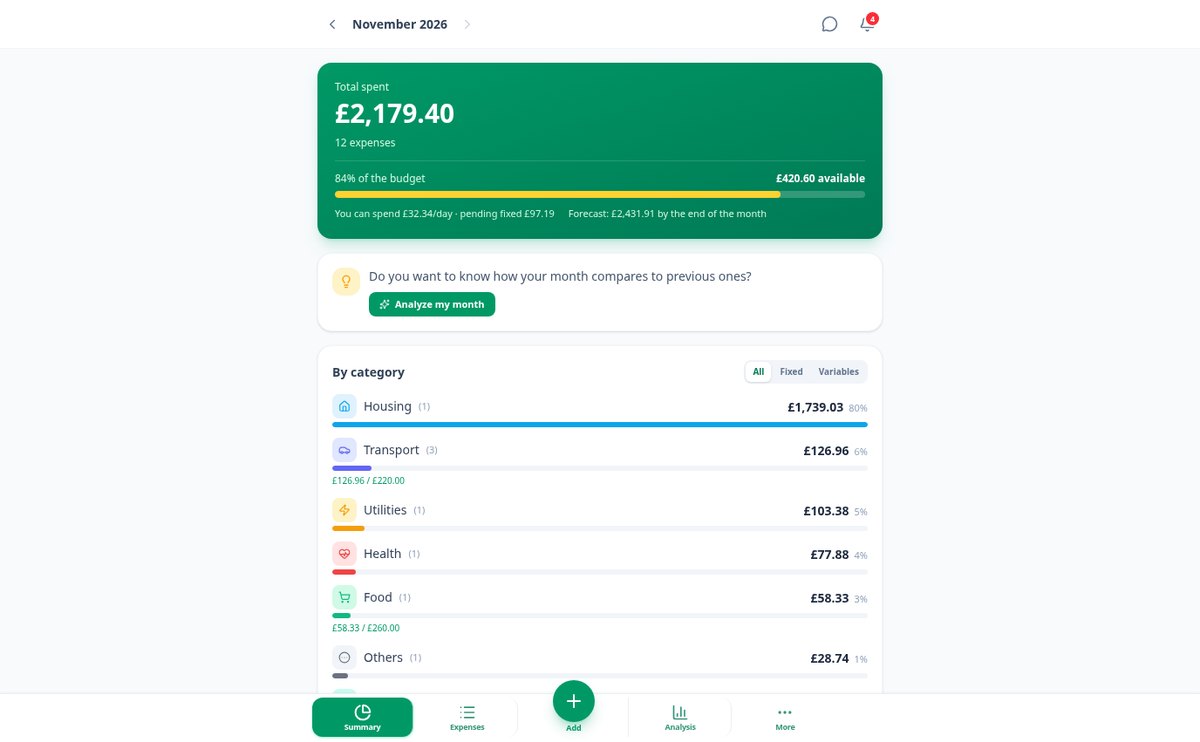
The entire month at a glance
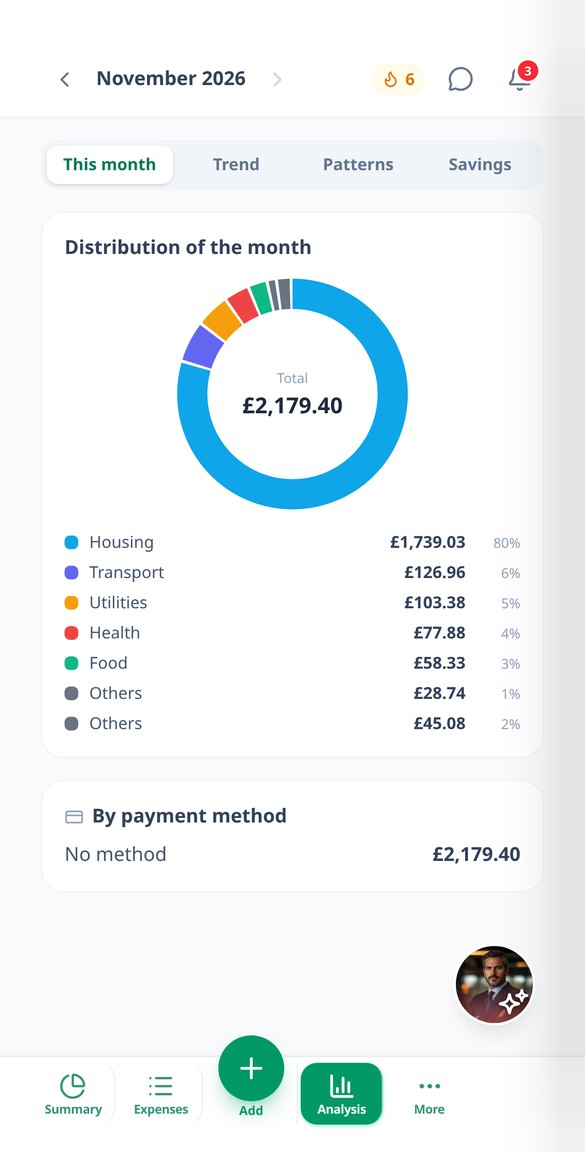
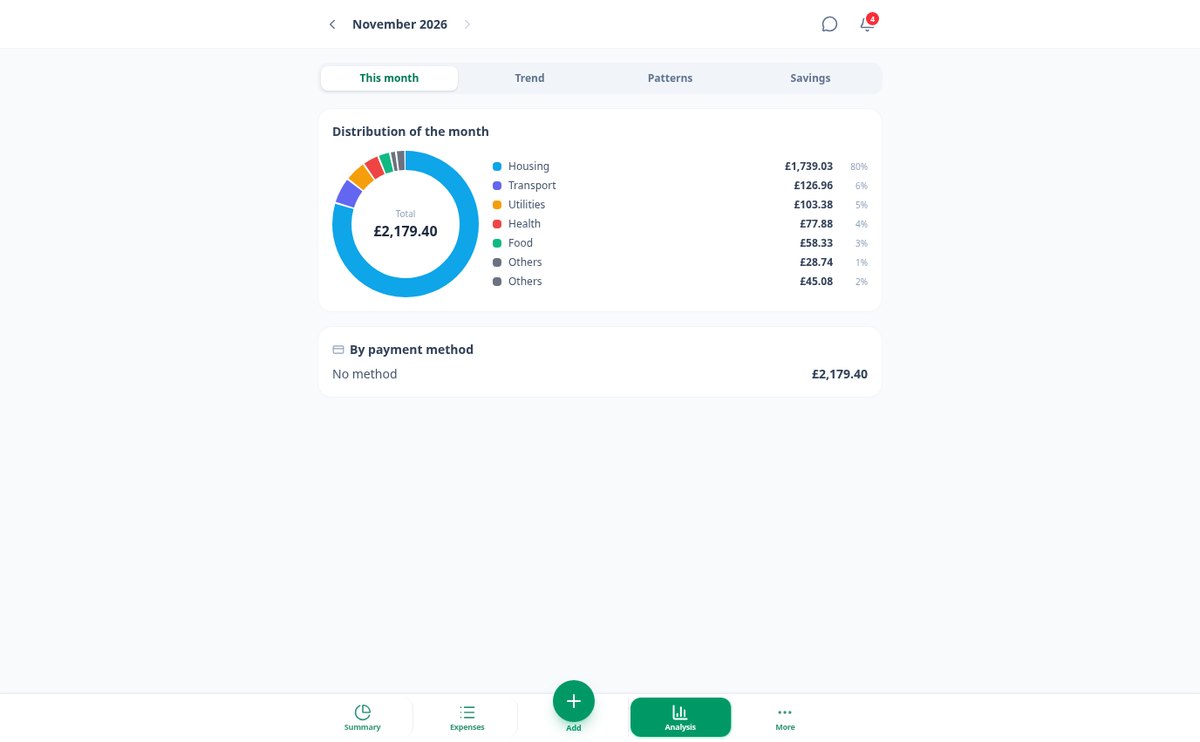
Total for the month, variation compared to the previous one, overall budget and by category with alerts at 80% and 100%, how much you have left per day, and the closing forecast. Below, your detected subscriptions with the next charge and an alert before it arrives, the analysis with a ring, 12-month trend, small expenses and peaks, savings goals, and savings recommendations written by the AI with its figure. All exportable to CSV, PDF report, and backup copy.
Your first month tracked in three steps
Sign Up
Create your free account and choose your currency. No need to connect any bank or provide account details.
Enter your expenses
Take a photo of the receipt, dictate the amount, enter it in two taps, or upload your bank statement and mark which transactions to include.
See where your money goes
Set your budget and SpendTrack shows you the breakdown by category, alerts you before you exceed it, and tells you where you can save.

Who is it for?
Built for these profiles
Frequently Asked Questions
Latest blog articles
Guides and news to get more out of it

Start tracking your expenses today
Create your free account, upload your first receipt, and see where your month goes.