
aiSeguros · Your insurance, clear and well defended

Store all your policies in one place and ask «is it covered?» in plain language: the response literally quotes your terms, with article and page — never a generic internet assumption.
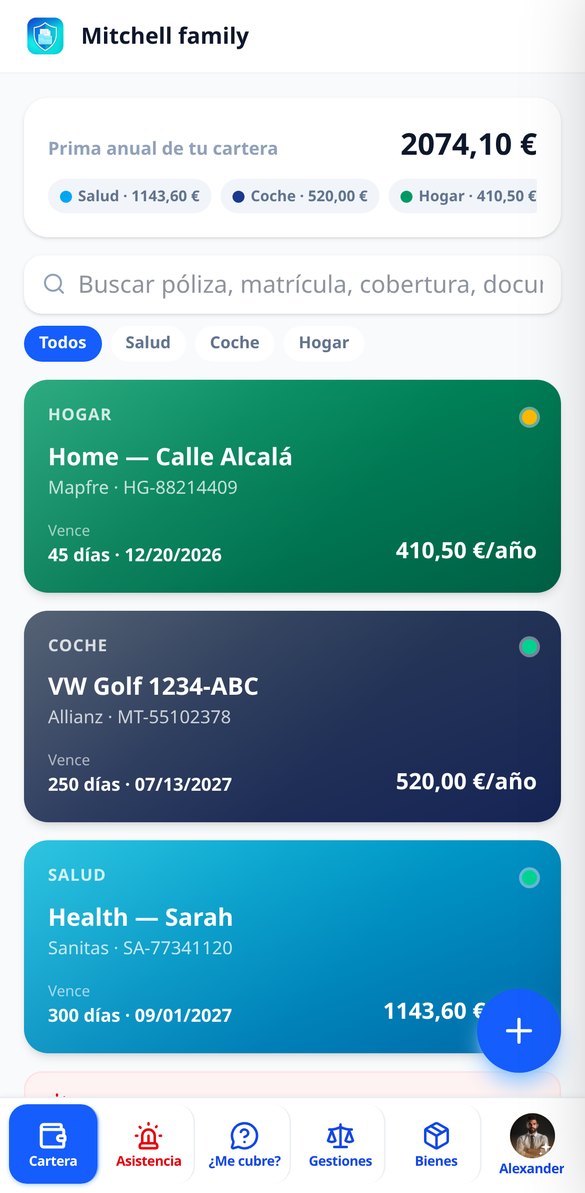
Do you really know what each insurance you pay for covers?
Most families have between 4 and 8 active policies and no one remembers what each covers until something happens. aiSeguros stores your policy documents, reads them for you, and responds by quoting the exact paragraph of your contract — with article and page — so you can decide with the policy in front of you, not with a doubt.
Start for free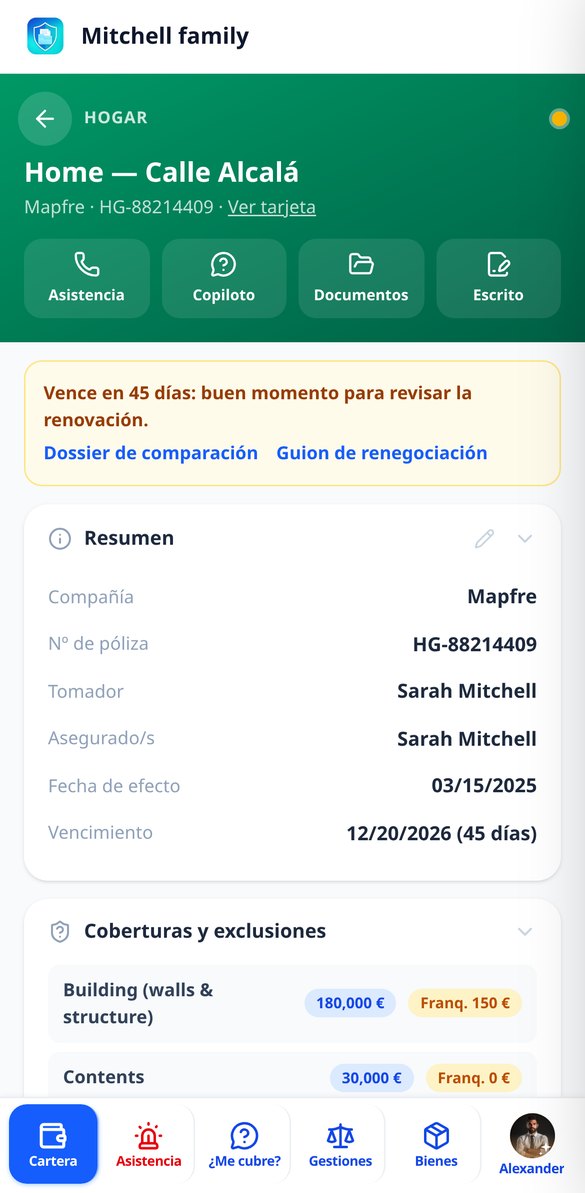
Discover every feature in detail

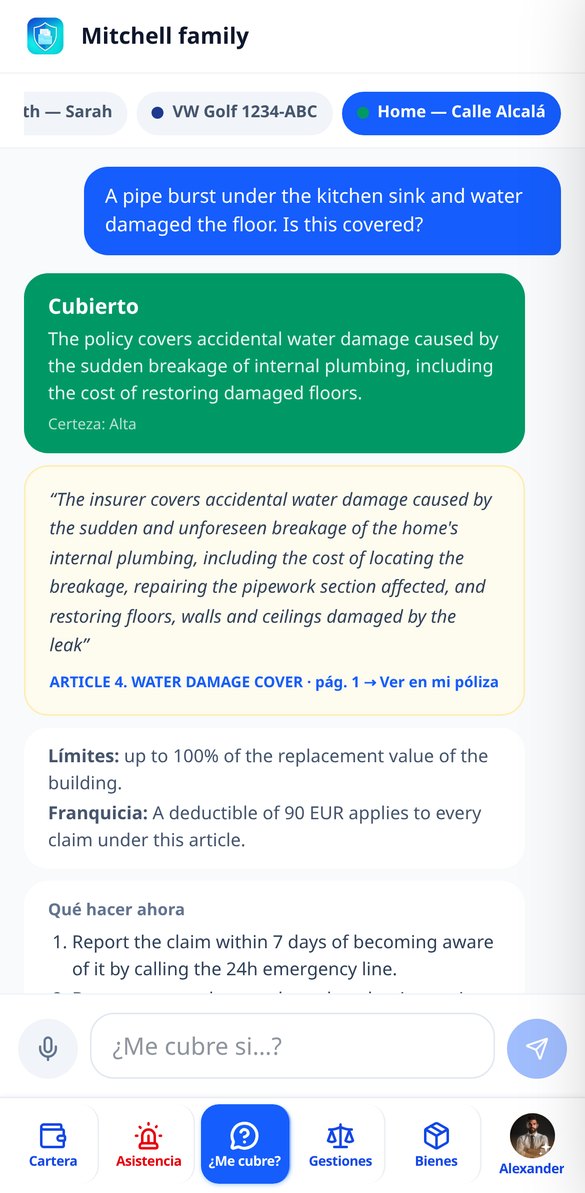
Does my insurance cover it? Ask and see the citation from your policy
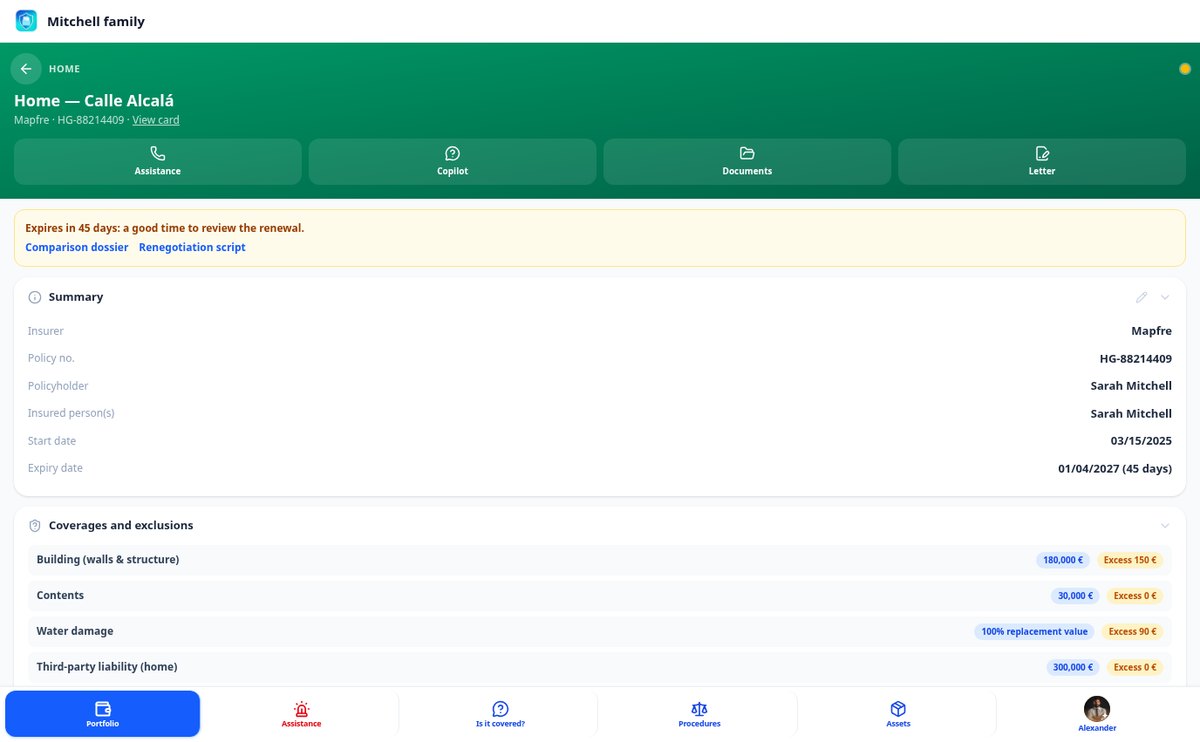
Coverage chat that reads YOUR policy wording: ask if a damage is covered and receive the verdict with the literal citation, the article, the page, the limits, the deductible, and what to do now. Just use your documents.
View feature
Scan an insurance policy: registration via PDF or photo with AI
Upload the PDF or a photo of your policy and the AI extracts company, number, dates, premium, coverages, exclusions, and phone numbers with their level of confidence. You confirm field by field and anything not present in the document remains empty: no data is ever invented.
View feature
Limiting or defining clause: analyze your policy (art. 3 LCS)
Analyze your insurance policy wording and discover which exclusions are limiting clauses under art. 3 LCS: whether they are highlighted, if you accepted them in writing, and which may not be enforceable against you. With literal citation, article, and page.
View feature
Duplicate coverages in your insurance: detect them with aiSeguros
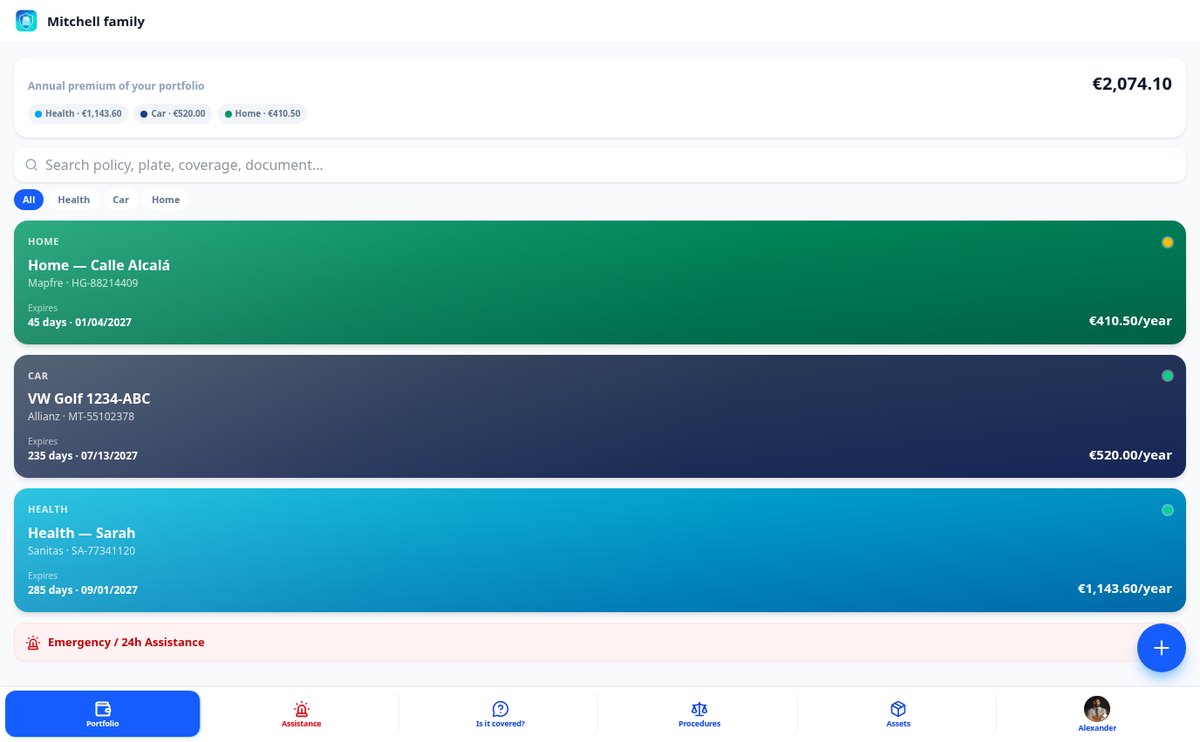
Cross-reference the coverages of all your policies and bank cards and discover what you are paying for twice, with estimated annual cost and explanation. aiSeguros highlights the overlaps; it does not sell policies or charge a commission.
View feature
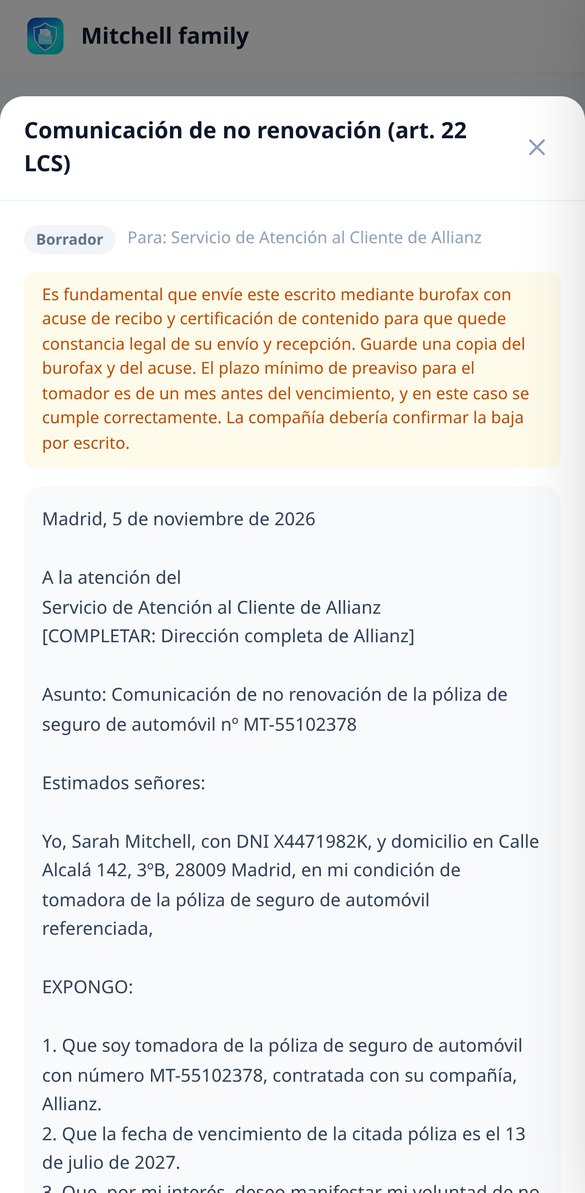
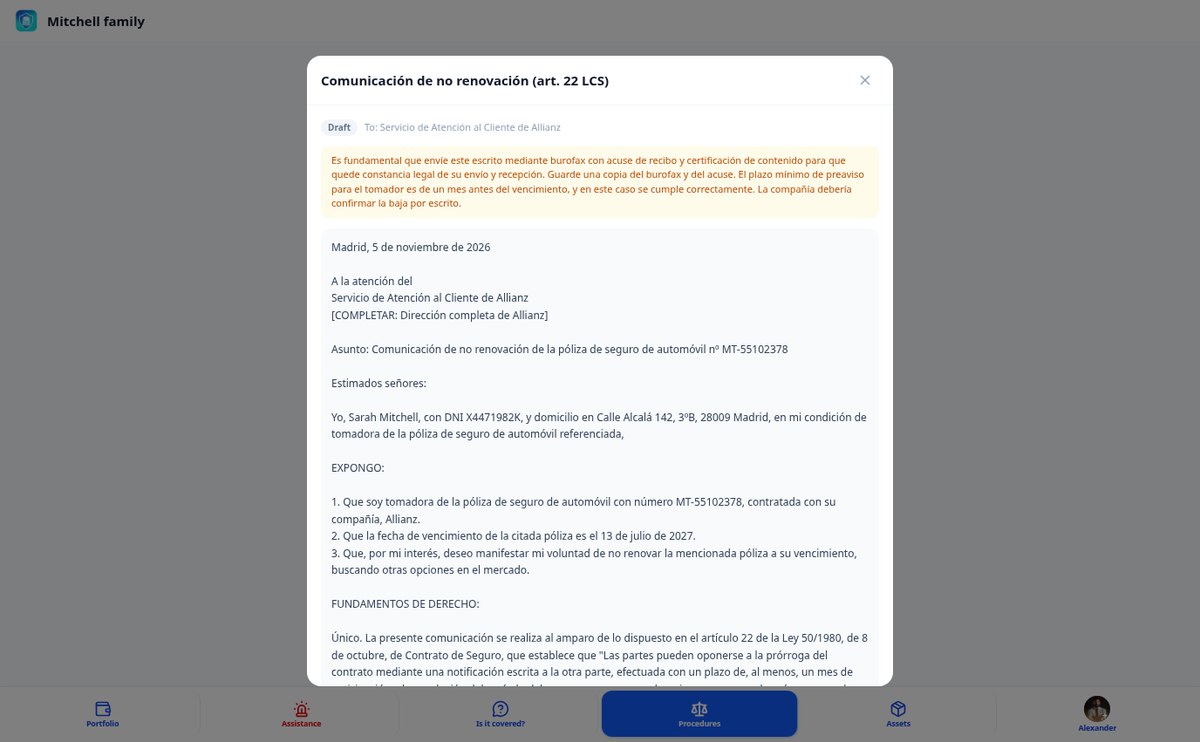
Claim letters to the insurance: SAC, DGSFP, and non-renewal
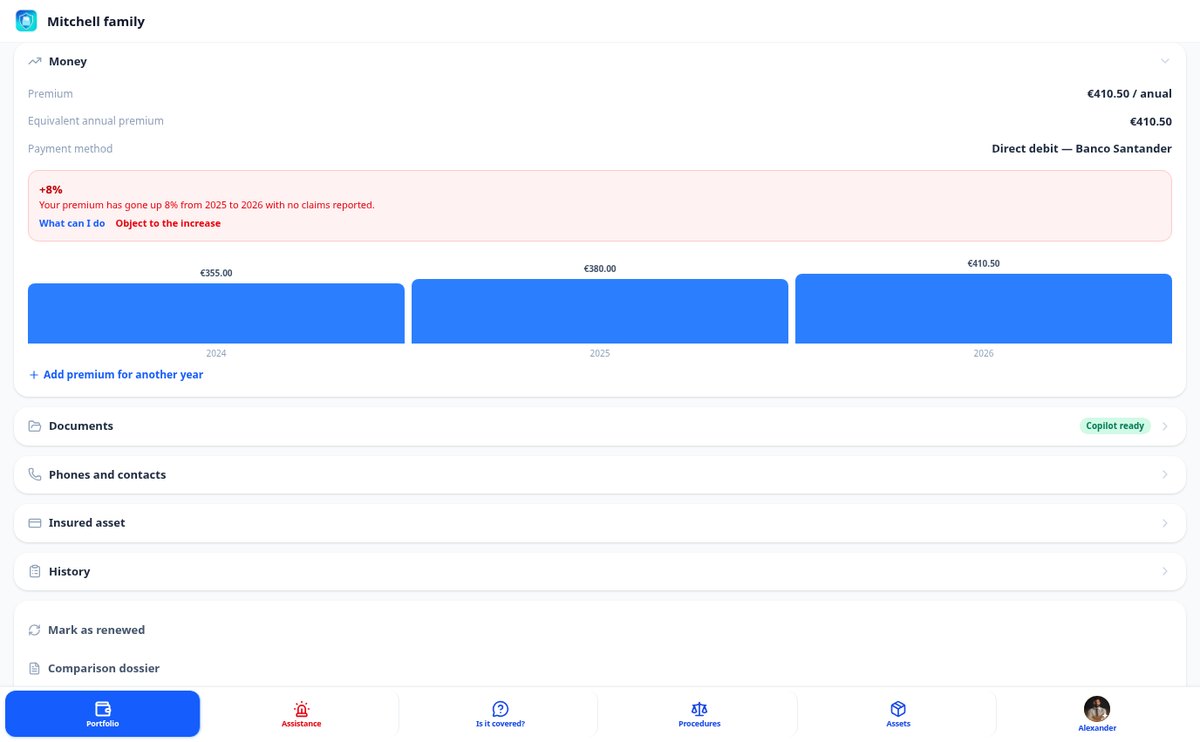
Generate the formal letter to claim from your insurer: non-renewal (art. 22 LCS), unnotified premium increase, claim to SAC, escalation to DGSFP, clause nullity, or expert disagreement. With your data, the correct article, and deadline tracking.
View feature
DANA and floods: how to claim from the Consorcio step by step
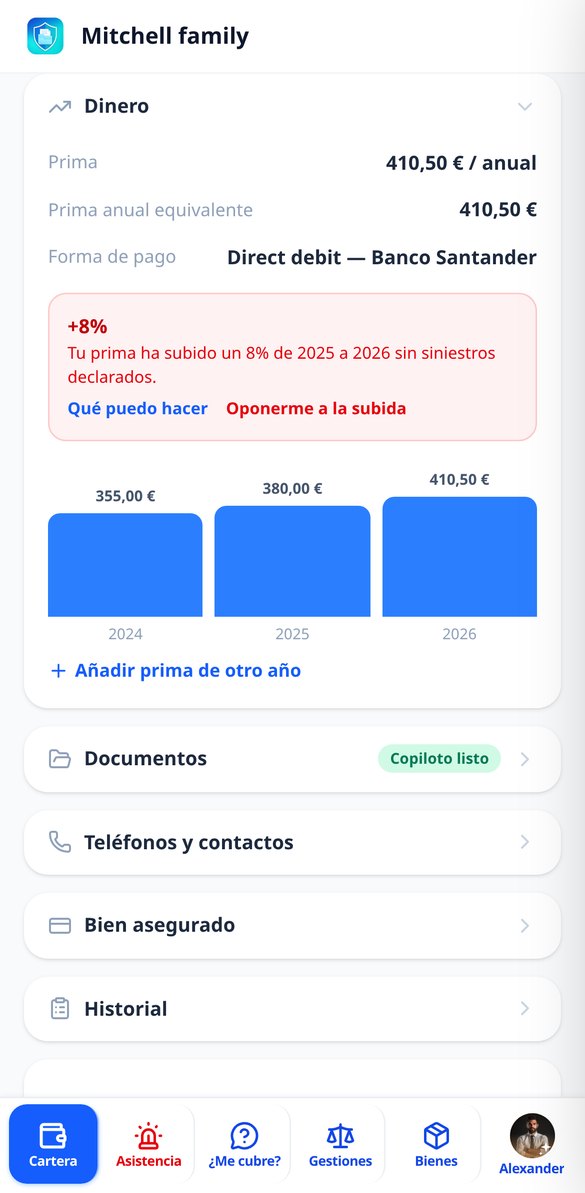
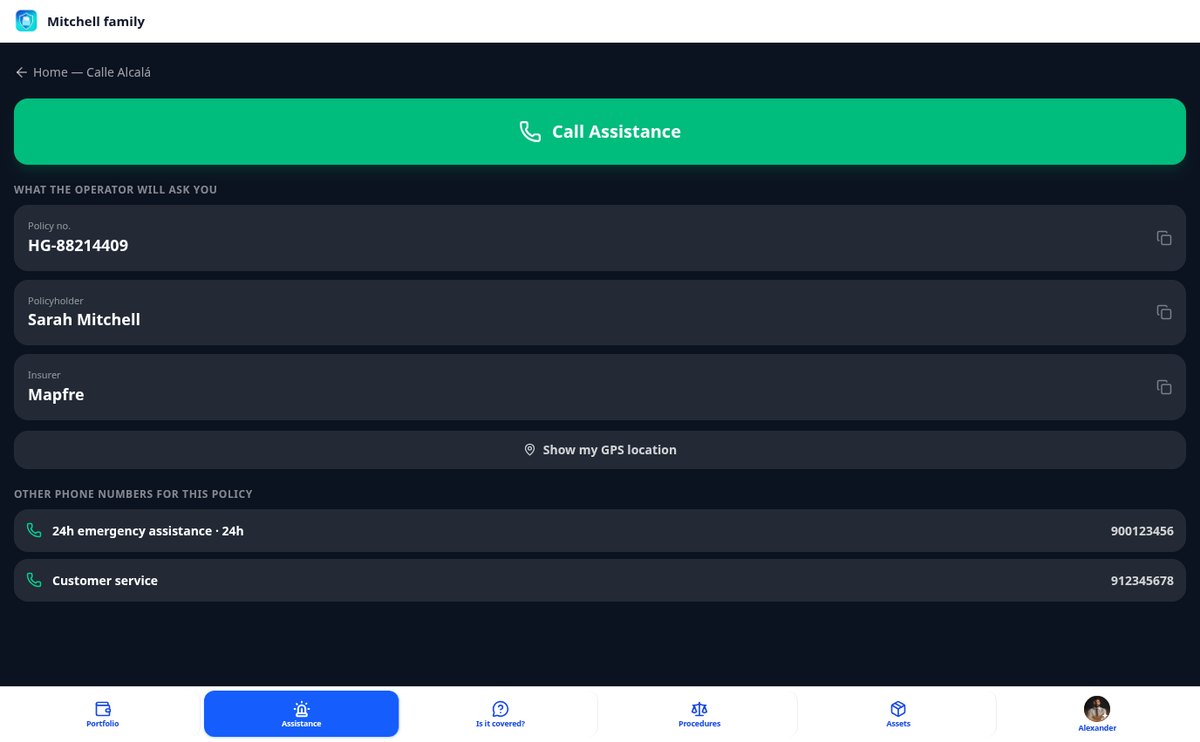
Practical guide to process damages from DANA, flooding, strong winds, or hail with the Consorcio de Compensación de Seguros: validity and premium receipt requirements, copyable data from your policy, free phone number 900 222 665, what evidence not to destroy, and file registration.
View feature
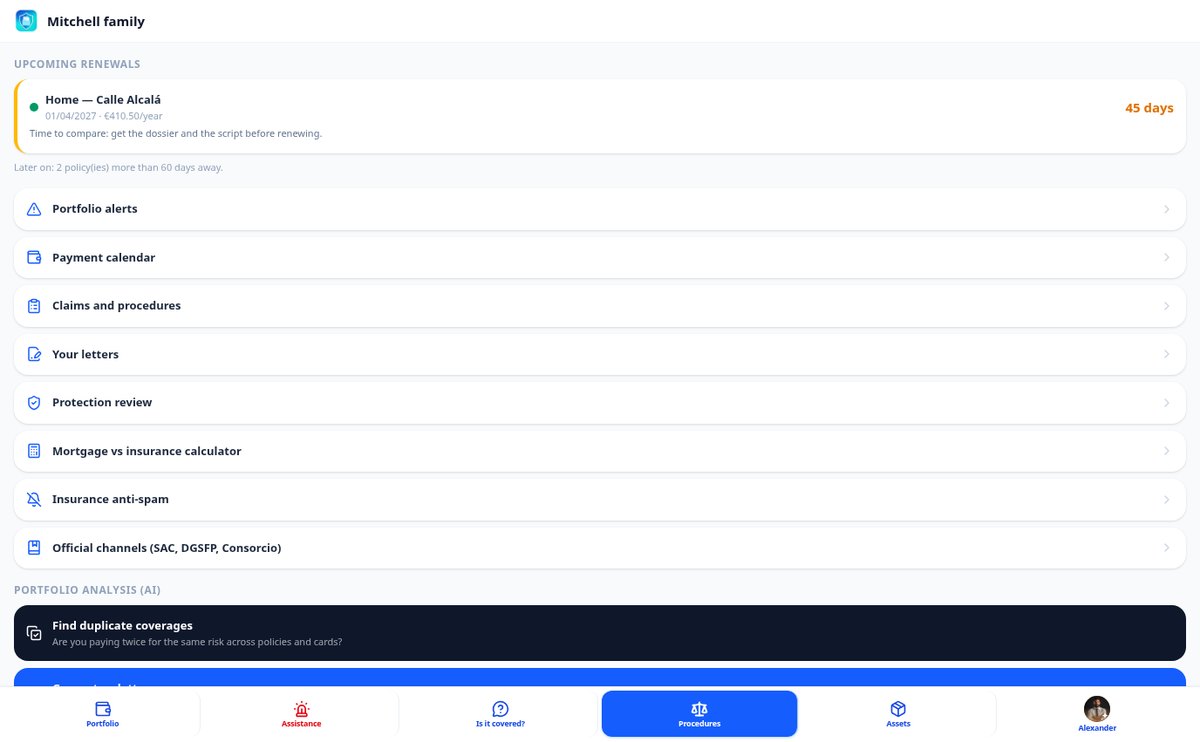
Insurance Expiration: Notices at 60 and 35 Days and Legal Deadline
Expiration schedule for all your policies with a traffic light: 60-day notice for comparison and critical alert at 35 for the legal notice period of art. 22 LCS, with calculated margin, access to the comparison dossier and the renegotiation script, and notice of policies without a date.
View featureEverything you need to keep control of your policies
Designed for the exact moment something happens and you need to decide quickly.

Copilot «Is it covered?»
Ask in your own words — «my shower screen broke» — and receive the verdict with the literal quote from your terms (article and page), the limits and the deductible, and the action plan to claim it.

Register by photo or PDF, reviewable field by field
Upload the terms or your policy card and the AI suggests company, coverages, dates, and deductibles with its confidence level. You confirm each data before saving: nothing is consolidated without your review.

Defense with ready-to-sign legal documents
Generate the exact document you need — non-renewal, objection to an unannounced increase, claim to the SAC, escalation to the DGSFP, or nullity of an unaccepted limiting clause (art. 3 LCS) — with the correct deadlines and recipient.
From the policy in a drawer to your protected portfolio
Upload your policy
Photo or PDF of the terms, card, or receipt. You can also enter it manually in less than a minute.
Confirm the data
Review what the AI has proposed, field by field, with the document page always in view.
Ask, monitor, and claim
Use the copilot to know if something is covered, receive alerts before each expiration, and generate the document if you need to defend yourself.

Who is it for?
Built for these profiles
Frequently Asked Questions
Latest blog articles
Guides and news to get more out of it

Stop searching for the PDF when something has already happened
Upload your policies today and have them organized, monitored, and defended from the first minute.