
aiRent · Your rental contracts up to date, no surprises

For the individual landlord with one or twenty properties who keeps contracts in a folder and an Excel: we tell you when it's time to raise the rent, calculate how much using the official INE index and the legal cap, and give you the letter ready to send to the tenant. And if you're the tenant, check in a minute whether the increase they're asking for is legal.
Do you know for certain how much you can raise your tenant's rent this year, and whether you're notifying them correctly?
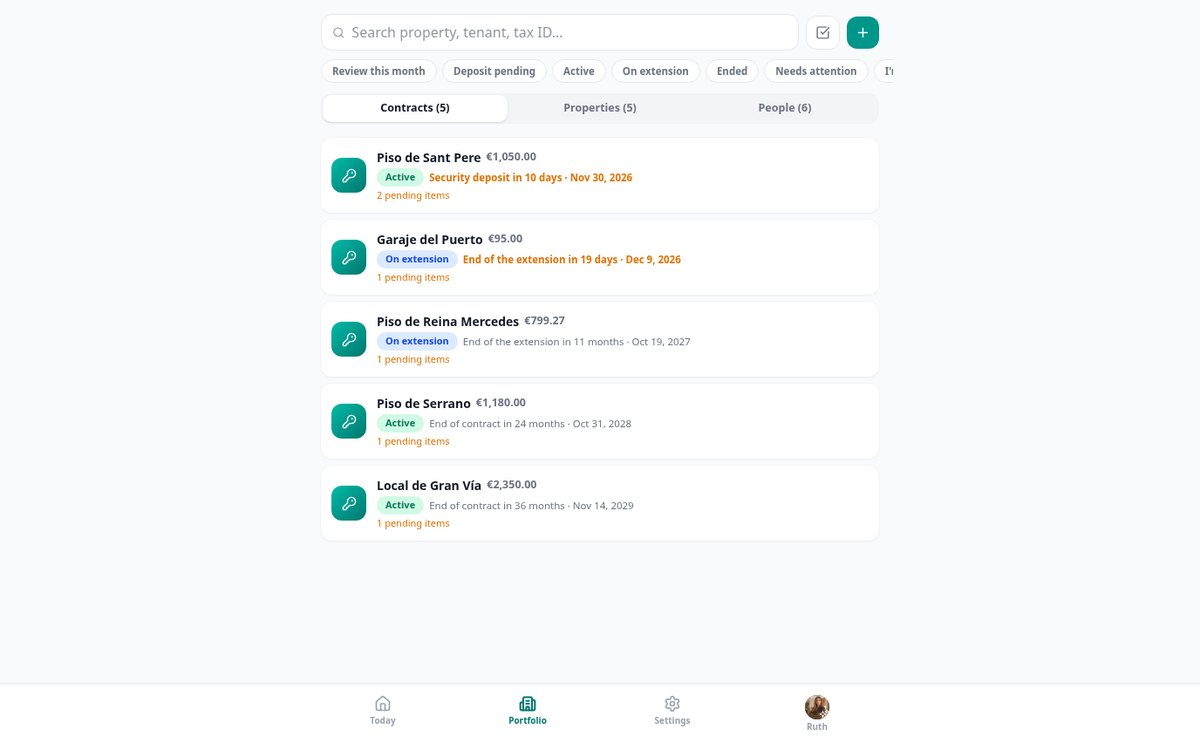
Traditional renting is managed with folders and spreadsheets, and mistakes are expensive: a miscalculated or poorly notified update can't be claimed later, and a late notice leaves your contract extended for another year. aiRent stores your contracts, watches the calendar for you, and when it's time, calculates the increase using the official INE index and the legal cap in force for that date and property type, shows you the calculation step by step, and generates the notification letter and the PDF report. It also works in reverse: if you're a tenant, you enter what they're asking for and we tell you whether it checks out, what the legal maximum would be and under which regulation, and we draft the reply for you.
Start for free
Discover every feature in detail

Calculate rent update: IPC, IRAV and legal cap | aiRent
Calculate the rent increase with the IPC or IRAV from INE and the current legal cap. aiRent applies the lowest limit, tells you which one has bitten, and shows the complete breakdown.
View feature
Review multiple contracts' rent at once | aiRent
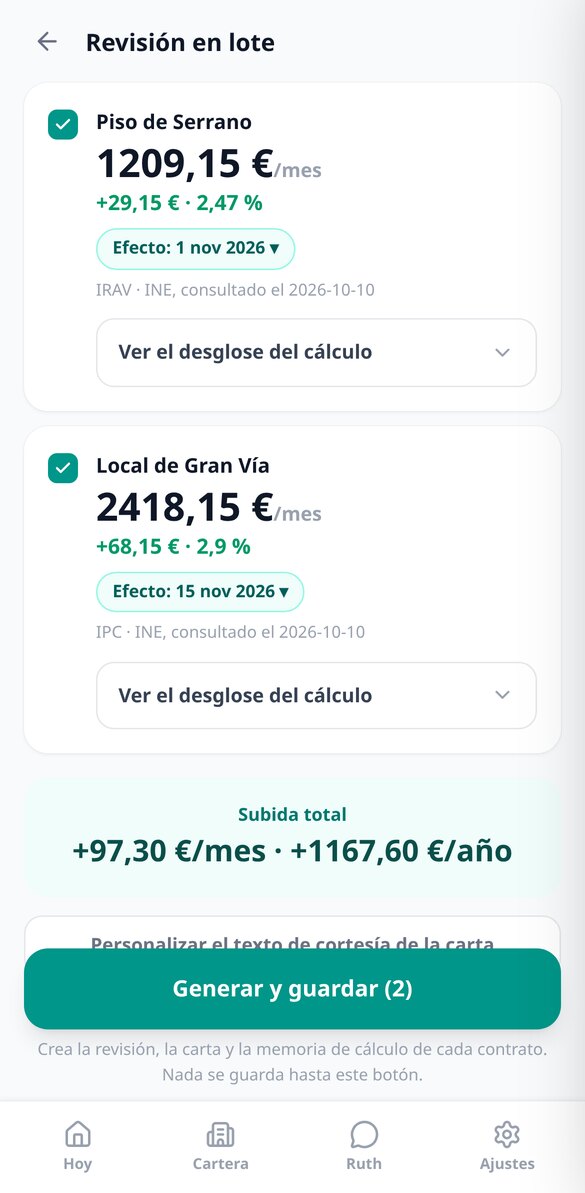
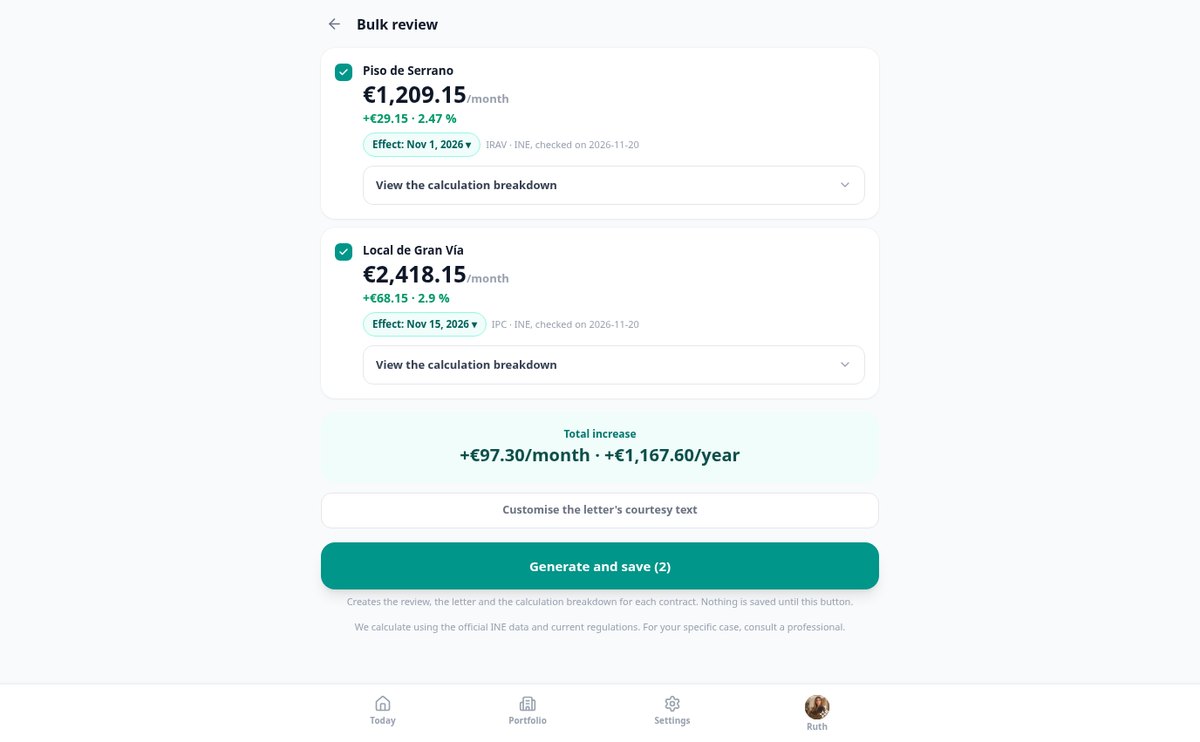
Update the rent of all your rentals in a single flow: increase by contract, monthly and yearly totals before confirming, and the letter and calculation report in PDF for each tenant.
View feature
Is my rent increase legal? Verify it with the official CPI | aiRent
Tell us what you pay, what they are asking for, and since when: aiRent calculates with the CPI/IRAV from INE and the legal cap if your rent increase is correct or how many extra euros per month and per year they are asking for, with the breakdown.
View featureThe right calculation, the right document, and timely reminders
It's not a contract filing cabinet: it's what needs to be done with them every year, done right and with the regulation in front of you.

The increase, with the official index and the cap that actually applies
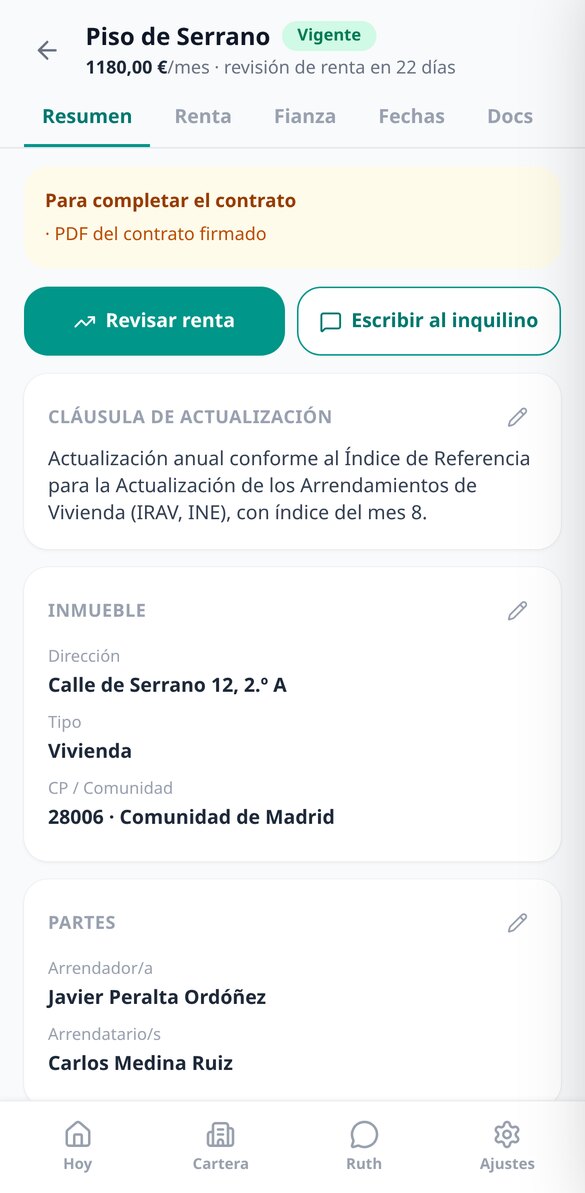
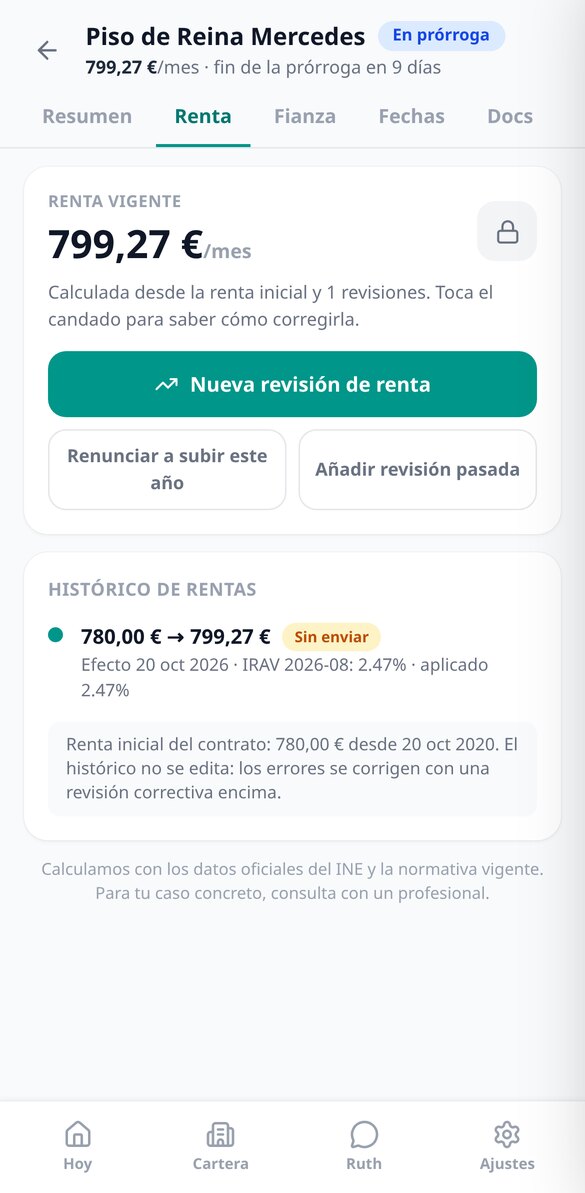
We read the general CPI and the IRAV directly from the INE public API and cache them, so the calculation doesn't depend on the INE responding and the value used is frozen in the review so it can be reproduced years later. On top of that, we apply the lowest of the index, the cap you agreed in the contract, and the legal cap in force —2%, 3%, IRAV, or no limit for non-residential use— resolved by the effective date and property type, and we tell you which of the three bit. If in January you have six contracts due, you review them all at once and see the total increase per month and per year before confirming.

The letter to the tenant and the calculation report, in PDF
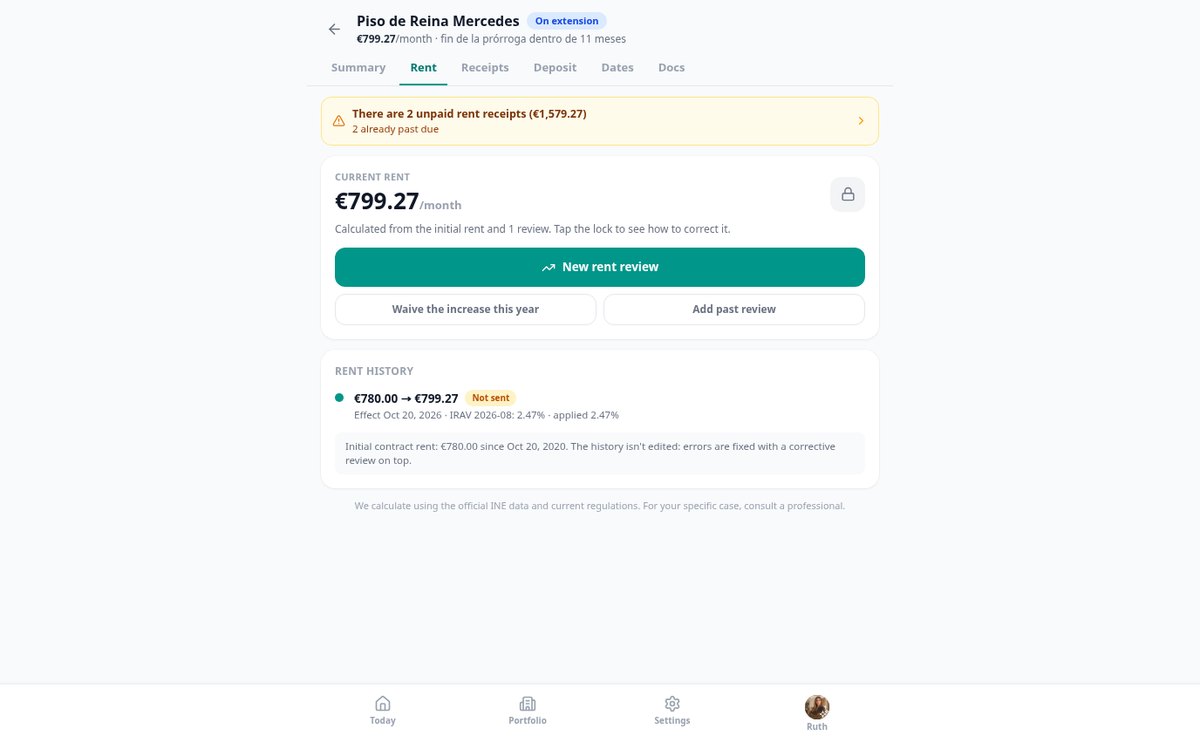
When you save the review, two documents are generated: the formal notification to the tenant, with the parties, the clause, the new rent, and the date from which it takes effect, and an eight-section calculation report explaining where every cent comes from —INE series used, period, value, consultation date, the regulation applied with its article, and the rounding criterion— including any assumptions we had to make. They can be shared from your phone and are stored in the contract. The rent history is immutable: nothing is edited or deleted; if there's an error, a corrective review is created on top and you can see what happened.

Due dates, notices, and your community's security deposit
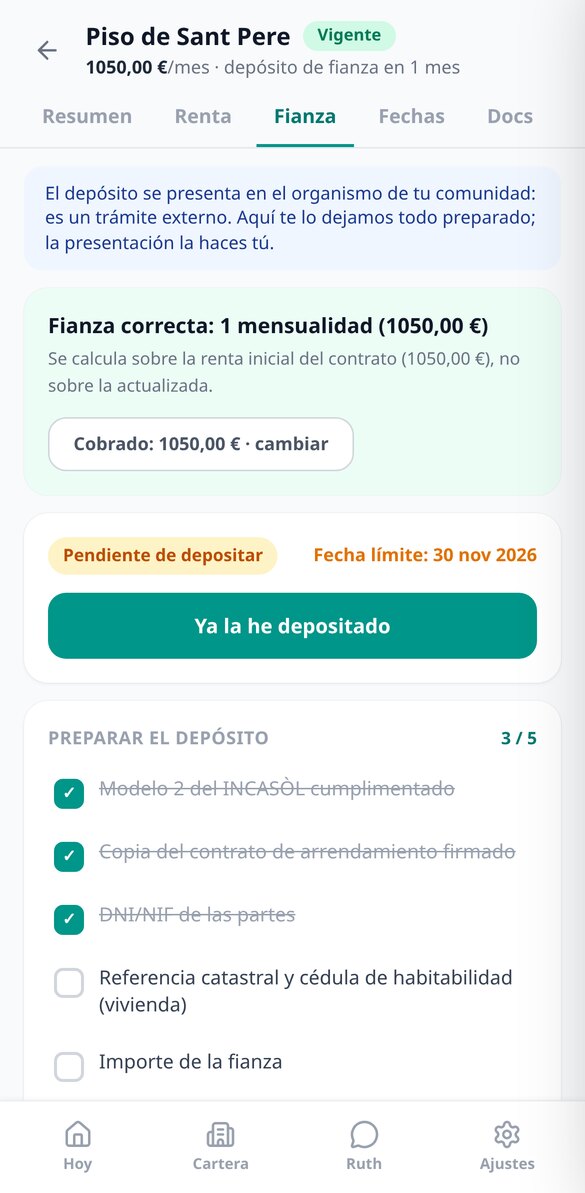
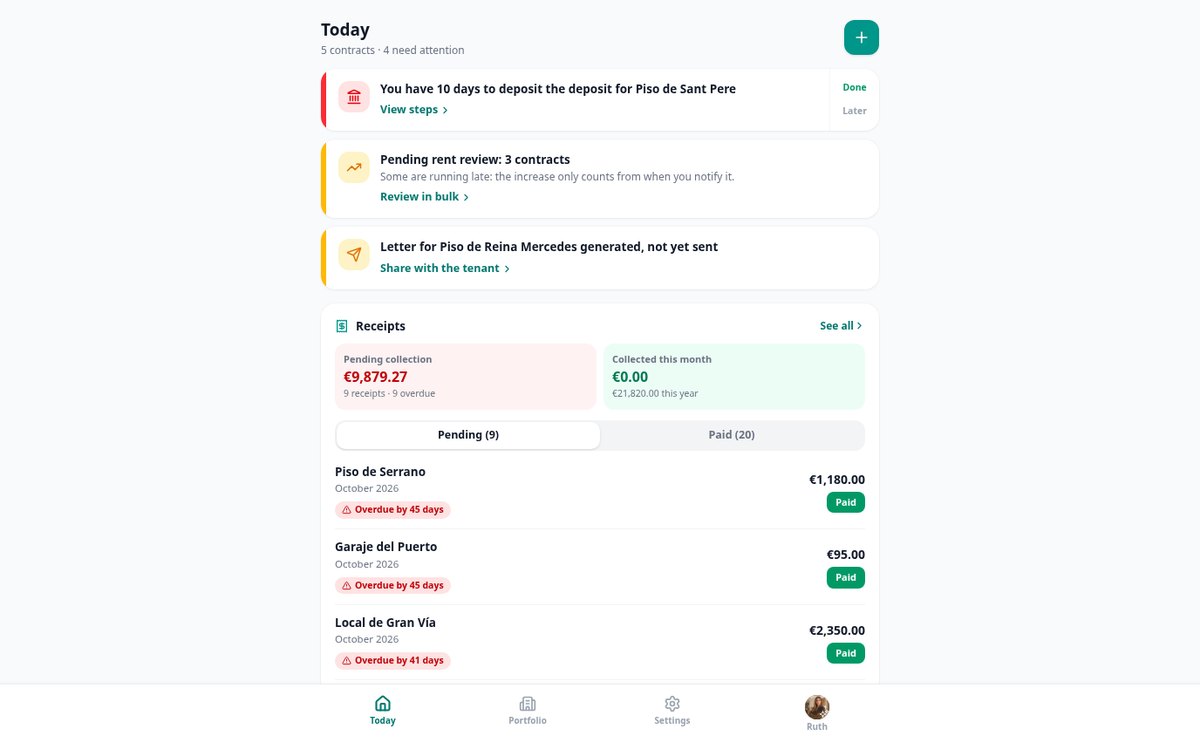
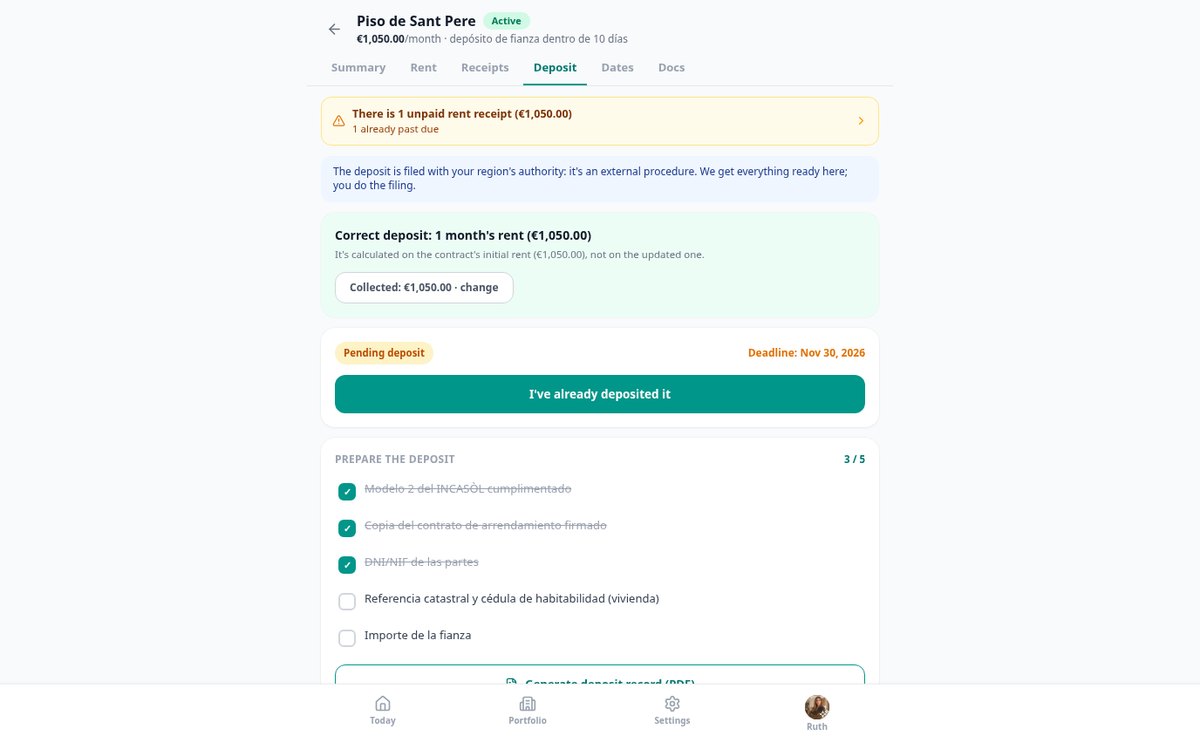
The date engine calculates the next review, the end of the contract, extensions, and the non-renewal notice window as a range ("you can give notice between these two dates"), and the home screen shows only what's due this month, ordered by urgency. For deposits we calculate the legal amount —one month's rent for housing, two for non-residential use— and separate what is a security deposit from what is an additional guarantee, which is not deposited. For Madrid, Catalonia, Andalusia, the Valencian Community, and the Basque Country you have the fact sheet for your body with its actual deadline, the documentation, and the checklist with data ready to copy; for the rest, an honest generic fact sheet and the deadline notice. You submit the deposit: aiRent leaves it ready for you.
From Excel to a controlled contract, in three steps
Add the contract with five data points
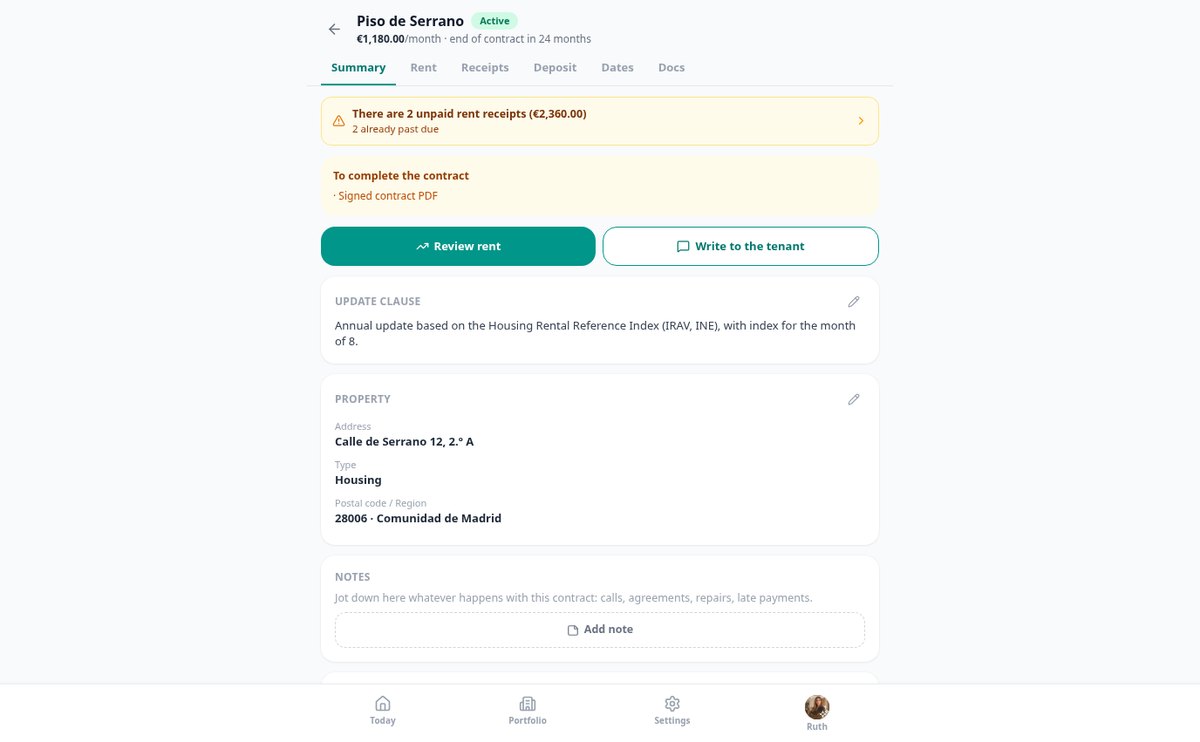
Address, current rent, payment day, start date, and how it updates. One data point per screen, and when you finish you already know when your next review is due. The rest of the record is completed when needed.
We notify you when it's time
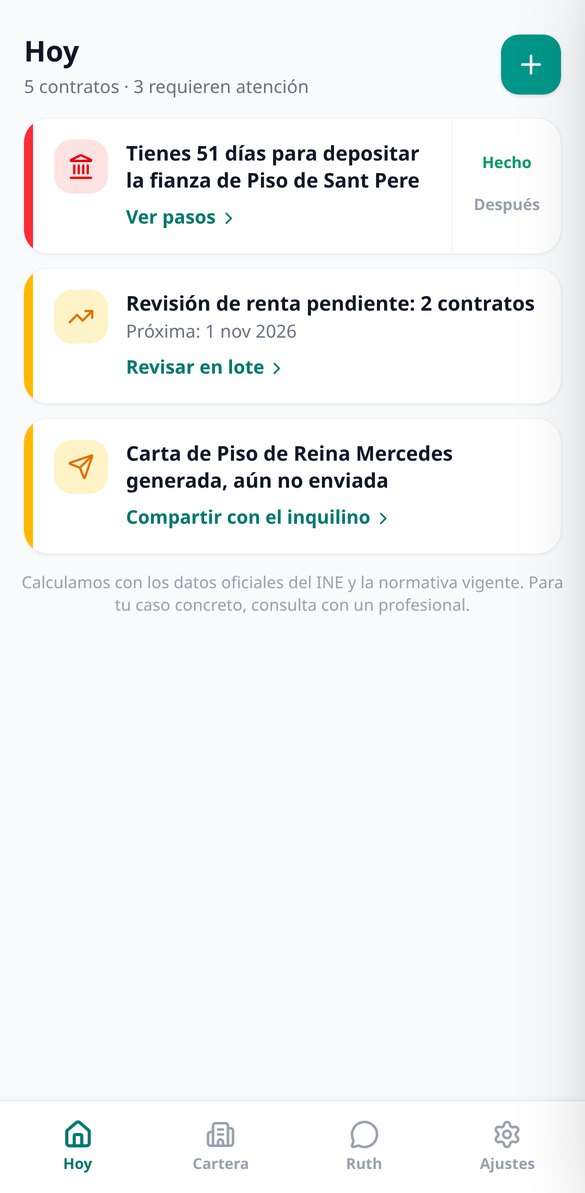
The home screen shows you only what requires action: this month's review, the days left to submit a deposit, the notice window that's opening. If the month's index isn't published yet, we tell you when it will be.
Calculate, review the breakdown, and share
You go in and see the result, not a form: new rent, increase in euros, and the cap that applied. You expand the receipt-style breakdown, save the review, and share the letter and report with your tenant via WhatsApp or email.

Who is it for?
Built for these profiles
Frequently asked questions
Latest blog articles
Guides and news to get more out of it

5-Year Extension and 6-Month Notice in Rental Agreements: What Changes (and What Doesn't) from November 15, 2026
The decree for 5-year extensions and 6-month notices was repealed on 11/12/2026. What notice truly applies and how to recalculate your expirations.

How much can you raise the rent in 2026: the IRAV, the CPI (Spanish IPC), and the real legal cap
What index applies, what legal cap is in effect, and how to notify the increase. INE data as of 25-10-2026, example with figures and the errors that invalidate it.
Stop managing your rentals from memory
Create your free account, add your first contract with five data points, and find out today when your next rent review is due.