
aiGym · Log the set in five seconds and stop training blind

For anyone who trains with weights and wants to progress in a measurable way: aiGym shows you what you lifted last time right before you do the set and lets you confirm it with a single tap, standing up, one-handed, and sweating.
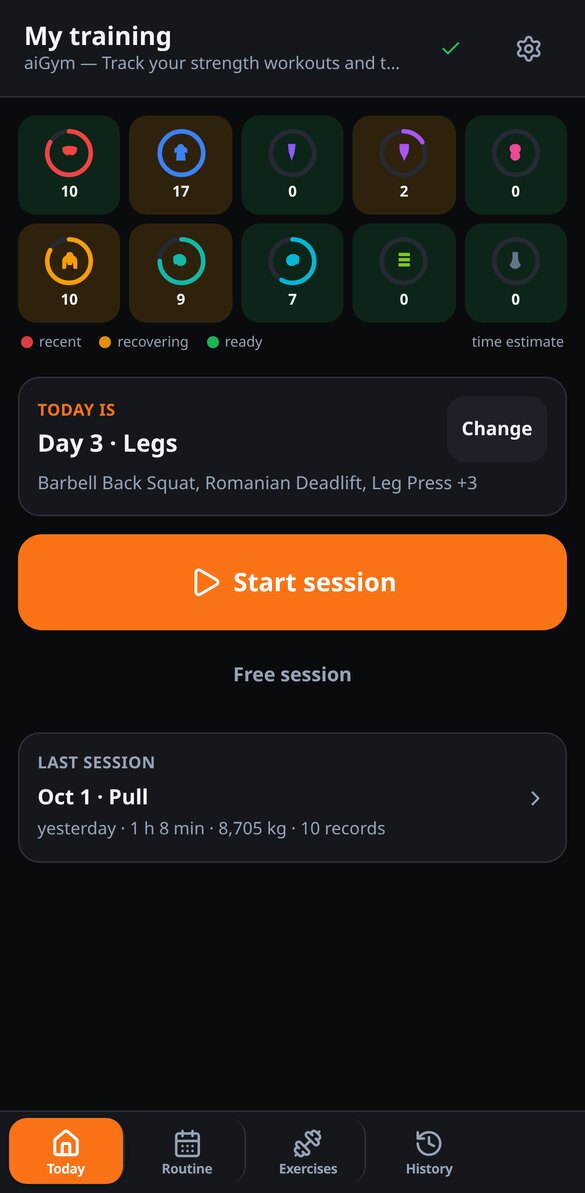
Do you remember what weight you used for this exercise last time and how many reps you got?
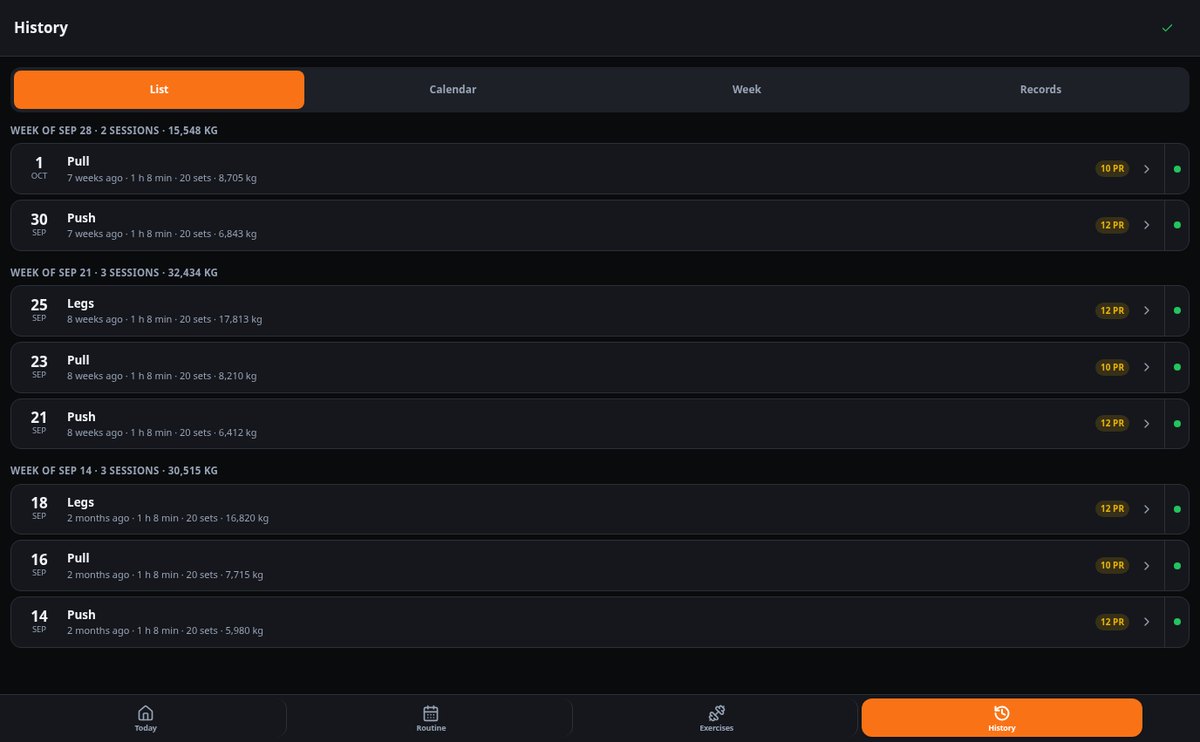
The notebook gets lost, phone notes can't be checked between sets, and Excel doesn't tell you if you're progressing. aiGym saves every set with its weight, reps, and RIR, and the next time you open that exercise it gives it back to you already written: you just have to confirm or increase the weight. From there you see your history, your weight, volume, and estimated 1RM charts, and every record you break.
Start free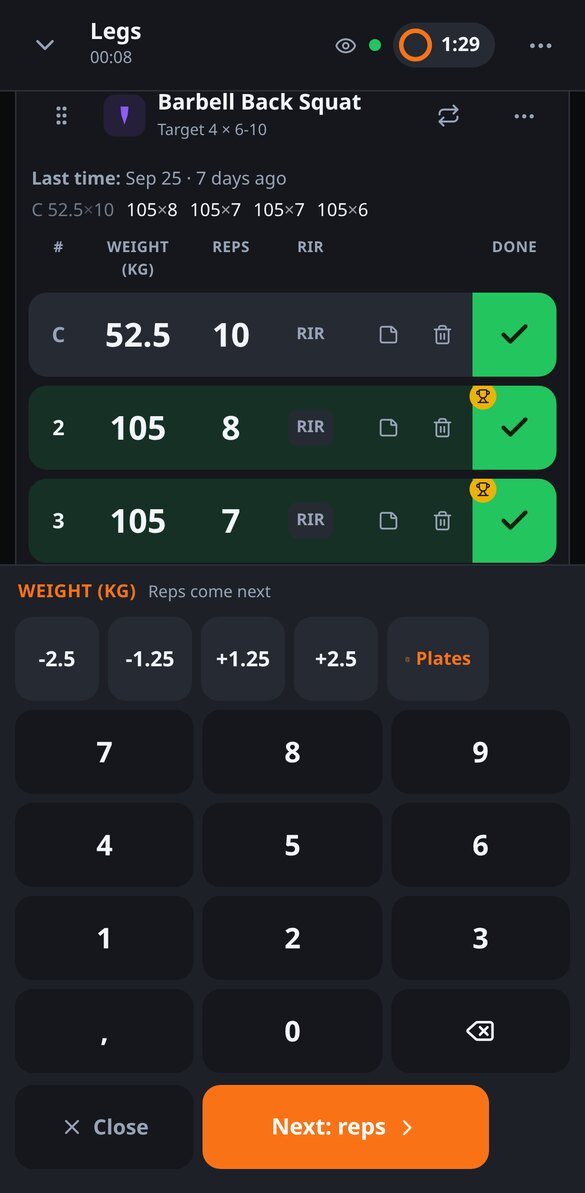
Discover every feature in detail
Log sets at the gym with autofill from the last session
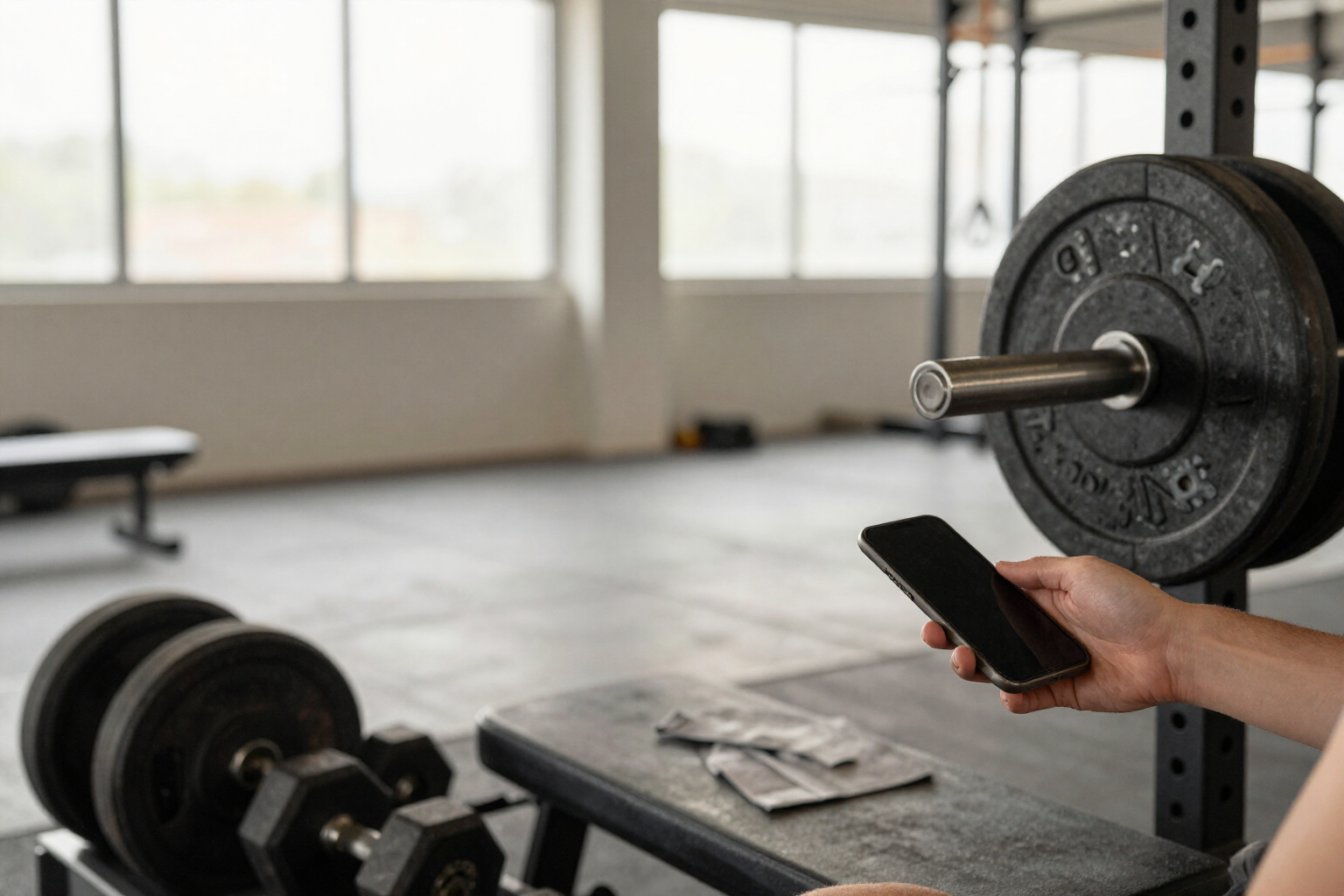
aiGym autofills each set with the weight and reps from your last session on that exercise. Confirm with one touch, unconfirmed gaps are not saved, and resending does not duplicate. Free.
View feature
Gym Workout Routine Templates (PPL, Full Body, Upper/Lower) and Editor
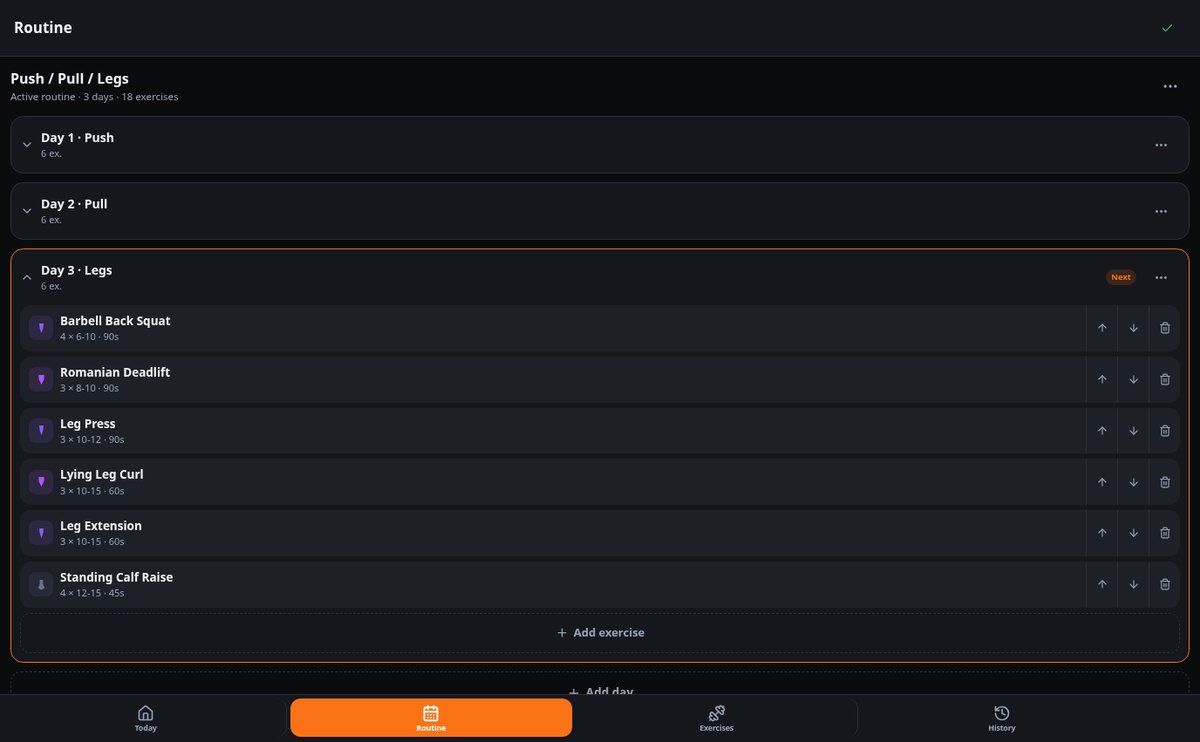
Get a PPL, Full Body, or Upper/Lower workout routine with sets, reps, and rests already configured, and edit it: training days, exercises, duplicate, reorder, and next training day indicator. Free on aiGym.
View feature
Offline Gym App: Log Your Sets Without Signal | aiGym
aiGym saves every set on your phone instantly and syncs when connection returns: local queue, automatic retry, and zero duplicate sets.
View feature
Progress chart per exercise: weight, volume and estimated 1RM
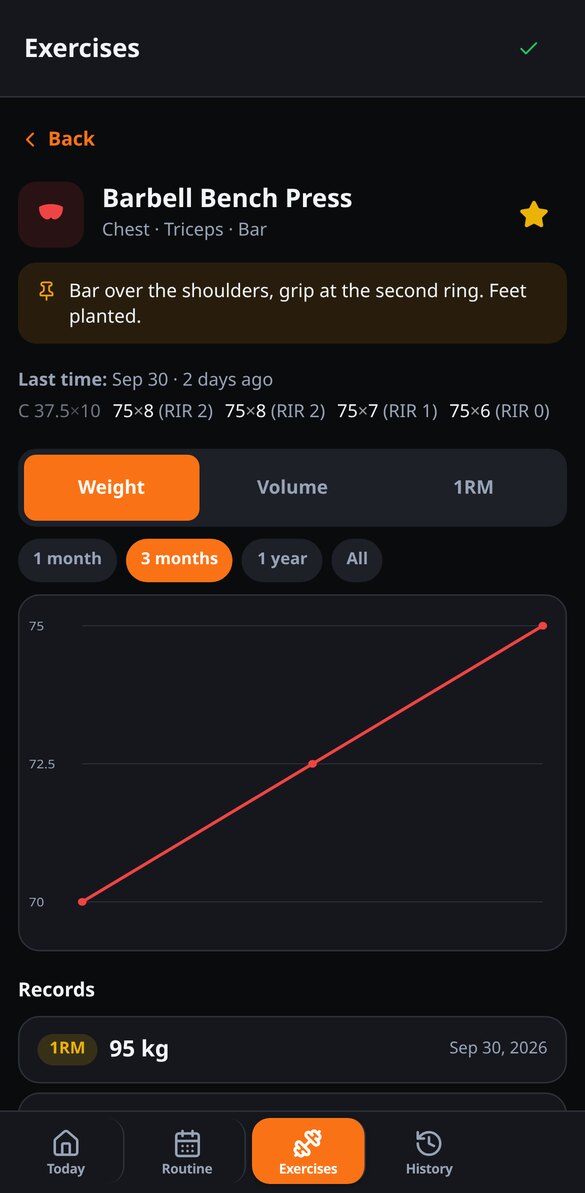
aiGym shows you the progression of each exercise in three charts —max weight, training volume and estimated 1RM by Epley—, with records and session-by-session set history. Free.
View feature
Automatic Gym Personal Records: Weight, Reps, and 1RM
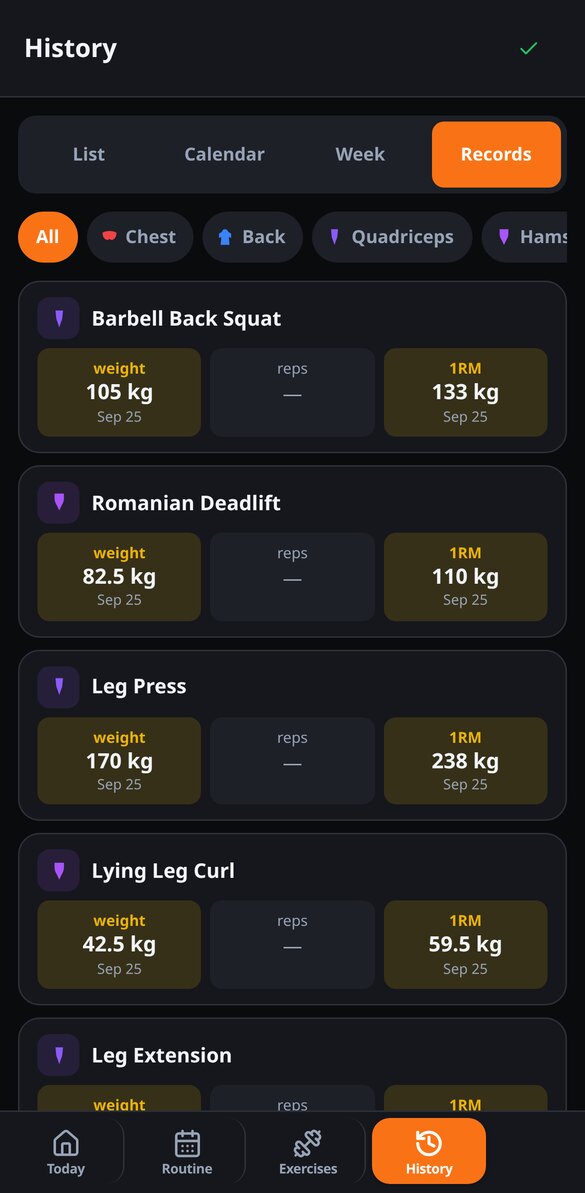
aiGym detects your personal records (PRs) when you confirm each set: maximum weight or added weight, reps at a given weight, and estimated one-rep max by Epley, with a PRs tab in your workout history. Free.
View featureDesigned to be used standing up, between sets
Everything aiGym does while you train, without long forms or extra steps.
Confirm the set with a tap
When you open the session, each slot comes filled in set by set with what you did last time. You confirm with a big check button and you're done. No system keyboard: aiGym has its own numeric panel with ±1.25 and ±2.5 kg (±2.5 and ±5 lb) steppers, optional RIR, sets marked as warm-up, added weight on pull-ups and dips, and a calculator that tells you which plates to put on each side. When you close the set, the exercise rest timer starts automatically, with ±15 and ±30 seconds, sound, and vibration. And if you lose coverage, no problem: everything is saved on your phone and uploaded when you reconnect.
Your routine set up and the week map
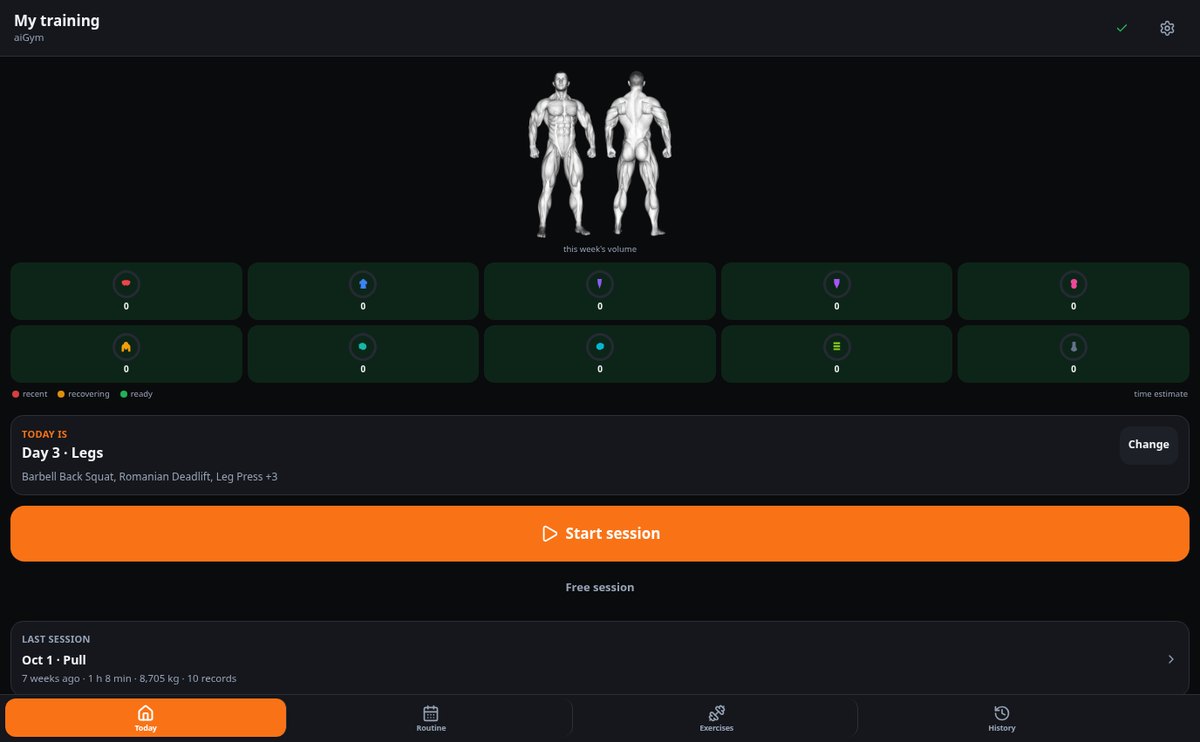
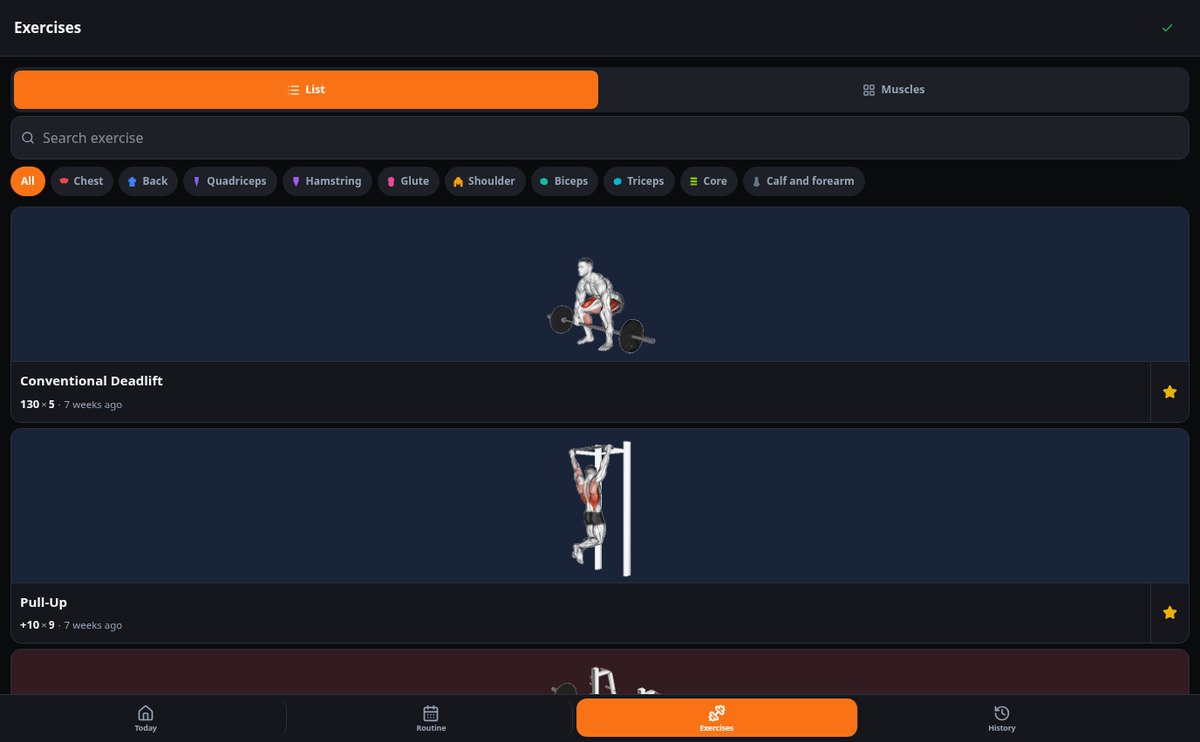
Adopt a Push/Pull/Legs, Full Body, or Upper/Lower template —or start blank— and keep an editable routine of your own: days, exercises, target sets, rep range, and rest. The app tells you which day it is and preloads the entire session. On the home screen you have the map of the ten muscle groups with the sets you've done this week versus your target and the time since you trained each one. The library has more than 100 exercises with their muscle group and equipment, and you can create your own, mark them as favorites, and leave a fixed note on them.
Records, charts, and progression memory
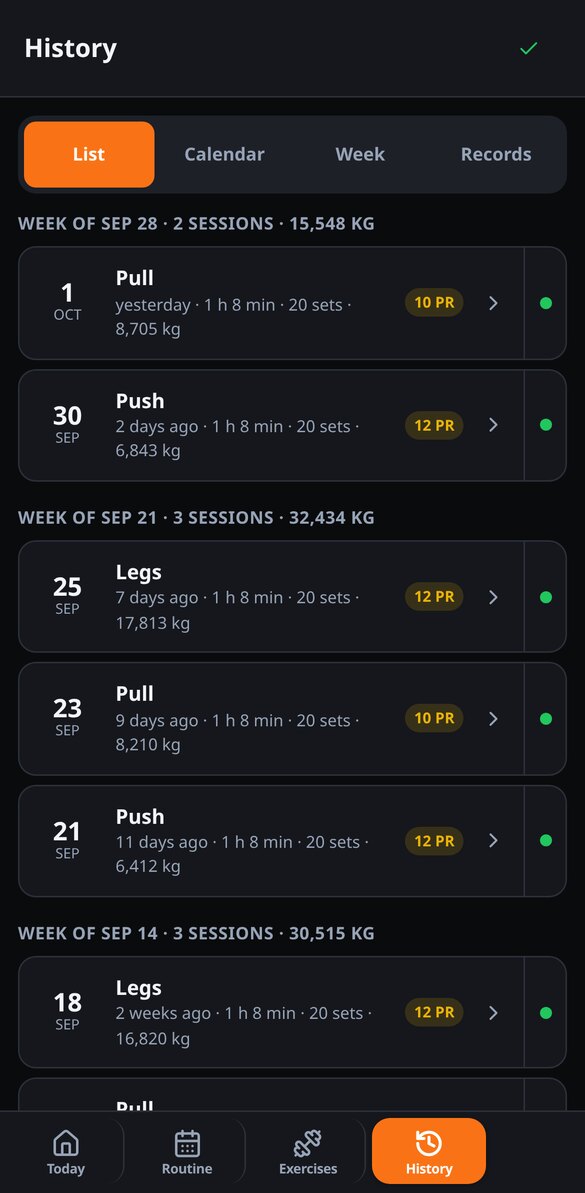
aiGym automatically detects your records for weight, reps at that weight, and estimated 1RM at the moment you confirm the set, and celebrates them when you finish the workout. Each exercise has its own page with charts of max weight, volume, and estimated 1RM per session, and the history can be viewed as a list, on a calendar, by weekly volume trend per muscle, and by records. Plus, every session, every record, and every week are written up in text and saved in your progression memory, without using up your credits.
From your first session to your first record in three steps
Choose your routine
Create your free account and adopt a Push/Pull/Legs, Full Body, or Upper/Lower template. You can edit the whole thing or train without a routine from day one.
Log while you train
Start the session, confirm each set with a tap, and let the rest timer run. Add exercises on the fly if the machine is busy.
See how you progress
When you finish, you get the summary with your volume, your sets per muscle, and the day's records. And on each exercise's page, the chart of how you're going up.

Who is it for?
Built for these profiles
Frequently Asked Questions
Latest blog articles
Guides and news to get more out of it

How many sets per muscle per week? What the 2026 studies say (and why counting yours changes everything)
The ACSM 2026 and two new trials clarify how many sets per muscle per week you need: real range, saturation point, and how to count yours.

How many sets per muscle per week: the range suggested by studies and how to accurately count yours
The range of weekly sets per muscle group according to meta-analyses, fractional counting (direct 1, indirect 0.5), and how to audit your actual volume in five steps.
Your next set, logged in five seconds
Create your free account and log your first workout today.