
aiGuest · Your guests registered before they arrive

For anyone who rents out tourist apartments, flats, hostels, or rural houses in Spain and handles traveler reports by hand: your guests fill in their details from a link before they arrive, aiGuest checks that nothing is missing, and leaves the report and guest register ready for you.
A group of six arrives at eleven at night and you still have to copy six documents by hand?
Since Royal Decree 933/2021, every tourist accommodation must register each traveler—including minors—and report them to SES.HOSPEDAJES within a very short deadline. aiGuest turns the process around: when you create the booking, you already have a pre-check-in link and QR code that the guest opens from their phone, without downloading anything or creating an account, in Spanish or English. They fill in their details or photograph their document and the AI extracts the fields for them to review. By the time you step in, the work is already done: you review, the validator tells you in plain language what's missing, you generate the report in PDF and XML, and it is archived in your sequential guest register. You still submit it to the official platform; aiGuest takes care of everything else.
Start for free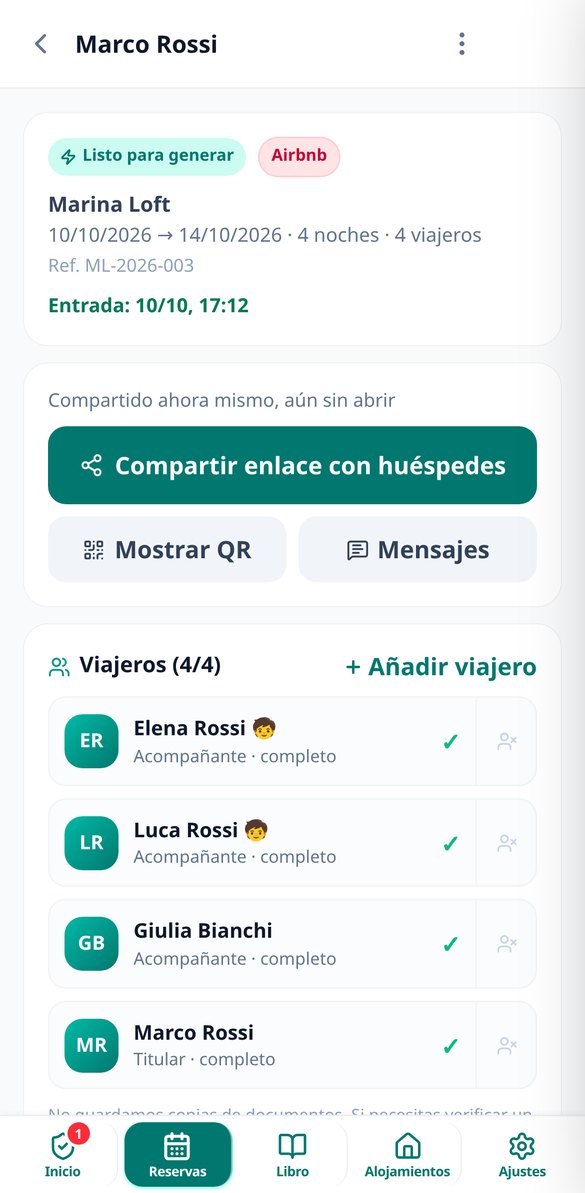
Discover every feature in detail

Online pre-check-in for guests without registration or app | aiGuest
Pre-check-in form that your guests fill out from a mobile link: no login, no app, 4 steps in 2 minutes with digital signature and offline saving.
View feature
Scan DNI and Passport with AI for the Official Traveller Report (SES.HOSPEDAJES) | aiGuest
Take a photo of the DNI, NIE, or passport, and AI fills in the traveler's details: MRZ reading, dubious fields highlighted in amber, and DNI check letter validation. The image is not saved.
View feature
Validate the traveller registration report before submitting | aiGuest
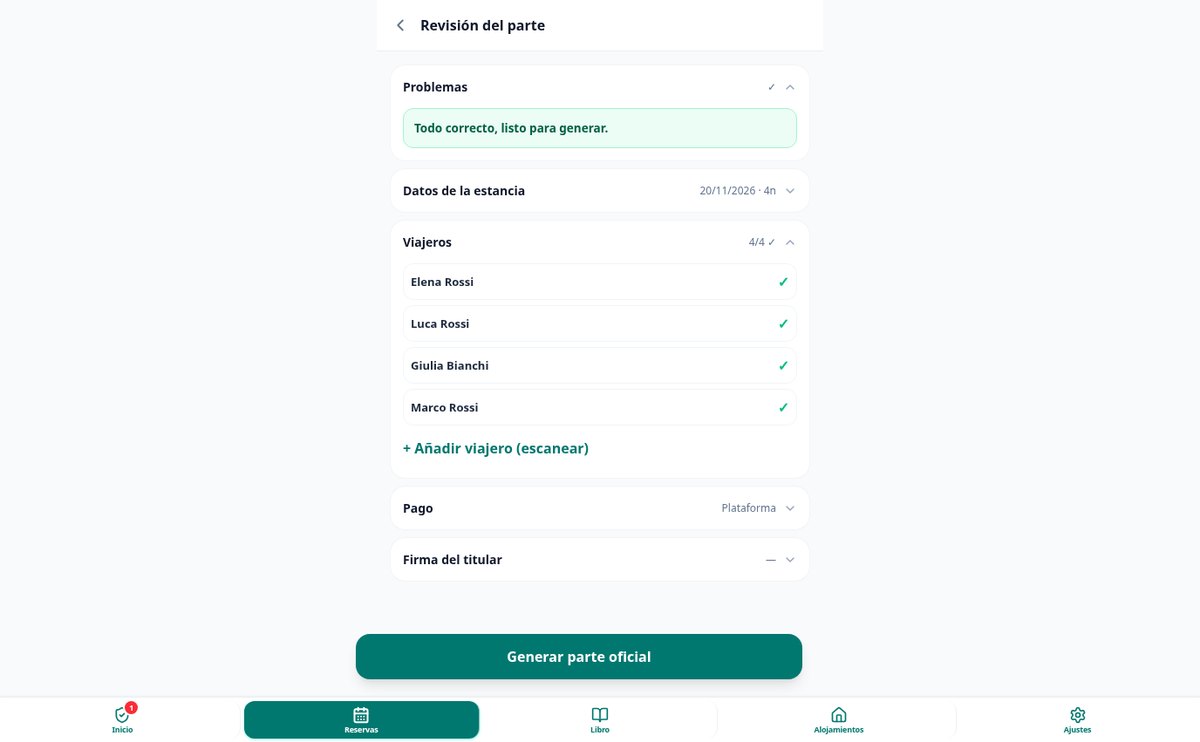
aiGuest validates the traveller registration report before generating it: DNI and NIE check letters, country ISO codes, phone prefixes, consistent dates and minors with guardians.
View featureFrom guest document to archived report
The three things that turn the traveler report into a minutes-long task: the guest fills it in, the document reads itself, and nothing goes out with data that will get rejected.
Pre-check-in by link and QR, with no app or sign-up
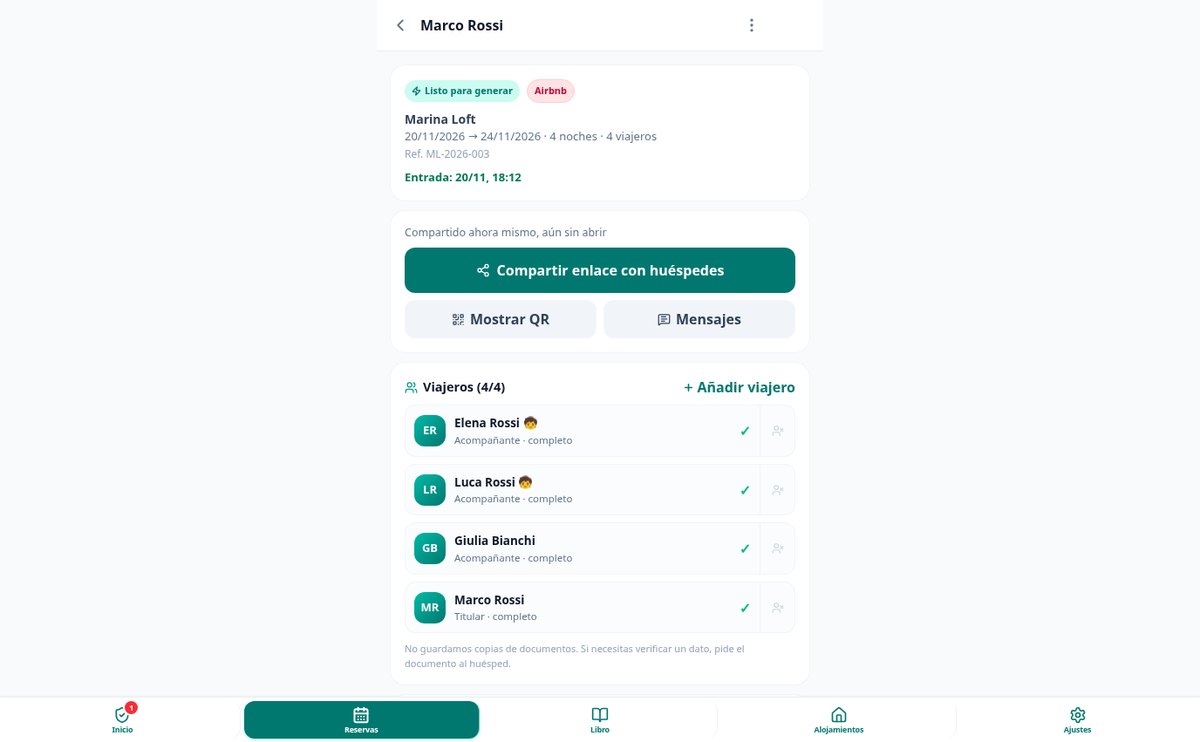
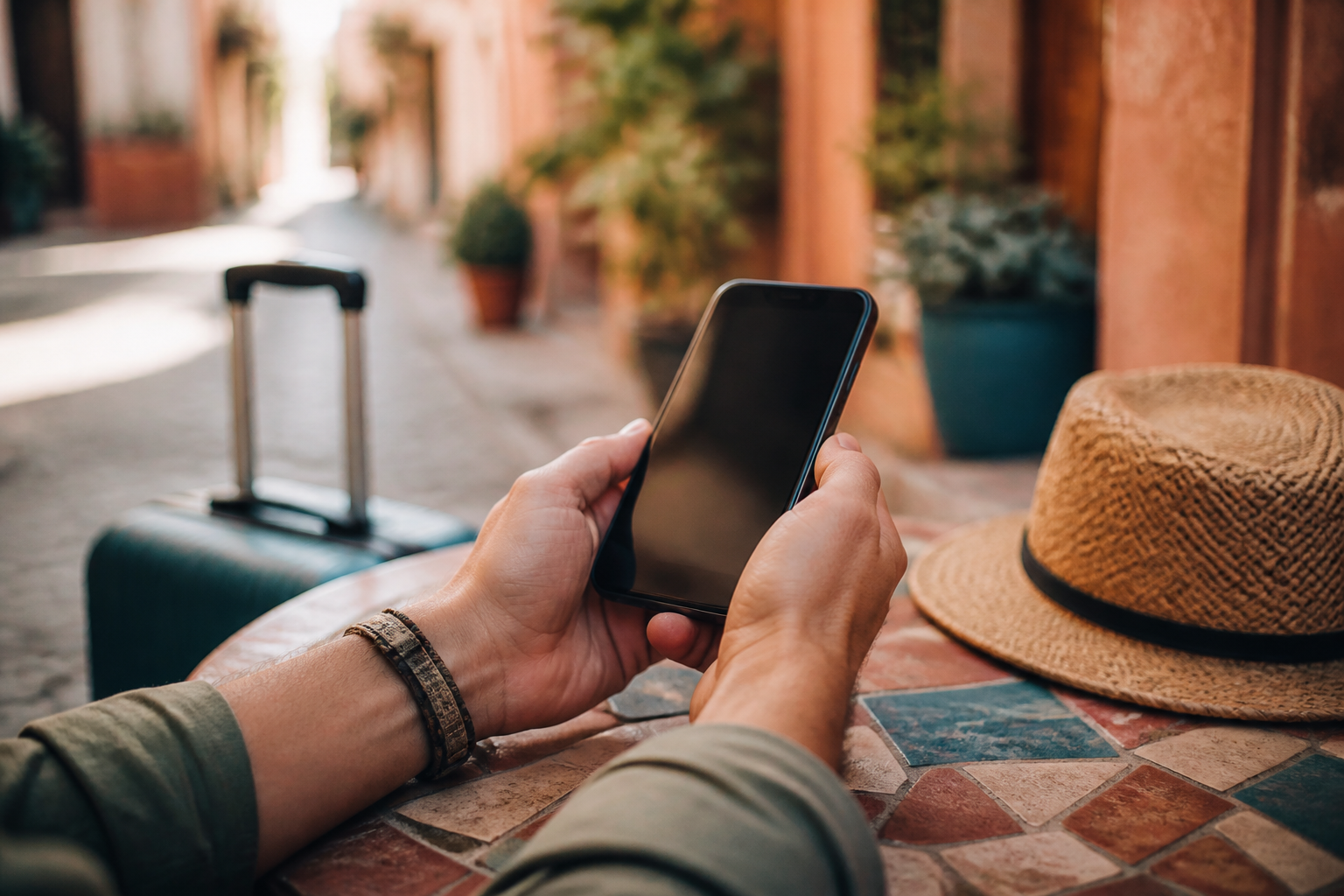
Every booking is created with its own public link and QR code, so you can send it by WhatsApp with a ready-written message or show it full-screen at the door. The guest opens it, sees the name of your accommodation, and fills it in in four steps from their phone, in Spanish or English depending on their browser language. They can split the work with their companions—each from their own phone, without seeing each other's data—lose coverage halfway through and pick up where they left off, and sign with their finger when finished. You can see in the booking whether the link is unopened, half-completed, or completed.

Scan the document and the photo is discarded
The guest—or you, with the documents in front of you—photographs the DNI, NIE, or passport and the AI extracts first name, surname, number, nationality, date of birth, and date of issue, prioritizing the MRZ band, which is the most reliable reading. Fields are marked in amber when the reading is uncertain, and they are never saved without someone confirming them. The document image is not stored anywhere: it is used to read the data and then discarded. If six arrive at once, chained mode takes you from one document to the next without going back to the list.

Validated before generating it, archived afterward
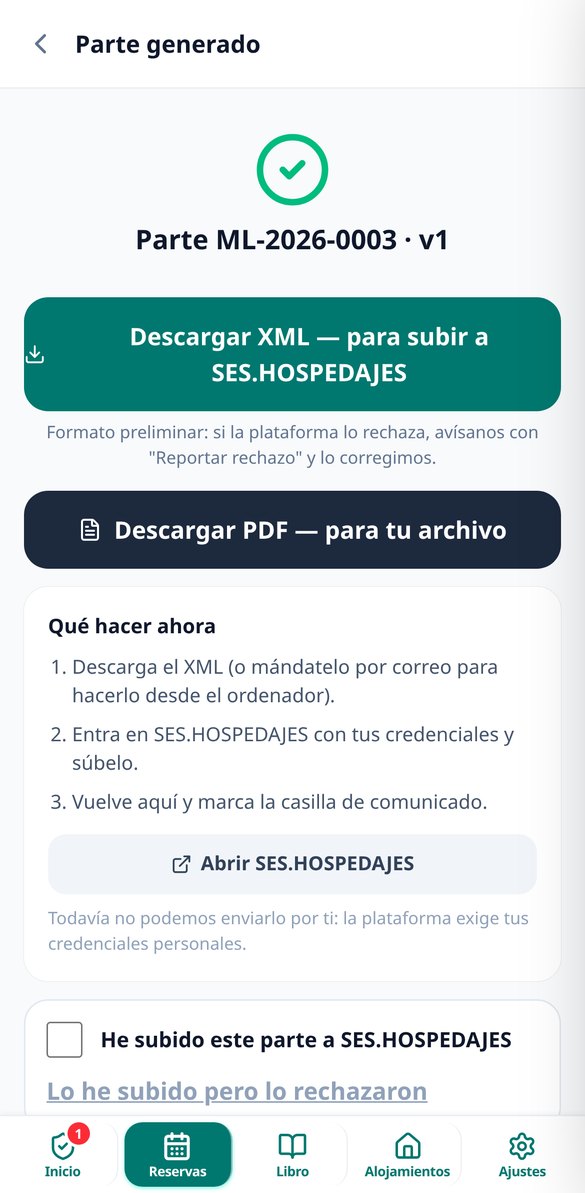
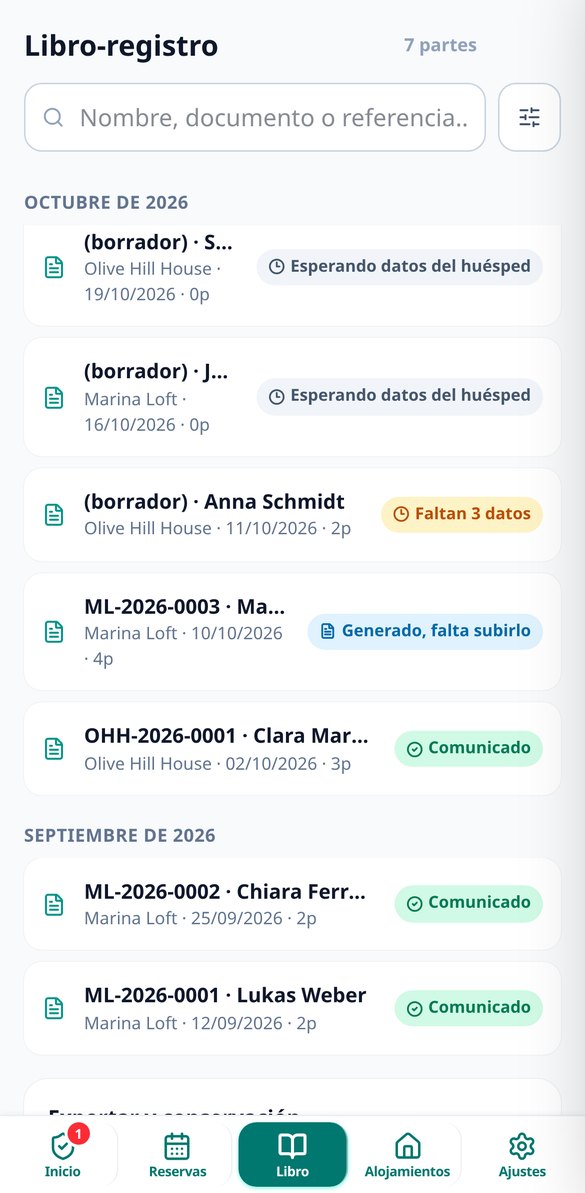
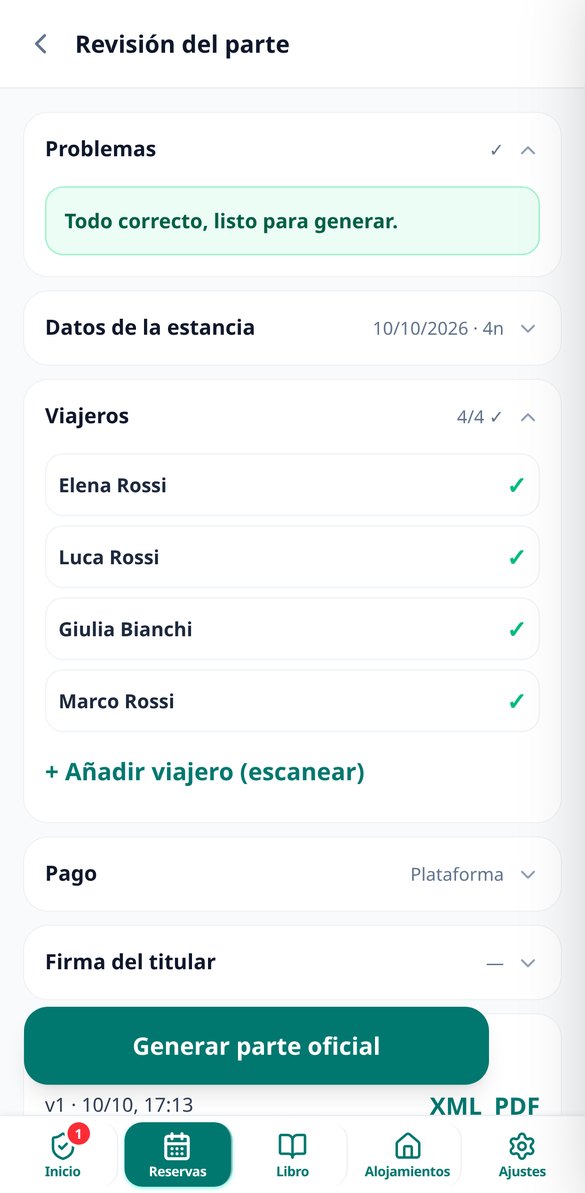
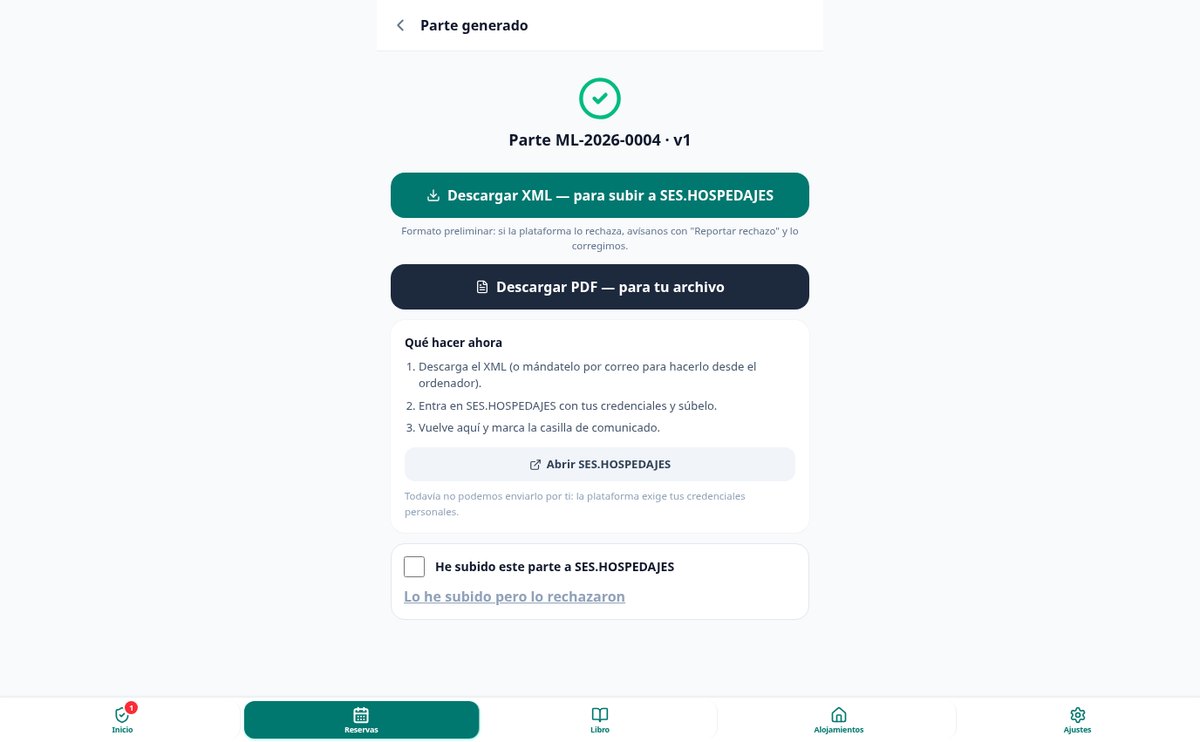
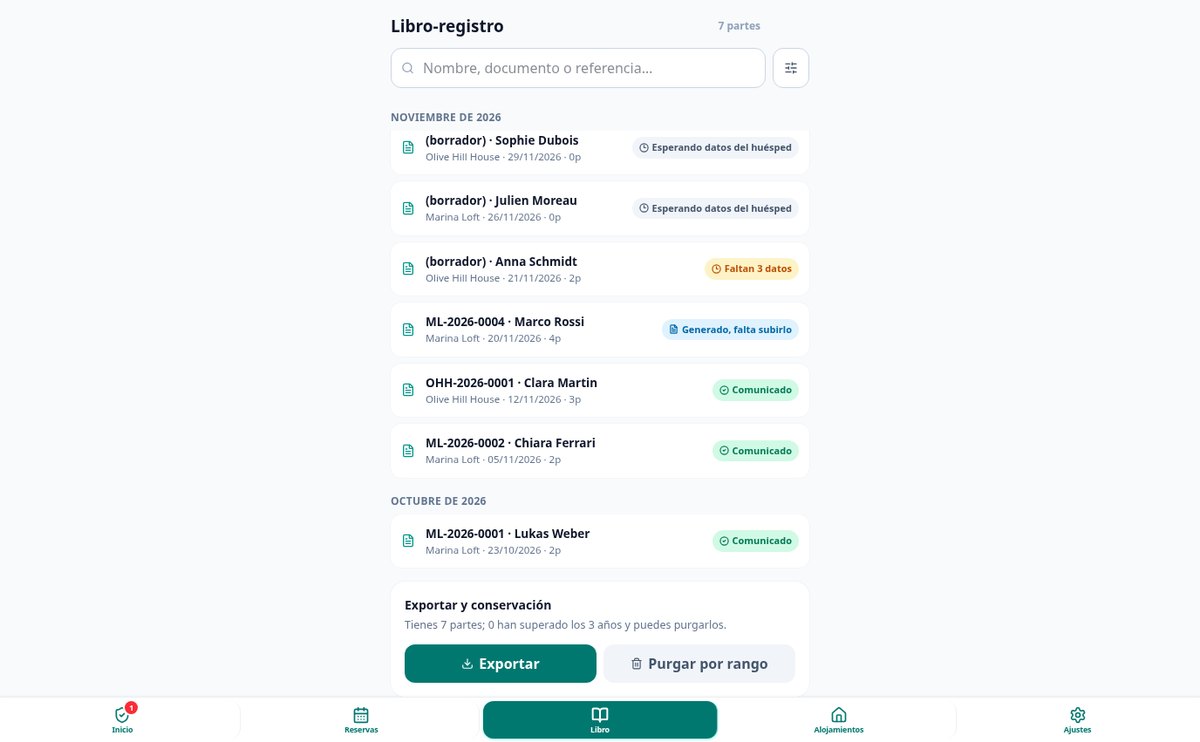
aiGuest checks the registration against the real rejection reasons before letting you generate anything: DNI and NIE check digit, nationality and country of residence in ISO code, phone with international prefix, coherent dates, and the mandatory relationship block for each minor with the adult they are traveling with. Anything missing appears as a list of issues with the person's name and a button to fix it. With everything green, the report is generated as a PDF for your records and XML to upload it (preliminary format, we say so on the screen itself), and it is saved with a sequential number in a guest register that you can search, export as ZIP, and purge after three years.
From creating the booking to submitting the report, in three steps
Set up your property and booking
Your apartment once, with its capacity, its tourism registration number, and its SES establishment code. After that, each booking takes three actions: the date range, how many are coming, and save. If the booking comes from Airbnb, Booking, or Vrbo, the payment method is filled in automatically and you don't have to ask anyone for their card.
Share the link and let them fill it in
One button copies the message with the link, in Spanish or English, ready to paste into WhatsApp or the channel chat. You also have the QR full-screen to show on arrival. If someone doesn't do it, you scan their documents at check-in, when you have them in your hand.
Review, generate the report, and mark it
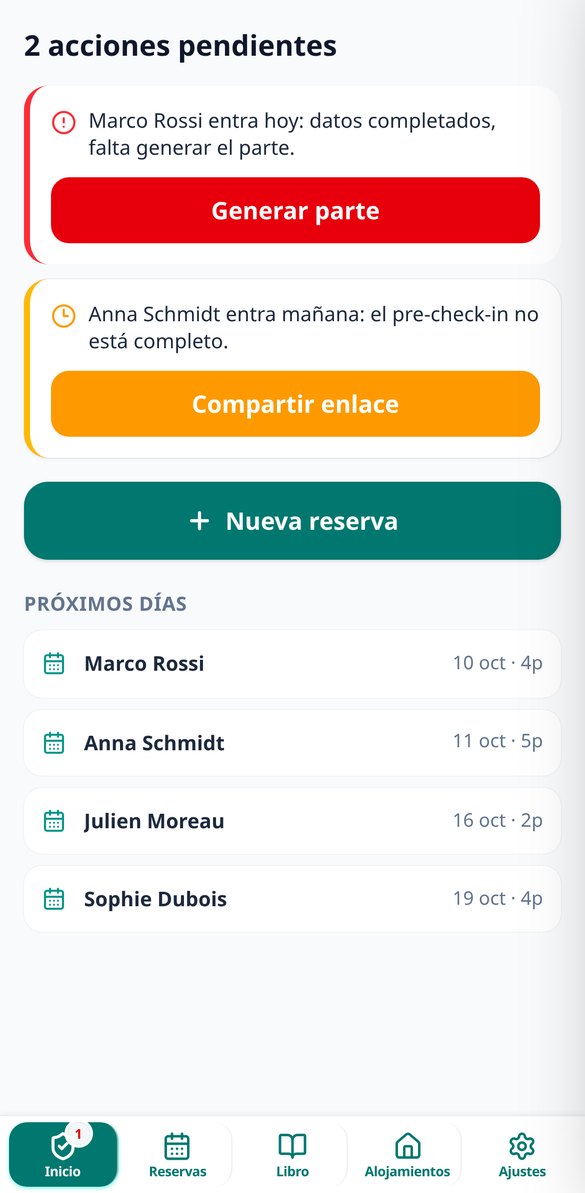
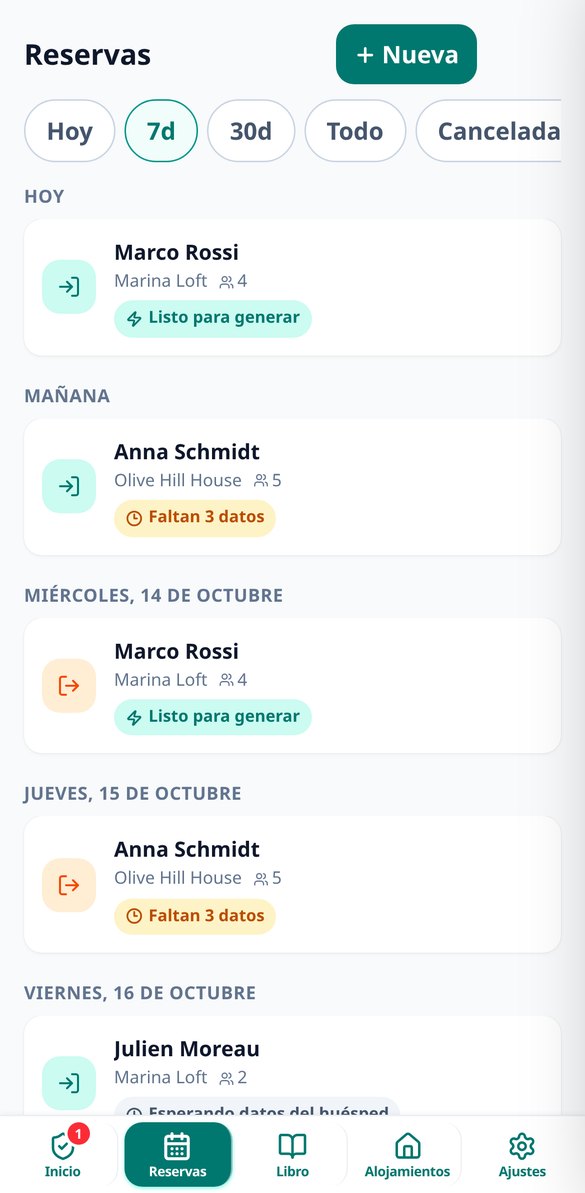
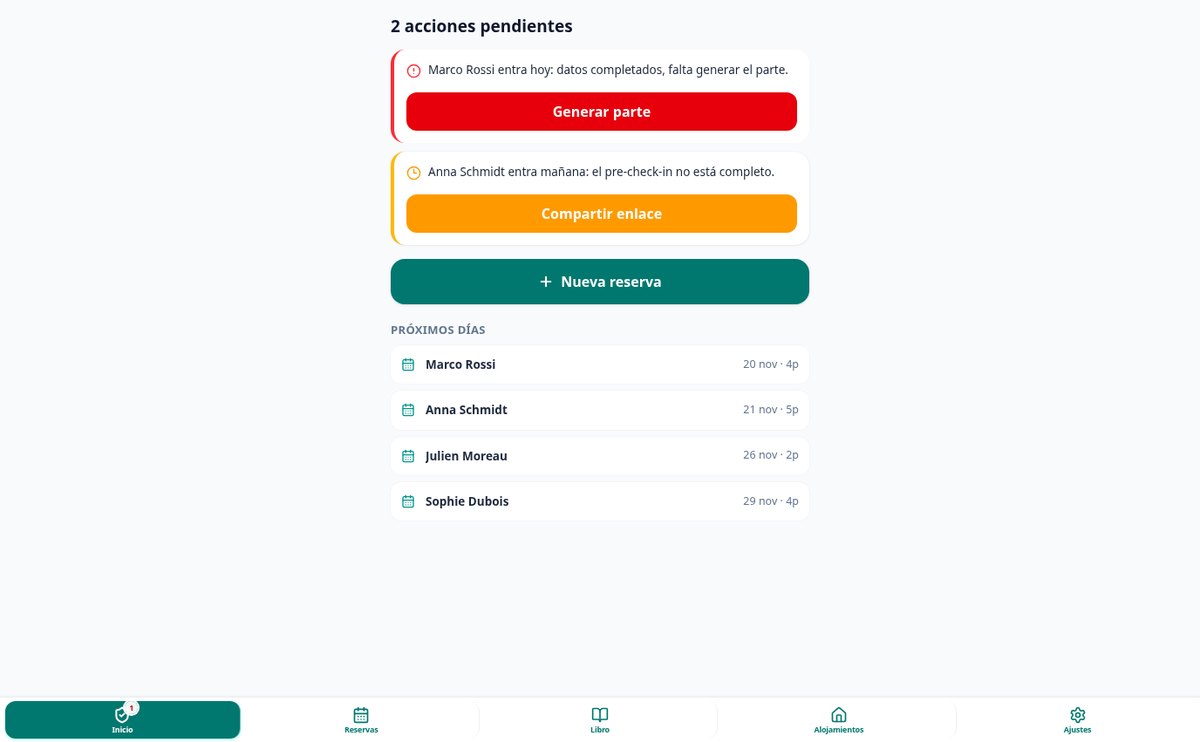
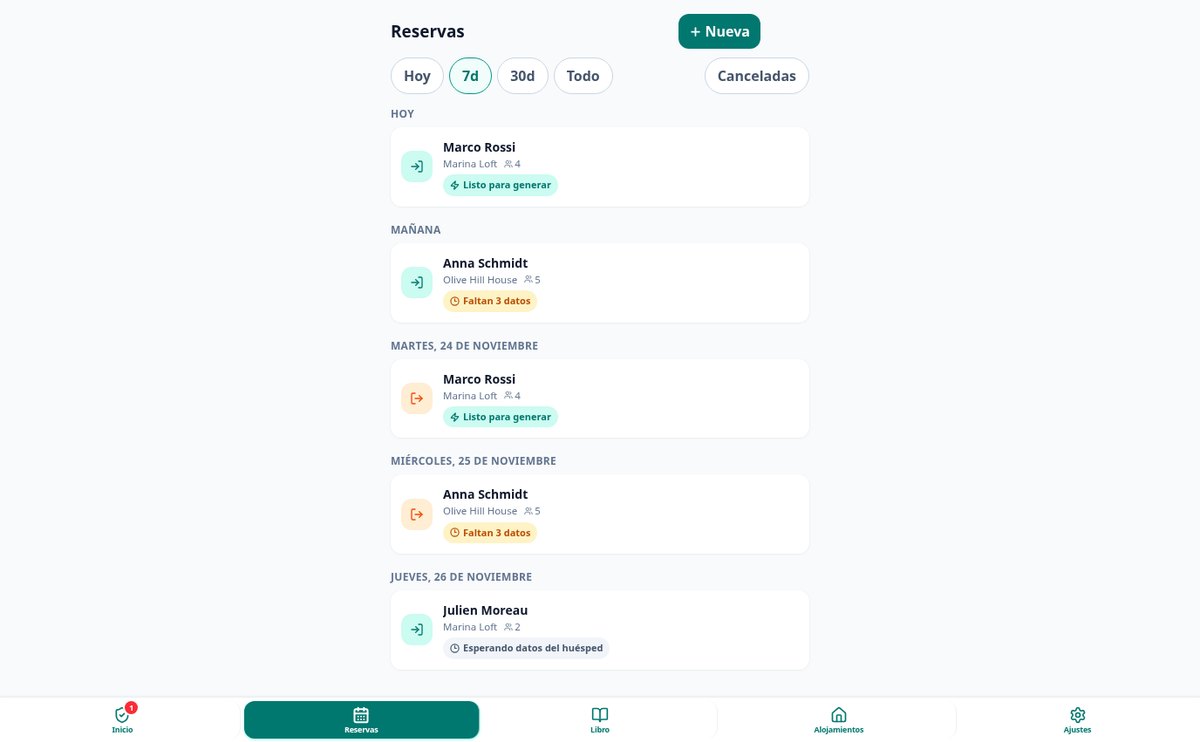
The home screen shows you only what's urgent: who is checking in today without the report done, who is missing data, which accommodation doesn't have an SES code. You go in, fix what the validator flags, generate the report, upload it to SES.HOSPEDAJES, and check the box. The alert turns off and the report stays in your guest register.

Who is it for?
Built for these profiles
Frequently Asked Questions
Latest blog articles
Guides and news to get more out of it

Let traveler registration stop being the worst moment of arrival
Create your free account, set up your property, and send your first pre-check-in link today.